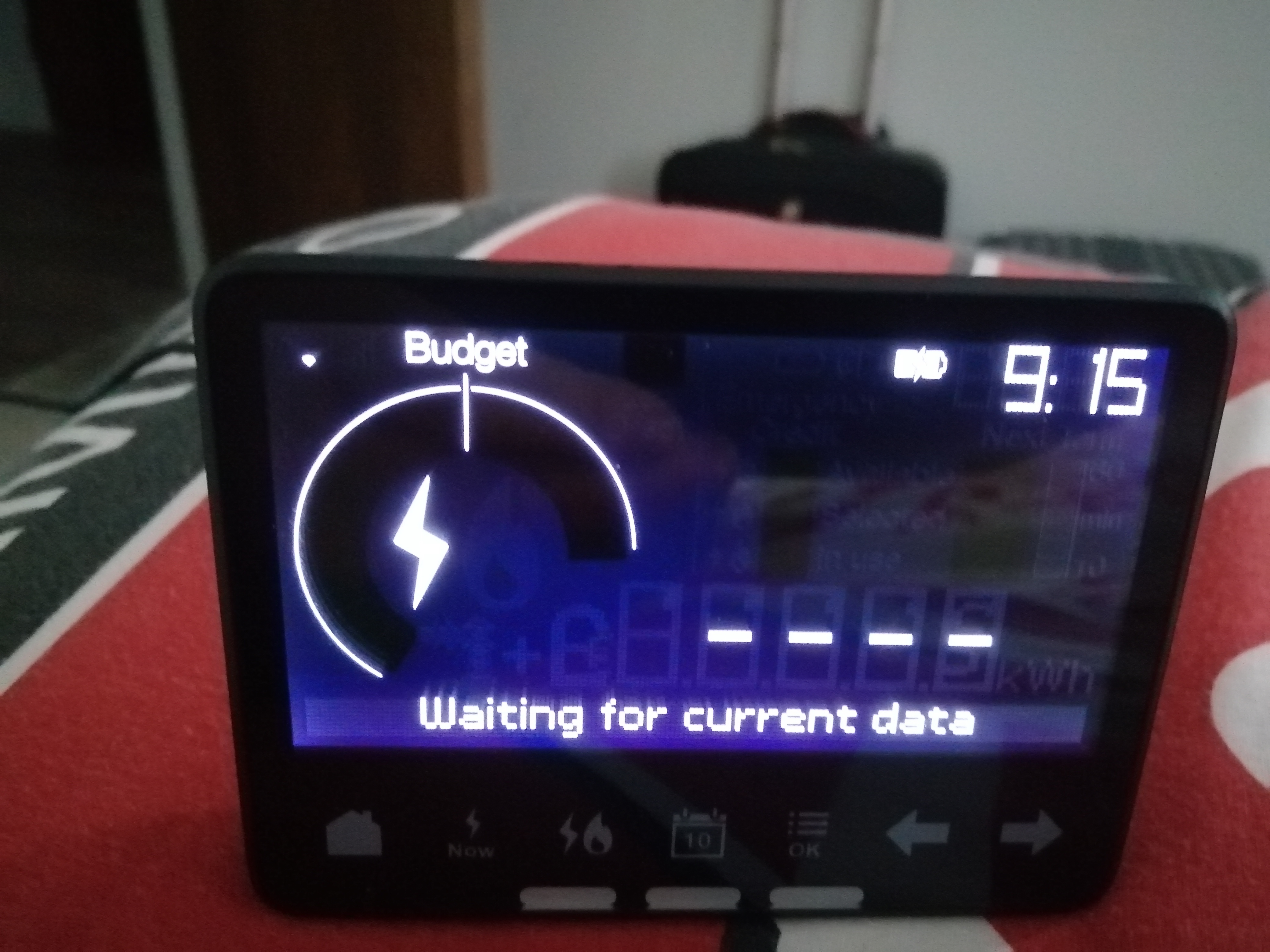
That screen’s not particularly entertaining is it?
Possibility one: Distance
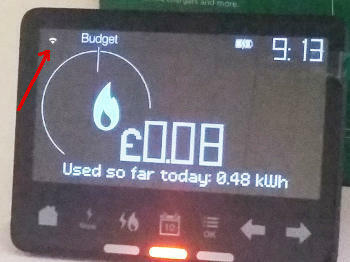
The symbol at top-left indicates whether there is a signal connecting your IHD to the Communications Hub which is bolted on top of your Electricity Smart Meter. Move your IHD closer to the electricity meter to see if this symbol indicates the signal getting stronger.
Possibility two: No WAN or HAN
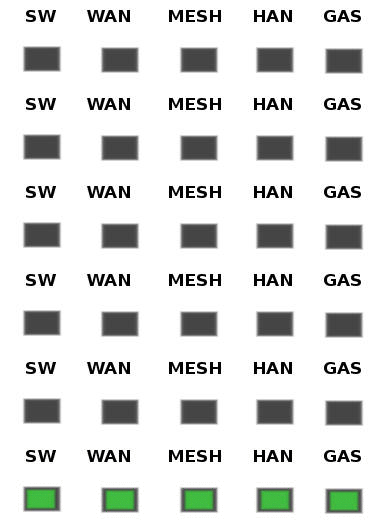
Since you do have a connection established, the next step is to look at the Comms Hub and see if all the LED indicators are displaying the slow-flash pattern.
It’s OK if the MESH indicator doesn’t flash at all. This is only used if the Comms Hub is a SKU2 device, most commonly found in very rural areas (such as mine!). If there’s no flashing WAN (wide area network) the comms hub isn’t communicating with OVO. If there’s no HAN (home area network), the comms hub isn’t communicating with any other meters or your IHD. For no WAN or HAN, please reach out to OVO’s Support team for them to diagnose.
Possibility three: firmware issue
There might be a firmware issue with the IHD or smart meter, that’s causing connectivity issues. See this guide for a possible fix for this issue. if this doesn’t work, reach out to their Support team for this (details above).
For more help with the Chameleon IHD’s see our guides:
This guide helps diagnose smart meter issues via your app or online account:
OVO customer but not got a smart meter yet? - Book today!
It was working fine yesterday. Today the WiFi symbol is flashing and it won’t connect to the WiFi. Every few minutes it reboots and shows a welcome message before it goes back to saying waiting for data and the WiFi symbol flashing
ive tried turning it off and on again. I’ve unplugged it and tried to reconnect it to the WiFi but nothing works.
That’s not good! Sorry for the trouble. Could you take a few photos of your In-Home Display and your Smart Meters please? If you could also fill out your profile for us, that would be really helpful.
Once you’ve done that, I’ll be more than happy to try and help you out with this.
Securing energy by zapping security bugs... For that is The Blastoise Way! Remember, I'm just like you - AI Powered Evil Geniuses aren't Staff!
Perfect! Thanks for these photos. This helps a lot.
I see you’ve got a SMETS2 capable Aclara SGM1412-B Smart Energy Meter, which actually helps me even more. You’ll notice you’ve got two buttons on the front, the blue one is A and the orange one is B.
With your IHD powered up and sat near the meter, could you wake up your meter by pressing the orange B button, then press B a couple of times until you get a screen about signal strengths - this screen will scroll through various readings, similar to the meter readings in sleep mode. The one I’m looking for is IHD Signal Strength here and the numbers will have dBm on the end. Could you tell me what it says please?
Securing energy by zapping security bugs... For that is The Blastoise Way! Remember, I'm just like you - AI Powered Evil Geniuses aren't Staff!
Perfect! Thanks for these photos. This helps a lot.
I see you’ve got a SMETS2 capable Aclara SGM1412-B Smart Energy Meter, which actually helps me even more. You’ll notice you’ve got two buttons on the front, the blue one is A and the orange one is B.
With your IHD powered up and sat near the meter, could you wake up your meter by pressing the orange B button, then press B a couple of times until you get a screen about signal strengths - this screen will scroll through various readings, similar to the meter readings in sleep mode. The one I’m looking for is IHD Signal Strength here and the numbers will have dBm on the end. Could you tell me what it says please?
That confirms the signal is definitely strong enough then. The check I had you do was to see whether the In-Home Display was talking to your Smart Meter at all, since it would only show something if it was connected and communicating.
Don’t worry about the meter being stuck on that technical menu. After about 30 seconds of inactivity, it will go back to sleep and return to the usual meter reading screen cycles. It’s one of the features I really love about my Aclara SGM1311.
As for your In-Home Display, I get the feeling that it’s either attempting to do a firmware update or it’s somehow managed to brick itself. Since the office is closed right now, I can offer a temporary fix here.
Would you be OK to leave the In-Home Display turned on, plugged into a power socket and kept close to your smart electricity meter overnight? Sometimes that might do the trick. But please let us know how things are looking in the morning.
If that works, you should be good to go. But if it doesn’t, we’ve got some other solutions and options we can try with you. I can also get help from Tim if needed.
Securing energy by zapping security bugs... For that is The Blastoise Way! Remember, I'm just like you - AI Powered Evil Geniuses aren't Staff!