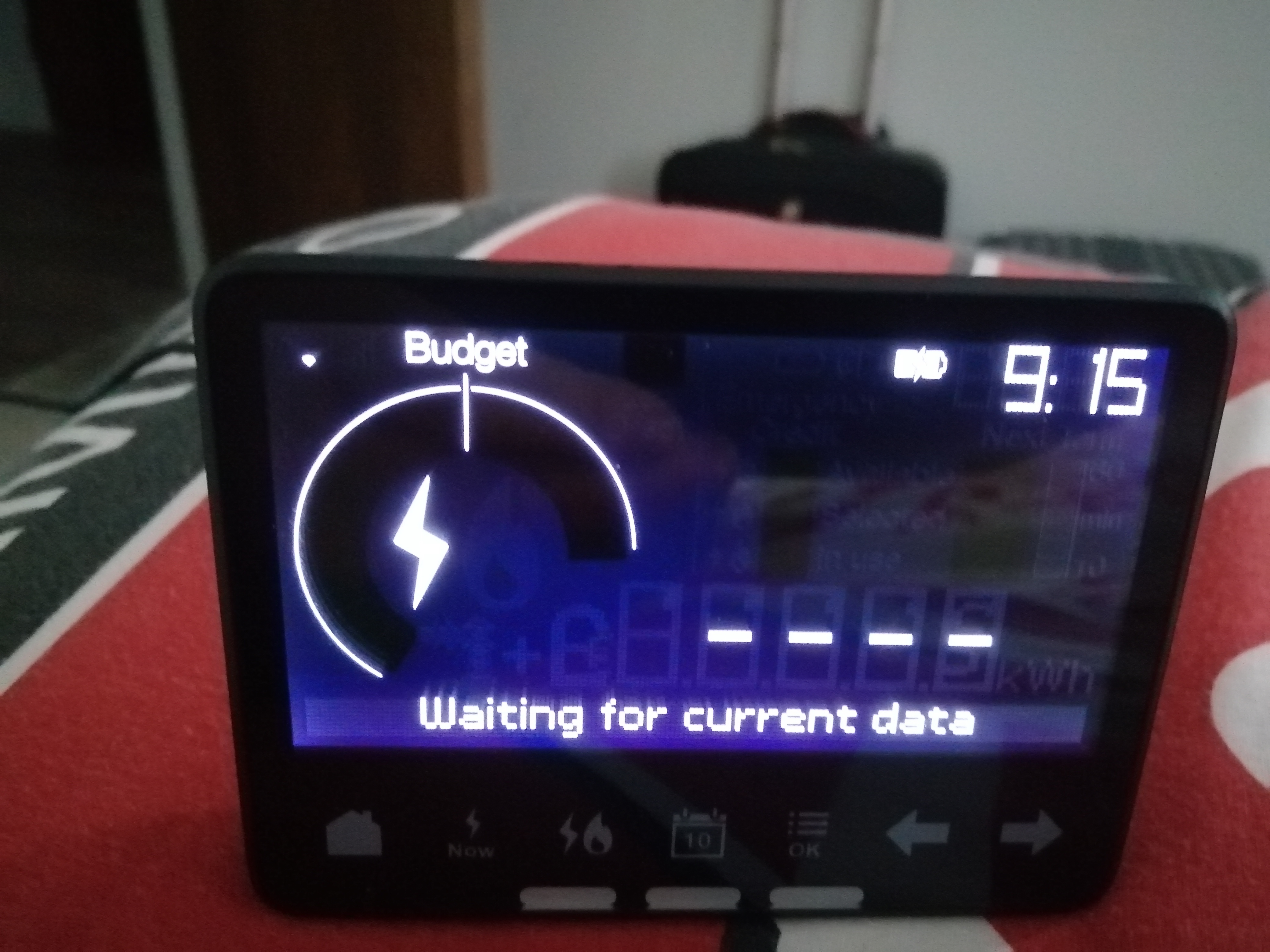
That screen’s not particularly entertaining is it?
Possibility one: Distance
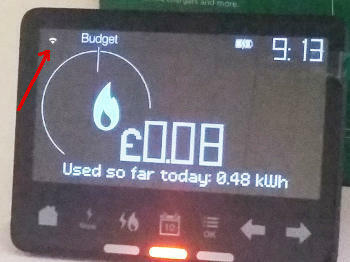
The symbol at top-left indicates whether there is a signal connecting your IHD to the Communications Hub which is bolted on top of your Electricity Smart Meter. Move your IHD closer to the electricity meter to see if this symbol indicates the signal getting stronger.
Possibility two: No WAN or HAN
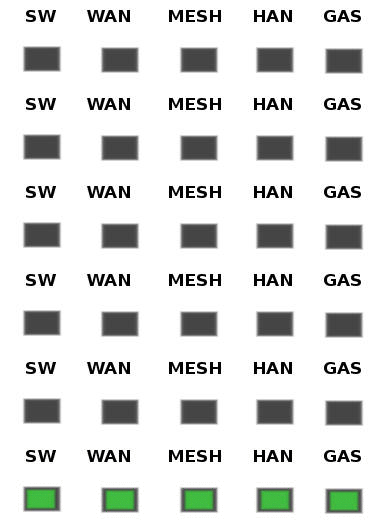
Since you do have a connection established, the next step is to look at the Comms Hub and see if all the LED indicators are displaying the slow-flash pattern.
It’s OK if the MESH indicator doesn’t flash at all. This is only used if the Comms Hub is a SKU2 device, most commonly found in very rural areas (such as mine!). If there’s no flashing WAN (wide area network) the comms hub isn’t communicating with OVO. If there’s no HAN (home area network), the comms hub isn’t communicating with any other meters or your IHD. For no WAN or HAN, please reach out to OVO’s Support team for them to diagnose.
Possibility three: firmware issue
There might be a firmware issue with the IHD or smart meter, that’s causing connectivity issues. See this guide for a possible fix for this issue. if this doesn’t work, reach out to their Support team for this (details above).
For more help with the Chameleon IHD’s see our guides:
This guide helps diagnose smart meter issues via your app or online account:
OVO customer but not got a smart meter yet? - Book today!
Nice. -28dBm indicates that the In-Home Display is well within range of the meter and is definitely close enough to work. If this initial solution works, keeping the In-Home Display where it was when you checked the signal should definitely do the trick.
Feel free to check the signal strength anytime via that menu. You ideally want to keep the signal between -10dBm and -50dBm whenever possible for best results.
Securing energy by zapping security bugs... For that is The Blastoise Way! Remember, I'm just like you - AI Powered Evil Geniuses aren't Staff!
Ahh ok. I’m beginning to think that your IHD might have developed a fault and bricked itself. The good news is that you can get it replaced with a new one free of charge in these circumstances. Sorry for the trouble.
Please could you have a chat with the support team via live chat or phone in the morning and they can make the arrangements to pop a new one in the post. Live chat tends to be the faster option. If you let the agent know you’ve spoken to me on the forums and provide a link to this thread, they’ll know what to do from there.
Once you get your new IHD, you can call the support team and they’ll walk you through getting the new one paired up to your Home Area Network (HAN). They’ll also be able to unpair your broken one for you, which I recommend doing for security reasons. This is also completely free of charge and can be done remotely.
If you get stuck, please let us know here.
Securing energy by zapping security bugs... For that is The Blastoise Way! Remember, I'm just like you - AI Powered Evil Geniuses aren't Staff!
@EmmaJo yep it might be best to raise this with the Support team.
Very soon I hope to publish a checklist of questions that we can all complete, before raising it with the Support team via web chat. For now feel free to send them the link to this topic to see the thread and get the info they need!
Carbon neutral - we need a community to get there! My green tech: Aclara SGM 1411-B smart meter, Chameleon IHD6
Hi @Kerrick and welcome to this customer forum. I can’t tell exactly what you’re seeing .. my smart meters had lost connection earlier this week but are now back in touch. It does happen from time to time but it’s worth keeping check and posting readings if off line for a while to prevent estimated readings.
Bring me Sunshine ~ E&E {Solar PV, Battery Storage, EV, ASHP and Home Assistant automation}