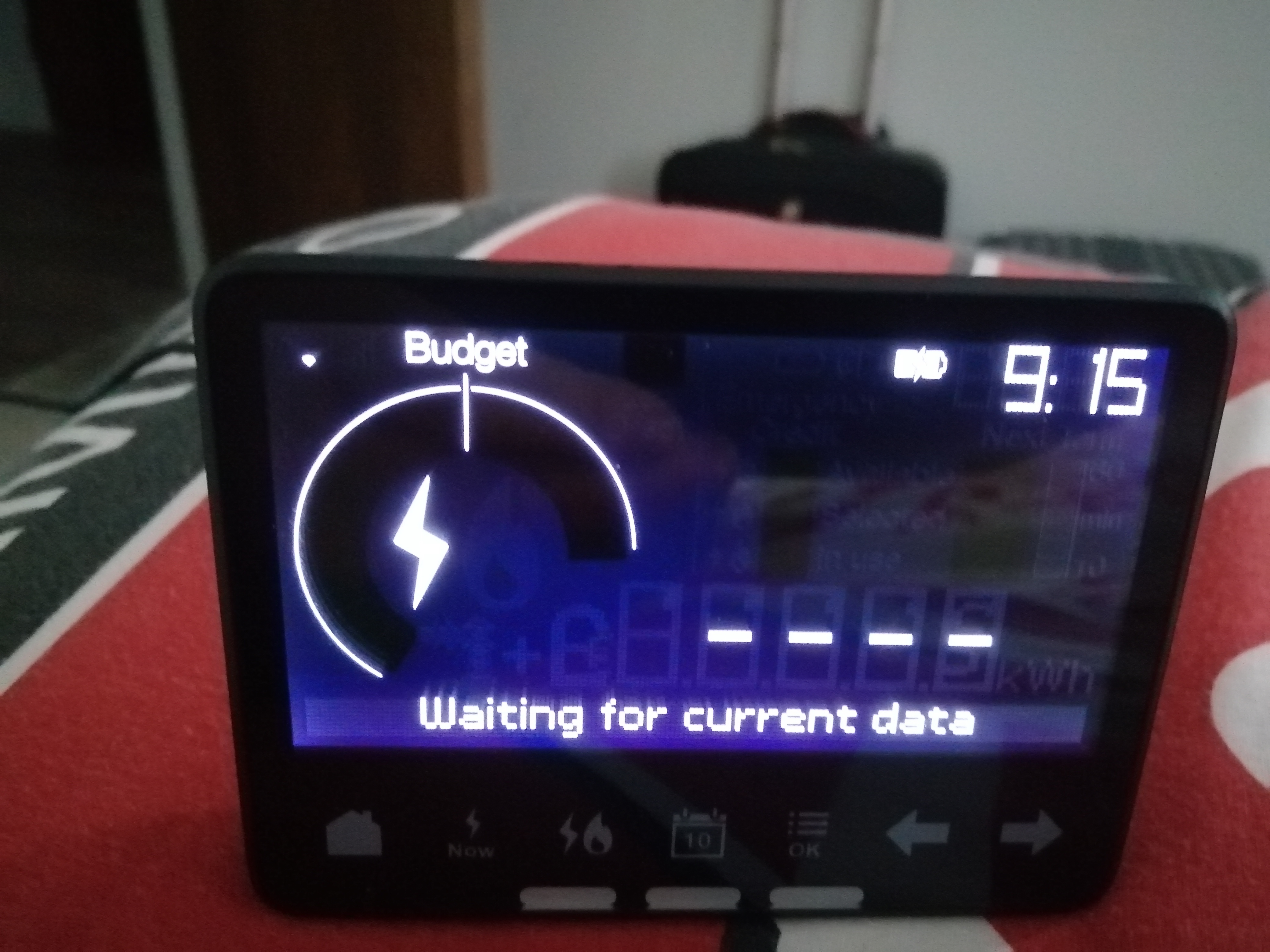
That screen’s not particularly entertaining is it?
Possibility one: Distance
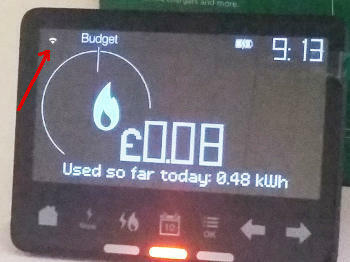
The symbol at top-left indicates whether there is a signal connecting your IHD to the Communications Hub which is bolted on top of your Electricity Smart Meter. Move your IHD closer to the electricity meter to see if this symbol indicates the signal getting stronger.
Possibility two: No WAN or HAN
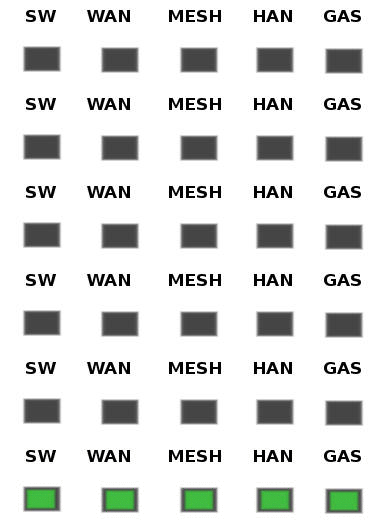
Since you do have a connection established, the next step is to look at the Comms Hub and see if all the LED indicators are displaying the slow-flash pattern.
It’s OK if the MESH indicator doesn’t flash at all. This is only used if the Comms Hub is a SKU2 device, most commonly found in very rural areas (such as mine!). If there’s no flashing WAN (wide area network) the comms hub isn’t communicating with OVO. If there’s no HAN (home area network), the comms hub isn’t communicating with any other meters or your IHD. For no WAN or HAN, please reach out to OVO’s Support team for them to diagnose.
Possibility three: firmware issue
There might be a firmware issue with the IHD or smart meter, that’s causing connectivity issues. See this guide for a possible fix for this issue. if this doesn’t work, reach out to their Support team for this (details above).
For more help with the Chameleon IHD’s see our guides:
This guide helps diagnose smart meter issues via your app or online account:
OVO customer but not got a smart meter yet? - Book today!
Let’s not jump to conclusions yet @Cmhammer69. Just because the processor doesn’t appear to be running, doesn’t mean it’s broken. It’s possible that the problem is merely the lack of power being fed from the electricity meter below it.
Intimate Communications Hub Interface
As you can see from this photo, the electricity meter has two connectors which will mate with the Comms Hub that gets bolted above it.
Two pins on the right-hand connector supply 12v DC to operate the Comms Hub electronics.
It’s entirely possible that the Comms Hub just needs re-seating and it’ll be fine.
Did you check the Usage on My OVO? Has this been receiving data from your Smart Meter?
What about the SMETS2 Gas Meter? Do the buttons wake up the display?
I’ve actually combined an older topic to this one, and tweaked your ‘best answer’ as I think it will help hundreds of people a week. I think we can make it one of the go twos for this IHD issue. Please have a look at the changes and leave a comment/amend if you think I’m wide of the mark anywhere.
Carbon neutral - we need a community to get there! My green tech: Aclara SGM 1411-B smart meter, Chameleon IHD6
@Transparent, thank you for waking me up to the fact that I am paying to provide my meter readings. What a wonderful innovation! For whoever is billing me for gas and electricity.
As far as I can determine, the Comms Hub is correctly seated and, since it worked fine until Saturday, I feel it is entirely reasonable to conclude that there is a fault, which was your suggestion. Perhaps I missed an earthquake here overnight Friday into Saturday?
Kindly advise me when Ovo propose to remedy this situation.
Erm @Cmhammer69 I can’t respond on behalf of OVO. This is an open Forum whose members are ordinary consumers like yourself.
I can try to help diagnose what’s going wrong, based on my knowledge of Smart Meters. But I’ll need a bit more information about whether readings are still being delivered to OVO and shown on your My OVO page where the Usage histograms can be viewed.
Yep, this forum isn’t best placed for concrete remedy implementation promises, @Cmhammer69 - but there’s decent customer generated advice if you know where to find it.
If you think your IHD has a fault needed CS support (such as those listed in @Transparent’s ‘Beat answer’ (at the top), please reach out to our support teams: we’re on Facebook, Twitter and our Help Centre has online chat!
Carbon neutral - we need a community to get there! My green tech: Aclara SGM 1411-B smart meter, Chameleon IHD6
My IHD (SMETS1 Chameleon) is showing Waiting for current data message. It has been like that for some time now but as we are getting closer to winter I want to keep an eye on my energy usage in real time so need to get this fixed.
I read the tutorial and multiple threads with the same issue so I think I covered the basics.
restarted the IHD, no change,
moved it closer to the smart meter, no change,
checked the signal strength, 4 bars,
checked the WiFi signal strength, 4 bars,
checked the smart meter, 4 lights flashing,
MyOVO usage is up to date,
checked time on the IHD, it is correct,
Unless anyone has any other idea, looks like I will have to contact the support team so they can send a reset. Does this mean I will lose my self service reward?
Here is an idea to OVO support team: how about you add an option in myOVO so that users can send a reset without contacting the support team. This seems to be the most common way to fix the IHD.
Amazing work with this diagnosing, @csty - this is really helpful for us to make sure we’re not wasting your time suggesting things that aren’t relevant!
It seems to have WAN, it seems to have HAN, it seems to be paired….. maybe this is a firmware update delay? Similar to the topic here
As you mentioned, there’s nothing ‘on the ground’ that is telling us the issue, we need to get our Support team to check things behind the scenes. You won’t lose your self service reward for this, as it’s not something you can do yourself (you’ve already tried, very hard as outlined above).
Can you let us know how it’s left when you reach out?
Carbon neutral - we need a community to get there! My green tech: Aclara SGM 1411-B smart meter, Chameleon IHD6
how about you add an option in myOVO so that users can send a reset without contacting the support team.
I can see where you’re coming from with this idea, but it would breach the security envelope for the SMETS system, which has been developed by the NCSC (National Cyber Security Centre - a division of GCHQ).
If there is a method of automatically generating a reset command from a site on the open internet, then it creates a loophole whereby any other SMETS command could be sent.
The roll-out for SMETS2 was delayed 6 months whilst the security was tightened up and tested. It’s vital that there is no back-door through which the UK's energy supplies could be threatened by malicious intent.
Overall the best strategy is for us customers to ensure that OVO’s engineers are provided with adequate (and accurate) feedback, thus enabling the bugs to be fixed.
Many of these flaws won’t be within the scope of a solution by OVO themselves. They will need to resolve issues in conjunction with meter manufacturers, the Data Communications Company and Utilita, who maintain the uSmart software interface used by OVO.
@Tim_OVO , I spoke to the support twice in the last few days, but they were not able to fix it. Apparently sometimes IHD can unpair and refuse to pair back to the smart meter. It seems that the only option is to replace the IHD. Apparently there is a backlog so it might take some time to get one.
@Transparent , I recognise the security aspect, but I believe it is possible to provide a limited access to the system without compromising on it. I hope that this will one day be possible as it would open a host of new services around home automation. Online banking used to be very limited in features because of security risks, I hope that SMETS will also evolve this way.
Given the propensity for our Comms Hubs to ostracise our IHDs, why couldn’t OVO send a SMETS_reset signal every night when they retrieve the previous day’s data?
It’s a crazy thought… but what harm could it do?
Now I’ll go and hide before @Tim_OVO lobs something large and heavy in my direction….