Rank 2
November 4, 2022
Solved

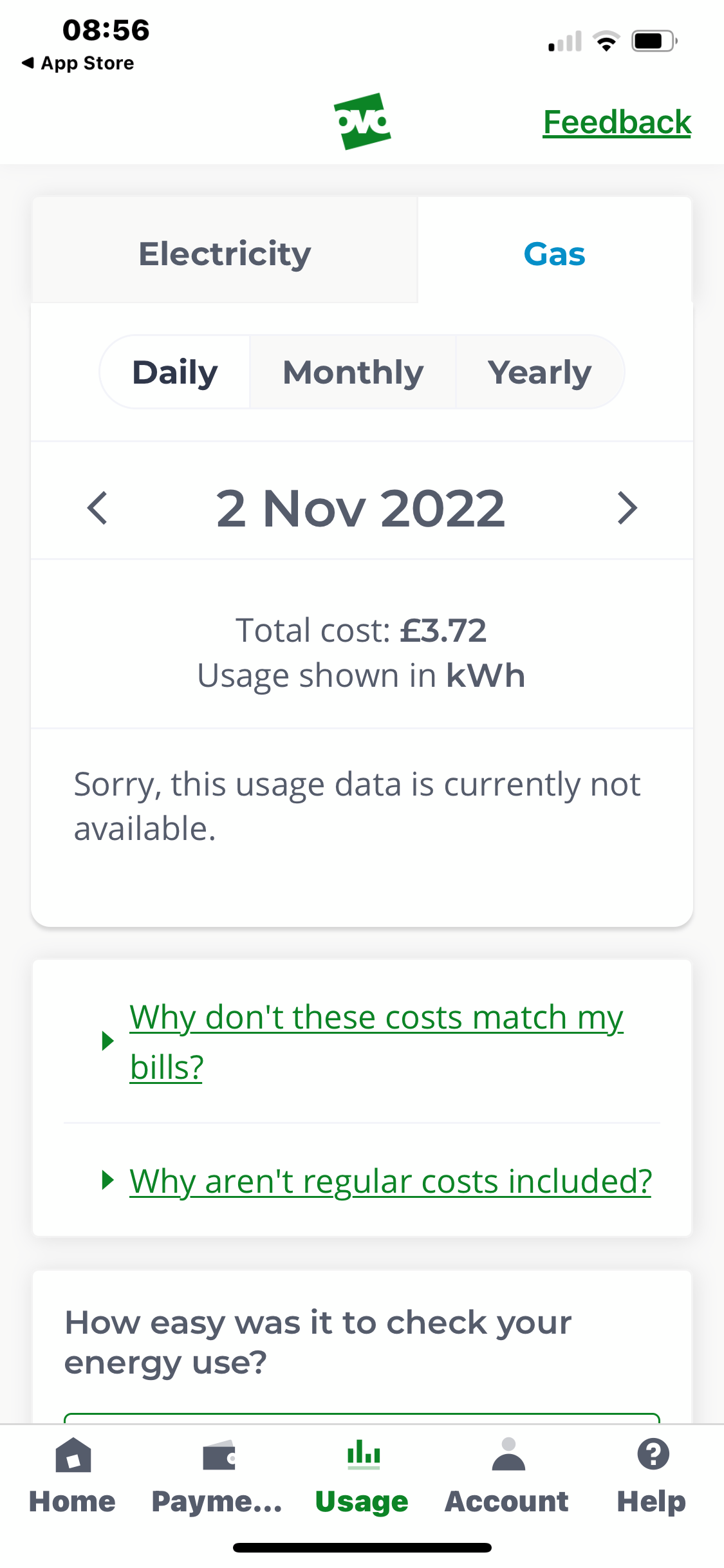
Smart Meter communicating with OVO but gas usage info not showing on Online Account?

  • November 4, 2022
  • 50 replies
  • 4883 views

My gas usage is not showing hourly, although electricity is showing hourly. The smart meter is sending half hourly info and this has been checked by OVO. I’ve uninstalled the app and reinstalled it, checked online, logged out and back in again, and was told to ask on here for help by the chat assistant, as I think they have run out of ideas. Does anyone have any ideas please?

Best answer by Jeffus

Updated on 15/10/25 by Chris_OVO:


@viney

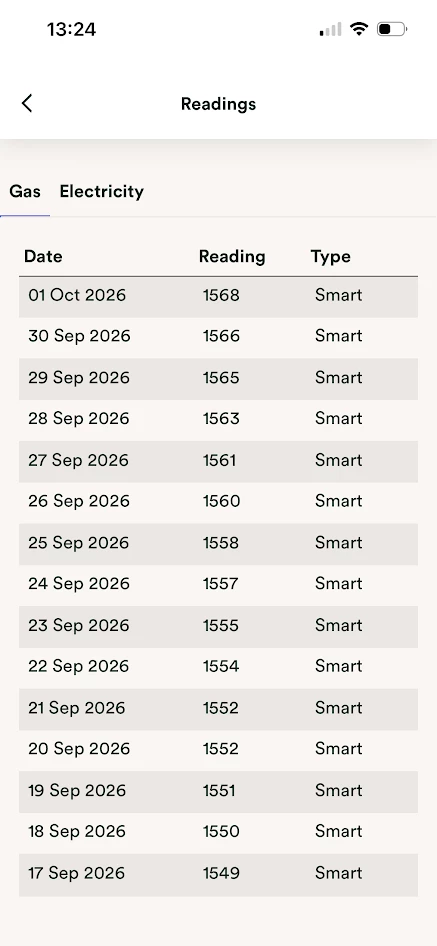
1. Check your gas readings page to make sure your gas meter is sending daily smart readings. 

https://account.ovoenergy.com/meter-readings/history/gas

You should see a daily reading with the word smart next to it. 

2. Ask OVO to set your gas and electric meter reading frequency to every 30min. 

3. Run this check 

https://smartmetercheck.citizensadvice.org.uk/


If your smart meter is sending us reads, but your online account / app ‘Usage’ pages aren’t showing correct data, then it could be that one or both of the meters isn’t set up to provide half hourly readings. You can change your reading schedule to half-hourly following this guide:


We’ve also got some great guides on viewing your ‘Usage’ pages, and identifying smart issues, in your online account and app:


50 replies

vineyAuthor
Rank 2
November 15, 2022

Great diagnostics support on show here. I agree it sounds like everything with the meter is fine. OVO should be able to visualise your gas usage

I’ve asked our Forum_Support team to private message you, @viney to see if they can spot anything internally that alludes to the issue. We may need to pass on feedback to the agent you spoke to who advised daily gas usage isn’t a thing...


Hi @Tim_OVO 

Thank you.

It was hourly gas usage, not daily gas usage that the agent said wasn’t a thing - I did ask them to clarify twice and they said they had asked a senior for clarification.

vineyAuthor
Rank 2
November 15, 2022

Just to update my info, Loop has finished updating and the app cannot access my gas usage info either.

I raised a support query with Bright as I couldn’t see my gas usage through that and their reply is as follows, in case this is helpful:

”I see that you have a Flonidian gas meter and we've recently had a few other customers also with an enrolled Flonidian gas meter saying their data wasn't coming through. We have raised this with the DCC to ask them if the configuration was checked with the DCC Other User role.”

Emmanuelle_OVO
Retired Moderator
Retired Moderator
November 16, 2022

Hey @viney,


That’s really helpful, we’ve seen a few customers with similar issues who also have recently enrolled meters.


If we get any updates on this, I'll post in this thread. 

Renewable Energy? Big Fan.
Jeffus
Rank 20
Rank 20
November 16, 2022

Just to update my info, Loop has finished updating and the app cannot access my gas usage info either.

I raised a support query with Bright as I couldn’t see my gas usage through that and their reply is as follows, in case this is helpful:

”I see that you have a Flonidian gas meter and we've recently had a few other customers also with an enrolled Flonidian gas meter saying their data wasn't coming through. We have raised this with the DCC to ask them if the configuration was checked with the DCC Other User role.”

@viney 

Good to know

We can definitely see the daily meter readings are coming through on the OVO screen shot you posted. 

So we know OVO can at least get that. 

The "DCC Other User Role" is a role given to the 3rd parties like Bright. 

OVO have a different "Role" so they can access more information from your meter, hence why the OVO Meter Reading page works for you, but the 30min usage on the OVO usage page doesn't. 

So it does not look like the issue is specific to the DCC Other User role but it is great they are getting the DCC to investigate as the DCC may be able to fix the issue hopefully for all "Roles" 

Did you ever get a letter saying your meter was being migrated?

Will I receive an email when my meter is being upgraded?


The Data Communications Company (DCC) is updating SMETS1 meters in batches, we receive notification of which accounts will be updated 15 days in advance which gives us time to send an email or letter to  let you know. This includes a data protection statement for obtaining and using your meter readings.


If this update is successful then we’ll send you another email or letter to let you know. If it’s unsuccessful we’ll let you know and the DCC will try and update the account again - we'll let you know if and when the update is successful. We unfortunately have no control over who gets upgraded and who doesn't, this is decided by the DCC.

vineyAuthor
Rank 2
November 17, 2022

Just to update my info, Loop has finished updating and the app cannot access my gas usage info either.

I raised a support query with Bright as I couldn’t see my gas usage through that and their reply is as follows, in case this is helpful:

”I see that you have a Flonidian gas meter and we've recently had a few other customers also with an enrolled Flonidian gas meter saying their data wasn't coming through. We have raised this with the DCC to ask them if the configuration was checked with the DCC Other User role.”

@viney

Good to know

We can definitely see the daily meter readings are coming through on the OVO screen shot you posted. 

So we know OVO can at least get that. 

The "DCC Other User Role" is a role given to the 3rd parties like Bright. 

OVO have a different "Role" so they can access more information from your meter, hence why the OVO Meter Reading page works for you, but the 30min usage on the OVO usage page doesn't. 

So it does not look like the issue is specific to the DCC Other User role but it is great they are getting the DCC to investigate as the DCC may be able to fix the issue hopefully for all "Roles" 

Did you ever get a letter saying your meter was being migrated?

@Jeffus I haven’t had a letter to say my meter is being migrated. I rent the house and have been here for 2.5 years. 

Blastoise186
Super User
Super User
November 21, 2022

You should get a letter or email eventually!

Mind showing us some snaps of the meter?

Securing energy by zapping security bugs... For that is The Blastoise Way! Remember, I'm just like you - AI Powered Evil Geniuses aren't Staff!
BPLightlog
Super User
Super User
November 21, 2022


It’s here @Blastoise186 (from earlier in this thread) 😁

Bring me Sunshine ~ E&E {Solar PV, Battery Storage, Hybrid EV, ASHP and Home Assistant automation}
Blastoise186
Super User
Super User
November 21, 2022

That unit might actually be S2 given it was a 2018 unit. Try the Smart Meter Check tool.

https://smartmetercheck.citizensadvice.org.uk/

Securing energy by zapping security bugs... For that is The Blastoise Way! Remember, I'm just like you - AI Powered Evil Geniuses aren't Staff!
vineyAuthor
Rank 2
November 21, 2022

That unit might actually be S2 given it was a 2018 unit. Try the Smart Meter Check tool.

https://smartmetercheck.citizensadvice.org.uk/

I’ve tried that @Blastoise186 and it is working in smart mode :) 


Blastoise186
Super User
Super User
November 21, 2022

Ok, try running it through https://smart-meter-help.ovoenergy.com/ in that case. OVO will investigate further for you.

This Smart Meter Help tool is a brand new thing that OVO seems to be testing out. Feedback on it is, of course, very much welcome and we can make sure that it gets passed to the right team.

Securing energy by zapping security bugs... For that is The Blastoise Way! Remember, I'm just like you - AI Powered Evil Geniuses aren't Staff!