Rank 2
November 4, 2022
Solved

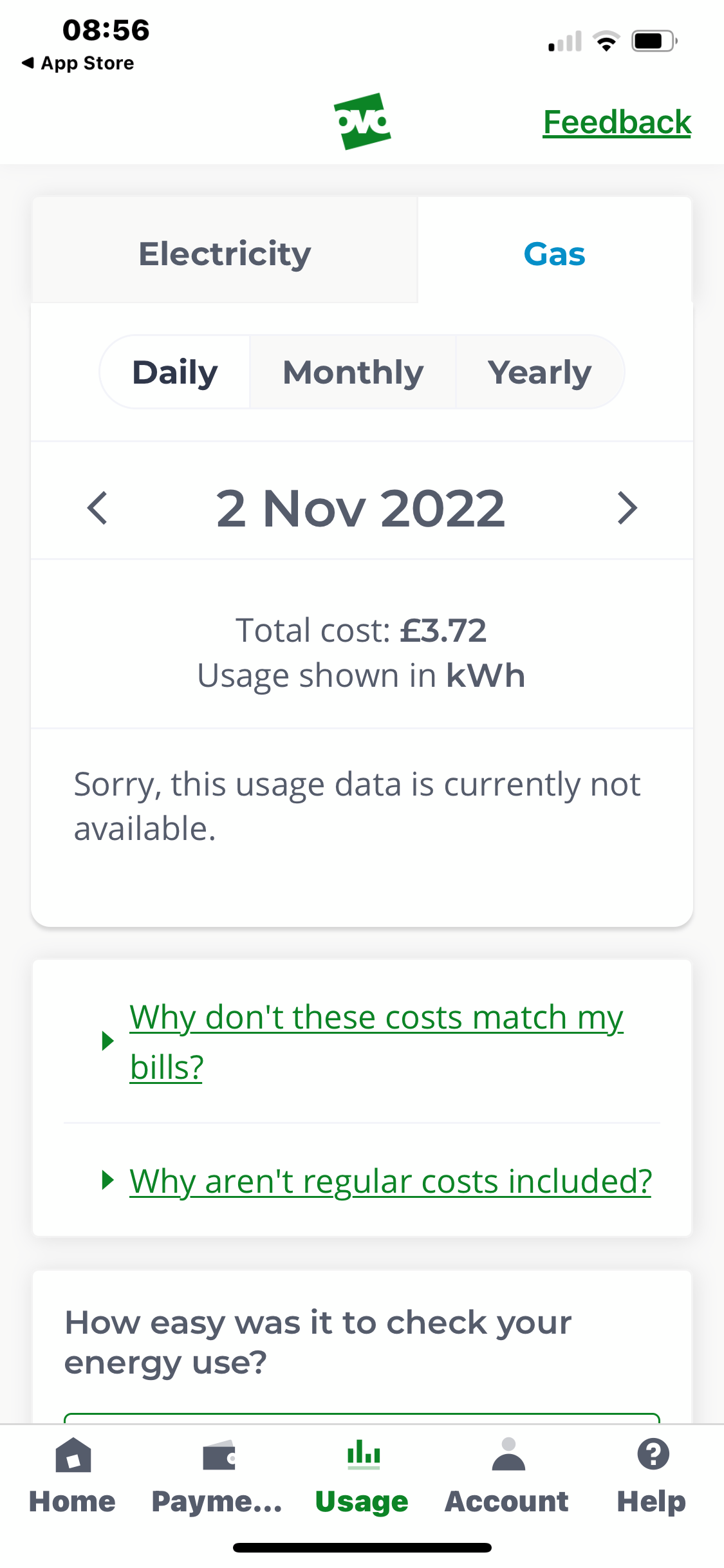
Smart Meter communicating with OVO but gas usage info not showing on Online Account?

  • November 4, 2022
  • 50 replies
  • 4883 views

My gas usage is not showing hourly, although electricity is showing hourly. The smart meter is sending half hourly info and this has been checked by OVO. I’ve uninstalled the app and reinstalled it, checked online, logged out and back in again, and was told to ask on here for help by the chat assistant, as I think they have run out of ideas. Does anyone have any ideas please?

Best answer by Jeffus

Updated on 15/10/25 by Chris_OVO:


@viney

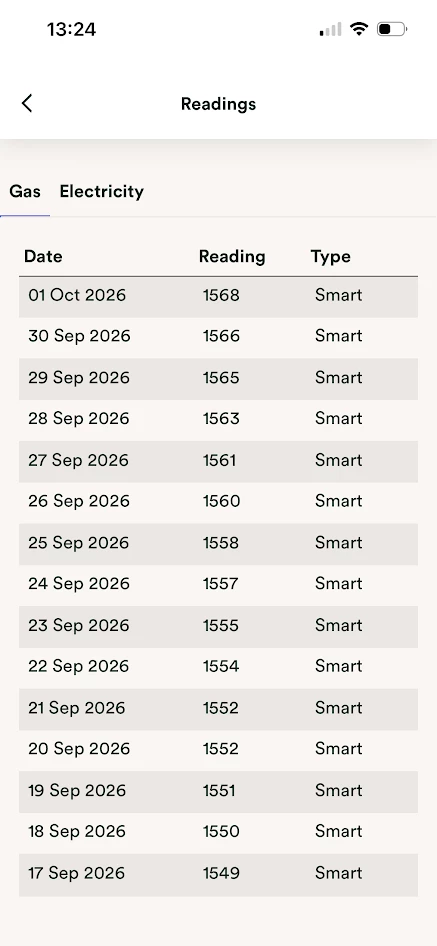
1. Check your gas readings page to make sure your gas meter is sending daily smart readings. 

https://account.ovoenergy.com/meter-readings/history/gas

You should see a daily reading with the word smart next to it. 

2. Ask OVO to set your gas and electric meter reading frequency to every 30min. 

3. Run this check 

https://smartmetercheck.citizensadvice.org.uk/


If your smart meter is sending us reads, but your online account / app ‘Usage’ pages aren’t showing correct data, then it could be that one or both of the meters isn’t set up to provide half hourly readings. You can change your reading schedule to half-hourly following this guide:


We’ve also got some great guides on viewing your ‘Usage’ pages, and identifying smart issues, in your online account and app:


50 replies

vineyAuthor
Rank 2
November 22, 2022

Ok, try running it through https://smart-meter-help.ovoenergy.com/ in that case. OVO will investigate further for you.

This Smart Meter Help tool is a brand new thing that OVO seems to be testing out. Feedback on it is, of course, very much welcome and we can make sure that it gets passed to the right team.

Thank you for the suggestion @Blastoise186  but I can’t complete the test, as my electricity meter doesn’t have any of the options/buttons asked for in the test and there is nothing displayed on my gas meter at all.. 

Blastoise186
Super User
Super User
November 22, 2022

Ok, give me a few days on that one. I’ve submitted a bug report to OVO because I was able to reproduce the same issue using my S2 Aclara setup. OVO’s initial reaction is that they agree the form should adapt to your specific setup.

The issue with the form is being investigated.

Securing energy by zapping security bugs... For that is The Blastoise Way! Remember, I'm just like you - AI Powered Evil Geniuses aren't Staff!
vineyAuthor
Rank 2
November 22, 2022

Ok, give me a few days on that one. I’ve submitted a bug report to OVO because I was able to reproduce the same issue using my S2 Aclara setup. OVO’s initial reaction is that they agree the form should adapt to your specific setup.

The issue with the form is being investigated.

Thank you :) 

This is a photo of my electricity meter (apologies for the spiders/webs I didn’t want to disturb them)


Blastoise186
Super User
Super User
November 23, 2022

Yup, that’s an S1 Aclara then. I used to have one of those actually before OVO upgraded me to an S2 Aclara. I know both versions well.

You appear to have a strong HAN Signal and a medium WAN Signal, which is good enough. Try using the manual S2 form for now as it’s pretty close. Let me know if you get stuck on any part of it and I’ll definitely be happy to fill the gaps in for you.


Securing energy by zapping security bugs... For that is The Blastoise Way! Remember, I'm just like you - AI Powered Evil Geniuses aren't Staff!
vineyAuthor
Rank 2
February 23, 2023

I was contacted by OVO support about this issue, from seeing this message, and they still haven’t resolved it. They aren’t answering my messages either. I’m at my wits end about this now. 

Jeffus
Rank 20
Rank 20
February 23, 2023

I was contacted by OVO support about this issue, from seeing this message, and they still haven’t resolved it. They aren’t answering my messages either. I’m at my wits end about this now. 

Hi @viney 

OK perhaps try something a bit different if you would like to? 

You downloaded the Bright app. 

Drop them an email and ask if they can see any reason why you can't see the gas readings on their app

They are pretty good at looking into things, they might try something or spot something useful. 

support@glowmarkt.com

Do the same with Loop as you also downloaded their app i see

support@loop.homes

Other users have emailed these 3rd party apps, so we know they do investigate to see if they can fix things for their apps. 

I suspect they can't do anything, but certainly worth a try.

I don't work for OVO, i am just a customer like you. 

vineyAuthor
Rank 2
February 23, 2023

Thank you @Jeffus 

Glow told me I had to buy another unit to be able to read the gas usage. 
Loop weren’t able to help.

BPLightlog
Super User
Super User
February 23, 2023

Thank you @Jeffus 

Glow told me I had to buy another unit to be able to read the gas usage. 
Loop weren’t able to help.

Unless you have some sort of hybrid set up, I don’t understand the need for a second IHD. I have a Glow/Bright IHD which tracks both electricity usage at 5 second intervals and gas at 30 min intervals

Bring me Sunshine ~ E&E {Solar PV, Battery Storage, Hybrid EV, ASHP and Home Assistant automation}
Jeffus
Rank 20
Rank 20
February 23, 2023

Thank you @Jeffus 

Glow told me I had to buy another unit to be able to read the gas usage. 
Loop weren’t able to help.

Unless you have some sort of hybrid set up, I don’t understand the need for a second IHD. I have a Glow/Bright IHD which tracks both electricity usage at 5 second intervals and gas at 30 min intervals

No point buying another IHD or CAD i think? 

The current IHD isn't displaying 30min gas readings, there are no 30min gas  readings at OVO and none at any of the 3rd party apps. They usually appear on the IHD if there are issues elsewhere, basically the whole thing looks dead for 30min gas readings.

I think Glow would try and get their IHD/CAD to work with the meter and use WiFi to get the readings to their app. But I can't see that working as @viney current IHD isn't showing 30min gas readings. And it wouldn't help with the 30min readings on ovo. 

vineyAuthor
Rank 2
February 24, 2023

Thank you @Jeffus 

Glow told me I had to buy another unit to be able to read the gas usage. 
Loop weren’t able to help.

Unless you have some sort of hybrid set up, I don’t understand the need for a second IHD. I have a Glow/Bright IHD which tracks both electricity usage at 5 second intervals and gas at 30 min intervals

No point buying another IHD or CAD i think? 

The current IHD isn't displaying 30min gas readings, there are no 30min gas  readings at OVO and none at any of the 3rd party apps. They usually appear on the IHD if there are issues elsewhere, basically the whole thing looks dead for 30min gas readings.

I think Glow would try and get their IHD/CAD to work with the meter and use WiFi to get the readings to their app. But I can't see that working as @viney current IHD isn't showing 30min gas readings. And it wouldn't help with the 30min readings on ovo. 

This is what they said:

>>I see that you have a Flonidian gas meter and we've recently had a few other customers also with an enrolled Flonidian gas meter saying their data wasn't coming through. We have raised this with the DCC to ask them if the configuration was checked with the DCC Other User role. We'll let you know when we have more news. This isn't trying to sell you our Display CAD but when customers have purchased the unit, they can then see their gas.<<