Solved

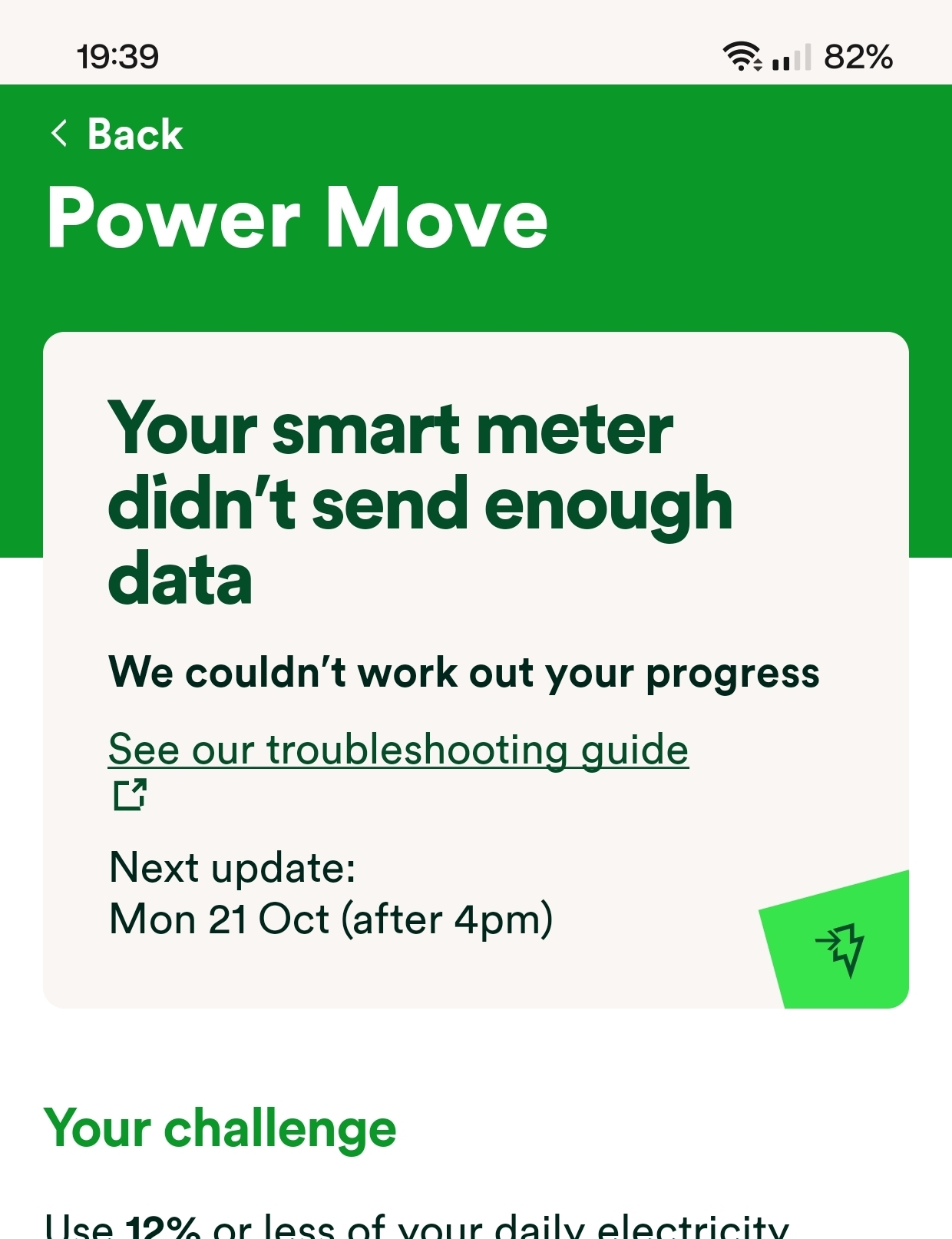
Smart meter isn't giving enough data for Power Move

  • October 14, 2024
  • 48 replies
  • 919 views

Show first post

48 replies

  • October 22, 2024

@Chris_OVO I wrote my last message a bit wrong. Today it's on track. I meant yesterday's last screenshot taken at 11:00 p.m. said “not enough data send.” The one before that was at 9:30 p.m. stating “On Track”

9:20pm Working.

11pm not working.

Today Working.

Just thought I'd clear that up.


Chris_OVO
Community Manager
Forum|alt.badge.img+4
  • Community Manager
  • October 23, 2024

@Kall thanks for sending this across i’ll also keep an eye on updates from you and share them with the Power Move team 😊


  • November 6, 2024

@Chris_OVO Well I met the £12 power move target at the end of October but it never got added to my account. Not yet anyway but it's been 6 days now.It usually gets added straight away. I know it's written elsewhere in this group that it can take up to 2 weeks but that's not something that's actually ever happened since I joined over a year ago.


Since I had issues with the new Beyond scheme at the beginning, it concerns me. Can you or someone enlighten me or look into it please?


Chris_OVO
Community Manager
Forum|alt.badge.img+4
  • Community Manager
  • Solved
  • November 6, 2024

Updated on 21/01/26 by Chris_OVO

Hey @Kall,


I asked the team this morning if there’s any delays and this is an updated version of the communications made over the course of this month whilst they done some testing.


“Our consumption data collection and calculation process previously ran from 1pm each day, collecting consumption data from the day before. We've since identified that some data now doesn't return until later in the day, after the calculation process has been completed, so for the day before you may have been classed as 'no-data' and is why some of you may have seen in your progress update that we don't have enough data to calculate your progress.


We've now moved our process to run later in the day, and have been testing to ensure this pulls through as much data as possible, there will be some circumstances still where we couldn't retrieve any data for a genuine reason, however the tests have seen a dramatic reduction in the amount of customers with 'no-data' we've had so far in October.


At the end of October we will calculate rewards and look to pull through data from the first 2 weeks of October that have previously been flagged as not having any. We will only use this data for your end of month results if it positively impacts your peak %, e.g. you now earn a reward or go up a tier, if it would negatively impact your end of month results then we will honour the more positive result and reward.”


Basically speaking when they were collecting the data needed to calculate your Power Move data the system was running too early and causing some of the data to be missing. They’ve trialled a new time for collecting the data and seen a huge improvement so far. They’ll need to process payments this month manually which means a small delay until the credits arrive but it’s nothing to worry about. 


Things should return to normal in November with the process being fully automated and the feedback we’ve had from users has helped us make improvements that’s helping everyone. If you have any follow up questions let me know! 


Forum|alt.badge.img
  • Newcomer
  • November 6, 2024

The problem seems to have been solved - for me at least - as I eventually found a message on the power move section of the app saying I’d managed to hit target well enough to get the £12 for October. All this after more than 2 weeks of it saying my meter wasn’t sending any information despite every half hour reading showing up for those 2 weeks.

Hopefully it’s all fixed successfully now - I was beginning to lose my sanity & the fight with my grandson who insisted he could use the PlayStation if the readings weren’t working..!


  • November 6, 2024

@Chris_OVO 

Thanks for that Chris. It sounds like a tall order going through each customers record one at a time - though I doubt doing it manually doesn't exactly mean that? But either way I trust from your reply they know what's going in and will sort it.

The “Not enough date” issue was resolved by the second week according my own account/app with a reading of 2.2%. The end of month was 2.8%. So whether they use just the first 2 weeks or the whole month, it shouldn't make any difference there.

(Fyi It's such a low percentage because I go out for a 3 hour walk during peak period)

@solarrolar  “….. & the fight with my grandson who insisted he could use the PlayStation if the readings weren’t working..!”

Hah! If only. Just put a magnet on the meter.


  • Rank 4
  • March 18, 2025

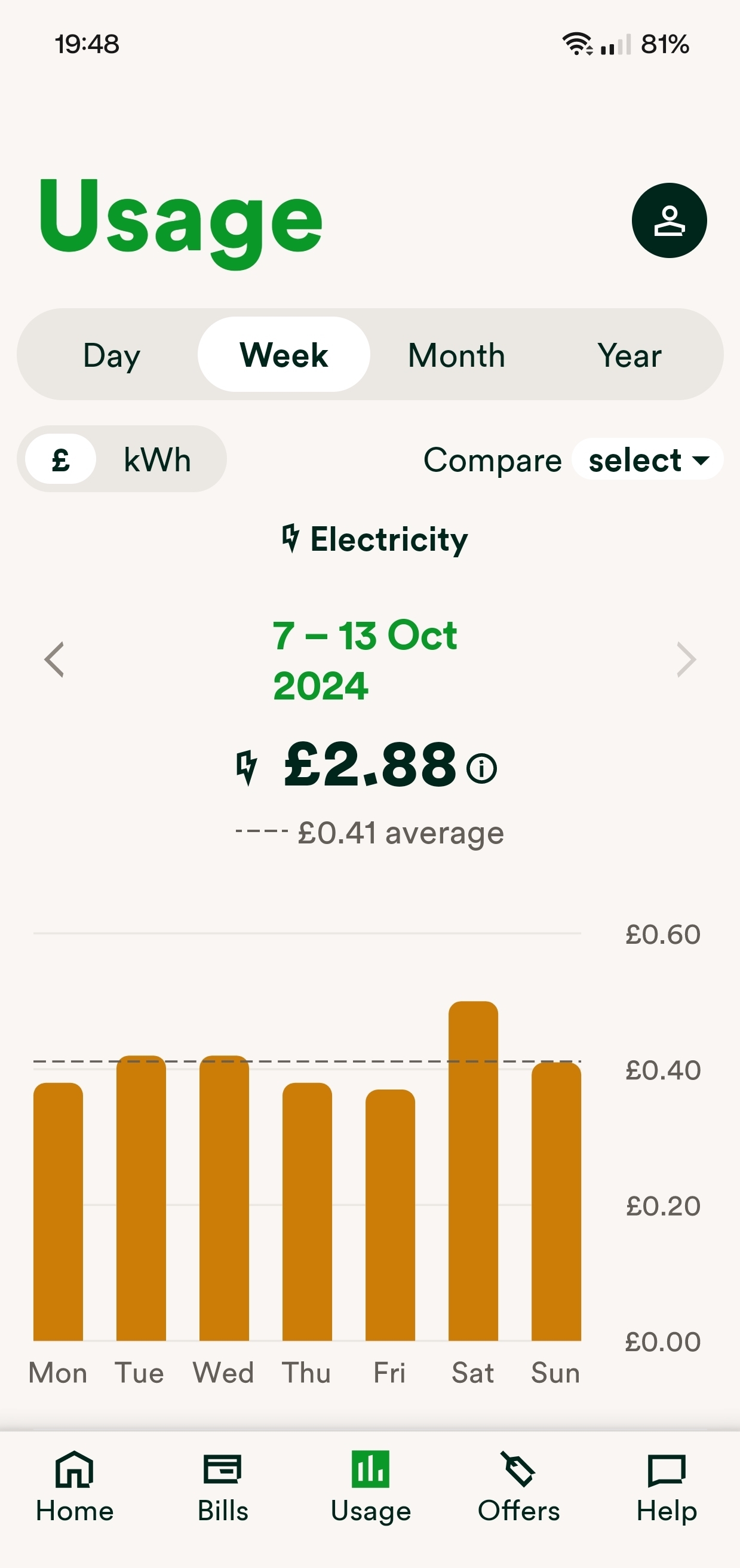
Since the beginning of this month I have no idea what my power move record is. The app permanently says "not enough data to display" on the dashboard. I've looked at the usage page and it's showing me how much electricity has been used every day so why isnt there enough data to show me how many entries to this months draw so far?


waltyboy
Super User
Forum|alt.badge.img+4
  • Super User
  • March 18, 2025

Hi ​@Belinda5 I’m wondering whether the usage data you’re seeing in your usage page reflects your actual usage, rather than being a guesstimate in the absence of actual daily figures? For example, if it’s now roughly the same amount each day all through March and that bears little resemblance to your February daily usage figures I’d be a bit suspicious.


if it’s hour-by-hour figures you’re seeing, though, that is odd and points to some Power Move specific glitch.


Frustrating for you…but if your meter has stopped communicating with OVO, or they’re not picking up your figures somehow, good job you’ve spotted it; hope it gets sorted for you…


  • Rank 4
  • March 18, 2025

@Waltyboy thanks. I can see hour by hour figures and it all looks right.


Abby_OVO
Community Manager
Forum|alt.badge.img+4
  • Community Manager
  • March 19, 2025

Hey ​@Belinda5 


The team would like to help look into this matter.


I’ve sent you a Private Message so we can gain some details, you should be able to view that here.


  • Rank 4
  • March 19, 2025

Thanks Abby, will PM you with the info requested.


  • Rank 4
  • March 21, 2025

So it turns out my smart meter isn't sending the data on time - 

" the team have had your results back and have let me know that they only had consumption data come through on time 5 days so far this month.

4.16 of the Power Move Terms If we’re unable to read your smart meter data for 48 hours after that specific day then that day won’t count towards your Power Move Target. That’s because we won’t have the data we need to correctly calculate your peak electricity usage.

This means you may see the data in their consumption but we didn't get it in time for Power Move, however we are getting it on some days."

That isn't my fault, is it, it's down to the smart meter. This 4.16 of the terms hardly seems fair when there's nothing I can do about it and when there hasn't been a delay until the beginning of March and prior months data were arriving on time.

Both Power Move and Flex have got ridiculous, if I can see the data why can't you? Both working against each other with Power ups during 5-7pm, a prize draw win if you are lucky. I give up. Not going to bother any more with either of them. Just not worth the effort if the data isn't getting through and when the two are so contrary.


Ben_OVO
Community Manager
Forum|alt.badge.img+4
  • Community Manager
  • March 21, 2025

@Belinda5 I’m sorry to hear this is happening, I’d be really frustrated too.


I’d recommend getting in touch with our Support Team, they can get a case raised to our Smart Support team who may be able to run some remote requests to get the meters in better communication. Let us know how you get on.


Forum|alt.badge.img+1
  • Newcomer
  • April 19, 2025

I had the same issue as since around the beginning of April. Worked fin before that. Now when I go to Power Move in the app it says Not Enough Data To Display. 

Smart meter is sending readings correctly .

I raised this on two occasions with support. 

The first agent asked me to reinstall the app, which I did to no avail, but unfortunately also then lost all the chat I was having! He didn't tell me that I'd not be able to access the same chat once reinstalled ! The second agent advised me it's because my peak usage is 15.1% 

This is a bit strange as firstly why would the app say this when peak usage was 15.1% , it doesn't help customers understand their peak usage if it doesn't display the percentage.

Secondly I find it odd that in March my peak usage was 3% . Whilst entirely possibly, it does seem a big jump.


  • Rank 4
  • April 19, 2025

I tried reinstalling the app too, on the advice of Support. It made no difference here either. It's so frustrating when the app is showing you the usage every 30 minutes within 24 hours and at the same time the Power Move record is saying it hasn't received the data. I don't understand how that is even possible. I hope it's a glitch that gets fixed by July but I suspect it won't be. We won't know until the next Power Move has run for a month and by then, if it doesn't, we've already lost the first month. It would be good if Ovo made a register of all the customers having this problem and checking that those people's data is getting through on time before July.


Blastoise186
Super User
Forum|alt.badge.img+9
  • Super User
  • April 19, 2025

If you haven’t so far, I’d suggest running through https://smart-meter-help.ovoenergy.com to see if that tool can find any issues. If it does, it’ll send a report for you.


Forum|alt.badge.img+1
  • Newcomer
  • April 19, 2025

If you haven’t so far, I’d suggest running through https://smart-meter-help.ovoenergy.com to see if that tool can find any issues. If it does, it’ll send a report for you.

Thanks , thats really useful. Although I just tried this, and it says 

Your smart meters are talking to us

You don't need to fill in this form as we're getting updates from your meters.


But Ovo said that the reason I can’t see mine is because my peak usage in April in 15.1% (which is odd, as it was 3% last month). And not sure why it would have what looks like an error message rather than telling me my percentage.


Nukecad
Super User
Forum|alt.badge.img+5
  • Super User
  • April 19, 2025

TBH I would take what you were told there with a barrel of salt. You are probably correct that percentages have noting to do with it.

It does not sound likely at all and sounds more like the sort of thing a phone jockey will trot out when they don't have a clue.

They are generally trained to never say “I don't have a clue” and so can get pretty creative at times with what they hope are semi-plausible answers.


Chris_OVO
Community Manager
Forum|alt.badge.img+4
  • Community Manager
  • April 21, 2025

Hey ​@nmt79,


I’ll flag this with the Power Move team and see if we can get clearer answers for you. I’ll reach out to you through Private Message to gather a couple of pieces of information they’ll need so keep an eye out for that. 


  • Newcomer
  • August 8, 2025

Power Move says "my" smart meter is not sending sufficient data but the OVO on-line guide for smart meter problems says that it is communicating satisfactorily. So, I am beaten and will give up on Power Move unless OVO provides me with a fully functioning smart meter; how can I get one?


Blastoise186
Super User
Forum|alt.badge.img+9
  • Super User
  • August 8, 2025

Hi ​@JohnBurridge ,

I’ll ask the Power Move team about this, but I’d also suggest you ask the Support Team to make sure your meter is set to Half-Hourly readings.

You can reach them via these methods:


EssyC
Rank 2
  • Rank 2
  • August 8, 2025

IDK if this helps but I had the same problem with my meter last year, I emailed the help team and received an updated credit a couple of months later.


Ben_OVO
Community Manager
Forum|alt.badge.img+4
  • Community Manager
  • August 11, 2025

@JohnBurridge good morning,


Is your smart meter set up to provide half-hourly reads? I’ll link below an article which shows how to check this, and get it set up via your online account / app.