



Solved
Pay monthly customer - why is my Pipit 500 IHD asking me for a PIN?
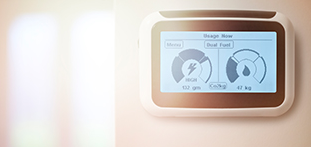
How do I change my network settings on my display box. I am being asked for a 4 digit pin which I don't have?

Updated on 15/06/23 by Emmanuelle_OVO
You won’t need to use the PIN code for your Pipit In Home Display (IHD), entering a PIN code removes the device from the network. If your IHD is asking for a PIN code it could be that the device is having connection issues. If so, try moving it closer to the electricity smart meter and turn the device off and on again.
See our full guide to help fix any IHD connectivity issues.
This advice relates to the Pipit IHD. If you have a Chameleon IHD see your S1 IHD guide or S2 IHD guide.
OVO member but not got a smart meter yet? - Book today!
Interested but not yet an OVO member? - Check out our plans!
No account yet? Create an account
Enter your E-mail address. We'll send you an e-mail with instructions to reset your password.
OVO Energy Ltd, Floor 5, Crescent, Temple Back, Redcliffe, BS1 6EZ, (Company no. 06890795) registered in England and Wales.
OVO (S) Gas Limited is registered in England and Wales (Company No. 02716495) at Floor 5, Crescent, Temple Back, Redcliffe, BS1 6EZ.
OVO (S) Gas Limited is part of OVO Group Ltd

