



How to view the details of your plan on the OVO app

Updated on 19/08/26 by Ben_OVO
You can find your plan details and rates by logging in to your online account or OVO app (download for Android or iOS). The following screenshots are taken from the OVO app:
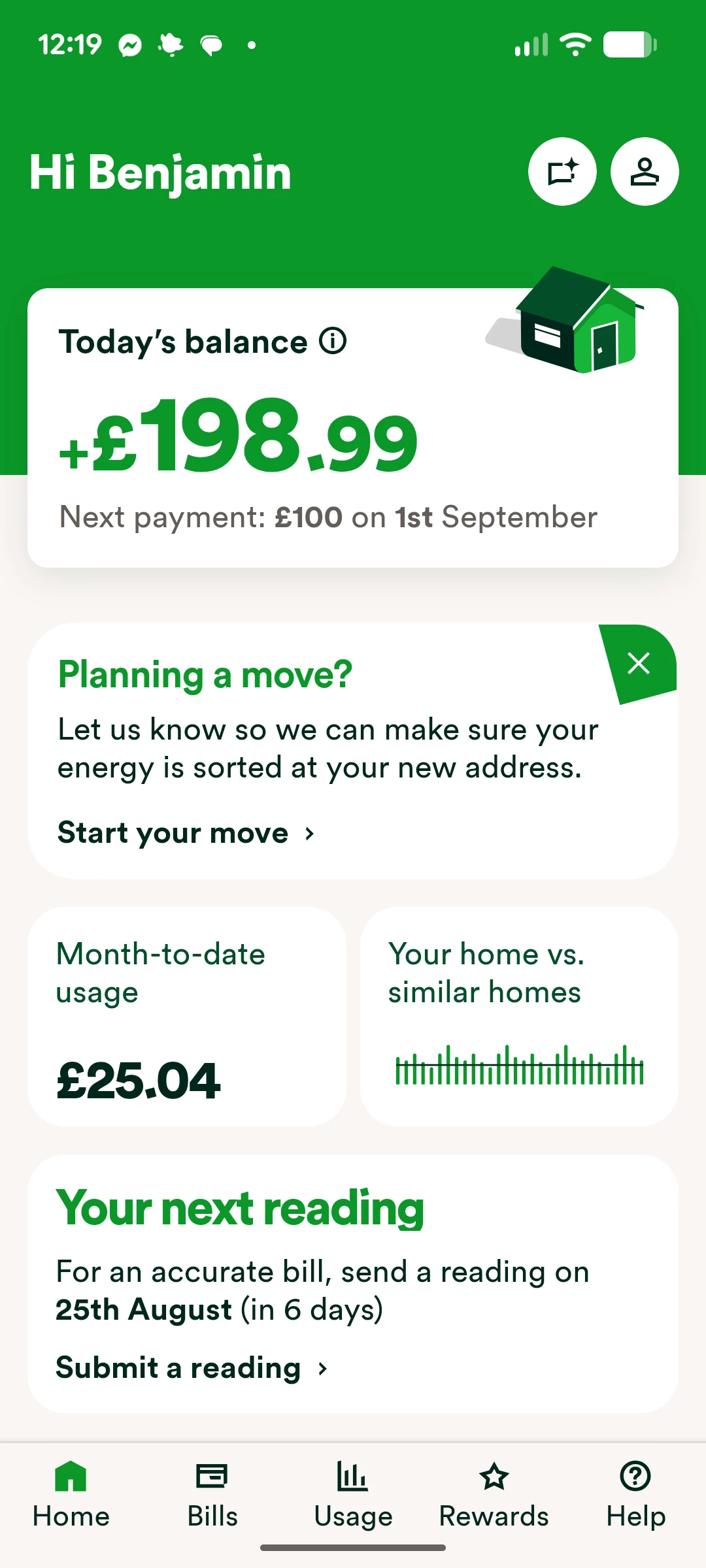
By clicking on the ‘Bills’ section at the bottom of the home page, you’ll open up a new menu.
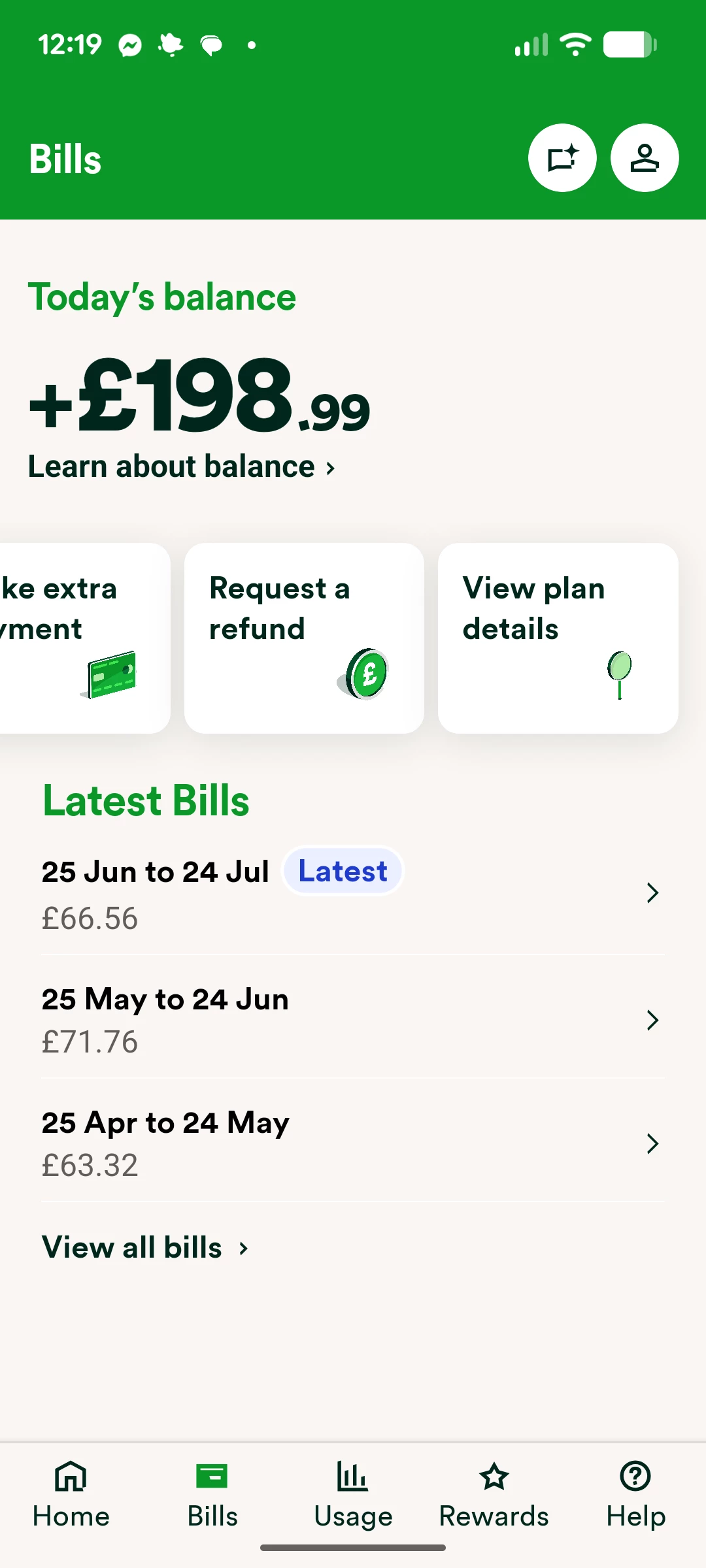
You can access your plan details by clicking ‘View plan details’, and then scrolling right.
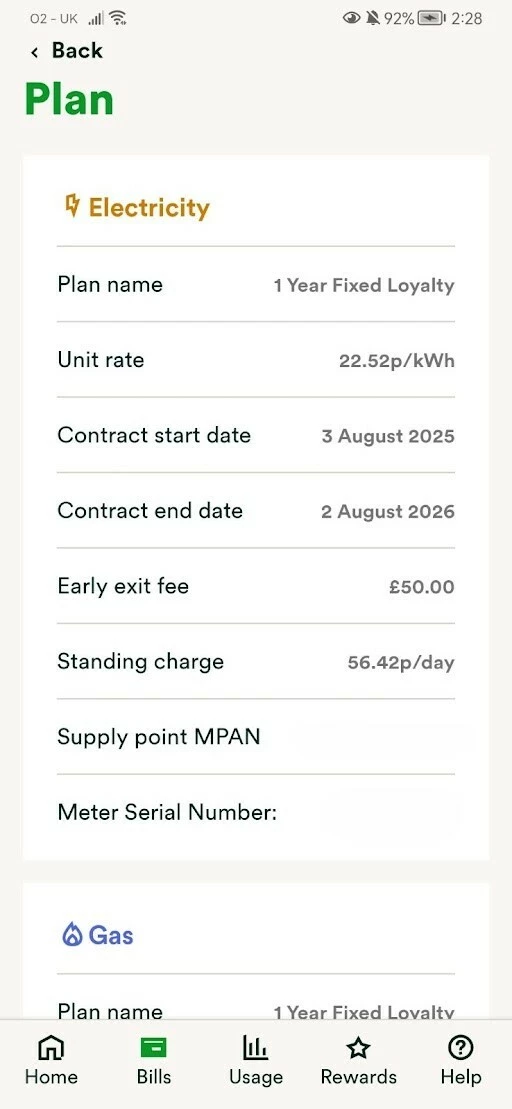
Here you can view the name of your plan, its start and end date, and the unit rates and standing charges. If you’re on a fixed plan you’ll also be able to check the exit fee amounts.
Doing some research into your renewal options? You might want to make a note of your annual consumption figure shown on the ‘Usage’ page. You’ll need to select which fuel you want, and select ‘Year’. You’ll need to go back to the previous year (this figure will only be accurate if you’ve been with us for over 12 months, and have been giving reads / have a working smart meter).
In the screenshot below, the yearly usage is labelled as
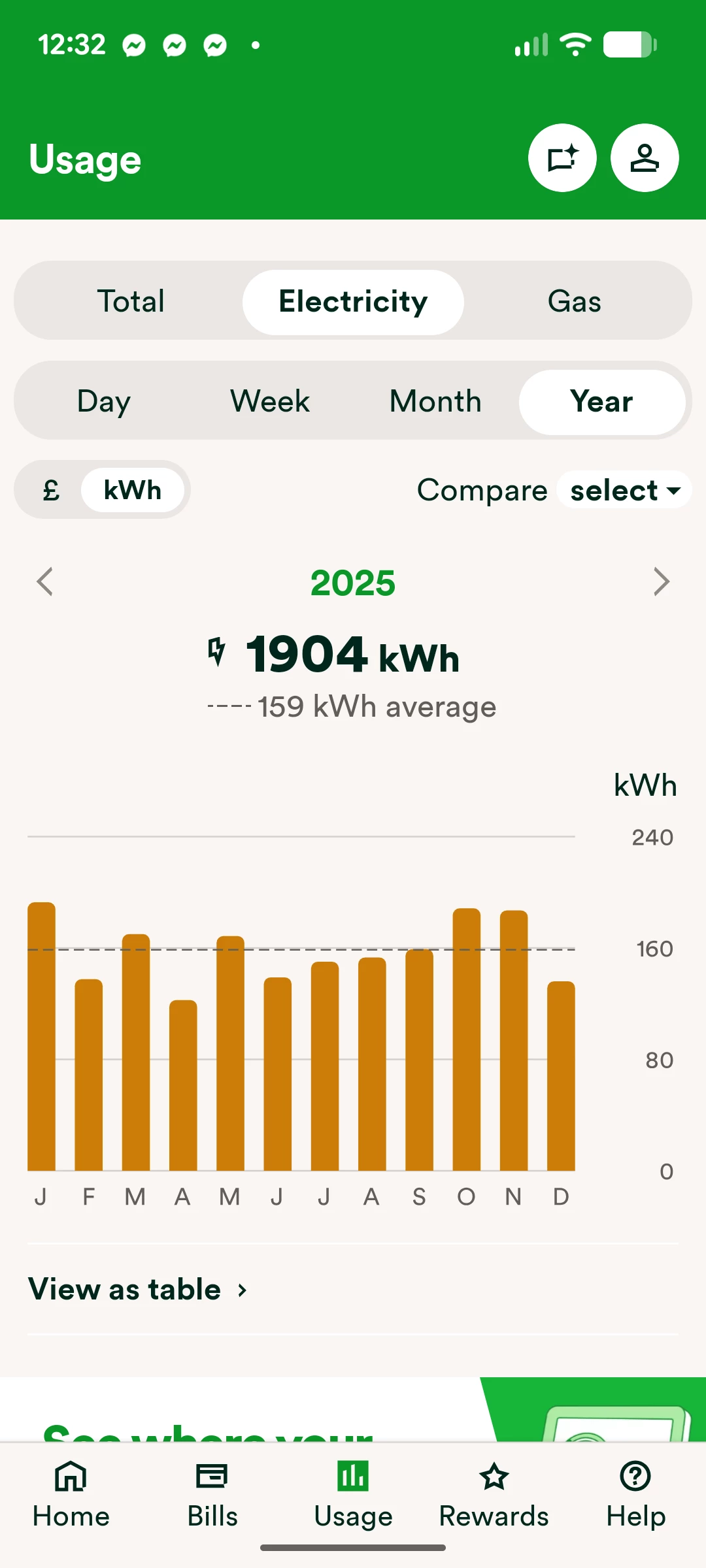
This figure is calculated by looking at the smart meter readings or manual readings we’ve received over the past year. By entering the same number when getting a quote elsewhere, you can be confident that it’s based on your actual usage information and can be easily compared to the plans that OVO offer. You can view a guide to using the usage graphs here:
There’s more info on completing a renewal in this guide.
How to view the details of your plan on your online account
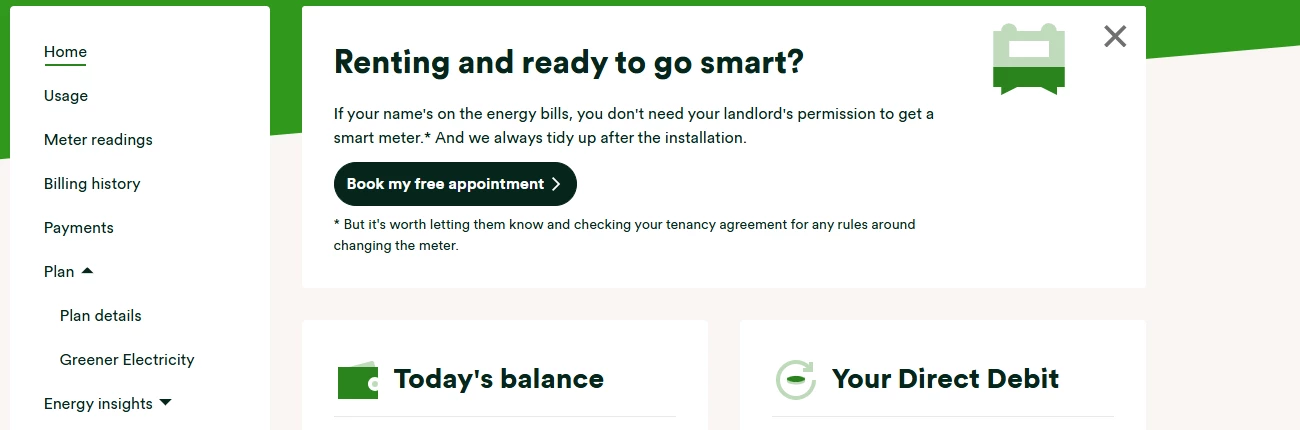
Most customers find it easiest to use the app, however you’re also able to view your plan details via your online account. To do so, select ‘Plan’ then ‘Plan details on the left hand side of the home screen:
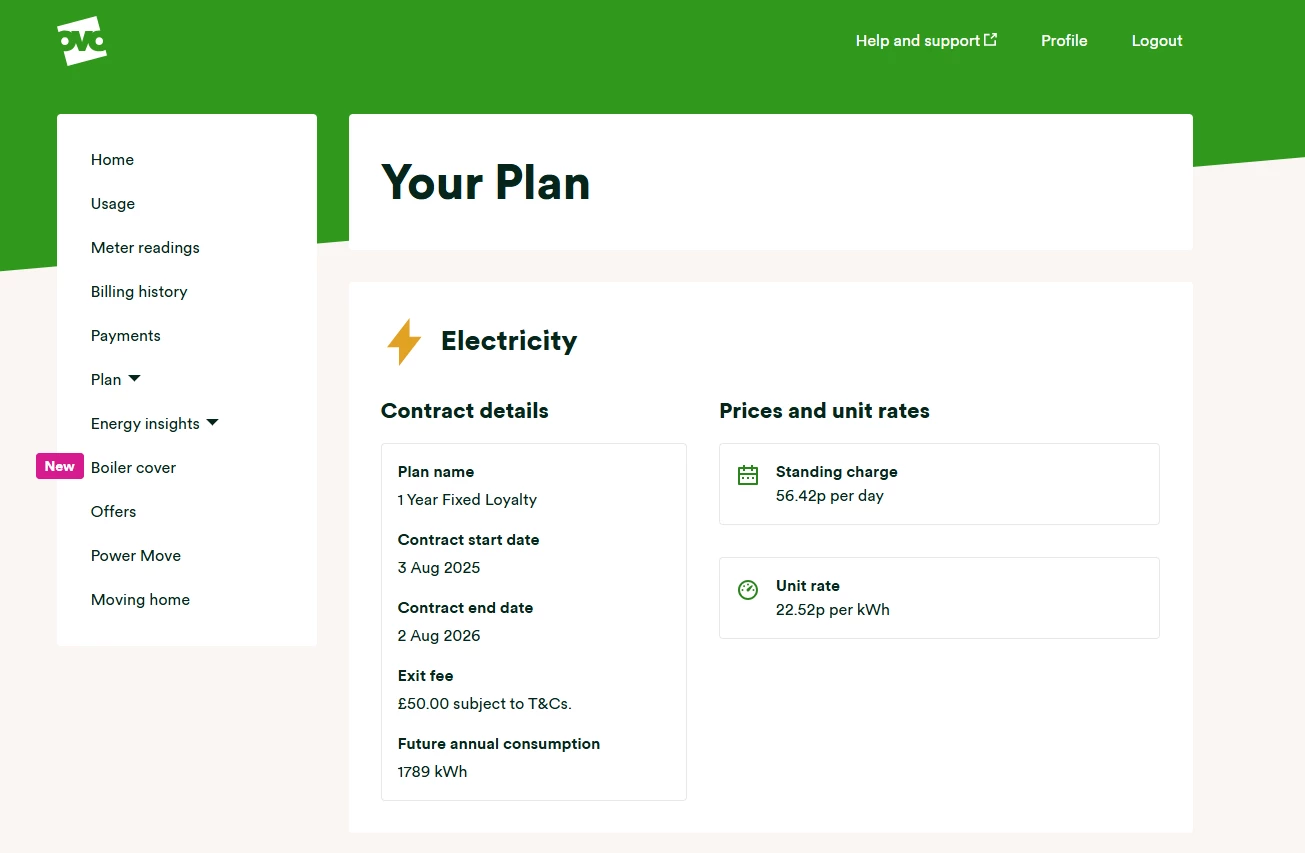
You’ll then be able to see your plan details, exit fee amount, and also your future annual consumption figure:
Need more help?
This topic is now closed, so you won’t be able to reply here. If your question hasn’t been answered or you need more advice, feel free to ask the community — we’re here to help!
Give us your feedback!
Was this article helpful? Is our Library missing content? Share your anonymous feedback here and help us improve!

