



Rank 2
November 26, 2022
Solved

MELCloud linked to Mitsubishi Ecodan air source heat pump lost internet connection- Won't re-connect?

  • November 26, 2022
  • 46 replies
  • 6552 views

I have MELCloud linked to my Mitubishi Ecodan air source heat pump.
Recently I lost the internet connection and cannot establish a reconnection.
My connection is via Access mode as my router does not have a WPS button.
I am able to complete the process for reconnection correctly but it does not connect.
I have previously been successful and there are no changes to my home network settings.
I am wondering if;
the MELCoud server is down?
or if I have a non standard password to my home wifi network - it includes a ’ and has a space in it?
Any help with reconnecting to the internet would be useful.

Best answer by Hillsides

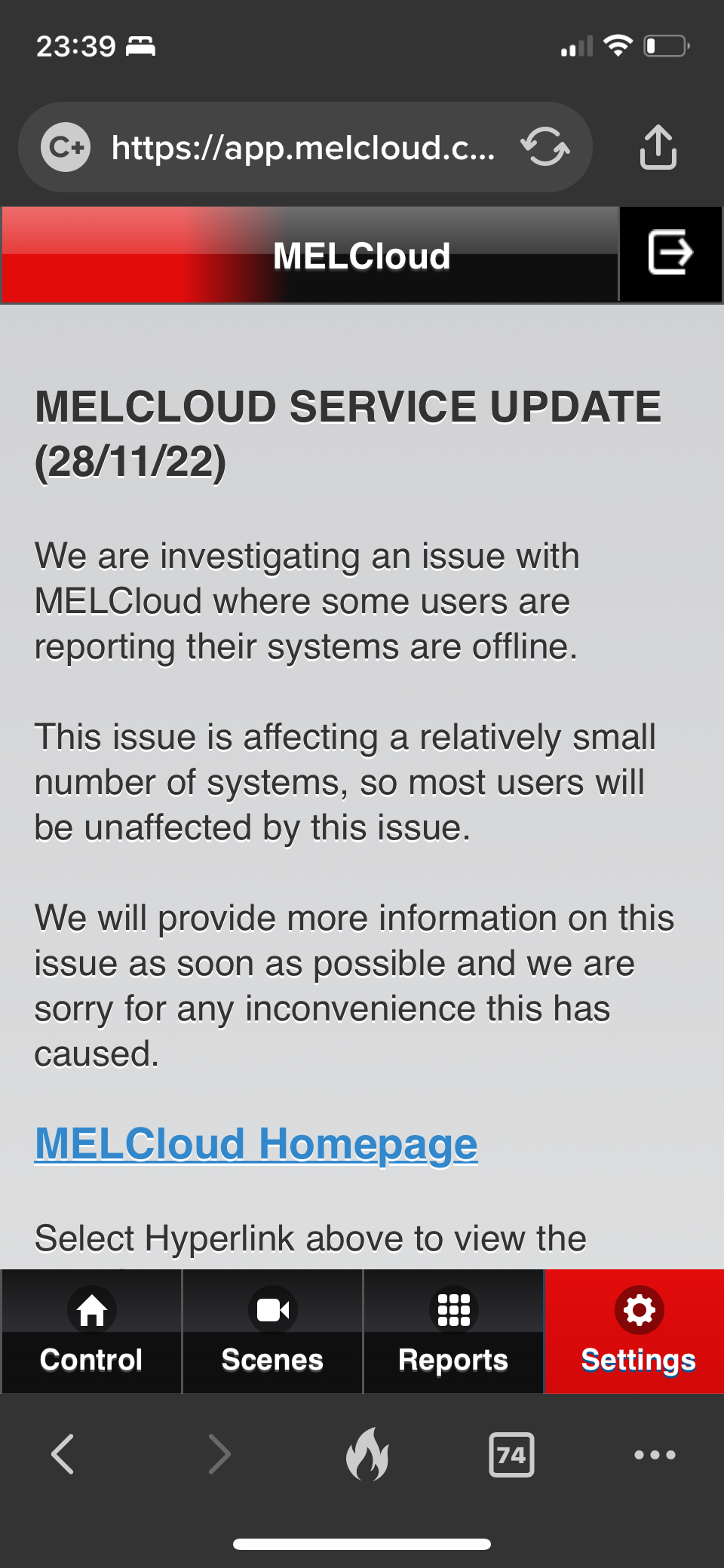
It seems to be a wider issue as there’s an update on the support page. 
 

not sure I believe the ‘relatively small’ numbers affected. 
 

I can’t find anyway to submit a support ticket. 


46 replies

Newcomer
November 24, 2022

Hello everyone,

I’ve had a new Mitsubishi Ecodan air source heat pump installed very recently.

I’ve been looking through the MELCloud app and noticed that if I run the Energy Usage report its not showing any charts - just blank where the charts should be.

I’m a software dev, and was able to look at the request it’s making to get the data and I can see that the response has zero/null values for everything - so it appears that the data is not there as opposed to some bug in the app.

Is this normal for a new install - maybe it has to run for a while before collecting energy data, or does it perhaps indicate something not working on the ASHP?

Many thanks for any help,

Newcomer
November 24, 2022

I’ll answer my own question - I just spotted that it says:

We cannot provide a report on the energy usage of this system, as it does not have an energy consumption meter fitted. Please speak to your installation engineer if you would like to add an energy meter to this device.

Now to find out why it hasn’t been fitted...

Tim_OVO
OVO Staff
OVO Forum Legend
November 25, 2022

Nice post, @lycandroid and nice spot here:


We cannot provide a report on the energy usage of this system, as it does not have an energy consumption meter fitted. Please speak to your installation engineer if you would like to add an energy meter to this device.


I’ll check to see if @James_N knows about about MELCloud app

Carbon neutral - we need a community to get there! My green tech: Aclara SGM 1411-B smart meter, Chameleon IHD6
Newcomer
November 25, 2022

@Tim_OVO Thanks

What I’ve since discovered is that the Mitsubishi Ecodan PUZ-WM85VAA that’s been installed does not come with the energy monitors.  It comes with what is called “Free inbuilt energy monitoring” but I’m yet to discover exactly what that gives me.

What I apparently need is the EMP2 or EMP3-M energy module packs as mentioned in https://library.mitsubishielectric.co.uk/pdf/download_full/3561.  Without these (or something similar) I don’t understand how I could know what COP I’m achieving.

I’m currently trying to speak to the installers about it, but not much luck as yet.

Blastoise186
Super User
Super User
November 26, 2022

Hey @TonyShep ,

You shouldn’t use WPS anyway as it’s ridiculously inherently insecure. Your router manufacturer is actually doing you a favour by not supporting it at all.

My suspicion is that the server went down for a while.

Non-standard characters in passwords are fine. My UniFi kit accepted ’ in a password for a test Wi-Fi network and I was able to get a client to associate to that testing SSID no problem. Same with having a space in the password and even both at once. It just works.

What router do you use? It may help me figure this out if you can tell me the exact manufacturer and model of your router.

This troubleshooting may also help you.

https://library.mitsubishielectric.co.uk/pdf/book/MAC-567IF-E_Quick_Set_Up_Guide#page-1-2

Also, may I please bring some security notices to your attention. I strongly recommend you review them and consider whether you need to take action. You’ll find them at the link below once you choose the UK.

https://www.melcloud.com/Support

Do not try to use WPS to avoid any of those issues. While you might dodge a bullet with one of them, you’ll just open yet another can of worms that’s even more dangerous and expose your network to even more nasty stuff.

Securing energy by zapping security bugs... For that is The Blastoise Way! Remember, I'm just like you - AI Powered Evil Geniuses aren't Staff!
TonyShepAuthor
Rank 2
November 26, 2022

Thank you @Blastoise186 ,

My router is an airRouter 802.11n Wireless Router. I live in a rural area and use a local enterprise wireless connection. Standard internet connections via phone lines just don’t work. The quality of the landline infrastructure is one of the oldest in the country and has a very low bandwidth.

Thanks for the other info.

Blastoise186
Super User
Super User
November 26, 2022

Ahh nice. A Ubiquiti AirRouter! :)

It sounds like an older model though. Resources for it aren’t easy to find. You may want to be aware that it’s considered Vintage now under Ubiquiti’s policy. https://help.ui.com/hc/en-us/articles/1500001268521-Ubiquiti-s-Vintage-and-Obsolete-Products

It’ll still get security updates and critical fixes, but nothing else. Your provider may need to upgrade your router to a newer model like the Ubiquiti UISP airCube in the future.

I know Ubiquiti stuff really well as my entire network setup is Ubiquiti UniFi (specifically UniFi Network) and I previously managed the IT at a charity where I deployed UniFi Network and UniFi Protect.

There’s nothing you can do in an AirRouter that I can think of that’d brick a MELCloud device and there’s been no recent updates to UISP (the thing that manages your AirRouter) or any product firmware that would cause it either. I’d know if there was because I monitor basically all of the release notes.

Try shutting down the MELCloud device for 30 minutes and then fire it back up. Sometimes that helps.

Securing energy by zapping security bugs... For that is The Blastoise Way! Remember, I'm just like you - AI Powered Evil Geniuses aren't Staff!
TonyShepAuthor
Rank 2
November 26, 2022

Thanks @Blastoise186 , that all sounds quite reassuring. I will try as you suggest.

The same thing happened several months ago and my wireless internet provider couldn’t find anything at their end to suggest what was going wrong.

I think in the end it just started working again.

My concern this time is that I am going away for a while and wanted to remotely monitor my air source heat pump was still working.

Cheers.

Blastoise186
Super User
Super User
November 26, 2022

No worries. :)

When it comes to ISP Routers, Ubiquiti kit is literally the best you can get by literally miles. Chances are the dish on your roof is also Ubiquiti AirFiber as well, amazing stuff. But that’s a story for some other time.

I’ll go away and think about this, in case I come up with other ideas.

If you need us again, you know where to find us! :D

Securing energy by zapping security bugs... For that is The Blastoise Way! Remember, I'm just like you - AI Powered Evil Geniuses aren't Staff!
TonyShepAuthor
Rank 2
November 26, 2022

interface unit, left it for over 30 minutes, re-initialised the connection, which lasted for about 5 minutes, then the connection failed!!
