Rank 2
October 9, 2023
Solved

Charge anytime "We couldn't connect to your EV charger" issue with Ohme smart charger?

  • October 9, 2023
  • 34 replies
  • 2069 views

Charge Anytime 


When I tried to Addon charge anytime tariff gets to last page says 

Sorry, there's a bit of a problem

We couldn't connect to your EV charger.

Omhe home pro charger which works on OVO standard tariff  

any one fixed this problem I have emailed 

smarthome they are looking into this but no reply since last week 

Best answer by sunseeker18

Updated on 02/06/25 by Abby_OVO


From 15 July Ohme chargers will no longer be compatible with Charge Anytime. We’ve recently updated the technology behind Charge Anytime. This is so we can keep making improvements and create new products that reward customers for driving EVs.


It's not been possible to integrate Ohme with this new technology. If you have an Ohme charger you’ll still be able to sign up to Charge Anytime by connecting with an eligible vehicle. We’re constantly looking to open up the eligibility to more EV models so if you don’t see your EV here, keep an eye on our page.


You can see all eligibility details in our Charge Anytime page here.


Problem Solved thanks to OVO team tech team 

Hi Lawrence ,

Thank you your your patience. 


Our tech team has an update. This is the response : 


Unfortunately Charge Anytime in it’s current state sometimes struggles to connect to Ohme accounts that have been registered using the Google, Facebook or Apple login. In order to register your charger with Charge Anytime, we’d first advise you to delete your account using the following selections on the Ohme app:


Menu button > Settings > Account Details > DELETE ACCOUNT > DELETE We’d then advise waiting about 15 minutes just for all the cogs to finish turning in the Ohme backend systems.


 After the 15 minutes are up, from the Ohme app you’ll be able to setup a new account and link your charger using CREATE ACCOUNT > *Sign in with email*, instead of a Google, Facebook or Apple login. When selecting a tariff for the new Ohme account, you can select any of the existing tariffs nested under OVO Energy.


It’s not essential that the unit rate doesn’t match your current tariff, as it will get overwritten anyway once Charge Anytime is successfully applied. 


Once your account is up and running, we’d advise going through the steps below using a *private* browser window, to ensure that previously used login credentials are used, as this will cause an issue with Charge Anytime registration:


Navigate to [https://account.ovoenergy.com/anytime/eligibility ]  in a *private* browser window 


Login to your OVO account and run through the Charge Anytime setup steps.


When prompted to login to Ohme, use your new login credentials and complete the setup steps.


Do not set any custom tariffs on the Ohme app - instead close the Ohme app and reopen to see the Anytime tariff update.


Thanks,

Check out our full list of compatible EVs and chargers here: https://www.ovoenergy.com/electric-cars/charge-anytime-cars-and-chargers 

34 replies

BPLightlog
Super User
Super User
October 9, 2023

Hi @sunseeker18 , do you have anything else which might prevent it .. solar PV, no smartmeter etc?

The team at smarthome are pretty good on the technical workings so hopefully they will get an answer for you. 

Bring me Sunshine ~ E&E {Solar PV, Battery Storage, Hybrid EV, ASHP and Home Assistant automation}
Rank 2
October 9, 2023

 no solar panels  new smart  meters ½ Hourly readings working 

Rank 1
October 9, 2023

I had the same  problem because my web browser had an ad blocker preventing the page from opening correctly. 
 

it could be worth checking. 

Rank 2
October 9, 2023

Thanks for your reply no ad blocker tried incognito mode no joy 

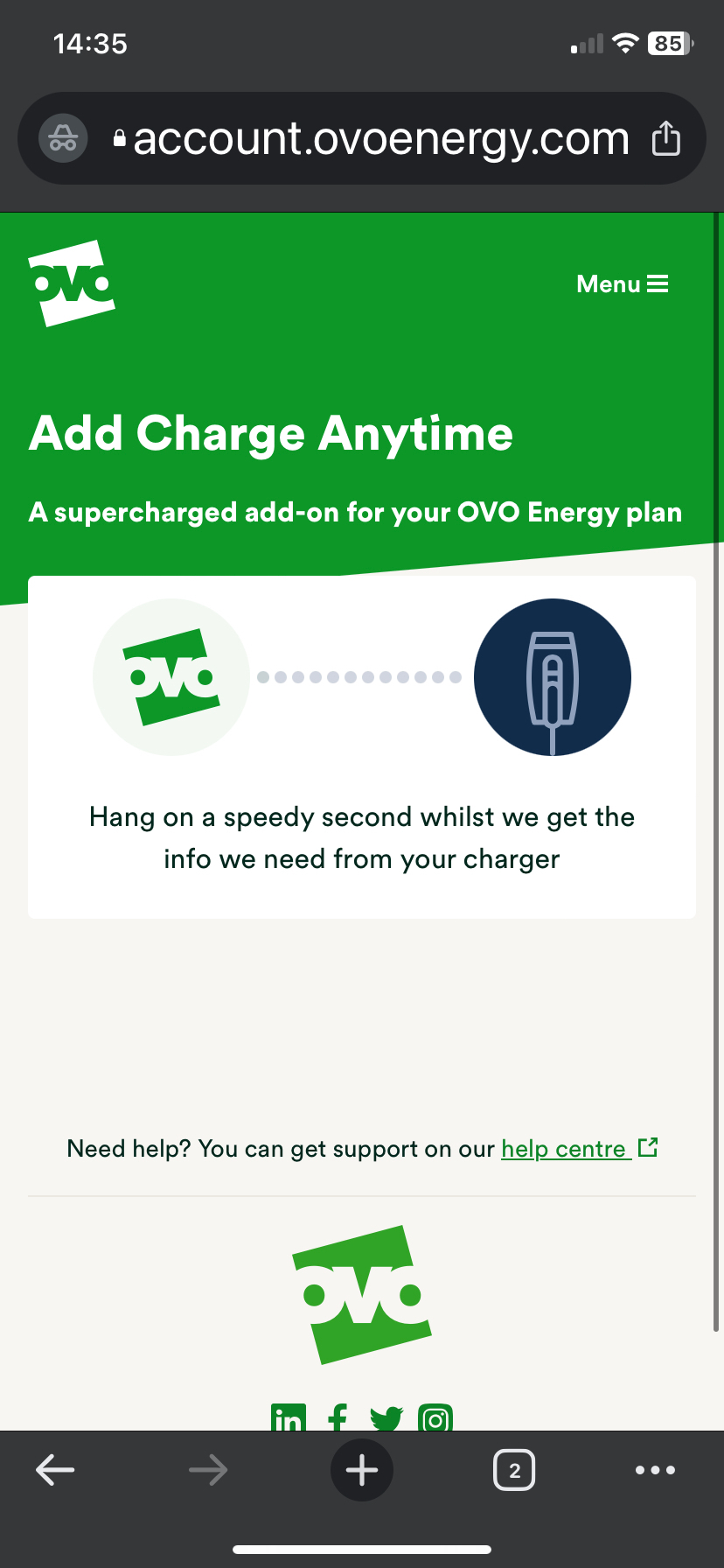
just for a second I can see screen showing below this managed to screenshot before disappearing then message shows 

Sorry, there's a bit of a problem

We couldn't connect to your EV charger.

Please try again, or email us at

smartthermostats@ovoenergy.com and we'll be happy to help.

Try again

Need help? You can get support on our help centre

Sorry, there's a bit of a problem

We couldn't connect to your EV charger.

Please try again, or email us at

smartthermostats@ovoenergy.com and we'll be happy to help.

Try again

Need help? You can get support on our help centre

Tim_OVO
OVO Staff
OVO Forum Legend
October 10, 2023

Hi @sunseeker18,


I’m told there was an issue with the journey over the weekend but it should be resolved now. 


If this is persisting, let us know here and we can chase up the Smart Home team on your behalf. 

Carbon neutral - we need a community to get there! My green tech: Aclara SGM 1411-B smart meter, Chameleon IHD6
Rank 2
October 10, 2023

Hi Tim 

Re:[## 25627 ##] Charge Anytime

Cheers Lawrence 

Rank 2
October 11, 2023

Could it be my car MG ZS is not in list

Audi

Bmw

Cubra

Ford

Jaguar

Mini

BPLightlog
Super User
Super User
October 11, 2023

CA is either an approved charger or approved EV. 
https://www.ovoenergy.com/electric-cars/charge-anytime-cars-and-chargers
The Ohme Home  Pro is on the approved list so it should work. 

Bring me Sunshine ~ E&E {Solar PV, Battery Storage, Hybrid EV, ASHP and Home Assistant automation}
Tim_OVO
OVO Staff
OVO Forum Legend
October 11, 2023

Yep your smart charger makes you eligible, but it does require you to register and link your smart charger via the online account’s “My EV” section, and use your smart charger app instead of the Charge Anytime app to manage your charging. 


Is this issue persisting, @sunseeker18 ?

Carbon neutral - we need a community to get there! My green tech: Aclara SGM 1411-B smart meter, Chameleon IHD6
sunseeker18AuthorSolved
Rank 2
October 11, 2023

Updated on 02/06/25 by Abby_OVO


From 15 July Ohme chargers will no longer be compatible with Charge Anytime. We’ve recently updated the technology behind Charge Anytime. This is so we can keep making improvements and create new products that reward customers for driving EVs.


It's not been possible to integrate Ohme with this new technology. If you have an Ohme charger you’ll still be able to sign up to Charge Anytime by connecting with an eligible vehicle. We’re constantly looking to open up the eligibility to more EV models so if you don’t see your EV here, keep an eye on our page.


You can see all eligibility details in our Charge Anytime page here.


Problem Solved thanks to OVO team tech team 

Hi Lawrence ,

Thank you your your patience. 


Our tech team has an update. This is the response : 


Unfortunately Charge Anytime in it’s current state sometimes struggles to connect to Ohme accounts that have been registered using the Google, Facebook or Apple login. In order to register your charger with Charge Anytime, we’d first advise you to delete your account using the following selections on the Ohme app:


Menu button > Settings > Account Details > DELETE ACCOUNT > DELETE We’d then advise waiting about 15 minutes just for all the cogs to finish turning in the Ohme backend systems.


 After the 15 minutes are up, from the Ohme app you’ll be able to setup a new account and link your charger using CREATE ACCOUNT > *Sign in with email*, instead of a Google, Facebook or Apple login. When selecting a tariff for the new Ohme account, you can select any of the existing tariffs nested under OVO Energy.


It’s not essential that the unit rate doesn’t match your current tariff, as it will get overwritten anyway once Charge Anytime is successfully applied. 


Once your account is up and running, we’d advise going through the steps below using a *private* browser window, to ensure that previously used login credentials are used, as this will cause an issue with Charge Anytime registration:


Navigate to [https://account.ovoenergy.com/anytime/eligibility ]  in a *private* browser window 


Login to your OVO account and run through the Charge Anytime setup steps.


When prompted to login to Ohme, use your new login credentials and complete the setup steps.


Do not set any custom tariffs on the Ohme app - instead close the Ohme app and reopen to see the Anytime tariff update.


Thanks,

Check out our full list of compatible EVs and chargers here: https://www.ovoenergy.com/electric-cars/charge-anytime-cars-and-chargers