




Gingernut49
Rank 6
Rank 6
April 16, 2025
Solved

Charge Anytime app failed to charge Nissan Leaf twice!

  • April 16, 2025
  • 23 replies
  • 442 views

I’ve had my Nissan Leaf and Indra SmartPro charger for over four years and always used the Kaluza app which worked fine.

I’ve now had to start using the Indra app and Charge Anytime apps together. I only downloaded them last Thursday and then went away for the weekend so the first time I used the two apps was Sunday night.

It didn’t charge so I had to Boost charge between passengers during the day. (I’m a voluteer driver.)

Monday night it worked fine.

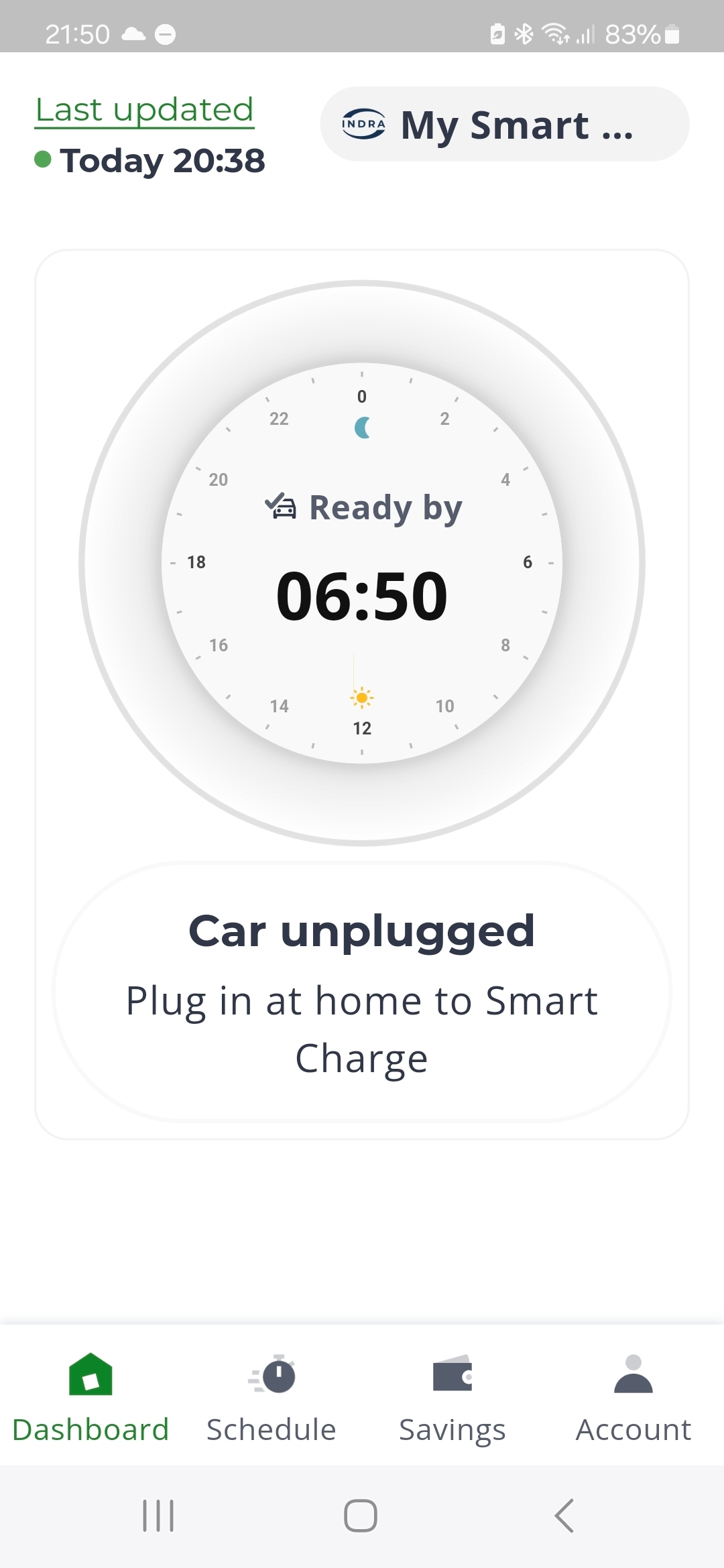
Last night (Tuesday) I plugged it in and the Indra app said it was plugged in but the Charge Anytime app said it wasn’t - so I had to Boost charge on the Indra app. I need a full charge every day.

I’m 75 and on a tiny pension. I can’t afford Boost charging!
 

Best answer by Ben_OVO

Updated on 04/11/25 by Ben_OVO

Thanks for your reply ​@Gingernut49.


@AmitJ thanks for your comment, and welcome to the Forum. I’ve added the EV badge to your Forum account.


I’ve received an official update from the Charge Anytime team:


Thanks again for your feedback and sorry your experience of the mobile apps hasn’t been good so far. Our team are working to make sure that we’re making the right improvements for our customers in future. 


Once you’ve moved over to the Indra and Charge mobile apps, you’re no longer able to use the legacy Indra web app. All customers will also start losing access to the web app from 8 May, and will need to use the mobile apps going forward. 


Now that your charger operates with the Charge app, some of the features will be different. For example, the scheduling optimiser (which is still powered by Kaluza) needs to reset between charging sessions. Otherwise a new schedule won't be loaded and your vehicle won't charge. So once you’ve charged one vehicle, unplug it and wait around an hour to allow the optimiser to reset. After that, you can plug in your next vehicle, set your desired “ready by” time, and the app will take care of the rest.


I hope this helps you. If not, please reach out to the Charge Anytime team for advice. They can be reached by emailing chargeanytime@ovo.com or by calling 0330 175 9678,


Download the OVO Charge app from the App Store or Google Play


23 replies

Gingernut49
Rank 6
Rank 6
April 28, 2025

Ah, problem, there doesn't seem to be a way to delete the schedule, only change it. Help!


Trying to be 'green'
Chris_OVO
Community Manager
Community Manager
April 29, 2025

Hey ​@Gingernut49


I just had a word with the Charge Anytime team and they’ve said there’s always going to be a schedule for Charge Anytime so the system knows when to prioritise charging to be ready on time. They’ve said you can delete the charger from the app and charge without Charge Anytime for an immediate charge but that would be charged at full value. 


If you need your car charged by, say, 12 PM, I suggest setting the 'ready by' time for 10 AM. This ensures the charging schedule completes well before you need the car.


Renewable energy jokes never get old.
Gingernut49
Rank 6
Rank 6
April 29, 2025

Deleting the app makes no sense: tell them that I could just press urgent charge for the same result!

If I need a topup during the day I'll just change the schedule to 4pm or whatever. 

It seems this 75 year old knows more than the Charge Anytime team!

Trying to be 'green'

