




Gingernut49
Rank 6
Rank 6
April 16, 2025
Solved

Charge Anytime app failed to charge Nissan Leaf twice!

  • April 16, 2025
  • 23 replies
  • 442 views

I’ve had my Nissan Leaf and Indra SmartPro charger for over four years and always used the Kaluza app which worked fine.

I’ve now had to start using the Indra app and Charge Anytime apps together. I only downloaded them last Thursday and then went away for the weekend so the first time I used the two apps was Sunday night.

It didn’t charge so I had to Boost charge between passengers during the day. (I’m a voluteer driver.)

Monday night it worked fine.

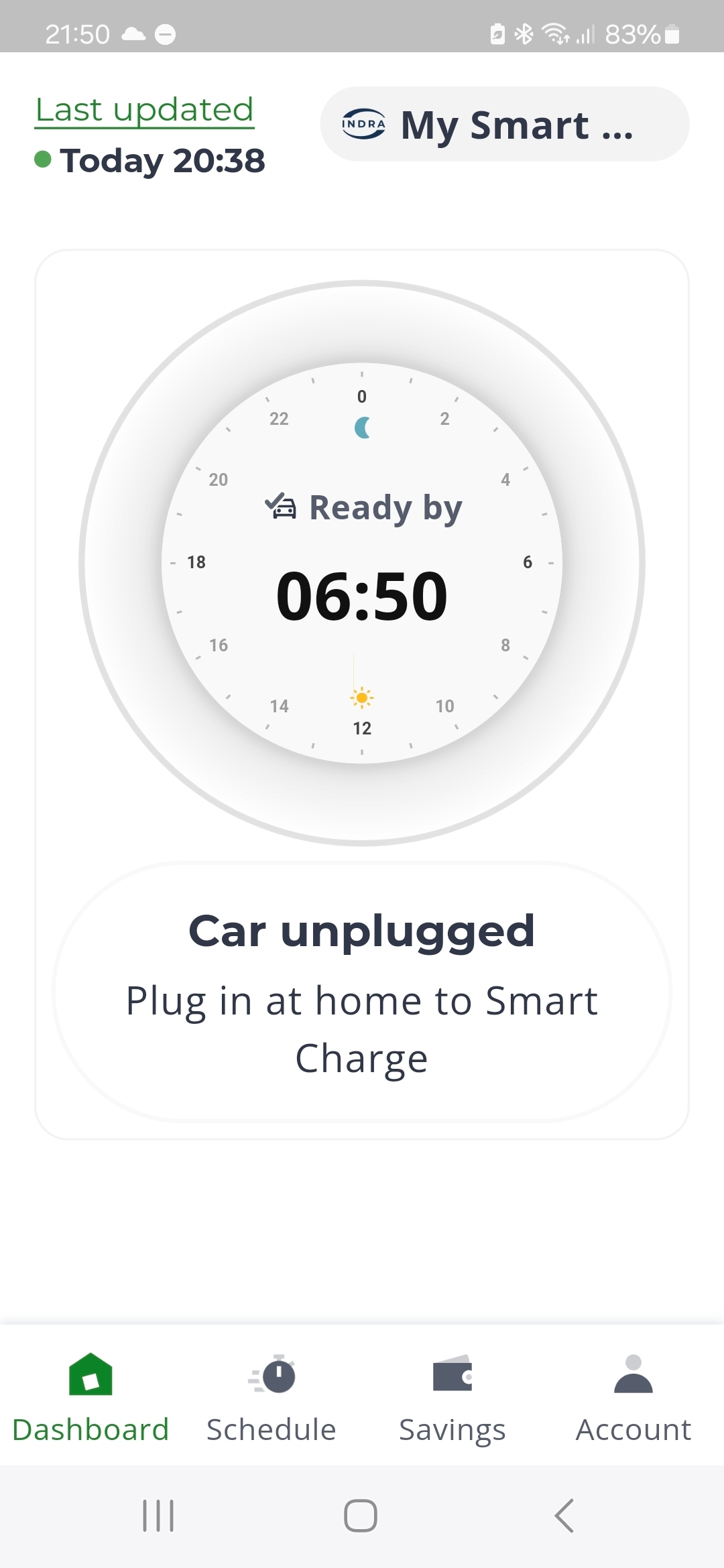
Last night (Tuesday) I plugged it in and the Indra app said it was plugged in but the Charge Anytime app said it wasn’t - so I had to Boost charge on the Indra app. I need a full charge every day.

I’m 75 and on a tiny pension. I can’t afford Boost charging!
 

Best answer by Ben_OVO

Updated on 04/11/25 by Ben_OVO

Thanks for your reply ​@Gingernut49.


@AmitJ thanks for your comment, and welcome to the Forum. I’ve added the EV badge to your Forum account.


I’ve received an official update from the Charge Anytime team:


Thanks again for your feedback and sorry your experience of the mobile apps hasn’t been good so far. Our team are working to make sure that we’re making the right improvements for our customers in future. 


Once you’ve moved over to the Indra and Charge mobile apps, you’re no longer able to use the legacy Indra web app. All customers will also start losing access to the web app from 8 May, and will need to use the mobile apps going forward. 


Now that your charger operates with the Charge app, some of the features will be different. For example, the scheduling optimiser (which is still powered by Kaluza) needs to reset between charging sessions. Otherwise a new schedule won't be loaded and your vehicle won't charge. So once you’ve charged one vehicle, unplug it and wait around an hour to allow the optimiser to reset. After that, you can plug in your next vehicle, set your desired “ready by” time, and the app will take care of the rest.


I hope this helps you. If not, please reach out to the Charge Anytime team for advice. They can be reached by emailing chargeanytime@ovo.com or by calling 0330 175 9678,


Download the OVO Charge app from the App Store or Google Play


23 replies

Gingernut49
Rank 6
Rank 6
April 17, 2025

I've had my EV over four years and it's always reliably charged. I had to switch to the new apps at the end of last week then was in France for the weekend so Sunday night was the first time, and it didn't charge. 😞

Trying to be 'green'
Newcomer
April 25, 2025

I am having the exact same problem, it is really frustrating. Everything worked perfectly until they changed this and now I am stuck without being able to charge my vehicle. Ovo / Indra should not have rolled this out without testing it properly first. I do hope that it is resolved quickly.

Gingernut49
Rank 6
Rank 6
April 25, 2025

Mine has charged since but last night Indra was saying it was plugged in but Ovo said it wasn't: so I didn't sleep well. Fortunately it charged. 

Trying to be 'green'
Newcomer
April 25, 2025

Mine has charged since but last night Indra was saying it was plugged in but Ovo said it wasn't: so I didn't sleep well. Fortunately it charged. 


My Indra shows it as plugged in but OVO app shows it is disconnected. But the OVO app seems to be 2 hours behind all the time. 


The suddenly just this afternoon the OVO app now says ‘connecting to your Indra’ 


I think I am going to look at moving over to Octopus energy instead becuase I am sick of OVO changing things and and causing issues. Its a real shame as OVO are great with customer service etc.

Chris_OVO
Community Manager
Community Manager
April 28, 2025

Hey ​@Gingernut49 & ​@Rafchandler0512


Are you still having issues with charging? One of the Charge Anytime team members shared a troubleshooting guide with me, which i’ll leave below for you.


“Now that your charger operates with the Charge Anytime app, some of the features will be different. For example, the scheduling optimiser (which is still powered by Kaluza) needs to reset between charging sessions. Otherwise a new schedule won't be loaded and your vehicle won't charge.

If experiencing this issue when charging multiple vehicles:

Once you’ve charged one vehicle, unplug it and wait for 15 minutes to allow the optimiser to reset. After that, you can plug in your next vehicle, set your desired “ready by” time, and the app will take care of the rest.

If experiencing this issue when charging a single vehicle:
If your EV doesn’t accept charge when it’s offered by the charger, for a period of 20 minutes, we’ll assume the EV is fully charged and remove schedules from the charger.
If the app initially shows schedules when the EV is plugged in but then stops displaying them after the EV stops charging, please:

  • Check for any settings in the EV that could restrict charging.
  • Unplug the EV for 15 minutes, then plug it in again to reset the charging schedules.


Additionally, here are some additional troubleshooting steps I need you to run through:

  • Make sure that your charger is now linked and showing within the Indra standalone app - you can download the app from Google Play / App Store
  • Make sure your charger is online. If the LED status is solid white, the charger is online and connected to the charging platform (the Indra app will also confirm this). If it’s offline, the charger will be flashing purple (the Indra app should also confirm when the charger is offline). When the charger is offline, smart charging/charging via schedule won’t work. We recommend turning your charger off for 30 mins for a full reset. If this doesn't work, you'll need to contact Indra support. 
  • Make sure there are no schedules set in your vehicle, your vehicle app or the Indra app.
  • Unplug for 15 minutes to let our smart charging optimiser reset.
  • Make sure your charger is unlocked - the settings section of the Indra app gives you the option to lock or unlock your charger.
  • Make sure the vehicle is in a state ready to accept charge before plugging in - you can ‘wake up’ an EV by unlocking, opening and closing a door, then locking again prior to plug in.
  • Plug in, set a new ready by time and let the Charge Anytime app do the rest.”


Hopefully this helps! 


Renewable energy jokes never get old.
Gingernut49
Rank 6
Rank 6
April 28, 2025

There’s nothing wrong with my charger and the Indra app shows it’s plugged in - the Ovo app doesn’t always say it is!
And, it’s supposed to be Charge Anytime, but I needed to top up around lunchtime yesterday and had to Boost charge as it didn’t start charging. Cheaper than public charging, maybe, but frustrating all the same.

Trying to be 'green'
Chris_OVO
Community Manager
Community Manager
April 28, 2025

Hey ​@Gingernut49


Did you have a “ready by” time set on the car? Charge Anytime will charge the vehicle whenever the grid is the greenest and sometimes that’s not normally instantaneous. If you set a “ready by” time then the car would use that as a focus point to have the car charged by. Boosting the charge is the workaround but this is charged at the full rate. 

Renewable energy jokes never get old.
Gingernut49
Rank 6
Rank 6
April 28, 2025

Yes, 6:50 in the morning. I’ll have to turn that off if I need a top-up during the day.

Trying to be 'green'
Chris_OVO
Community Manager
Community Manager
April 28, 2025

Hey ​@Gingernut49,


Let's try switching this feature off for a bit and see if the charging gets better and works for you that way. 


Renewable energy jokes never get old.
Gingernut49
Rank 6
Rank 6
April 28, 2025

I’ll try that, thanks.

I always had the charger app set to that, and my car set to start charging at midnight, as I liked to see each day’s charge separately. But, after four years, I guess I know how much I’m saving!

Trying to be 'green'

