


Bradley_OVO
Community Manager
Community Leader
June 3, 2025
PinnedF.A.Q.

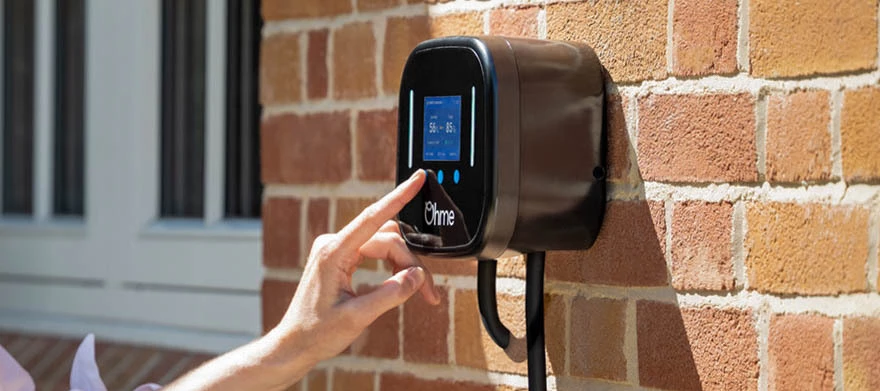
Charge Anytime and Ohme integration update: important information for our customers
  • June 3, 2025
  • 297 replies
  • 19358 views
Charge Anytime and Ohme integration update: important information for our customers

Updated on 14/04/26 by Ben_OVO


We're always working to improve your experience with Charge Anytime. We want to reward you for being an EV driver by bringing you even better features and the latest technology.


As part of these improvements, there was a change affecting customers using Ohme chargers. Since 15th July 2025, Ohme chargers are no longer able to connect directly to Charge Anytime. The good news is, we estimate about 75% of our Charge Anytime customers have an EV that can connect directly to Charge Anytime. So you may still be able to benefit from our low charging rates via your vehicle connection. 


If you drive a compatible vehicle, you can follow the steps below to connect to Charge Anytime directly via your EV. You’ll need to check if your EV is compatible. If you have other vehicles, you’ll need to check those too.


You’ll also need to use the OVO Charge app to schedule your charging, rather than the Ohme app. Download OVO Charge from the App Store or Google Play.


How to connect to Charge Anytime with your EV 


Once you know your EV is compatible, please follow the steps below.


Step 1- Disconnect your charger from Charge Anytime


You won’t be able to reconnect through your charger once you’ve done this - so please make sure that your EV is compatible before completing this step:

  • Open the OVO app and select the black circle in the top right corner to go to your profile 
  • Go to ‘Plan details’ then ‘Manage add-ons’
  • Find ‘Charge Anytime’ and select ‘Cancel add-on’ 


Step 2- Delete your Ohme account


Please note: Deleting your Ohme account, will clear your charger of any routines, settings, your charging history and will disable the lock feature.

  • Go to the settings tab in the bottom right hand corner of the Ohme app
  • Scroll to the bottom
  • Select ‘delete account’


Step 3- Reconnect to Charge Anytime through your EV

  • Download OVO Charge from the App Store or Google Play, and log in using your energy account details 
  • Select your EV make, model, and year of manufacture
  • Sign in using your EV account details 
  • Give permission for Charge Anytime to access information about your EV account 
  • Select your car to connect to Charge Anytime via your EV
  • Set your home location


You’ll then be able to keep your discounted smart charging rate. 


You can continue to use your Ohme charger, but it’ll be your EV that’s connected to Charge Anytime – not the charger. 


Please note, changing how you’re connected to Charge Anytime will mean that your credit will be provided in 2 instalments. One to cover your smart charging while connected via your charger and another since being connected via your EV. Future credit will be provided in a single instalment again as normal. 


Having trouble connecting to Charge Anytime with your EV?


Below are some additional steps you can take to help you get connected:


Toggles in the Ohme app


If dynamic charging and price cap is set as “off” the app should say that your EV will charge to 100% immediately. This is what your Ohme app needs to be set to so we can control and smart charge your vehicle.


You may also need to turn off “Regulated charging hours” as this might also be a cause of interference with Charge Anytime scheduling.


Make sure your Ohme charging isn’t locked. You’ll need to make sure the lock feature is disabled in the Ohme app. Instructions on how to do this can be found here


Activating max charge with instructions on the Ohme support page from the charger (located on the charger screen if your charger is an Ohme home pro or on the start button if you have an Ohme epod) may override Ohme scheduling enabling Charge Anytime to control smart charging of your vehicle.


EV specific support


You may see a “A technical error occurred” message in the Audi app. This is because the Audi app is not aware charging is occurring because the Ohme app may be blocking vehicle schedules. To fix this issue you can try:


  1. Manually starting a max charge on the Ohme charger or in the Ohme app if possible
  2. Deleting your Ohme account and Ohme app


EVs with “Unable to locate vehicle” message


With some EVs you may get this message in the Charge app. This message occurs when your EV is not connected to the internet. You’ll need to make sure your vehicle is connected to the internet and the connection is available all the time your vehicle is at home.


If you have a Toyota and receive this error message you can check in the multimedia section in the “My Garage” section of the Toyota app. You can then scan a code to get connected.


If you couldn’t connect to Charge Anytime with your EV


If you don’t have a compatible vehicle, or if you didn’t complete the steps above by 15 July 2025, you’ll no longer get a discounted charging rate. We’re really sorry about this. Charge Anytime would have been removed from your account automatically. 


You’ll have got your final Charge Anytime credit within the first week of August 2025. This will cover the electricity used to smart charge your EV up until 15 July.


From 15 July, you’ll have been paying your home electricity unit rate for all EV charging.  


Frequently asked questions


I’ve connected to Charge Anytime through my EV. Why is the Charge app showing different insights to the Ohme app?


Energy usage readings from Ohme and your vehicle may differ slightly because they use different measurement methods, depending on the type of connection. This means you might notice a small difference between what's shown in the Charge Anytime app and the Ohme app.


I have more than one EV - one is compatible with Charge Anytime and one isn’t. What are my options?


You can connect your compatible vehicle to Charge Anytime and benefit from smart charging at the discounted rate. Any non-compatible vehicles will continue to charge at your standard home electricity rate.


Can I connect my EV to Charge Anytime after 15 July 2025?


Yes. As long as you have a compatible vehicle, you can connect it to Charge Anytime after 15 July. However, please note that any EV charging between 15 July and the date you connect will be charged at your standard home electricity rate until smart charging begins.


Will my free miles offer be impacted if I’m a VWG or Volvo customer?


If you’re a VWG or Volvo partnership customer, any offers received will not be impacted by Ohme removal and you’ll continue to receive credit relating to these offers on your bill. If you’re a Volvo or VWG customer with a Ohme charger, you can switch to a vehicle connection with a compatible Volvo or VWG vehicle.* 


If you are a VWG customer you will need to follow the vehicle switch steps above. If you are a Volvo customer, you will need to contact the Charge Anytime team who can support you switching your connection.


*EX30 and EX90 Volvo models aren’t compatible via the direct integration with the Volvo cars app. We’re sorry about this. Please contact the Charge Anytime team who’ll be able to support you further.


We’re here if you need us


If you have any questions, or need help connecting your EV, you can get in touch with the Charge Anytime team directly by:


  • Calling 0330 175 9678 (Option 1 new customers/option 2 existing customers) 

  • Email via chargeanytime@ovo.com

  • Webchat, click the link then the green chat icon at the bottom right of the page

 

297 replies

Blastoise186
Super User
Super User
July 2, 2025

As has been said before, the root cause was ultimately because Ohme refused to update/maintain their code so that it remained compatible with Charge Anytime. OVO didn’t want to pull the plug, but effectively had no choice as a result. There were always other options as Indra came into support first (and was actually the only option during the very early days) and others have since been added.

As for the map? That sounds like an issue with the mapping source - not much OVO can do about that I’m afraid, but you can let the team know anyway as they may be able to prod the vendor.

Securing energy by zapping security bugs... For that is The Blastoise Way! Remember, I'm just like you - AI Powered Evil Geniuses aren't Staff!
Rank 3
July 2, 2025

I have a Skoda Elroq (and charge with a Ohme ePod). I used to use the ePod to schedule the charging but have now changed over as advised to using CA to do everything. Since moving to this system I have had no problems with the actual charging but it seems that CA is contacting the car often enough to cause the car to start to protect its 12V battery? Is there anyway of controlling this?

Blastoise186
Super User
Super User
July 2, 2025

Hi ​@salerio ,

This is the first time we’ve seen this mentioned on the Forum for Skoda, so I don’t have an answer for you. I’d suggest having a chat with the folks in the Charge Anytime team so they can take a look.

Try 0330 175 9678 or chargeanytime@ovo.com .

If they whisper in my ear any possible answers though, I’ll swing by again.

Securing energy by zapping security bugs... For that is The Blastoise Way! Remember, I'm just like you - AI Powered Evil Geniuses aren't Staff!
Rank 3
July 2, 2025

I will do that. What I can add, which is obviously Skoda specific, although it may apply to other MEB platform cars, is that after a successful charge using CA I get “component protection activated” displayed on my infotainment and my navigation function says it no longer has a licence. The navigation starts to function again, I’m guessing when the “component protection” whatever it actually is clears. I suspect 12V battery protection is causing this. I never saw this when using the Ohme scheduling method.

Emmanuelle_OVO
Retired Moderator
Retired Moderator
July 3, 2025

Hey ​@Tim a victim,

Sorry for the issues you’re having, 

The following topics may be helpful to you:


How to connect to Charge Anytime with your EV 


Once you know your EV is compatible, please follow the steps below. You’ll need to complete them before 15 July 2025 to keep Charge Anytime.


Step 1- Disconnect your charger from Charge Anytime

You won’t be able to reconnect through your charger once you’ve done this - so please make sure that your vehicle’s compatible before completing this step:

  • Open the OVO app and select the black circle in the top right corner to go to your profile 
  • Go to Plan details then Manage add-ons
  • Find Charge Anytime and select Cancel add-on 


Step 2- : Delete your Ohme account:

Please note: Deleting your Ohme account, will clear your charger of any routines, settings, your charging history and will disable the lock feature.

  • Go to the settings tab in the bottom right hand corner of the Ohme app
  • Scroll to the bottom
  • Select ‘delete account’


Step 3- Reconnect to Charge Anytime through your EV: 

  • Download the Charge Anytime app from the App Store or Google Play, and log in using your energy account details 
  • Select your EV make, model, and year of manufacture
  • Sign in using your EV account details 
  • Give permission for Charge Anytime to access information about your EV account 
  • Select your car to connect to Charge Anytime via your EV
  • Set your home location


We’re here if you need us
 

If you have any questions, or need help connecting your EV, you can email chargeanytime@ovo.com or call us on 0330 175 9678. We’re here Monday to Friday (excluding bank holidays), 9am to 5pm.

Renewable Energy? Big Fan.
Emmanuelle_OVO
Retired Moderator
Retired Moderator
July 3, 2025

Hey ​@salerio,

Please reach out to the team,
 

Hi ​@salerio ,

This is the first time we’ve seen this mentioned on the Forum for Skoda, so I don’t have an answer for you. I’d suggest having a chat with the folks in the Charge Anytime team so they can take a look.

Try 0330 175 9678 or chargeanytime@ovo.com .

If they whisper in my ear any possible answers though, I’ll swing by again.


If you have any issues getting through, let me know & I’ll give them a nudge. It would be really helpful if you could pop back with an update as this could benefit other Skoda users.

Renewable Energy? Big Fan.
Rank 3
July 3, 2025

Hey ​@salerio,

Please reach out to the team,
 

Hi ​@salerio ,

This is the first time we’ve seen this mentioned on the Forum for Skoda, so I don’t have an answer for you. I’d suggest having a chat with the folks in the Charge Anytime team so they can take a look.

Try 0330 175 9678 or chargeanytime@ovo.com .

If they whisper in my ear any possible answers though, I’ll swing by again.


If you have any issues getting through, let me know & I’ll give them a nudge. It would be really helpful if you could pop back with an update as this could benefit other Skoda users.

I have sent a fairly detailed email this morning.

Emmanuelle_OVO
Retired Moderator
Retired Moderator
July 4, 2025

Keep us posted ​@salerio!

Renewable Energy? Big Fan.
Newcomer
July 4, 2025

Ridiculous - an “upgrade” or “improvement” to service is effectively excluding ¼ of customers because they happen to have a different charger installed.

Of course only announced 3 months after we signed up to a fixed term contract which we will need to pay to get out of in order to switch to a supplier that will still work with Ohme for reducing charging rates.

If OVO can’t work with Ohme then they should offer a solution to their consumers - not hang them out to dry.

Have been an OVO customer for over 10 years, I’ve put up with glitches, payment system problems, billing errors and more as generally was happy with how most things handled and issues corrected (sometimes proactively) but this sadly means I will likely move elsewhere as it quite frankly is a ridiculous “update” to effectively segregate a portion of their consumers from accessing a service.

Blastoise186
Super User
Super User
July 4, 2025

If you are affected by this issue and cannot migrate to the Charge Anytime app, please call 0330 175 9678 or email chargeanytime@ovo.com for details on your options.

Securing energy by zapping security bugs... For that is The Blastoise Way! Remember, I'm just like you - AI Powered Evil Geniuses aren't Staff!
