October 14, 2024
Solved

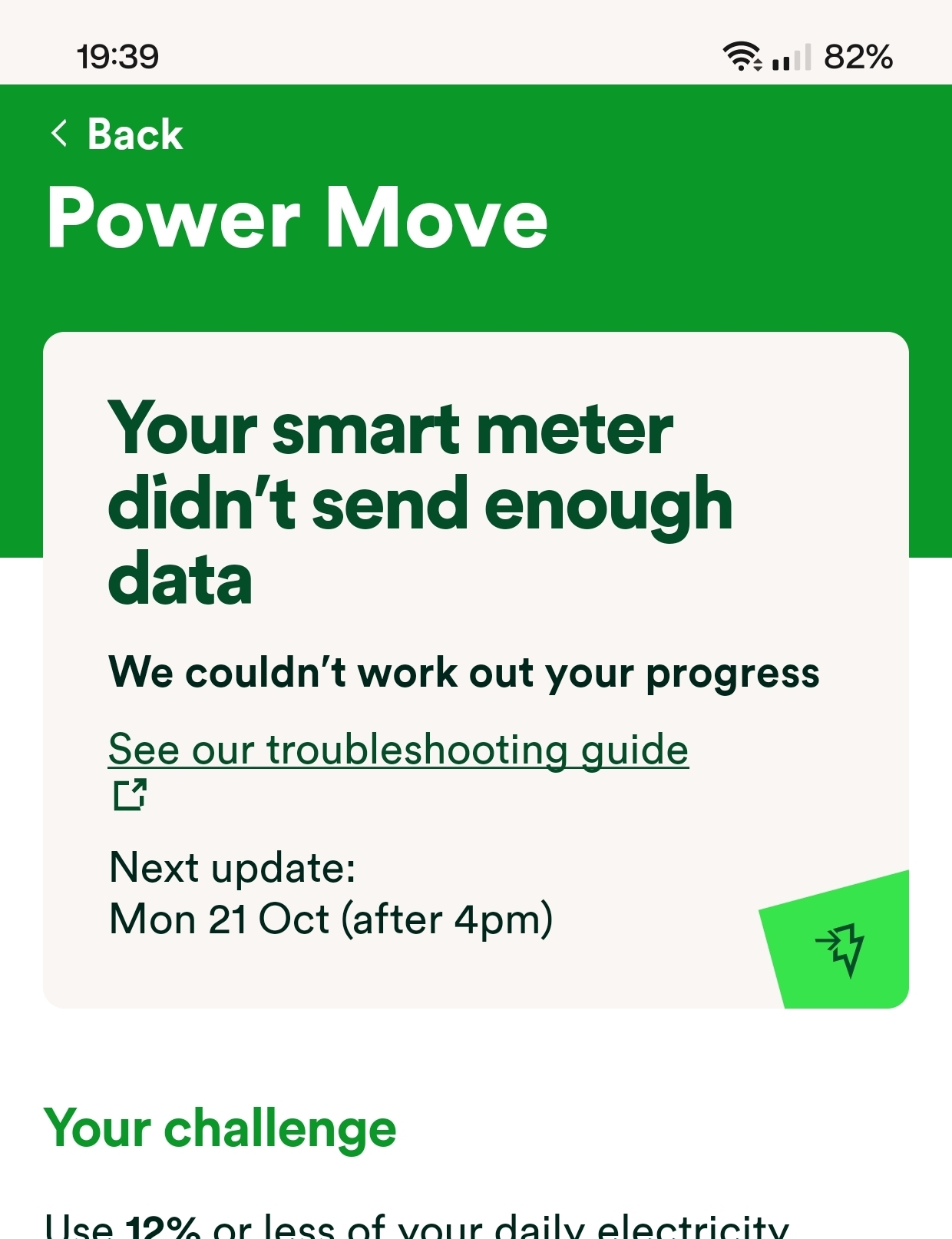
Smart meter isn't giving enough data for Power Move

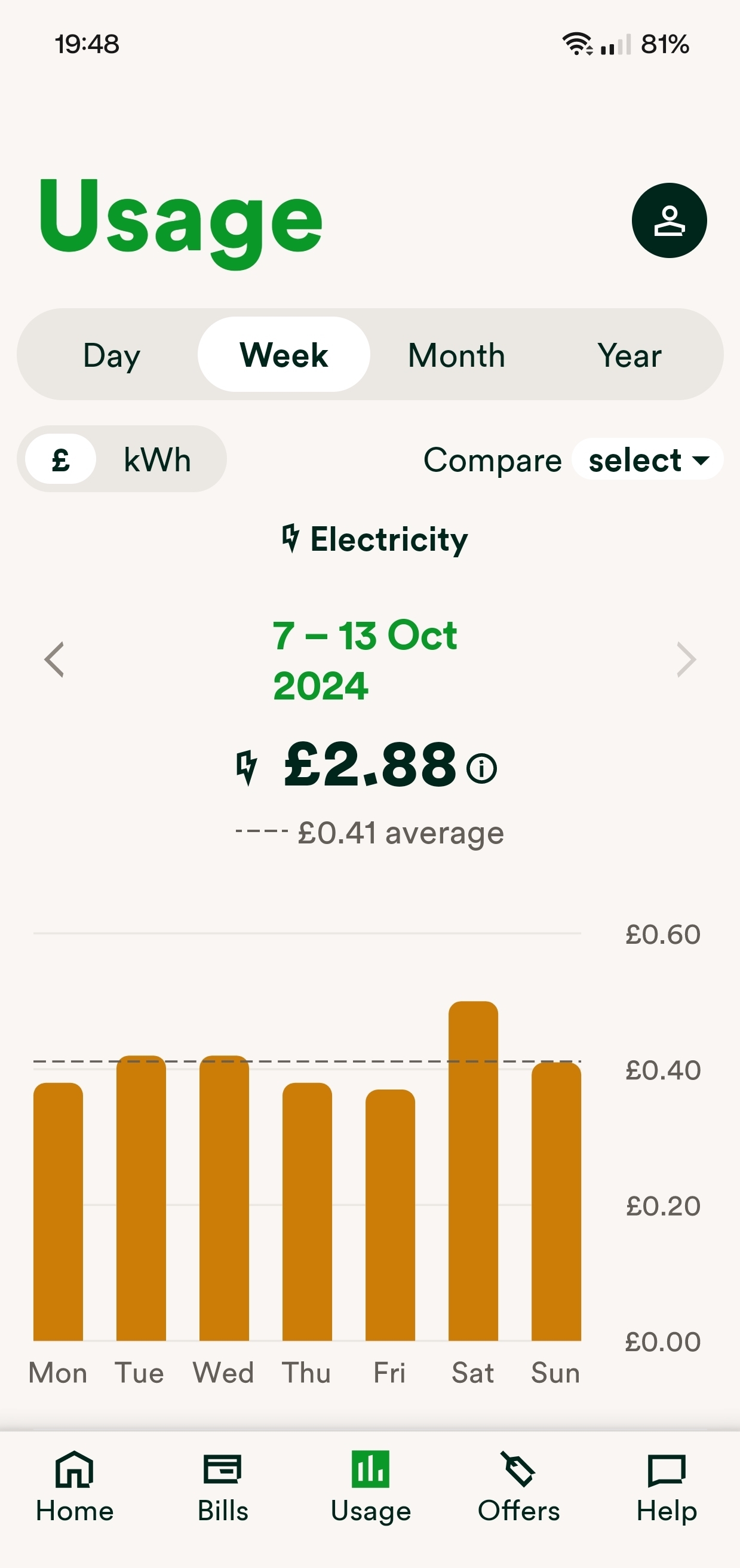
Why does the app tell me my smart metre didn't send enough data when I can still see my daily half hour usage every day up until now - Sunday?

(Just a point out, I have half hourly readings for every day since the beginning which is over a year)


Chris_OVO
Chris_OVOBest Answer
Community Manager
November 6, 2024

Updated on 21/01/26 by Chris_OVO

Hey @Kall,


I asked the team this morning if there’s any delays and this is an updated version of the communications made over the course of this month whilst they done some testing.


“Our consumption data collection and calculation process previously ran from 1pm each day, collecting consumption data from the day before. We've since identified that some data now doesn't return until later in the day, after the calculation process has been completed, so for the day before you may have been classed as 'no-data' and is why some of you may have seen in your progress update that we don't have enough data to calculate your progress.


We've now moved our process to run later in the day, and have been testing to ensure this pulls through as much data as possible, there will be some circumstances still where we couldn't retrieve any data for a genuine reason, however the tests have seen a dramatic reduction in the amount of customers with 'no-data' we've had so far in October.


At the end of October we will calculate rewards and look to pull through data from the first 2 weeks of October that have previously been flagged as not having any. We will only use this data for your end of month results if it positively impacts your peak %, e.g. you now earn a reward or go up a tier, if it would negatively impact your end of month results then we will honour the more positive result and reward.”


Basically speaking when they were collecting the data needed to calculate your Power Move data the system was running too early and causing some of the data to be missing. They’ve trialled a new time for collecting the data and seen a huge improvement so far. They’ll need to process payments this month manually which means a small delay until the credits arrive but it’s nothing to worry about. 


Things should return to normal in November with the process being fully automated and the feedback we’ve had from users has helped us make improvements that’s helping everyone. If you have any follow up questions let me know! 

Renewable energy jokes never get old.

48 replies

BPLightlog
Super User
Super User
October 14, 2024

Sometimes even with readings showing they will be estimated. If you check the detail it might say. Otherwise query it with customer support. 

Bring me Sunshine ~ E&E {Solar PV, Battery Storage, EV, ASHP and Home Assistant automation}
October 14, 2024

Nah, they are not estimates. I know exactly what I use and the readings are accurate.

Rank 2
October 14, 2024

Your second screenshot shows your daily usage, not your every 30 minutes usage. If you chose “day” instead of “week”, then click on “view as table” - what does it show? 

October 14, 2024

Your second screenshot shows your daily usage, not your every 30 minutes usage. If you chose “day” instead of “week”, then click on “view as table” - what does it show? 

Yes. I deliberately showed weekly usage because in many of the replies in the OVO forum users reply saying you've got to have at least a week's worth or 48 days worth etc etc. My daily usage however DOES show half hour increments. But thanks for pointing that out anyway. As far as viewers table is concerned, there's nothing stating it's an estimate and it shows half hour usage. Everything is as it always has been.

Newcomer
October 14, 2024

For the first time in all the months I’ve been doing power move my meter has also ‘not sent enough data’ like yours @Kall.

My usage table shows very clearly that my meter has been sending readings every half hour as it normally does. 
I always hit target, usually the top amount although last month somehow I hit lower (grandson stayed over for a few evenings…). 
I’m flummoxed as nothing has changed here & I was actually looking forward to being able to check my progress via the app. 

October 14, 2024

@solarrolar Well where's the one or two there's bound to be more and most probably don't visit this forum. Let's just hope it's OVOs system and it will rectify itself. I won't lose sleep over £12

Nukecad
Super User
Super User
October 15, 2024

Sorry to hear of these,

If your smart meter connects on 4G then it may have been something like a local 4G mast drop out which can affect the readings being sent on time to be included in PM, they would get sent later for the billing so show on the account, but too late for PM.
4G dropouts do happen and you often hear of peoples smartphones not working for a week or so because of a mast/network fault.

The cutoff for a days usage data to be included in PM used to be 13:00 the next day.
They were looking at changing that so that ‘late’ readings could be included, but I don’t know if that change happened yet.

(Sorry if it sounds smug but my notification in the app shows within 0.02% of my own calculation up to the the end of the 13th. PS. I don’t know it it makes a difference in this case but I’m Up-North so my SM connects by wireless not 4G).

I said, Hey - Watts going on.
Rank 3
October 15, 2024

I have been in conversation with OVO about this.  They calculate the Power Move usage at a certain time of the morning, and if the readings haven’t yet been received, for whatever reason, they ignore that day.  When they do eventually receive the information they do not recalculate the Power Move figures.  Happens to me all the time so my power move percentages are hit and miss. The response I’ve received is that they are reviewing the procedure in response to complaints, which is hopeful news.  It would require IT development on their part, so can’t happen overnight.

Emmanuelle_OVO
Retired Moderator
Retired Moderator
October 15, 2024

Your second screenshot shows your daily usage, not your every 30 minutes usage. If you chose “day” instead of “week”, then click on “view as table” - what does it show? 


Hey @Kall 


Are you able to send a screenshot of the above? I can take a look into this for you. 

Renewable Energy? Big Fan.
Emmanuelle_OVO
Retired Moderator
Retired Moderator
October 15, 2024

I’ve flagged this to the team to investigate but any screenshots of the readings would be really helpful 

Renewable Energy? Big Fan.