




How to find answers using the OVO Forum

Updated on 23/06/26 by Chris_OVO
How to search the forum, start a new topic, or get help with your account.
Welcome to the OVO online community!
Here are some steps to help you get useful information from this forum.
If you have any issues that require access to your account, please contact our Support Team directly.
Using the Search bar

To quickly begin your search for an answer, use the search bar on our forum homepage. Enter your query, including as many relevant keywords as possible, and press enter. For example:
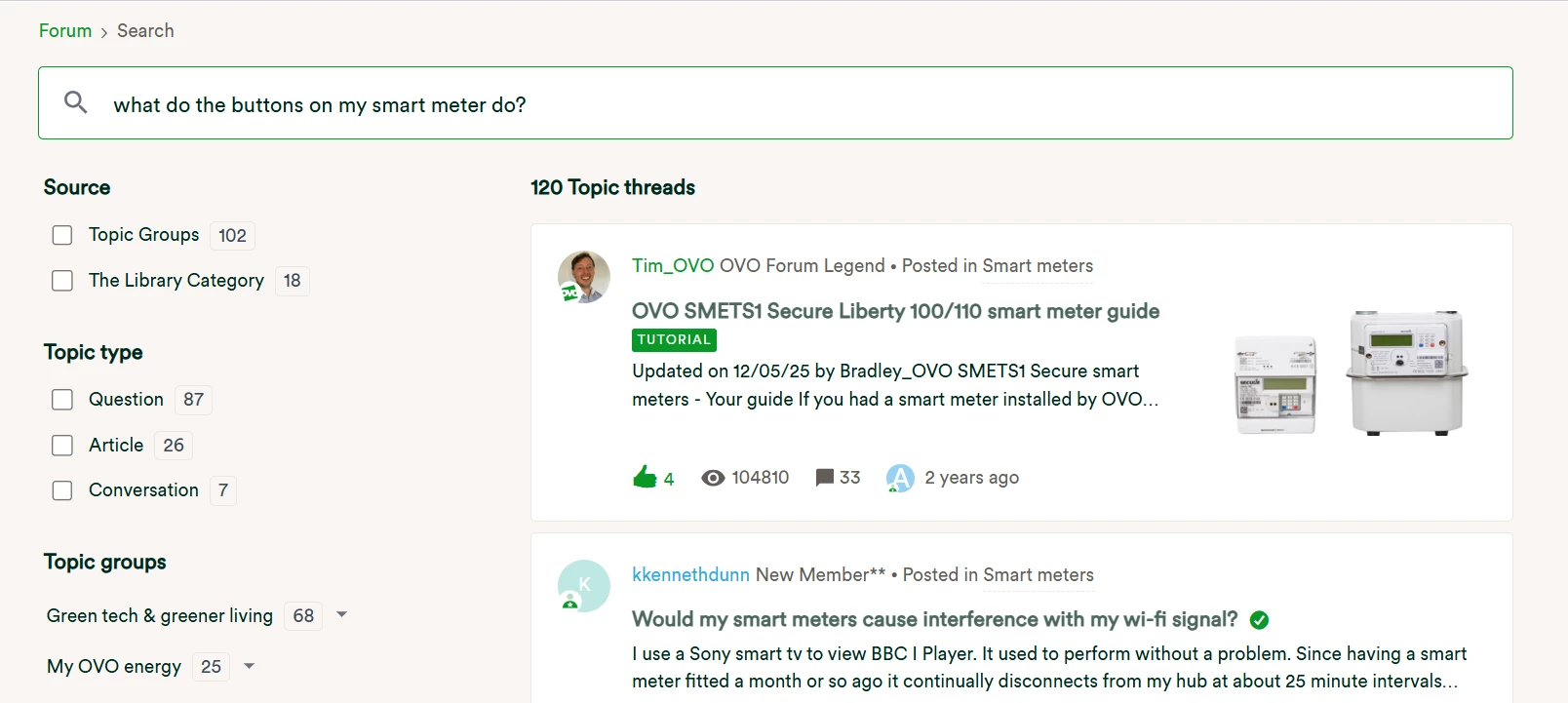
You can narrow down the search results by selecting checkboxes on the left side of the page. You can choose what type of content you want to see, like questions, conversations, or articles, and select the topic group you want to search in.
After making your selections, click on the topic that best fits your query based on its title to check if it has your answer. If you are looking at a 'question', the 'best answer' will be the first comment you see, highlighted in green.

Using topic groups
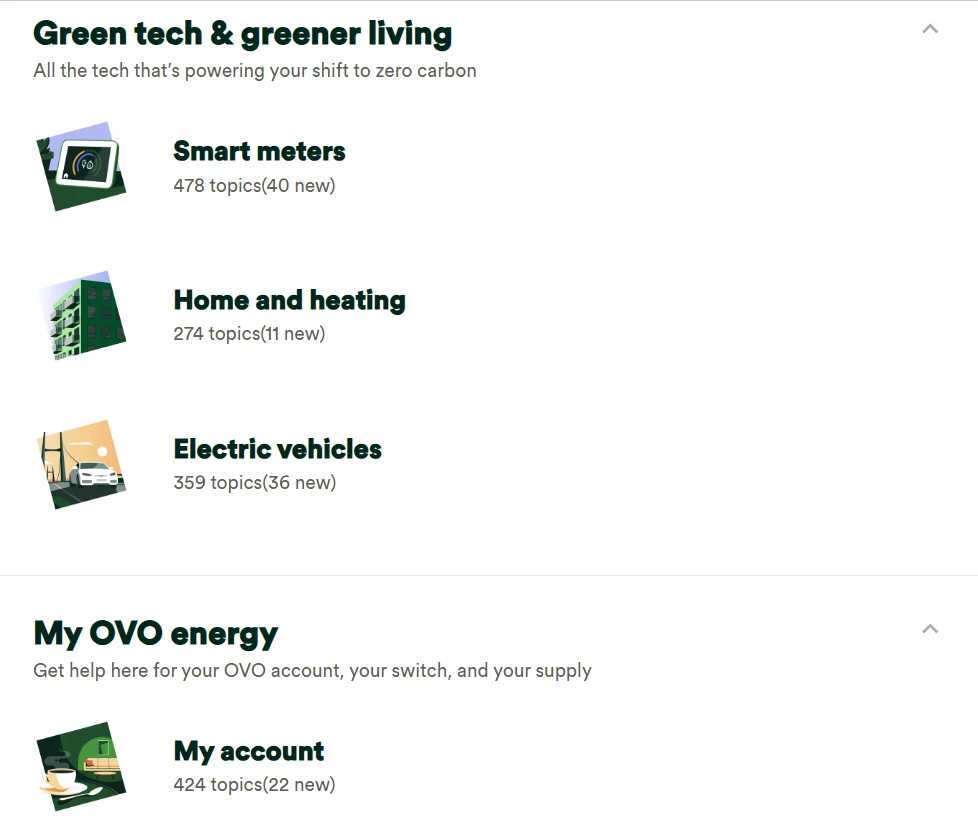
Choose the main area that relates to your question, then pick the specific topic that fits. For example, I am choosing the ‘Smart meters’ category.
You can look through the topics in this category to see if someone has already asked your question, or you can use the search bar to find it.
Using tags
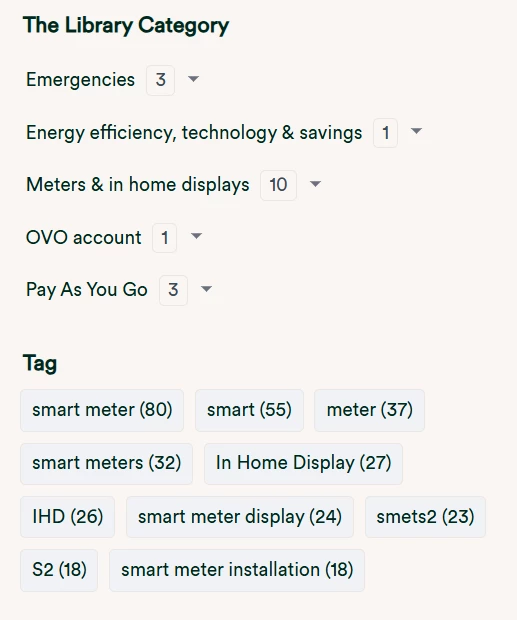
You can find this on the sidebar if you are using a desktop or tablet, or at the bottom if you are on a mobile device. Choose the tag that fits your question best.
This will show you search results that focus only on topics with that tag. You can browse the results or use the search bar to narrow down your search.
Similar conversations
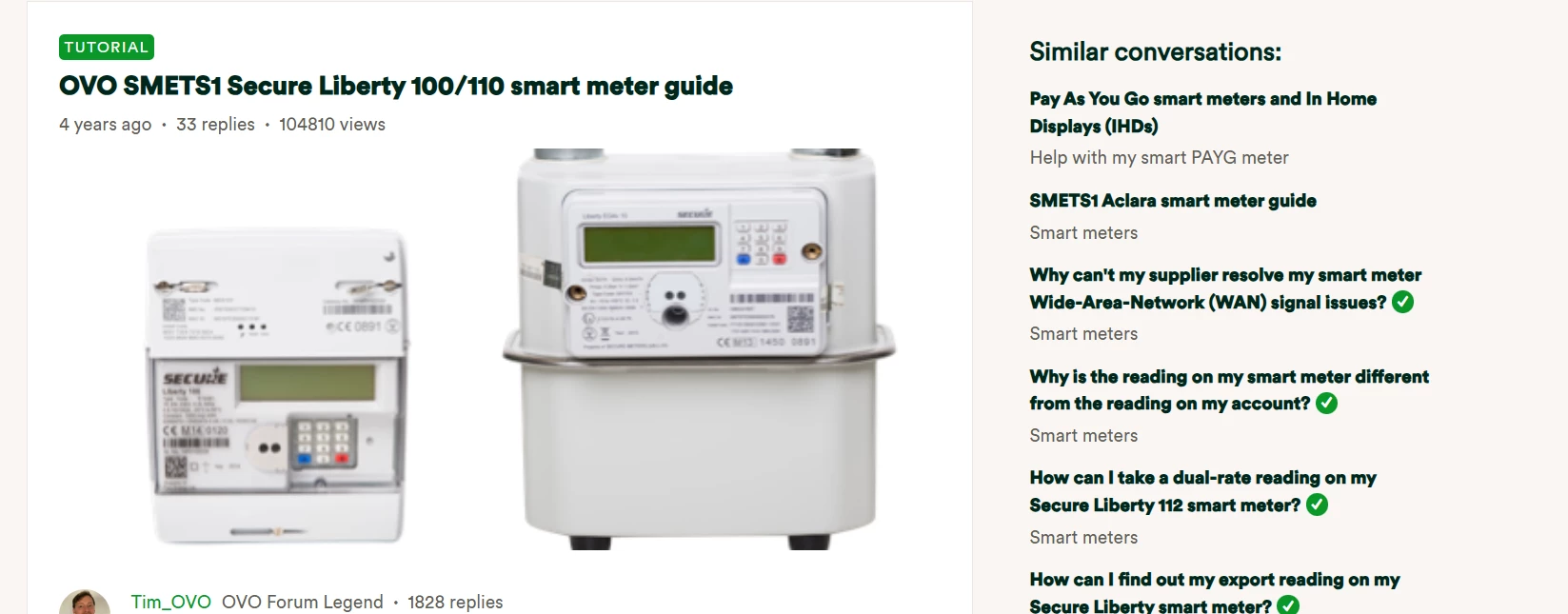
When you view a topic or its "best answer" (if it’s a question), check out the "Similar Conversations" section. On a desktop or tablet, this section is on the right side of the screen. On a mobile device, it appears below the topic.
This feature shows topics related to what you’re currently looking at. If you didn’t find the right topic the first time, this gives you another chance to find relevant information!
The Library
The Library (accessed via the top of the Forum homepage) contains articles and tutorials that answer the most commonly asked questions, ranging from smart meter issues to emergency procedures. We’ve created this feature to give you quick, clear and easy-to-find information for the most important aspects of your energy account.
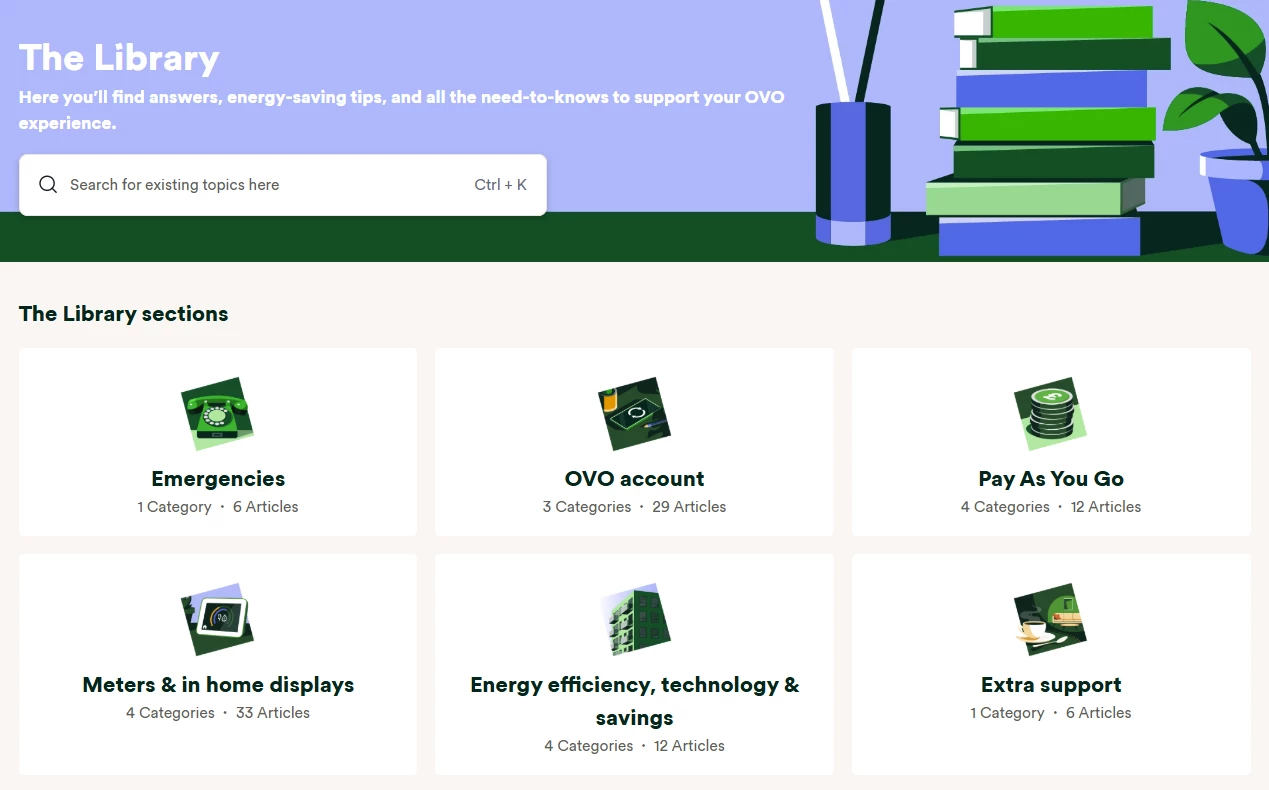
You guide below introduced the Library in more detail, and explains how to use it:
If you can’t find your answer, create a new question topic!
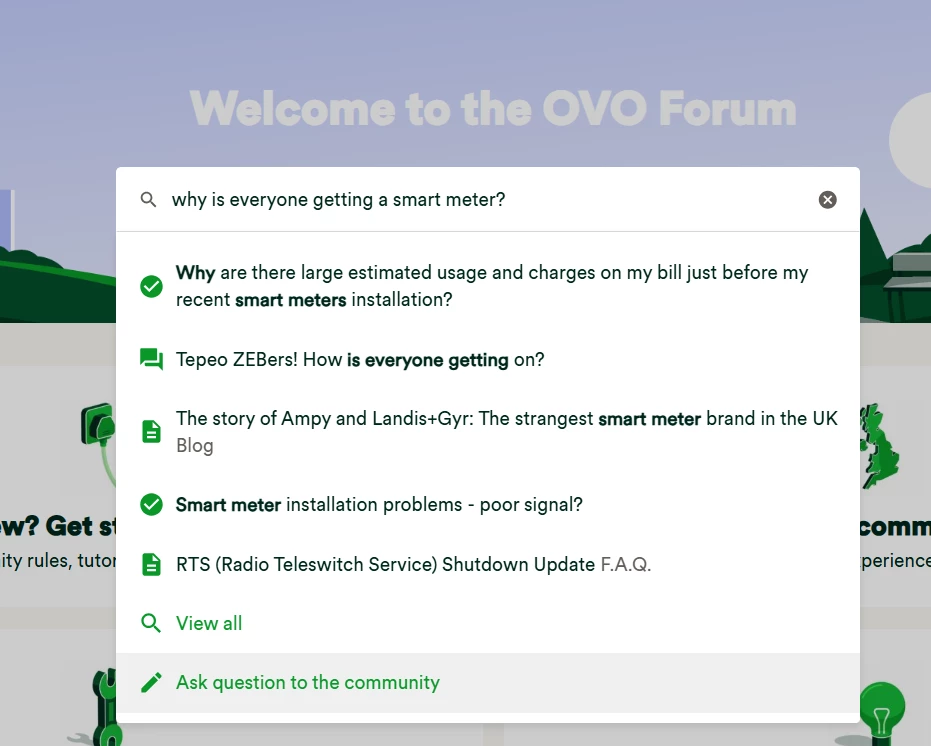
If you can’t find the answer, it might not have been posted yet. Post your topic, get community based support and advice, and the answer will hopefully help you and others that follow in your footsteps.
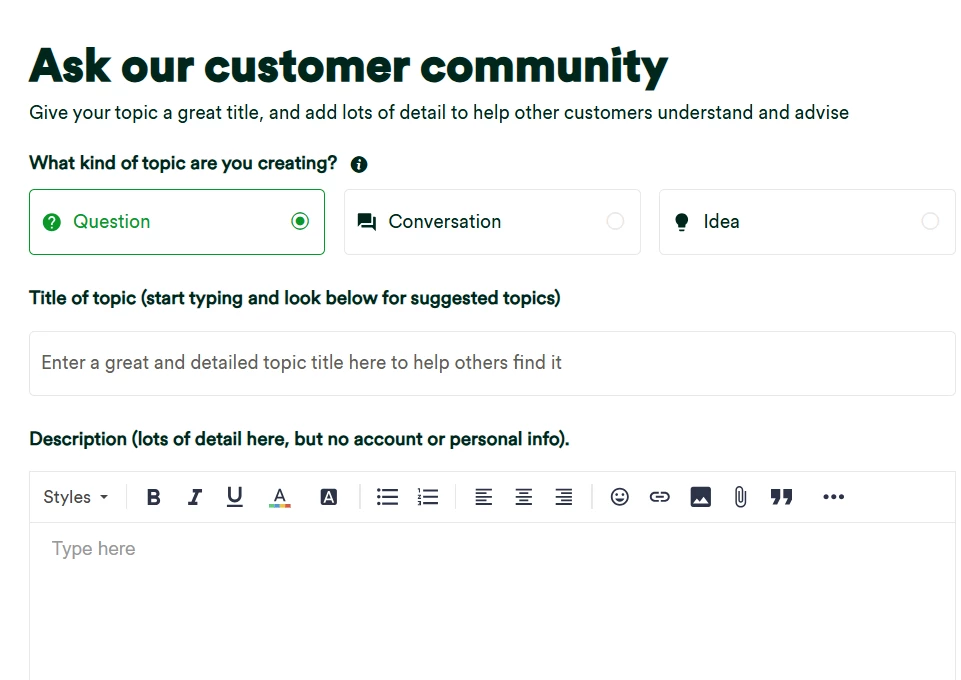
Top Tip: If posting a question, make sure to include the following for the best result:
- Has a clear title so we know what the question is about
- Has clear info in the description that helps the community answer your query
- Includes links, photos or screenshots if necessary (these can be added via the top tool bar above the ‘Reply’ box as shown below)
- Is in the most relevant category
- Has lots of relevant tags so others can find it too
Give our community members some time to get to your question and provide a reply. You’ll automatically be subscribed to any topic you create, so you’ll get an email notification when there’s one or more unread replies to your topic.
Sometimes you might prefer to start a more general ‘conversation’, instead of asking a question. The Forum is a place to discuss things and connect with the community, as well as being a source of information.
Leave a comment on an existing thread
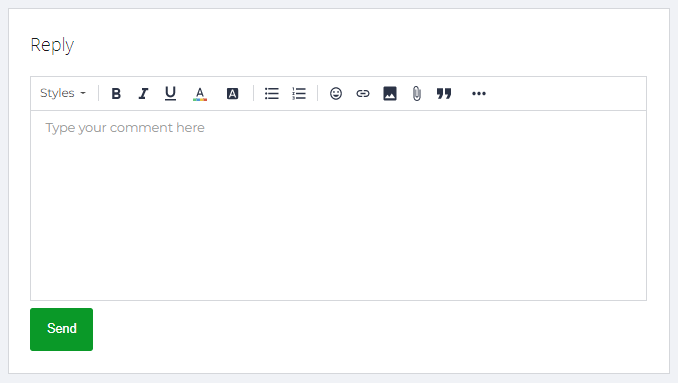
If you have questions about a topic, use the comments section to ask. If the information does not match what you need, feel free to tag users who previously replied by adding their username with the '@' symbol.
You can also answer questions from other members or join in on existing discussions. By participating, you help the community, improve your ranking, and have a chance to win rewards for your contributions. For more details, click here:
Guidelines and house rules
Any engagement on the OVO Forum must fall in line with our terms of use. The community is a safe, inclusive space for members to use in the right way. You can find out more in the guide below:
What have we missed?
Why not try out the comment feature below and let us know how we can improve this guide! 

