



I think my meter is clocking too fast - How can I test if my high usage is due to a faulty meter?

Updated on 30/06/26 by Abby_OVO
Your guide to checking the accuracy of your meter: How to carry out a Creep Test, a circuit check and book a Meter Accuracy Test (MAT)
Have you noticed a surprising change in the energy usage shown on your meter? Are you concerned that it may not reflect your actual usage? This guide will help you understand your options. You can be sure that your meter is working correctly, and you are only paying for what you actually use.
My bill is higher than usual
First things first, it’s always worth checking that your charges are based on actual readings rather than estimated readings.
You can view the latest statement on the ‘Billing history’ page of your online account or OVO app (download for Android or iOS).
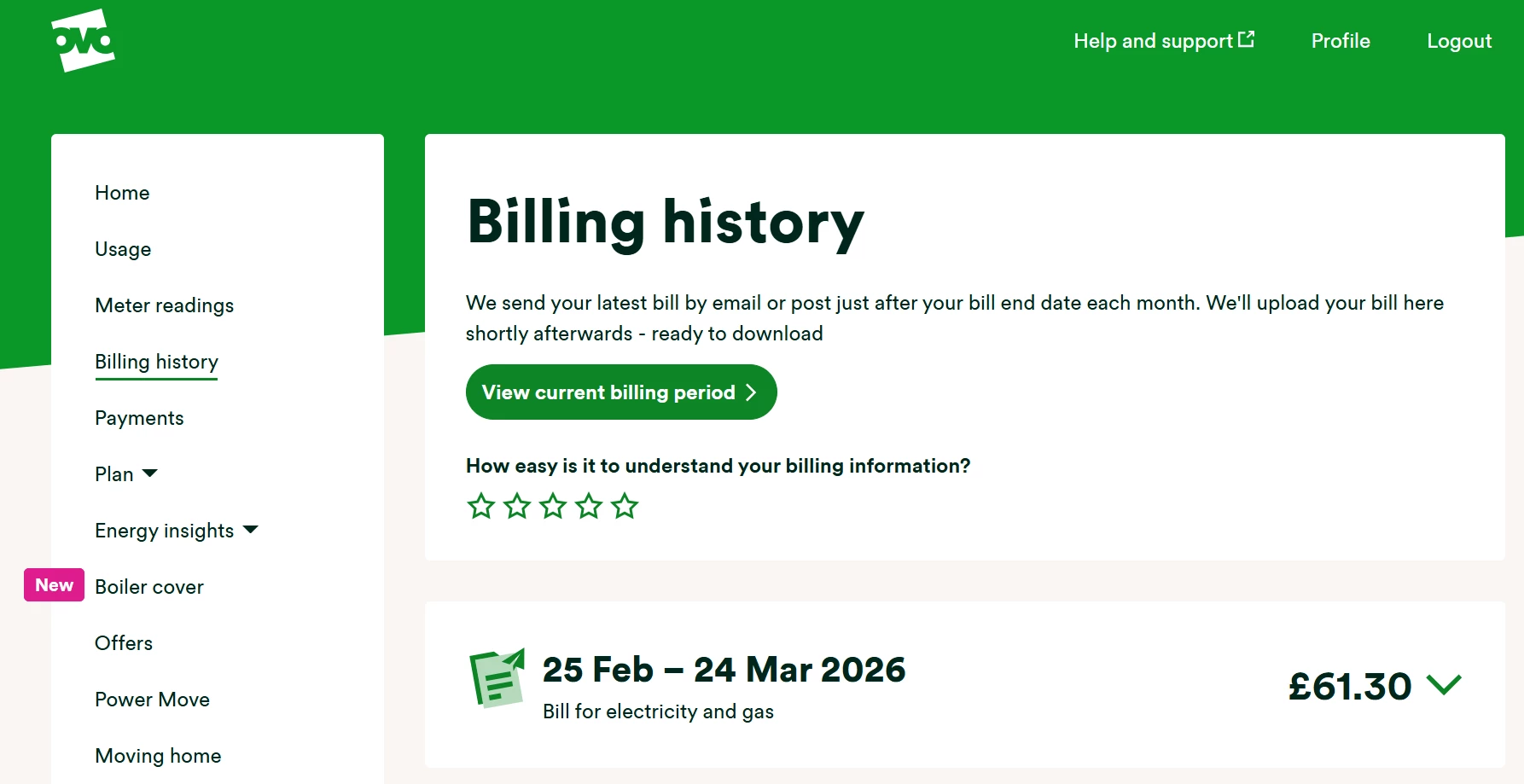
‘Download this bill’ or ‘View details’ to see if the reading is estimated (hint: it will say estimated next to the reading if this is the case). By checking the reading on the meter and submitting it on the ‘meter readings’ page you can correct any over-estimated readings.
It’s also worth checking that you’ve been charged the correct unit rates and standing charges. These might have changed recently if your fixed plan came to an end or if there’s been a price change to your variable plan. We’ll always get in touch before this happens to let you know but you can also check the prices on your current plan (and whether you could switch to a cheaper plan) on the ‘Plan’ page.
The details on the bill are correct but I’m sure I didn’t use this much
If your usage is higher than normal, it may be due to changes in your habits, which can be hard to notice. Think about any reasons why you might have used more recently. Common reasons include a colder season, buying a new appliance, or changes in your household, such as having more people living with you or working from home. Consider these factors when trying to understand a sudden increase in your usage.
If you haven’t already got a smart meter then this might be a good time to get one installed. Get your free smart meter installation booked here. Not only are new meters more accurate, they also allow you to monitor your usage over a half-hourly, daily or monthly view with some handy usage graphs on the usage page of your online account or OVO app. Using these you can pinpoint when exactly your usage peaks which can really help get to the bottom of what might be causing the increase. Notice a spike at exactly the time your immersion heater is set to come on? This might explain things!
I’ve got high gas usage, should I check my boiler?
If you notice a sudden increase in your gas usage, first compare it to the same time last year, as gas usage can vary with the seasons. One possible reason for the increase could be a faulty boiler. Older or malfunctioning boilers often use more gas to produce the same amount of heat. If you have the OVO Homeplan, it includes a yearly boiler check to keep your boiler in good shape. If you don't have this plan, consider contacting a gas safe engineer to check your boiler’s condition.
What’s the best way to locate an energy guzzling appliance?
Worried that your electricity usage seems high? By checking the usage of each circuit you might be able to find out the particular appliance which is the culprit. The meter will need to have decimals showing in the reading for this test to be useful:
- Leave the main breaker in.
- Turn off all individual circuits (on the fuse board, for example).
- The electricity meter should stop clocking usage. If not, there could be a short in the fuse/breaker panel box or an appliance connected without fuse/breaker protection. An electrician will be needed to investigate this.
- Turn on one individual circuit.
- Watch to see if the electric meter starts to clock usage.
- Turn off that individual circuit and turn on another one. Again, watch to see if the electric meter is clocking.
- Repeat step 6 until all individual circuits have been checked.
You’re looking for a circuit that causes the meter to clock a lot of usage, compared to the other circuits. There could be a problem with an appliance or a connection on that circuit. We’d recommend contacting an electrician to check the appliances on this circuit, particularly if there are any old or potentially faulty appliances plugged in. Find out the average usage for each appliances on this great guide and some great energy saving advice on the Centre for Sustainable Energy.
How do I perform a Creep Test on my electricity meter?
If you notice an increase in your usage and can’t find a faulty appliance, the next step is to check if your meter is accurate using a ‘Creep Test.’ Turn off the power at your fuse box and see if the meter still records usage. If it does (showing more than 1-2 units, which might happen due to leftover power in the wires), the meter could be faulty or tracking someone else's usage.
If your meter is in a communal area, the details might get mixed up. Check that the serial number on your meter matches the one on your account. You can find this number on the ‘Meter readings’ page of your online account.
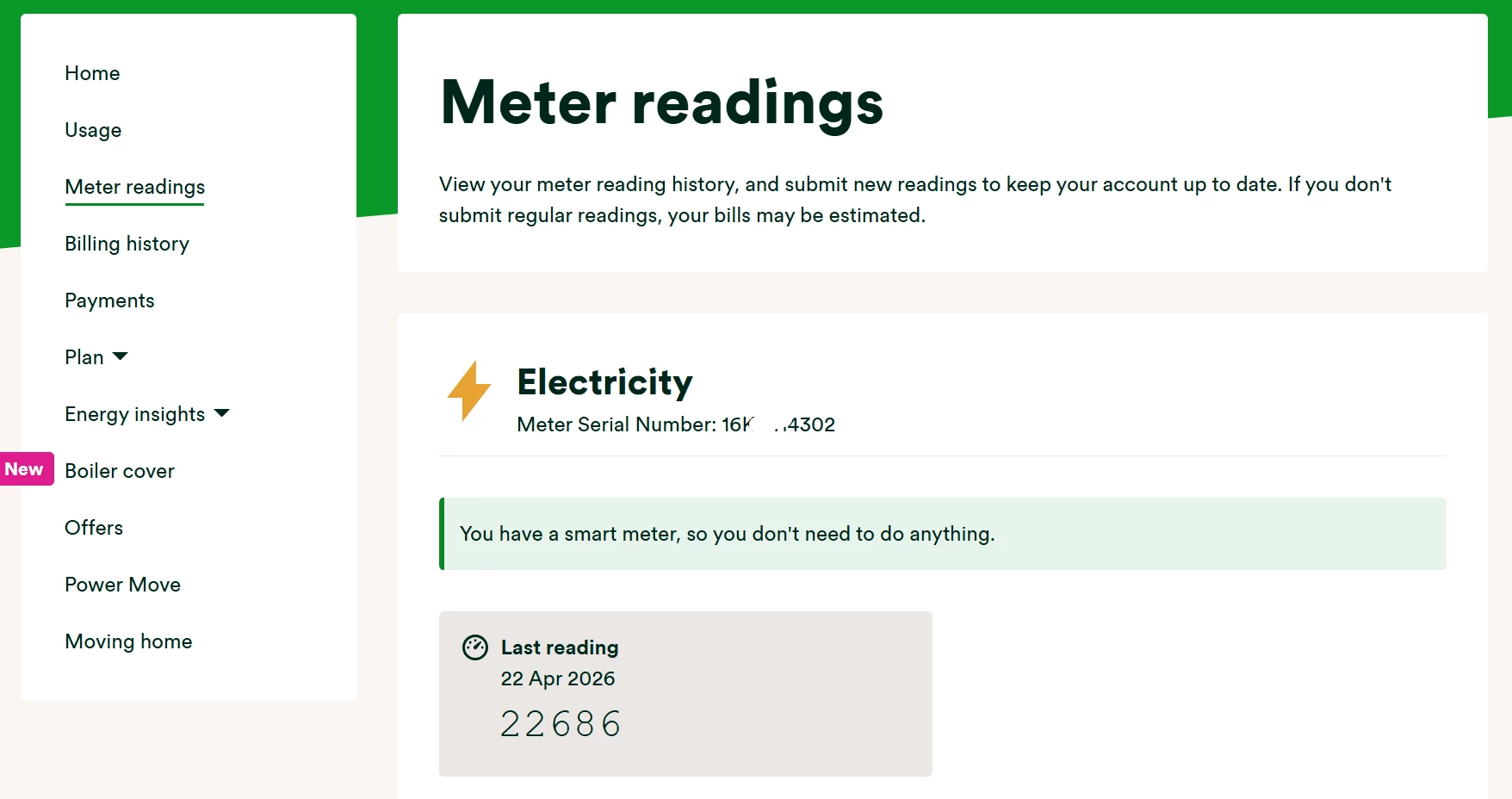
Even if the meter serial number matches, there is a chance that your meter details have been mis-registered. If you suspect this might be the case, contact our Support Team who can arrange a ‘fuse finder’ to confirm which meter is clocking your usage.
How do I book a Meter Accuracy Test (MAT)?
Completed a ‘Creep Test’ and seen a possible fault? The next step would be to book in a ‘Meter Accuracy Test’ (MAT), by contacting our Support Team.
As the MAT involves an engineer visit, there’s an upfront charge to get this arranged, which will be reimbursed if a meter fault is confirmed. A meter is considered faulty if it’s clocking at least 2.5% faster or 3.5% slower than it should. It’s worth considering all other possible causes for a usage spike before booking in this appointment as we can’t guarantee the results, and the cost of this test won’t be refunded if the meter is clocking within the above tolerances. If the meter is found to be faulty, we’ll replace it and re-calculate all the statements issued since the meter fault began. These statements will be based on your average usage, or your usage clocked by the new meter.
Need more help?
This topic is now closed, so you won’t be able to reply here. If your question hasn’t been answered or you need more advice, feel free to ask the community — we’re here to help!
Give us your feedback!
Was this article helpful? Is our Library missing content? Share your anonymous feedback here and help us improve!

