



Solved

Meter Reading page error - asking for multiple reads?

  • November 21, 2025
  • 4 replies
  • 107 views

So I’m trying to submit a meter reading as I do each month.
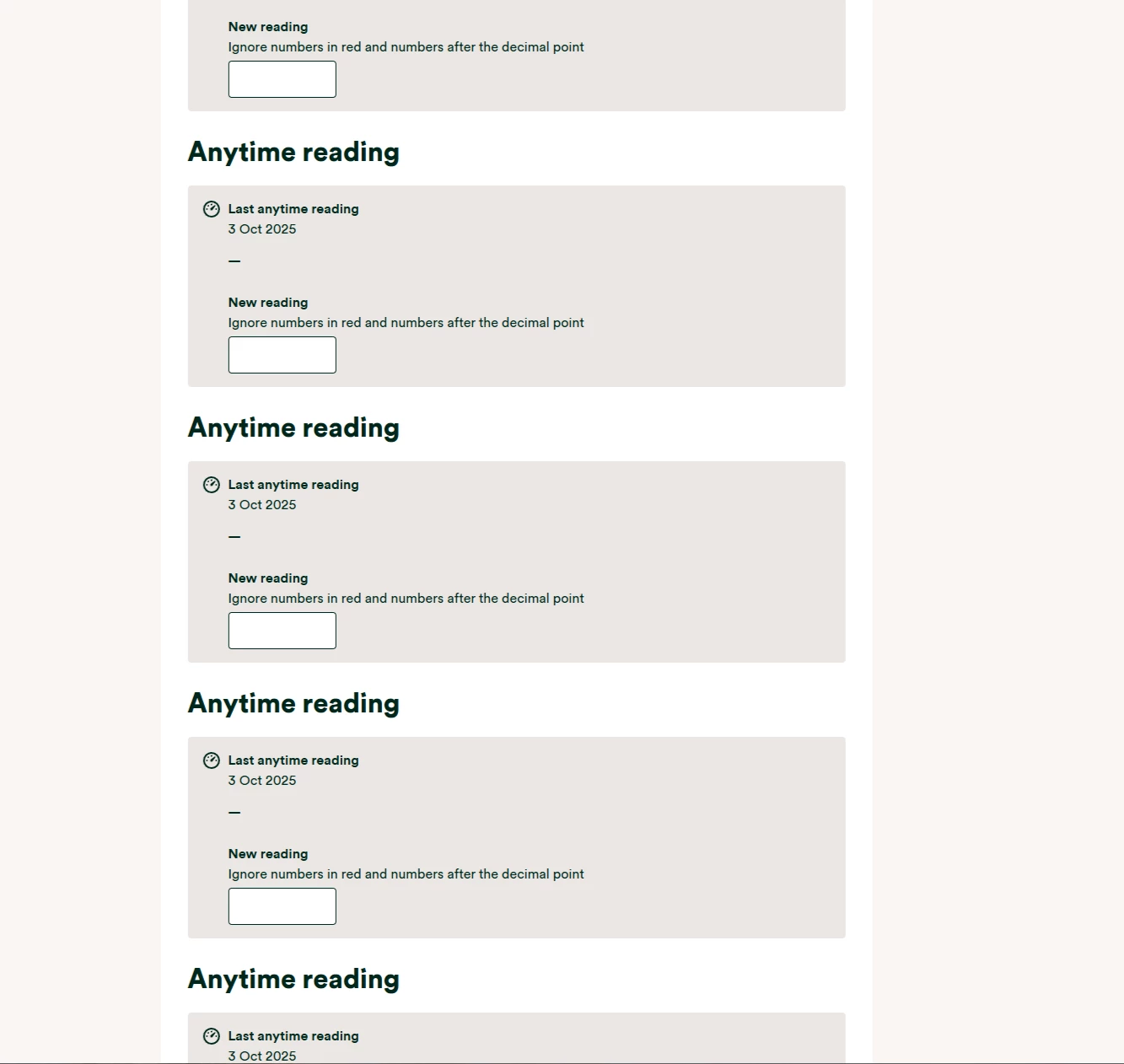
Today, I have logged in to put in my reading and the page looks like this. Instead of one window to put my reading in, there are seven. I enter one, and each separately, and then all of them….but cant get past the ‘Oops, your reading doesn't look right’ error.
The same applies to the app.
Any one faced a similar issue? Is there a way to resolve this (except phone them as that takes far too long.
Done a ‘Live Chat’ whilst working. That proved fruitless.
Don’t have a smart meter as they are unable to fit one (apparently??)

 

Best answer by Abby_OVO

Hey ​@DM17 


Sorry to hear about this, that definitely doesn’t look right. Does this still appear the same?


I’d definitely get in touch with the Support Team about this, they should be able to take a look on their end for anything or raise a case if there’s some kind of technical bug.


I’m going to check around and see if this has been raised elsewhere, it’s not something I’ve seen pop up but I’ll check if it’s a known issue at all too.

4 replies

johnr64
Carbon Catcher**
Forum|alt.badge.img+1
  • Carbon Catcher**
  • November 21, 2025

I would try again over the weekend, looks like an OVO issue, if you still have issues ring: 0800 599 9440 


Abby_OVO
Community Manager
  • Community Manager
  • Solved
  • November 24, 2025

Hey ​@DM17 


Sorry to hear about this, that definitely doesn’t look right. Does this still appear the same?


I’d definitely get in touch with the Support Team about this, they should be able to take a look on their end for anything or raise a case if there’s some kind of technical bug.


I’m going to check around and see if this has been raised elsewhere, it’s not something I’ve seen pop up but I’ll check if it’s a known issue at all too.


  • Carbon Cutter*****
  • December 1, 2025

That’s frustrating, if it’s still playing up, not taking your readings, contact Customer Dupport who can take the information and investigate why you’re this issue


Ben_OVO
Community Manager
  • Community Manager
  • December 1, 2025

Thanks for your advice here ​@chrisablake - I agree that the Support Team will be the best route here.


@DM17 is this issue fixed now, or is it still persisting?


If it’s still persisting, and you contact Support, please let us know how you get on!


Many thanks.
