Rank 1
March 5, 2024
Solved

Problems with OVO Charge Anytime and Cupra Born

  • March 5, 2024
  • 20 replies
  • 1795 views

Dear support 

I am facing issues with Smart charging (Charge Anytime) not working. Since starting this process in January I have had numerous issues and never once have I just plugged in and it just worked, usually requires several visits to plug in / unplug etc until the app registers the car being plugged in and overrides the immediate charge on the Cupra App.

That aside my problems are worse right now - plugged in today and as usual the Curpa starts it’s (temporary) immediate charge. This is meant to stop immediately, as soon as the Ovo app registers the car being plugged in. 

So I tried the usual dance of unplugging / plugging. Ovo app keeps saying ‘Car unplugged’, while the Cupra is charging at full rate through ‘immediate charge’. 


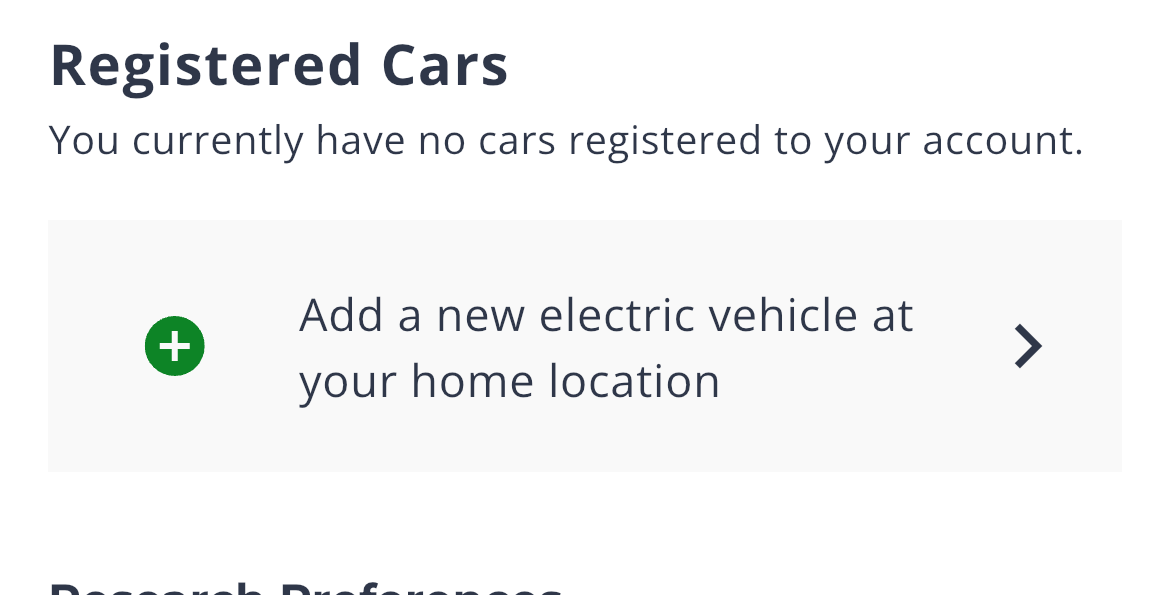
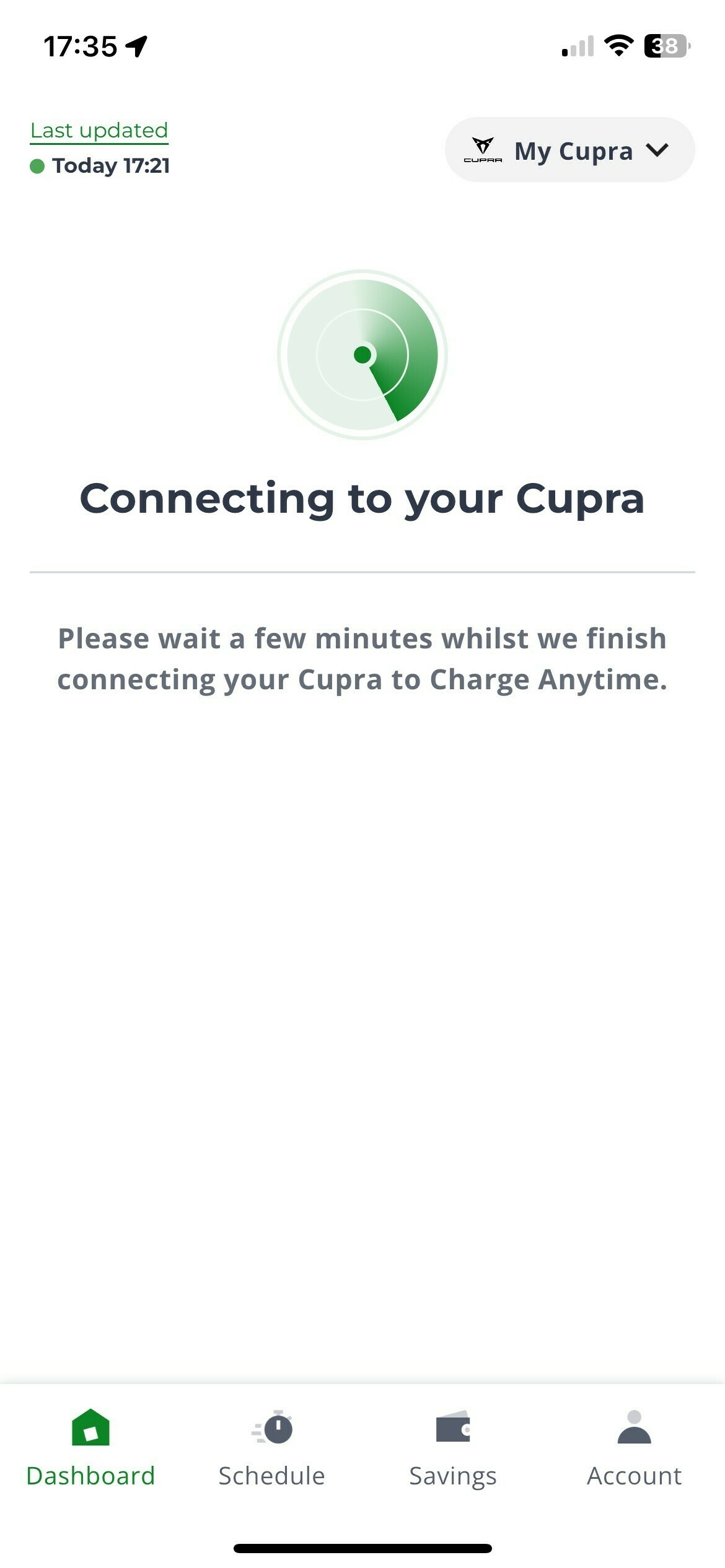
So I decided to delete the vehicle from the OVO app and re-register as new vehicle. It seems register fine, but when I go to dashboard - stuck on radar graphic and ‘Connecting to your Cupra’ message. If I view Account tab, shows as no registered cars. 
 

Please help 


Many thanks

 

Best answer by Emmanuelle_OVO

Updated on 19/02/25 by Ben_OVO

Sorry for the delay, I’ve had a response from the team @cloud:


This issue isn’t a trend we’ve come across.


Missing charges and delays in the app showing that the vehicle is being plugged in will be because the vehicle isn’t always sending us status updates through Cupra’s API connection, either due to on or all of the below:

  • the listed intervention needs addressing and is preventing us from receiving regular updates
  • the vehicle’s 3G/4G/WIFI network connection isn’t great when it’s plugged in at home to charge
  • the vehicle manufacturer’s API connection might be patchy at some points

To establish communication with your vehicle, follow these steps to deactivate "Offline Mode" through the vehicle's infotainment system:

  1. Access Settings: Open your vehicle's infotainment system
  2. Disable "Offline Mode": Within the system's "Settings" menu, find the "Offline Mode" toggle and turn it off

If this customer has already reached out to our team, it will be escalated and worked accordingly. 

The Charge Anytime team can be contacted via email at chargeanytime@ovo.com, and our Charge Anytime FAQ’s page can be found here.


20 replies

Blastoise186
Super User
Super User
March 5, 2024

Hi @cloud ,

Sorry, but the OVO Forum isn’t the right place for this one. Please email chargeanytime@ovo.com and they’ll sort you out.

Thanks

Securing energy by zapping security bugs... For that is The Blastoise Way! Remember, I'm just like you - AI Powered Evil Geniuses aren't Staff!
Rank 2
March 5, 2024

Same here tonight. The vehicle is talking to the MyCupra app, but the Seat / Cupra server obviously isn’t interacting with the ChargeAnytime app. Full fat electricity, also sabotaging Ovo Power Move percentages and rewards.

cloudAuthor
Rank 1
March 5, 2024

Hi @cloud ,

Sorry, but the OVO Forum isn’t the right place for this one. Please email chargeanytime@ovo.com and they’ll sort you out.

Thanks

Hi @Blastoise186 

I have contacted via the email address also, but just wanted to see whether others were experiencing similar. 
just in last 5 mins, it is now showing that smart charge timer, ready by 7am. Hoping it will work. On the Account tab it still shows as no vehicle registered so it’s all a bit confused currently..


thanks though, I’ll stop posting Smart charge comments on here . 


cloudAuthor
Rank 1
March 5, 2024

Same here tonight. The vehicle is talking to the MyCupra app, but the Seat / Cupra server obviously isn’t interacting with the ChargeAnytime app. Full fat electricity, also sabotaging Ovo Power Move percentages and rewards.

Hi @stephens  

Thanks for the response. Sorry to see similar issues. So do you see the message that car is unplugged?
I did suspect it was some Cupra connectivity issue, rather than Ovo. 
 I know this isn’t a Cupra born forum either but how are you finding it? I had hoped for better, the infopainment is shocking, I can see some quick wins if they got a usability expert to actually to live with it for a week or two.  A lot of frustration with every drive. 
 

thanks again and hope your smart charge starts working again  soon

cloud

Rank 2
March 5, 2024

The problem appears to have resolved some time around 7pm, but not before the car had largely charged at premium rate. Second time this has happened in 14 months.

There is no Ovo Charge Anytime forum. Wonder why? Forum managers have started Charge Anytime threads in the Smart Home forum, but since a Smart Meter is a prerequisite for Charge Anytime this forum isn’t inappropriate IMO.

The benefit of a forum post is that you can ask “is it just me that …?”. I’ve had mixed experiences of responses from the chargeanytime@ email address.

Keep an eye open for infotainment software updates on your Cupra (Red dot - top right). (One recent one professed to fix MyCupra connectivity issues.) Check with your Cupra dealer whether there are any other software updates that only they can do. My December problems (Charge Anytime repeatedly failing to trigger a charging session) appeared to resolve having done both.


Newcomer
March 5, 2024

Started experiencing issues last night after seamless smart charging using Ovo charge anytime with a Pro EV charger and our Born since August. Constant failure to charge notifications, to the point it runs down the 12v battery and loses contact with the Born app. 

Weirdly it wouldn't even take a charge on the 3 pin straight from the house. 

This afternoon it worked fine on full price juice so we topped up a bit, but again this evening can't do a scheduled charge. Something has clearly changed. No software update available via the car 

Firedog
Super User
Super User
March 5, 2024

There is no Ovo Charge Anytime forum. Wonder why? Forum managers have started Charge Anytime threads in the Smart Home forum, but since a Smart Meter is a prerequisite for Charge Anytime this forum isn’t inappropriate IMO.

The benefit of a forum post is that you can ask “is it just me that …?”...


Blastoise wasn’t suggesting that this forum was inappropriate for discussions about Charge Anytime or other topics of interest to EV owners. He reacted to the original post, which was addressed to Support and called for help. That’s what the forum can’t do, but as you’ve found, as often or not it’s the experience of other users that help. 

Noel | I have no official status; I'm just a volunteer who comes here to help other customers. My gear: Aclara SGM 1416-B Electricity-only E7 meter; Chameleon IHD3-PPMID-AAA | It may look as if I know what I’m talking about, but don’t let that fool you. |
Emmanuelle_OVO
Retired Moderator
Retired Moderator
March 6, 2024

Hey @cloud,


Sorry for the issues you’re having, I’ll ask the team and report back to you. 


Renewable Energy? Big Fan.
cloudAuthor
Rank 1
March 6, 2024

Hey @cloud,


Sorry for the issues you’re having, I’ll ask the team and report back to you. 


Hi @Emmanuelle_OVO 
Thank you, so last night we actually managed a smart charge but it’s listed on an ‘Unknown car’, hoping this doesn’t affect my credits. On Account area of app, remains as no registered cars. So definitely something not quite right. 


Many thanks


Emmanuelle_OVO
Retired Moderator
Retired Moderator
March 7, 2024

Updated on 19/02/25 by Ben_OVO

Sorry for the delay, I’ve had a response from the team @cloud:


This issue isn’t a trend we’ve come across.


Missing charges and delays in the app showing that the vehicle is being plugged in will be because the vehicle isn’t always sending us status updates through Cupra’s API connection, either due to on or all of the below:

  • the listed intervention needs addressing and is preventing us from receiving regular updates
  • the vehicle’s 3G/4G/WIFI network connection isn’t great when it’s plugged in at home to charge
  • the vehicle manufacturer’s API connection might be patchy at some points

To establish communication with your vehicle, follow these steps to deactivate "Offline Mode" through the vehicle's infotainment system:

  1. Access Settings: Open your vehicle's infotainment system
  2. Disable "Offline Mode": Within the system's "Settings" menu, find the "Offline Mode" toggle and turn it off

If this customer has already reached out to our team, it will be escalated and worked accordingly. 

The Charge Anytime team can be contacted via email at chargeanytime@ovo.com, and our Charge Anytime FAQ’s page can be found here.


Renewable Energy? Big Fan.