My eldery mother has recently switched to Ovo but has struggled to understand what needs to be done and how she can manage her account. She has had a 15 page pack sent through with a customer number but no Ovo ID (from what I can gather)
How is she able to create an online account so she can check her service and raise queries etc?
As she was getting nowhere with the customer service team she called back to cancel and she was told that she was unable to do so. Her switch date is the 7th of September so she must be covered by some form of 14 day cooling off period. That said, she is happy to remain a customer and switch providing she can get to her account. She doesnt appear to be able to find an OvO ID which the website says is required for registration.
She has a customer ID though
Can anyone help or can customer services explain why she is unable to cancel prior to her switch date?
Updated on 04/07/23 by Tim_OVO: Got issues registering or resetting a password for your OVO app or online account? We’ve made a recent change that might help:
OVO customers should ideally complete these steps in the web portal (online account) first. Once complete, these details will be copied over and available for use in the OVO App.
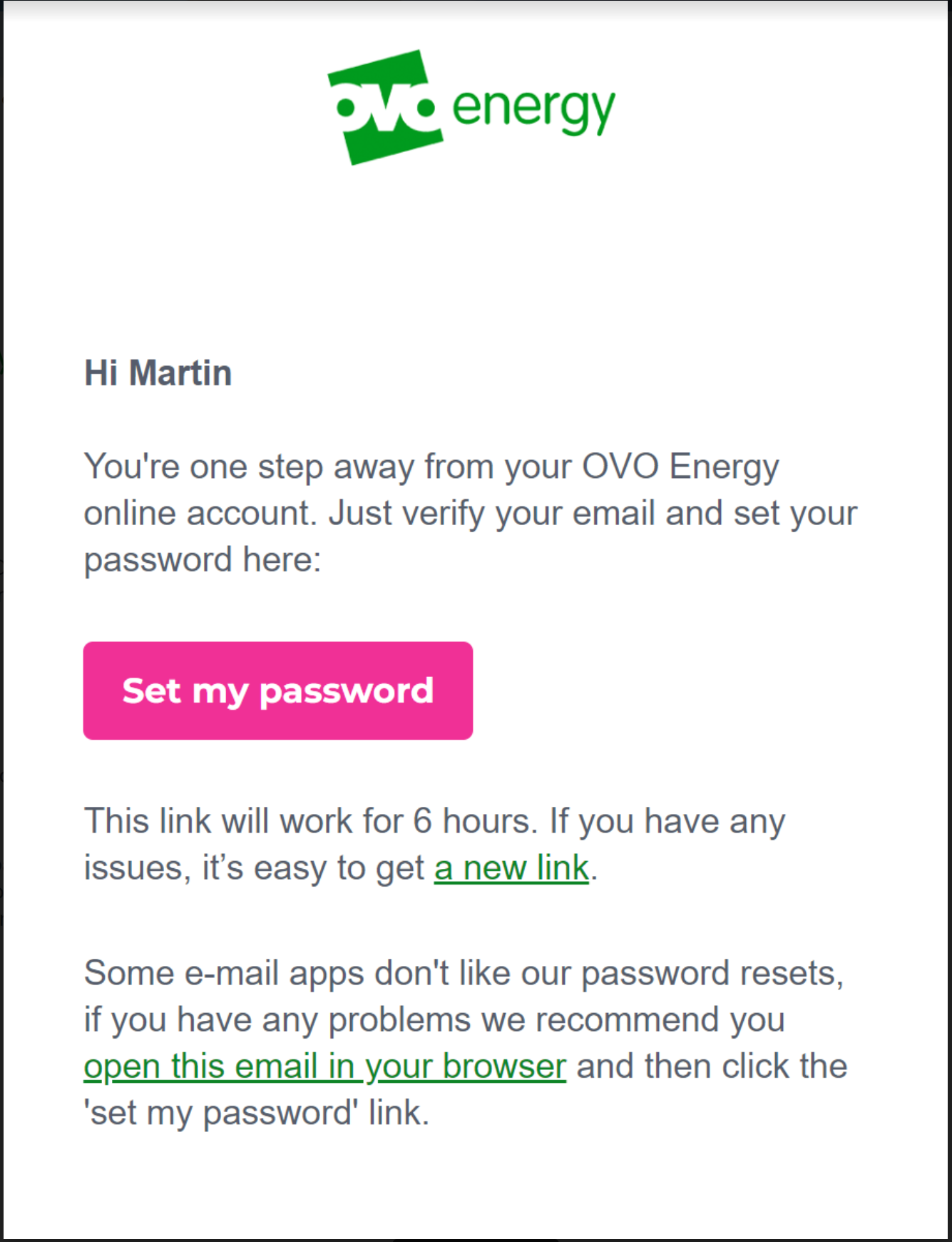
Select the option at the bottom of the reset email "open this email in your browser"
This should then allow you to follow the steps as prompted and login into your account.
Please note: This has been extensively tested and in the vast majority of cases will resolve the issue. However, there are still some issues with users of any Microsoft email domains such as Hotmail, Live, Outlook, Microsoft. We are working on the resolution for these customers and will update once a fix is made available.
There may still be issues for other customers with different email domains but these could be related to something else. See the advice below for some ideas to try, and let us know in the comments below if you still have an issue resetting your password. Alternatively our Support team may be able to advise with this.
How do I sign into the online account?
It’s super easy – you just need the email address you registered when you signed up.
If you have been with us for a while you may also be able to login using your OVO ID. You’ll find your OVO ID on your welcome letter or email, or at the top of any of your statements. If you have (or have had) multiple accounts with us, you may need to login using your OVO ID rather than your email address.
If you’ve logged in before and already know your password, you’ll only need to do ‘step 1’.
You can also log in from the OVO homepage – take a look in the top right corner for the menu icon, the option to login will be at the top of this menu.
Step 2: Set up a password
Look underneath the big 'Log in' button. Find the link that says ‘First time logging in?’, and click it.
Step 3: Give your email address
Type in your email address and click ‘Submit’. If you’ve got more than one OVO account, we might ask for your OVO ID too.
Step 4: Check your email
We’ll send you an email with a link to set your password – open it, create your password, and you’re in. The email is from 'no-reply@ovoenergy.com' – and the subject line will be 'My OVO password change request'.
It’s important that you set your password within 30 minutes, as the link will expire. If you don’t get an email straight away, it’s worth checking your ‘spam’ folder. If you’re a Gmail user, it may also be filtered into your ‘promotions’ folder.
Step 5: Sign in whenever you like
That’s it. You’ve got access to your online account. It’s easy to use wherever you are, on your computer, laptop, tablet or smartphone.
We’re constantly updating our online portal and app to ensure it’s the best version it can be for you! This, along with your device updates can cause login issues from time to time.
When something’s gone wrong
If you’re having issues logging via our app, try deleting and reinstalling - ensuring it’s the latest version. Sometimes this is all it needs to iron out any issues.
If you’re on a computer, try and use Google Chrome (or at least, avoid using Internet Explorer) as your account is optimised for this browser. Clear your cookies and cache and try login again, here’s how to do that:
On your computer, open Chrome.
At the top right, click More .
Click More toolsClear browsing data.
At the top, choose a time range. To delete everything, select All time.
Next to "Cookies and other site data" and "Cached images and files," check the boxes.
Click Clear data.
If you’re logging in with your email address, you may wish to try your customer ID. Reset your password as part of this process, as after you reset it, your account will automatically try to login.
If it’s still not letting you in, contact our Support Team. They may check these details so that we can work out the issue
Are you logging in using your registered email address or OVO ID?
Are you using the app or the browser version of the site?
Can you send us a screenshot of the issue/error? If not please describe it in as much detail.
How long has this been going on for?
What device are you using? I.e iPhone 7, Dell laptop etc.
What software does your device use? This can usually be found in the settings section of your device.
Hope this helps you get things sorted - once you’ve cracked the login issues - check out our online account tutorial for making the most of our online tools.





 .
. Clear browsing data.

