



Rank 2
November 26, 2022
Solved

MELCloud linked to Mitsubishi Ecodan air source heat pump lost internet connection- Won't re-connect?

  • November 26, 2022
  • 46 replies
  • 6565 views

I have MELCloud linked to my Mitubishi Ecodan air source heat pump.
Recently I lost the internet connection and cannot establish a reconnection.
My connection is via Access mode as my router does not have a WPS button.
I am able to complete the process for reconnection correctly but it does not connect.
I have previously been successful and there are no changes to my home network settings.
I am wondering if;
the MELCoud server is down?
or if I have a non standard password to my home wifi network - it includes a ’ and has a space in it?
Any help with reconnecting to the internet would be useful.

Best answer by Hillsides

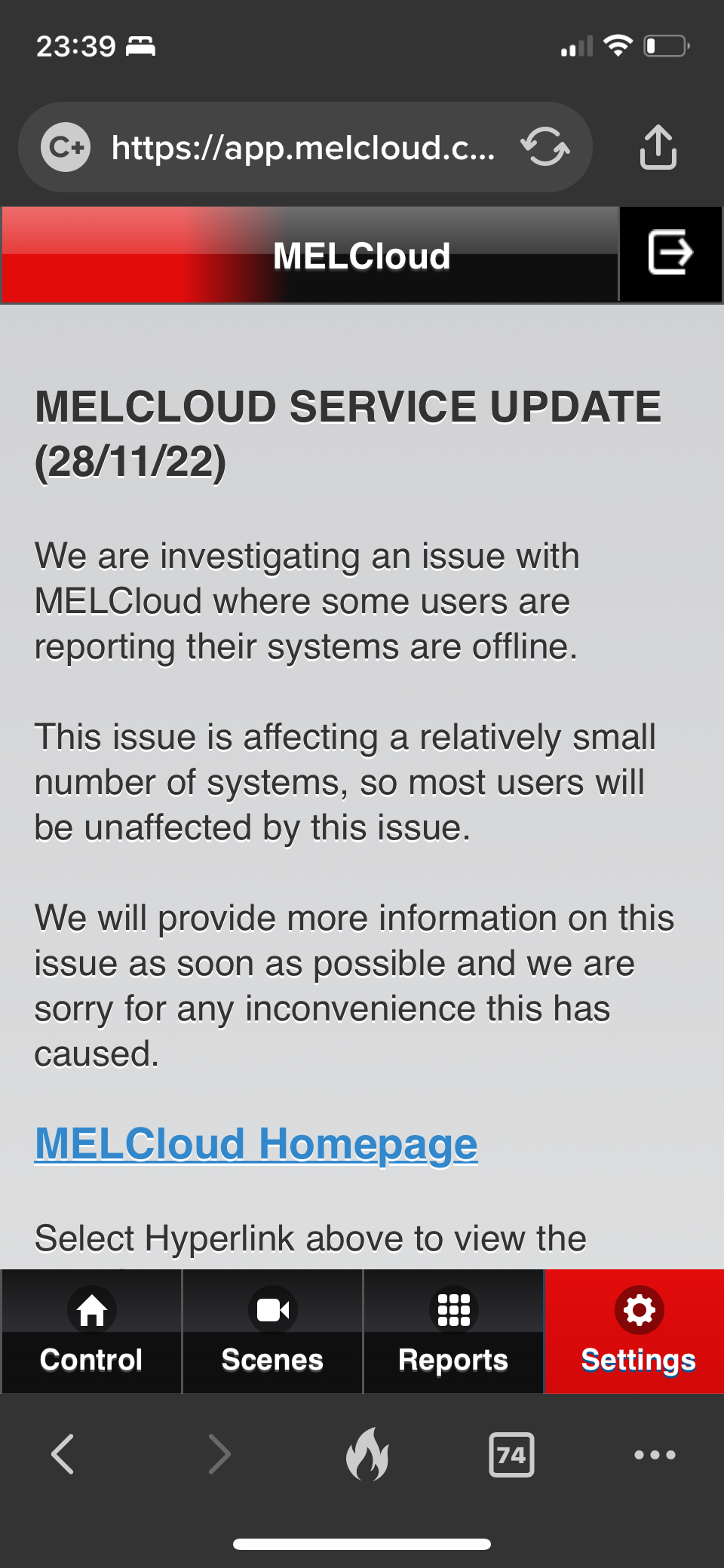
It seems to be a wider issue as there’s an update on the support page. 
 

not sure I believe the ‘relatively small’ numbers affected. 
 

I can’t find anyway to submit a support ticket. 


46 replies

M.isterW
Rank 6
Rank 6
January 30, 2023

Mine is still working okay.

1992 4 bed detached house. Solar PV + battery, Zappi EV charger, Mitsubishi Ecodan ASHP and i-life2 fan assisted radiators.... No gas 😊
Emmanuelle_OVO
Retired Moderator
Retired Moderator
January 31, 2023

Hey @delavega79,


Is this resolved now? 

Renewable Energy? Big Fan.
Newcomer
February 2, 2023

Hello all,

thank for your answers, let me share with you the following:

  1. On Monday the MelCloud support wrote me that no issues are known at their cloud service side. They were giving me long troubleshooting steps to do
  2. I did something different faster and easier not mentioned by Mitsubishi Support: power off the electricity in all my house for a minute and on again.
  3.  I was happy as it was SOLVED
  4. Last night I received again mail notification by MelCloud mentioning same communication error
  5. I check the app and this time is slightly different the issue: one unit it’s OK, the other unit shows same issue as days ago
  6. Checking my FritzBox 7590 router I can confirm (just like last time) that both the units look like perfectly connected to Wifi 2.4 with 72Mb bandwidth, perfect as always since years
  7. I strongly suspect that this random communication issue with MELCloud could be caused by something brought in by the FritzOS 7.50 because with 7.29 I never had any communication issue on the wifi network with any device in the Mesh network. Nothing else at all have been changed so far, everything else is exactly as it was like since years. 
     
  8. so now I’d love to know from any of you guys if you are using FritzOS 7.50. In the meantime I will power cycle again and I am sure it will solve.
  9.  I don’t think it’s an hardware issue because at the beginning of this story the issue was on both the Wifi units, smell very strange to be suddenly hardware issue on 2/2 from nothing.. right?
  10.  I will inform also the support MelCloud for them to be aware and investigate internally within their engineering team and FritzOS team too. Will keep you posted, thank you, regards 
Newcomer
February 9, 2023

Mine is still working okay.

@M.isterW cCould you please tell me if you are using a router FritzBox 75xx with FritzOS 7.50 ?


Thank you

Regards,

Diego

Newcomer
July 26, 2023

I hate to depend on cloud to control the AC. I tried to put the IP of the AC in the browser just to see if there's any local lan control menu and It requests user/pass, dos anyone know how to get that credentials or any other way to control this in local lan? Thanks

Blastoise186
Super User
Super User
July 26, 2023

According to Home Assistant, MELCloud supports Cloud Polling only. There is no known local interface i.e. their stuff only communicates directly with MELCloud itself.

Securing energy by zapping security bugs... For that is The Blastoise Way! Remember, I'm just like you - AI Powered Evil Geniuses aren't Staff!
