



Tutorial
Hypervolt - The “Reconnect” button isn’t showing during signup

When you connect your car or Hypervolt charger to the Charge Anytime app, a 'Reconnect' button will be at the bottom of the screen. If this isn't visible, it may be because you’ve increased your font size in accessibility settings. This changes the size of the screen so the bottom of the app isn't visible anymore.
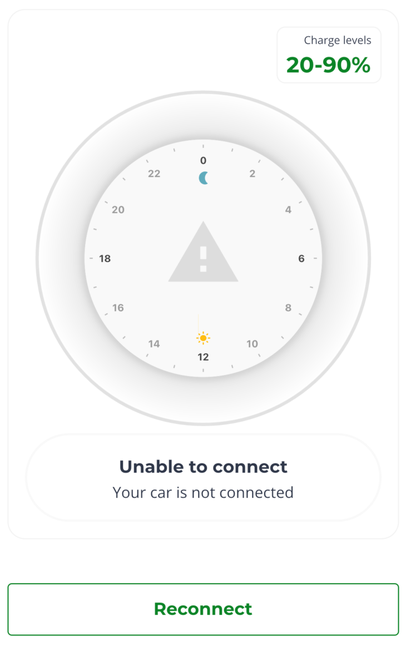
(click on image to enlarge)
To change this, go to your device settings/accessibility settings and reduce the font size on your device to "Default." Or, if you’d prefer to keep your settings as they are, you could install the app on a different device—like another phone or tablet. Then log in to your account and reconnect your charger/car. Just remember to log back into your account on your regular device once you’ve reconnected.

