
jewelie
Rank 4
Rank 4
March 14, 2022
Solved

Chameleon In Home Display (IHD) 3 stopped receiving Aclara S2 electricity smart meter usage info?

  • March 14, 2022
  • 38 replies
  • 1804 views

(Dammit, due to a mix of bad luck, confusing UI issues with the zoomed-in responsive page layout, the post-editing time window, and forgetting to select all plus copy before hitting post, I’ve just lost the content of this post now 3 times…. aaarrrgggh)

Forgive me for I have sinned… I used to be a regular on the forums here but haven’t posted in over a year, sorry.  Glad to see @Transparent is still around and that there’s others volunteering here also.  :)


TL;DR  Like some other posters here, I seem to have lost electric info on our IHD


We’ve had our gas and electric smart meters for a few yeas now, for the last year things have been working fine.

Sometime in the last few months our IHD stopped displaying electric info.  The IHD does display info about our current and historic gas usage plus gas meter info, but the gas tariff info is now missing and there’s nothing about the electric supply/usage/meter on it at all any more.


Equipment

  • SMETS2
  • Installed via OVO a few years ago (not inhereted from previous supplier)
  • Gas meter (can’t remember, can’t easily get to it to check right now)
  • Aclara SGM1412-B Electric Meter
  • Toshiba SKU1 Cellular Hub
  • Chameleon IHD3-PPMID in home display


Diagnostics

  • Website/app seem to be getting frequent usage information uploads from the meters suggesting good  meters → hub → DCC → OVO  communications
  • On the hub, all LEDs except the MESH one flash every 5 seconds -- as they’re supposed to
  • Time is always accurate on the IHD whenever I’ve looked
  • The signal strength indicator on the IHD is always solid, although not very strong; however, it’s been like that for the past year or so, whilst working fine.  Nothing new getting in the way or blocking the signal. No new devices nearby that might interfere etc. For the last couple of days I’ve relocated it nearer to get a better signal, for testing purposes.
  • I’ve turned the IHD off for a while (and have done the 10-second reboot thing.)


Question

I’ve already phoned it in to OVO and have received the standard response about it taking up to 45 days to be addressed by the technical crew.  Reading others’ experiences with this issue on this forum, I don’t hold out much hope of a fix any time soon. which is a real pain as we’re desperate to start adapting our behaviours to reduce our energy usage which means needing easy access to current usage info.

Is there anything more I can do to help get this fixed?

(I’m a techie with some electronics and lots of computer knowledge.  I was asked about becoming a volunteer here in the past but life got in the way unfortunately.)
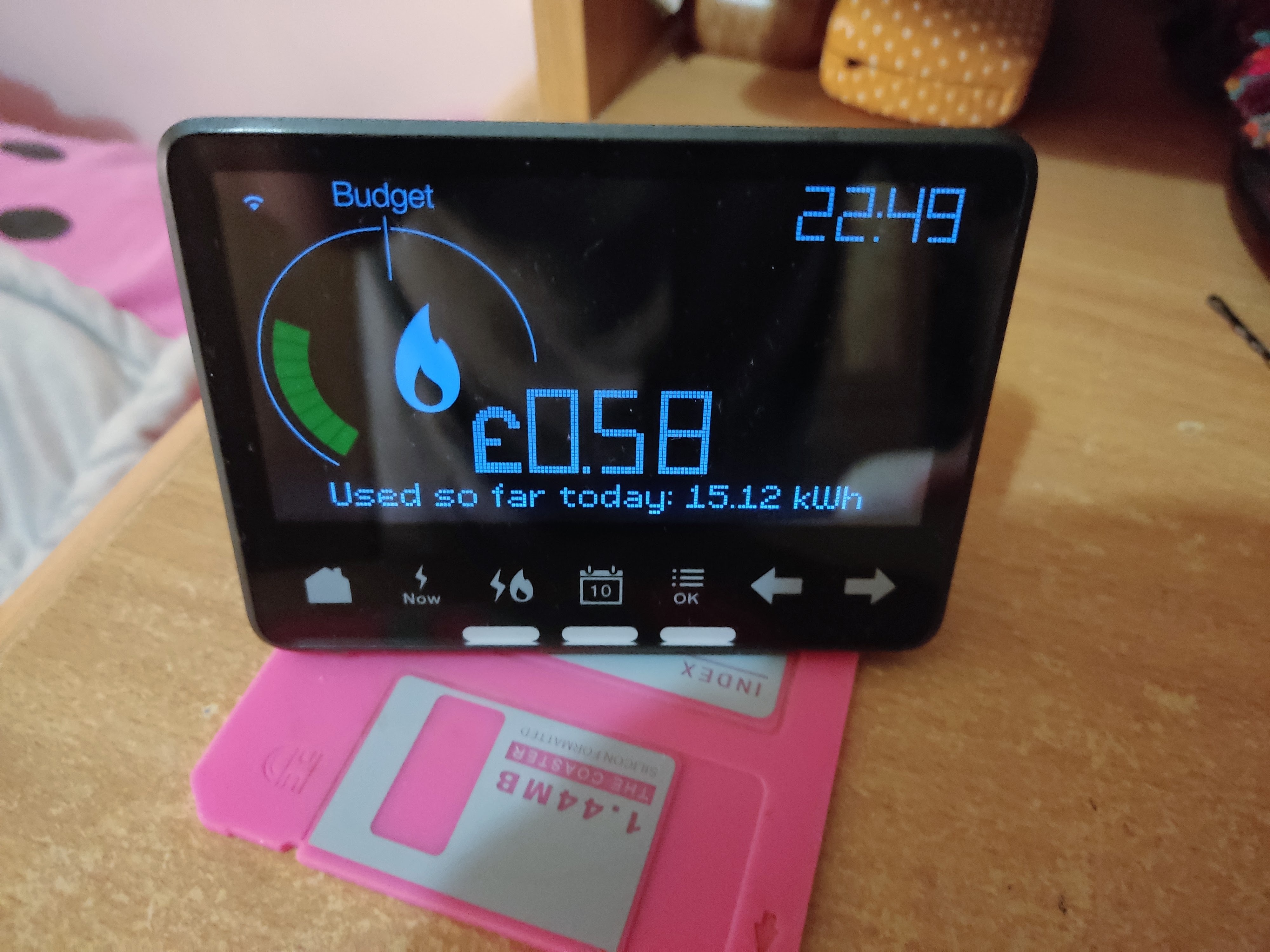
 

The IHD that’s not playing ball
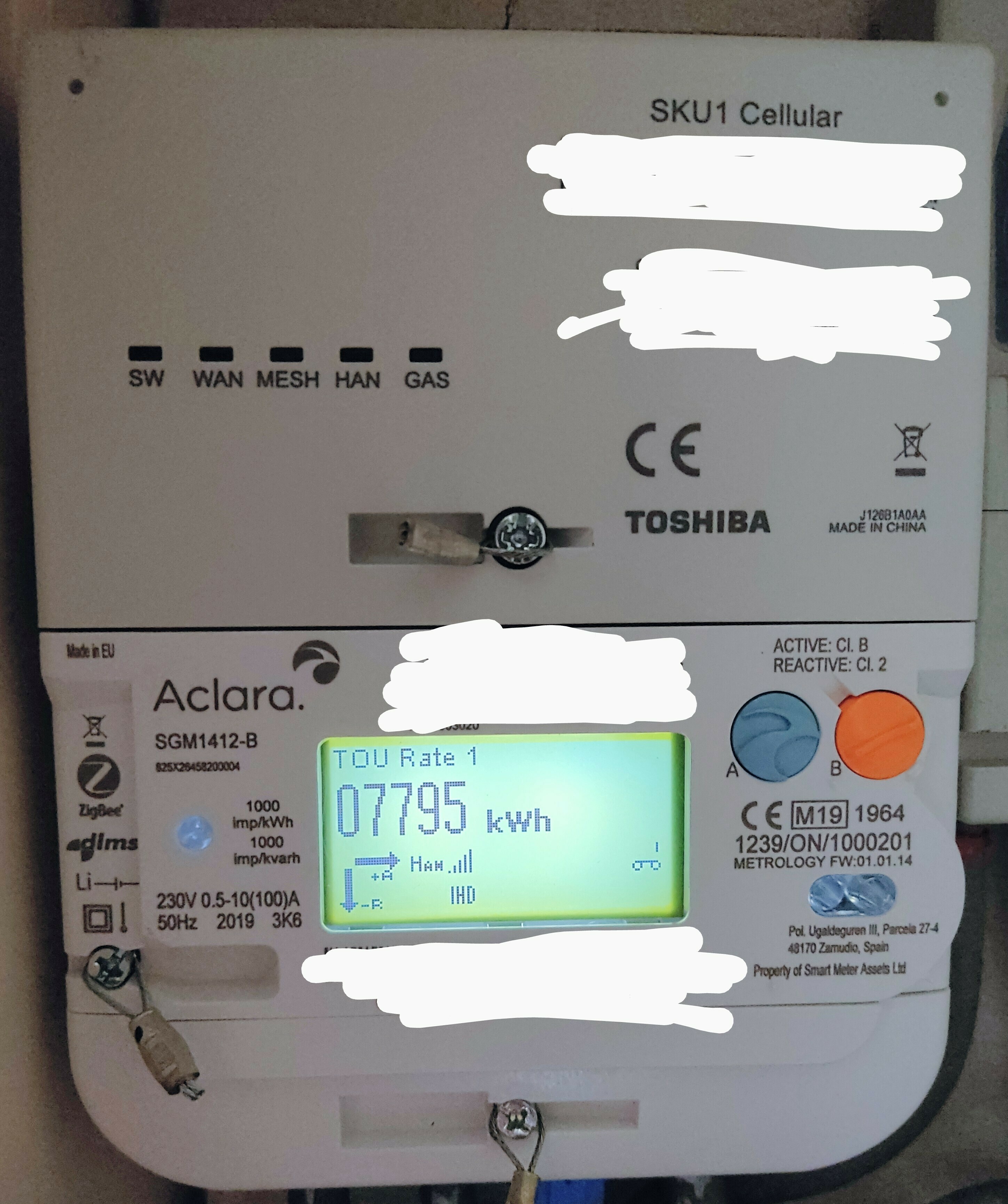
The electric meter and hub
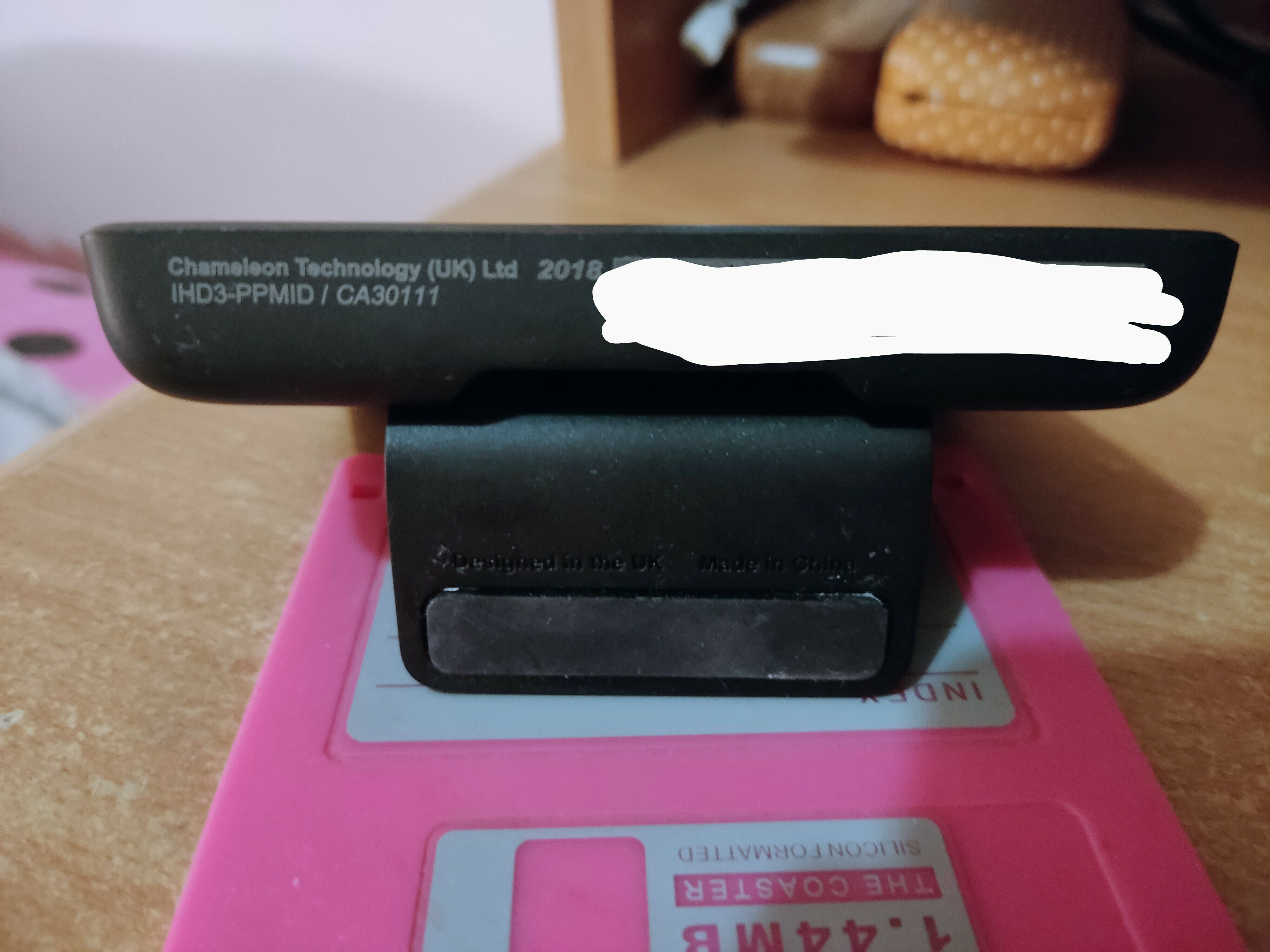
The IHD model info
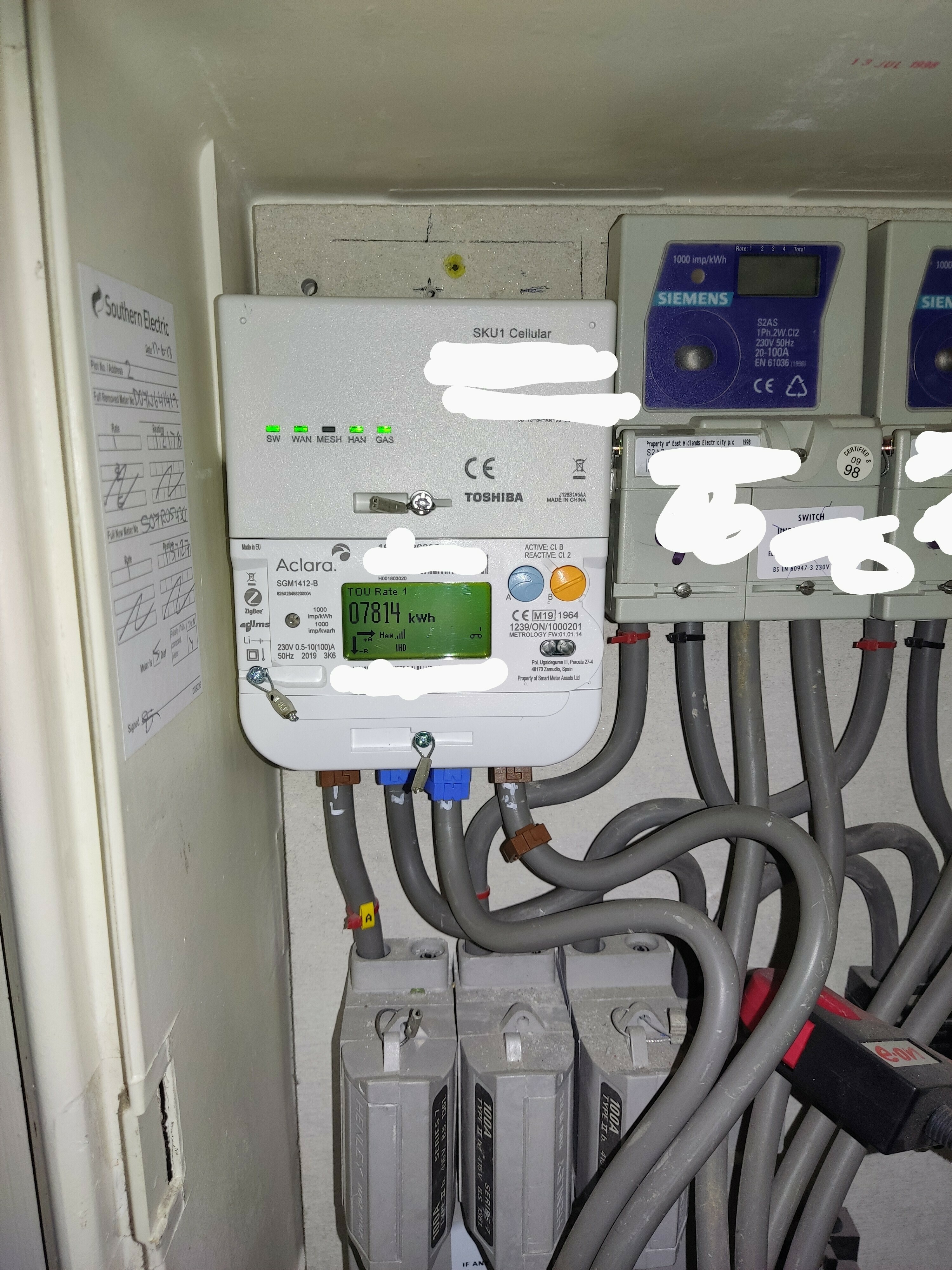
The meter install.  I had to post this as I caught the LEDs mid flash, what are the chances of that?  And no, I’ve no idea what’s going to happen when any of the neighours in this block of flat decide they’d like smart meters too -- which idiot thought it would be clever to squeeze all of these meters  into one small box huh?


Best answer by Jess_OVO

Updated on 19/07/24 by Shads_OVO

Welcome back, @jewelie!


Thank you firstly for raising a really great point about the layout of our ‘Post a topic’ page, @Tim_OVO has already put your feedback in action and made some adjustments to this page to the avoid the same confusion in future.


Looks like you may be experiencing a similar loss of usage data that we see reported here by other users, in case you hadn’t spotted it we’ve put together a bit of initial trouble-shooting which might help get things back on track:


Our smart team may also be able to suggest some remote processes which sometimes help in advance of us reporting the issue to the DCC, so we’d encourage you to follow this up with the Support Team if the tips above don’t manage to sort it.


Hope this helps.

38 replies

Newcomer
March 2, 2024

Hi I've been having problems with my ihd3 it's not shown any electricity information for about 3 weeks, it still shows gas, I've gone through the unplugging and switching off to try and reboot but no luck. The three lights at the bottom are not on, they only light up when I switch it on while trying to reboot. The meter itself is an edmi es 10b. Anyone have any ideas thanks.

Blastoise186
Super User
Super User
March 3, 2024

Hi @Steve67 ,

Do you see any errors or warnings on this tool: https://homebrew.n3rgy.com ?

Please make sure NOT to reveal personal info, including your MPAN/MPRN.

Securing energy by zapping security bugs... For that is The Blastoise Way! Remember, I'm just like you - AI Powered Evil Geniuses aren't Staff!
Newcomer
January 27, 2025

Our In Home Display (IHD) packed in yesterday after a brief power outage. It’s a IHD3-CAD-PPMID TYPE1. Says it’s waiting for current data, WiFi symbol flashing every 1 sec. Tried restart, leaving it off for a few hours then restart. Moved it outside to 1m away directly in front of the meter. Nothing. Readings are still going via app so must be a IHD fault? HAM light is flashing on the meter so I assume it’s correctly paired. Tried Chat with Customer Services but they said there’s nothing they can do their end, only send a replacement when one comes into stock. Couldn’t say when that would be. Anyone with a similar experience or suggestions for a fix? 


Firedog
Super User
Super User
January 28, 2025

I’m not familiar with that particular model, but I wonder if you went through the full-fat reboot process. This involved switching the unit off if there is a switch, unplugging it, then removing the battery if there is one and waiting a few minutes (some say half an hour) before reversing the procedure. The wait is presumably to ensure that any capacitor storage is fully depleted before powering up again.

Is the wi-fi not working either?

Noel | I have no official status; I'm just a volunteer who comes here to help other customers. My gear: Aclara SGM 1416-B Electricity-only E7 meter; Chameleon IHD3-PPMID-AAA | It may look as if I know what I’m talking about, but don’t let that fool you. |
Newcomer
January 28, 2025

Hi Firedog. Yes, 2 full power downs, waited 30 mins, rebooted. Cleared settings. Nothing. WiFi light is flashing on the IHD but I understand this means it’s looking for a signal / trying to pair the device. HAN light on meter is flashing so assume it’s sending a signal. Mind you, the IHD is not showing the time, so this suggests it isn’t paired. The self-help guide says to contact Support Team who can help re-pair the device but I assume that’s what they did when I was on chat. They said they were running checks their end and went quiet for several minutes but didn’t explain what they were actually doing… no idea if they have access to diagnostics. If it wasn’t fried by the outage, like our old washing machine was a few months ago, I suspect it just needs pairing but can’t see there’s any way to do this myself.

BPLightlog
Super User
Super User
January 28, 2025

Hi ​@Lost4words , you mention that you can see the meter lights flashing .. but how exactly? The flash rate shows different conditions. 
Incidentally, your account reading is always taken directly via the meter and not the IHD. 
Presumably you have looked at the guide ?

Bring me Sunshine ~ E&E {Solar PV, Battery Storage, Hybrid EV, ASHP and Home Assistant automation}
Abby_OVO
Community Manager
Community Manager
January 28, 2025

Hey ​@Lost4words 


Sorry to hear about the issues you’re having with the IHD. It sounds like it’s a Chameleon 3 IHD, but a photo or 2 would help us confirm this.


This topic may be helpful if it’s the IHD I believe it is:


The Support Team can run tests and push certain things from their end, which sound like that’s what they’ve done while you were on live chat. If they were unable to successfully connect, their suggestion of a new device sounds like the next best step. 


The following topic guide may also be helpful:


Let us know how you’re getting on.

Currently Playing: She's Electric
Newcomer
January 29, 2025

Hey Abby_OVO 

Our IHD is a Chameleon IHD3 Type 2, black casing front and back.

I have tried the troubleshooting guides but with no luck. It doesn’t have an On/Off button but I did find the Reset option and tried that. HAN lights on the meter are flashing every 5 secs so that should be OK, so I understand. It stopped working after a very brief power outage, lights flickering as the network switched, so have suspicions that a spike fried it like our old washing machine (actually a perfectly good 2 year old Bosch, so that was an expensive experience. Difficult to forget!).

Now we’re in this bizarre situation, trying to fix equipment that we don’t own and didn’t break.

If you have any further thoughts, please, send our way. Anything’s worth a try.