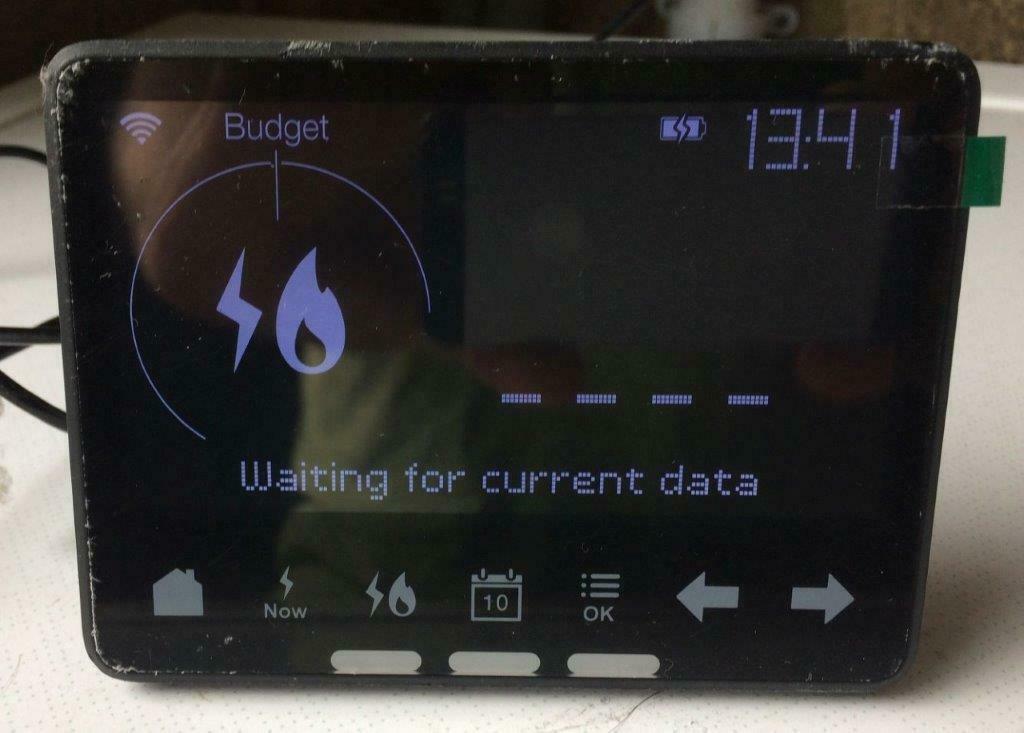
My IHD display worked fine for 5 days after arrival. Now it just shows “waiting for current data” and nothing else. ive restarted it, reset it and moved it right next to box and still nothing. so annoying. Nothing on forum but loads on bulbs forum. does anybody know how to reconnect it to the actual meter. I’m sure there must be a menu on the meter but it’s locked by pin and no instructions on the web. IHD is a waste of time at present! and I’ve tried everything and still won’t work. It was fine 2 days ago and only installed a week ago
Whilst most IHDs are up and running from the date your smart meters are installed, it’s not unusual for them to lose some data or experience a few teething-issues as we carry out behind-the-scenes initialising work (read more about this on this great user-guide).
Hopefully your IHD should start working as expected once the smart meters are fully up and running (this can take up to six weeks from the date of the appointment) but, if not, read on to check our next trouble-shooting steps.
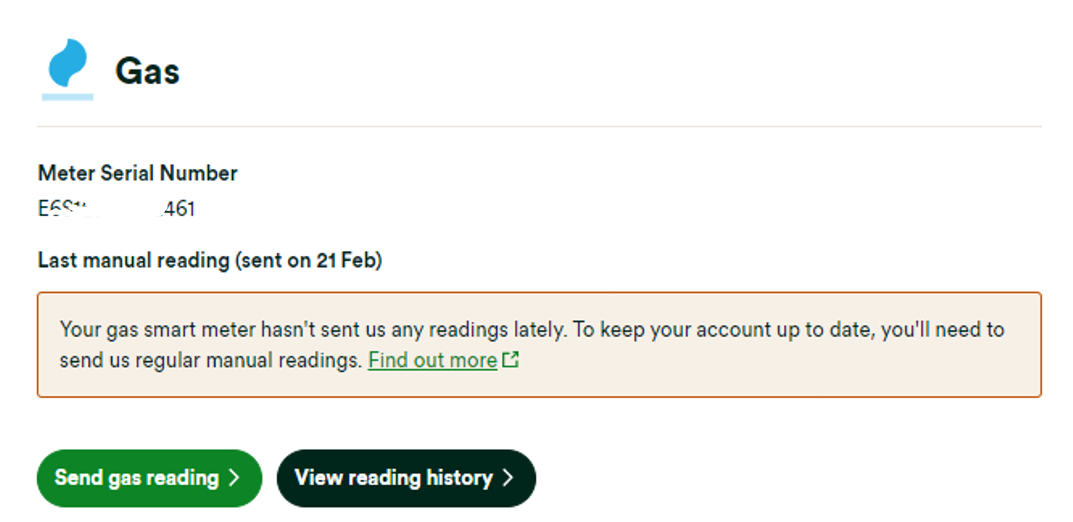
If your IHD has issues then you can carry out some investigation as to why. First, check is your online account or OVO app (download for Android or iOS). If we’ve lost connection to your smart meters for over 5 days you may see this message on your home-screen:
Exact appearance and wording may vary
In this case the best next steps would be to carry out a smart meter health check for your meter type below and forward the results on to our Support Team:
Once any communication issues with your meters are resolved, we’ll be able to get your IHD connected and showing your usage data again.
You can find a smart meter troubleshooting guide on our website here. We’ve also got a great Forum topic which shows you how to investigate smart meter issues using your online account and app:
DIY steps to help with issues with your Home-Area Network (HAN)
If we’re receiving reads from your smart meter it’s more likely to be an issue with the connection between IHD and the smart meters (also known as the HAN).
The In-Home Display connects to your smart meters via the communications hub attached to your electricity meter, so it sometimes helps to move your IHD closer to your electricity meter to help it re-gain connection. It’s best to leave the IHD in this new spot and try re-booting the device after 24 hours (a classic turning off and on again move), sometimes this simple step will do the trick.
If you’ve tried the above and the IHD is still not working, our Support Team can help get the issue escalated to our smart metering team for further investigations.
Before you get in touch it’s best to complete the following IHD health check so we can make sure we’ve got all the information we need to carrying out some remote processes to get the IHD re-connected:
Does the device show a correct time and date?
Is the WiFi symbol solid/flashing/not there?
Could you confirm the Device ID? (Long ID number on the bottom of device)
How far away from your electricity meter do you store your IHD? Are there any walls in between that could be blocking the signal?
What is the issue with your IHD? E.g. not showing electricity/gas usage, displays incorrect tariff, device is rebooting itself?
Please confirm if your device is an IHD3 (black all over) or IHD6 (black on the front and white on the back)
If your IHD is showing incorrect rates: what rates does your IHD currently show? Are the rates shown on the IHD higher or lower than your actual rates?
Your responses to these questions can be forwarded to our Support Team (we’d recommend via live chat which you can access at the bottom of this page) who’ll let you know the next steps.
Another way to check your usage
So long as we’re in communication with your smart meters themselves, you can keep an eye on your usage data by checking the ‘Usage’ pages of your online account. Check out the guide below for an introduction to the Usage pages.
OVO customer but not got a smart meter yet? - Book today!
Recently had a smart meter fitted. Didn't want one but my old meter's certification expired and I was obliged to have it replaced. However, the only piece of equipment that would be of use to me, as opposed to being of use to OVO, has never connected to the meter. It has now been chucked in a drawer as a useless piece of technology. Not a great advert for smart meters...just wondering if everything else will work.
A smart meter also unlocks other smart technology in the home like smart thermostats, EV chargers / tariffs, batteries and more. Smart meters also allow the better balancing of energy demand and supply, which benefits all bill payers with lower prices.
What’s the downsides of a smart meter?
Carbon neutral - we need a community to get there! My green tech: Aclara SGM 1411-B smart meter, Chameleon IHD6
Need advice from other members?
Ask your question to our members - they have the experience you're looking for: