Rank 2
May 6, 2022
Solved

How can I view my tariff details on my Landis and Gyr gas smart meter? - I think they might be wrong!

  • May 6, 2022
  • 13 replies
  • 3427 views

Hi All,


Started with OVO over a year ago moving from e.on.  So at the time of that move the tariffs sent to the meter by OVO were incorrect - VAT was added twice as I recall. I tried via customer support to get it fixed but to no avail.  I KNOW it does not affect the billing but it does affect the IHD budget/usage display.  In the end I forgot about it - it was roughly right.


Moving to a new tariff in March (radically different) I hoped the update would fix everything :-) Well the electricity is now correct but Gas hasn’t changed from the incorrect ones of a year ago.  I raised this with Customer Service and Joseph emailed me


“I understand that your In-Home Display (IHD) is missing some data. We have now sent some information to your smart meters remotely which should reinforce the connection to your IHD.

Please allow 24 hours from receiving this email and then turn your IHD off and on again and keep it as close to your electric meter as possible (as your electric meter acts as the communications hub for both meters). If your IHD is still missing information after this process, please let us know as there are other things we can try.”


Unfortunately nothing has changed after a couple of days and I have emailed to say so.


In passing, the Bright app operated by Hildebrand Technology has got one correct reading for the kWh for electricity but the wrong figure for per day and the incorrect but IHD values for gas!  My understanding is that Hildebrand are a DCC Other User and get this data from the meter.  Checking on the meter itself I can only access the electricity tariff which is correct.

So my questions are…..

  1. Is it possible to check on the meter what the gas tariff are? I cannot find them in the menu structure.
  2. How can Bright/Hildebrand get a wrong number from the meter?
  3. What “buttons” do I need to press with OVO to get the right numbers downloaded to the meter and thus IHD and Bright app?  I have responded to Joseph above but have little expectation based on my attempts a year ago.

Why does this matter?  Because I am getting Solar installed and want to see the correct budget/bill/usage/export on the IHD!
Best answer by Lukepeniket_OVO

Updated on 03/10/25 by Chris_OVO:


Hey @waiwurrie !

I’m Blastoise186, one of the forum volunteers. I think I can help you figure out some of the answers, but I could do with a bit of help from you, if that’s OK?

Please could you post photos of your meters and IHD. I can definitely locate the instructions you’re after, but it varies depending on what you’ve got and I want to make sure I can get it right first time.

Is it possible to check on the meter what the gas tariff are? I cannot find them in the menu structure.

Yup, should be possible. I’ll give it a go once I’ve figured out what meter you have.

How can Bright/Hildebrand get a wrong number from the meter?

The tariff rates are programmed onto the meters themselves via SMETS Commands and this is what DCC Other Users like Hildebrand Bright, Loop and Chameleon rely on to get their data. If the tariff rates are wrong, they won’t know the difference.

What “buttons” do I need to press with OVO to get the right numbers downloaded to the meter and thus IHD and Bright app?  I have responded to Joseph above but have little expectation based on my attempts a year ago.

Should be as simple as asking the Support Team to issue the Update Tariff Configuration SMETS Commands to both meters with the correct rates. However, it has to be done a certain way via the Smart Team otherwise things may break again in the future. Once the meters pick up the correct rates, everything else should catch up within 24 hours.


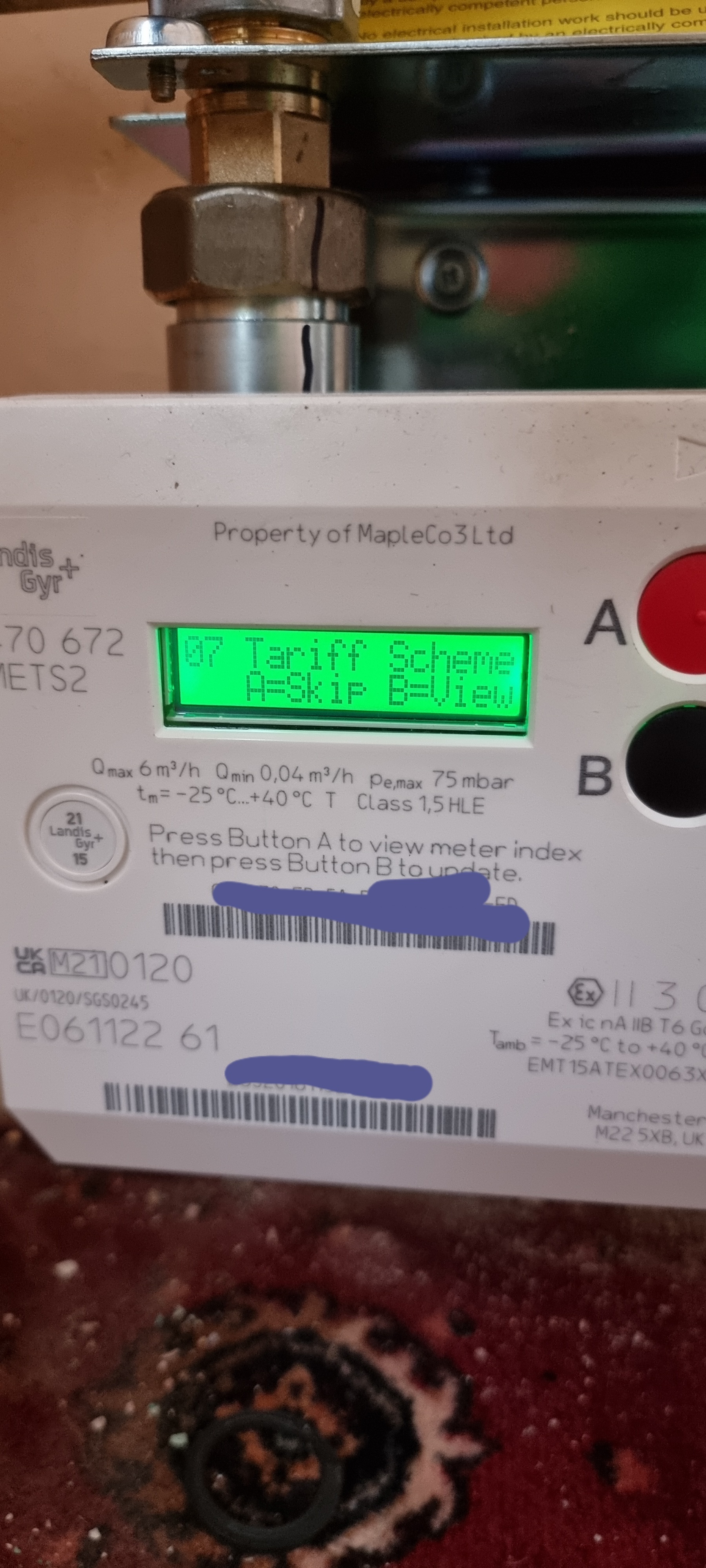
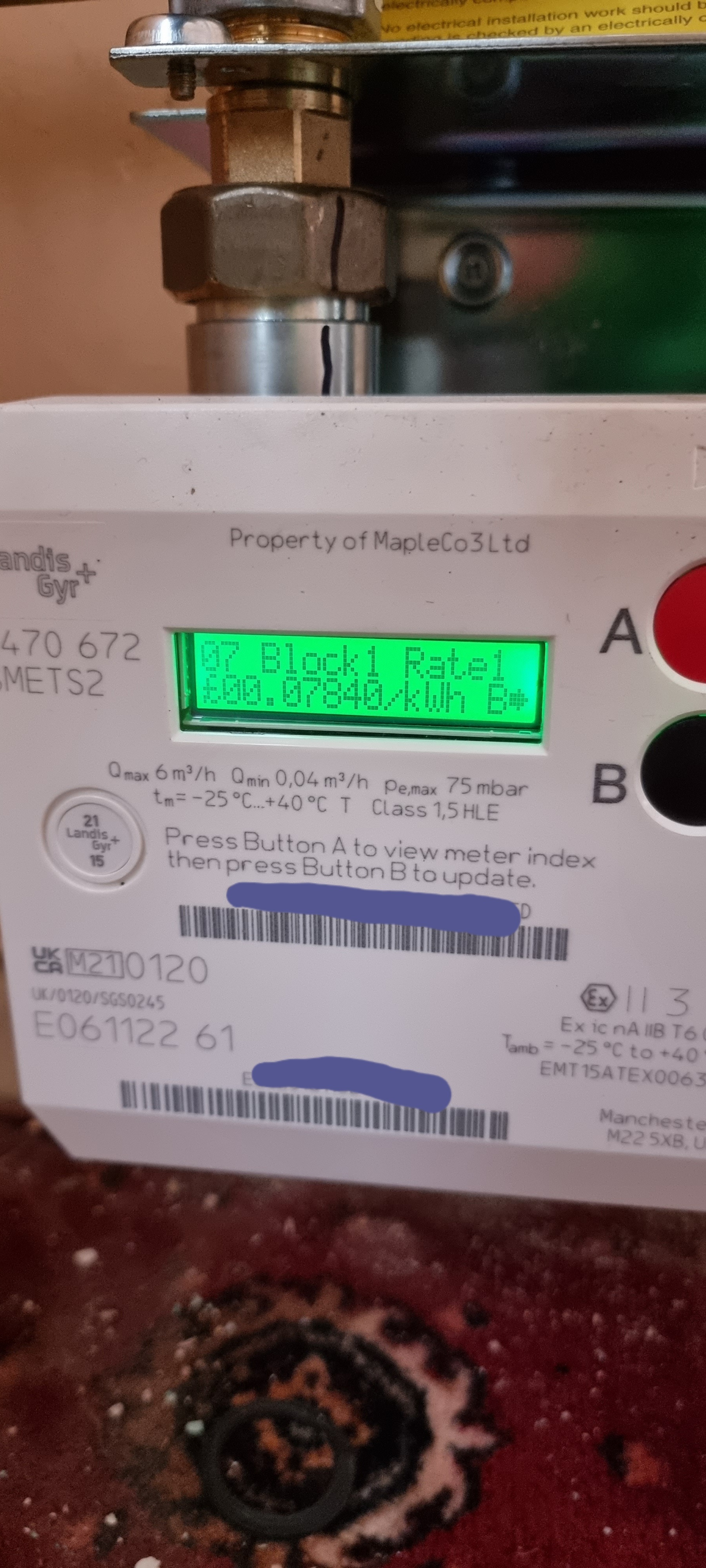
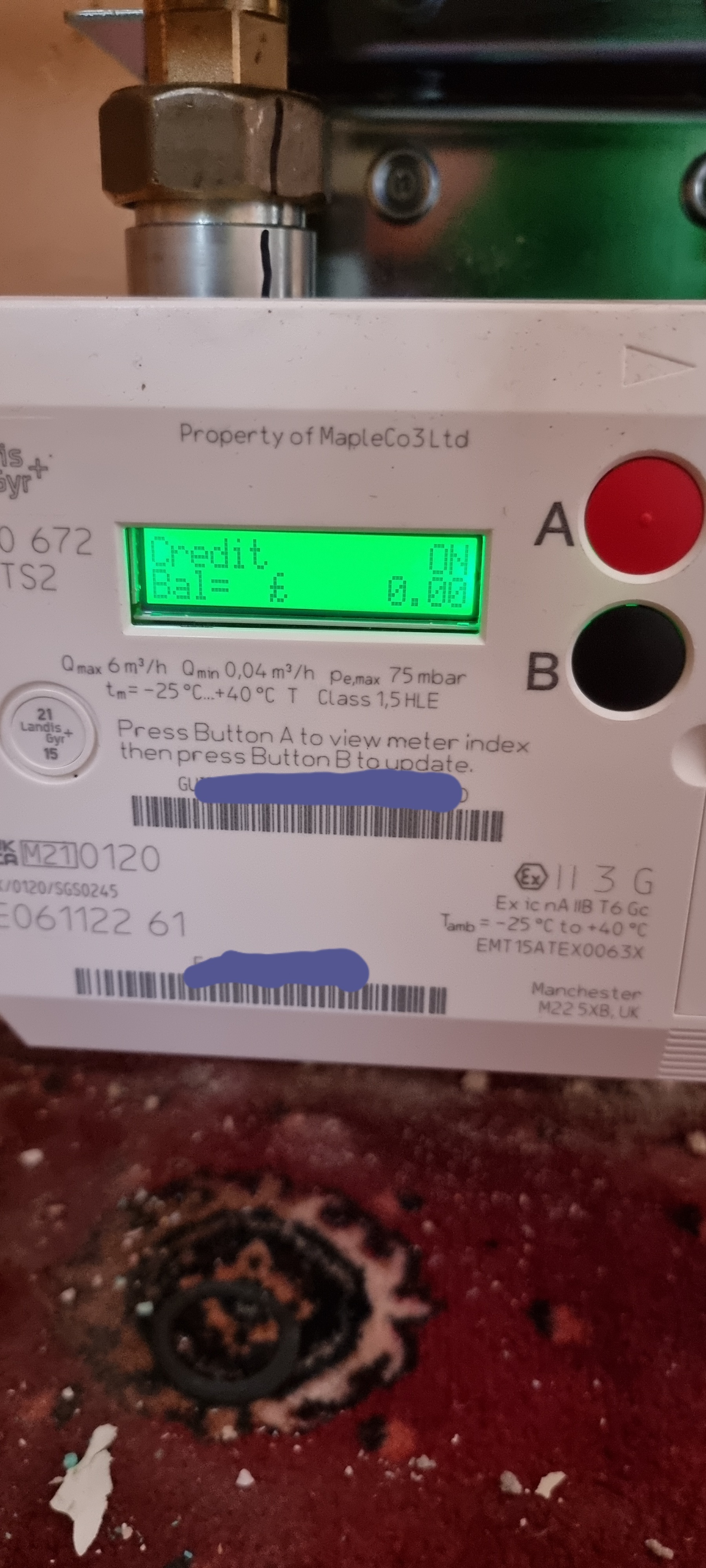
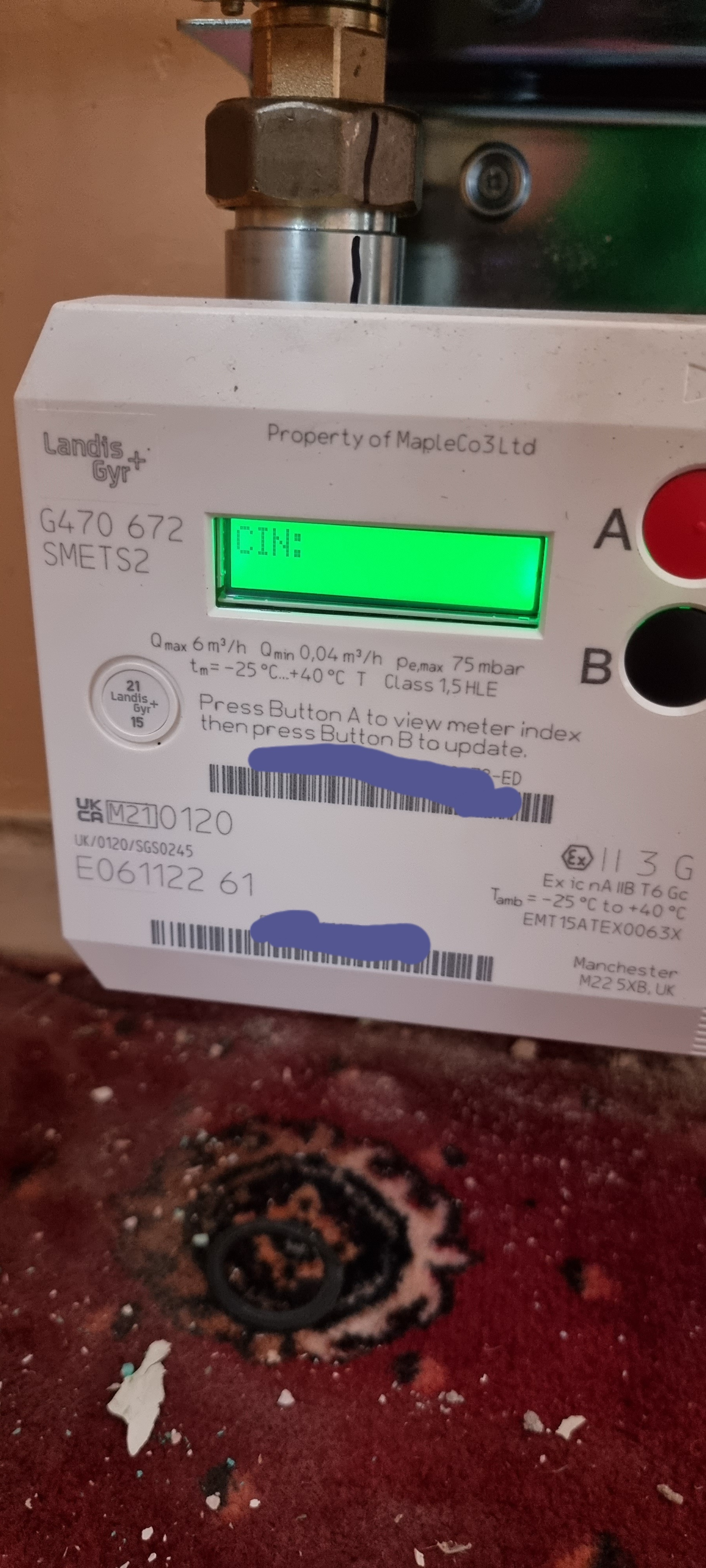
Hello, so as promised  here is how you view your tariff information on a L&G G470 smets 2 meter.


Press A to go to the credit screen and hold A.


Once on the CIN screen press A until you come to tariff scheme.


Press B to view tariff.


The above photo shows the unit price of 7.84pence/kwh and you can also see the standing charge.


As bills are worked out in meters cubed (m3) and not kwh, a formula is used to convert this, example 1m3 of gas is 10.55 kwh.


How did I do?


 ​​​​​​


Got a pay as you go smart meter? These topics may be helpful:
 

13 replies

Jess_OVO
OVO Staff
OVO Staff
May 11, 2022

Spoke to customer service on the phone as this was going on.  They are now raising it with the smart meter team to get the Gas Tariff data corrected. They took me through the button pushing and couldn’t get the gas meter to display the tariff data.  I can supply my MPAN and MPRN if it is not secret!


If you’ve already spoken to the Support Team, they should’ve raised this internally so I’m not sure if we’d need to confirm your supply details here, @waiwurrie.


More generally speaking it would be interesting to know whether the option to view the current tariff is available on these L and G meters though, @Lukepeniket_OVO - let us know what you manage to work out during the next install. 🙂

Powered by Re-knowable Energy!
OVO Engineer
May 11, 2022

Updated on 03/10/25 by Chris_OVO:


Hey @waiwurrie !

I’m Blastoise186, one of the forum volunteers. I think I can help you figure out some of the answers, but I could do with a bit of help from you, if that’s OK?

Please could you post photos of your meters and IHD. I can definitely locate the instructions you’re after, but it varies depending on what you’ve got and I want to make sure I can get it right first time.

Is it possible to check on the meter what the gas tariff are? I cannot find them in the menu structure.

Yup, should be possible. I’ll give it a go once I’ve figured out what meter you have.

How can Bright/Hildebrand get a wrong number from the meter?

The tariff rates are programmed onto the meters themselves via SMETS Commands and this is what DCC Other Users like Hildebrand Bright, Loop and Chameleon rely on to get their data. If the tariff rates are wrong, they won’t know the difference.

What “buttons” do I need to press with OVO to get the right numbers downloaded to the meter and thus IHD and Bright app?  I have responded to Joseph above but have little expectation based on my attempts a year ago.

Should be as simple as asking the Support Team to issue the Update Tariff Configuration SMETS Commands to both meters with the correct rates. However, it has to be done a certain way via the Smart Team otherwise things may break again in the future. Once the meters pick up the correct rates, everything else should catch up within 24 hours.


Hello, so as promised  here is how you view your tariff information on a L&G G470 smets 2 meter.


Press A to go to the credit screen and hold A.


Once on the CIN screen press A until you come to tariff scheme.


Press B to view tariff.


The above photo shows the unit price of 7.84pence/kwh and you can also see the standing charge.


As bills are worked out in meters cubed (m3) and not kwh, a formula is used to convert this, example 1m3 of gas is 10.55 kwh.


How did I do?


 ​​​​​​


Got a pay as you go smart meter? These topics may be helpful:
 

OVO Operations Excellence Manager and Former Field Operations Team Leader
waiwurrieAuthor
Rank 2
May 11, 2022

Thanks.  That worked for me.  Also customer service have fixed the rates on the meter now and  they have fed through to the IHD.  So everything is looking good now!  @Lukepeniket_OVO@Blastoise186