





Chameleon ivie Bud In Home Display (IHD) - an honest review
My review of the Chameleon ivie Bud IHD
Hey there! The name’s 186, Blastoise186 (my real name is classified) and I’m one of the forum volunteers on the OVO Forum. I’m not usually one for tech reviews despite being a tech wizard, but when I heard that Chameleon Technology were working on a new IHD model, I was curious to try it out. In this case, it’s the ivie Bud.
Now to be clear, I already have two Chameleon IHD6-CAD-PPMID IHDs supplied by OVO (long story!), so I don’t technically need a third one and OVO definitely won’t send me another one! As such, I used this chance to simulate buying one for myself in a situation where a supplier wouldn’t provide one at all. For the purposes of transparency and full disclosure, I purchased the ivie Bud myself with my own money. Neither OVO nor Chameleon asked me to do this review and I’ve received no compensation either for doing so. Which also means that I can give my true opinions of it and not upset anyone. I also had my own reasons for obtaining the ivie Bud, as Chameleon had previously made a promise to me that they’d fix some other issues I’d previously discovered in the IHD6 in their future models. I can’t go into details about those issues at the time however, as I’m still under NDA about them. As for what happened to my ivie Bud device afterwards? Read on to find out. I’ll explain that as well.
It’s also important for me to mention that this review is written completely independently of OVO and Chameleon in my personal capacity as a forum volunteer. All views are my own and should be treated as such.
What is it?
Firstly, what is the ivie Bud exactly? Well, it’s a Chameleon IHD that’s branded as being ivie as part of this new venture Chameleon are working on. Physically the ivie Bud looks very much like the existing IHD6 and it basically is - except that it’s actually a re-badged Chameleon IHD7-CAD-PPMID v1.2. More on that later.
From what I’ve read, Chameleon pitches the ivie Bud has having multiple purposes. Firstly, as a replacement SMETS2 IHD for anyone who doesn’t currently have one and can’t get hold of one, as well as for anyone who wants to get real-time usage data in a smartphone app, which is reported as an upcoming feature integration. As it’s not out yet, I can’t currently play with that functionality though. Other than that, it’s the usual purposes you’d get from any IHD.
How to get an ivie Bud
Ordering the device was pretty easy. There’s a compatibility check on their website - and I strongly recommend using it before ordering - to make sure your smart meters will work so you don’t get your hopes up and then dashed. Having placed the order early morning, it arrived the next day by courier. And here’s my first issue. The price. At £50 plus another £4 for delivery, I feel it’s a bit steep for what it is and at that price, I’d have wanted free delivery. Oh well.
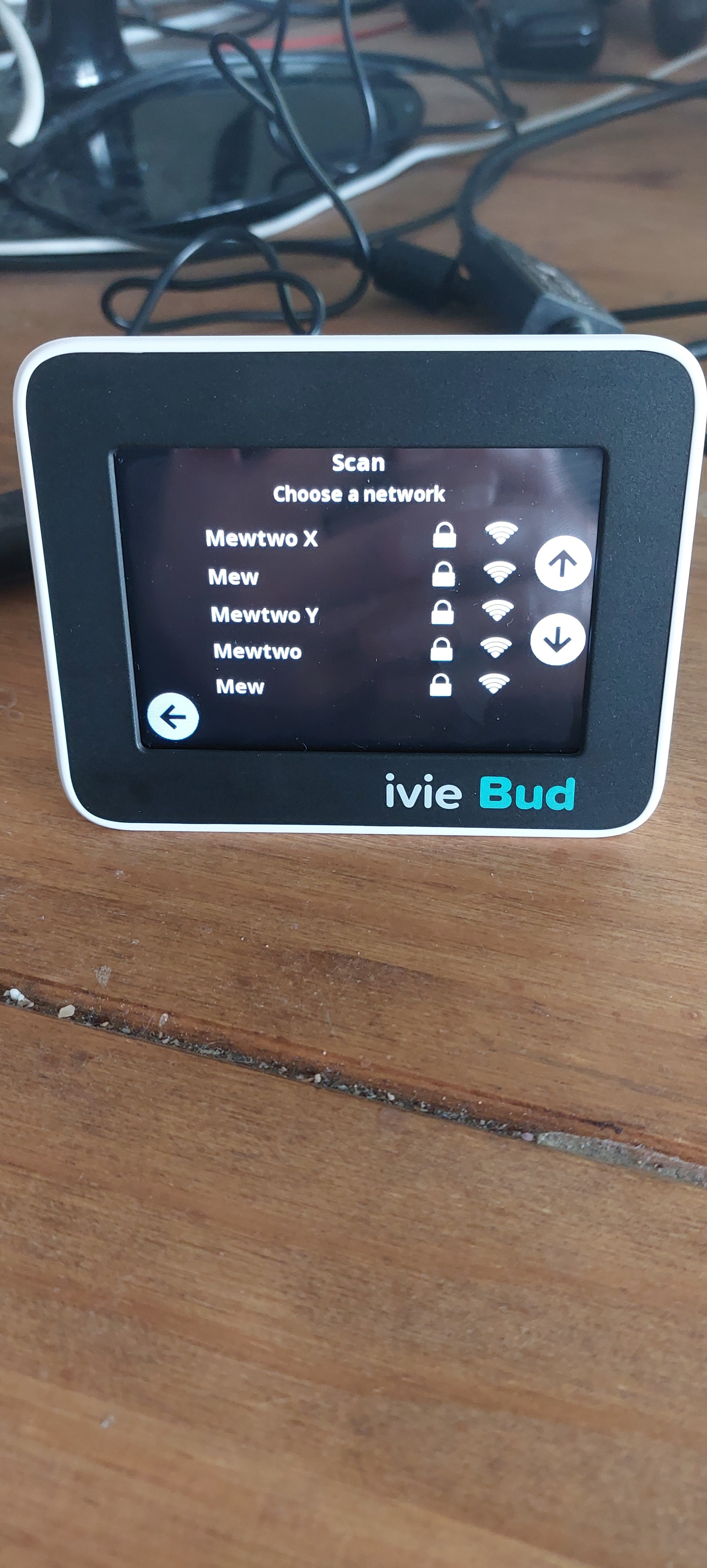
Setup is supposedly simple. You get the device out of the box, fire it up, connect to Wi-Fi, scan a QR Code with your phone and follow the instructions. Or at least… That’s what it says… Almost immediately, I ran into problems. I use some pretty fancy Ubiquiti UniFi kit for my home network and while most Wi-Fi enabled gadgets see all of my four access points as broadcasting a single network, the ivie Bud detected each one individually, meaning I had a total of 16 of my own Wi-Fi Networks listed when I actually only have four. Not ideal and suggests poorly designed firmware - and I’ve not even got it set up yet. I never saw this behaviour with the IHD6, so clearly something has changed with the ivie Bud/IHD7. I’ll be contacting ivie about this so hopefully a future firmware update solves it.
How to connect the ivie Bud to my smart meters
Actually connecting to Wi-Fi took mere seconds. I do not recommend using the WPS Pin or WPS Push methods for security and reliability reasons - use Scan instead as it’s a lot more reliable.
With that out of the way, came activation. You’re supposed to create an account to use this device and it then joins your Home Area Network and pairs to the meters by itself afterwards - this is possible because of Chameleon being a DCC Other User, so your supplier doesn’t need to get involved. For me, that was harder than it seems. My environment is unusual because I’m in a block of flats with fire-rated walls everywhere. I also found the locate address tool unreliable and there was no locate by MPAN this time - I actually had to use the account creation via the Samsung SmartThings integration to get the account created at all, since only that side has the locate by MPAN option.
At this point, the ivie Bud started to pair to my Smart Meters, so I unplugged the charger and went off to get closer to Raichu, my smart meter. Big mistake. As soon as I did so, the ivie Bud lost power immediately and then got stuck on the activation screen again. In comparison, I’ve done this walk many times before with the Kecleon Brothers and it’s always worked fine because both of them have an internal rechargeable battery. Further inspection with a bright light revealed that the ivie Bud is missing said battery. Bummer. That also makes it ultimately unsuitable for you if you're on Pay As You Go because you’ll never be able to use the device if your power goes out, unlike with an IHD6.
It took several hours of leaving the ivie Bud on before it managed to automatically re-run the activation process and there’s no way to speed things up. This time, after it completed initial activation, I took it down the hallway to be near Raichu and took the power cable with me so that I could get it to connect to my HAN and Wi-Fi at the same time. To set up and actually use ivie Bud, you have to stay connected to both at once so the only thing that made this possible is because my long range Ubiquiti UniFi U6-LR access point Mega Exploud can broadcast a Wi-Fi signal powerful enough to blast through 50 metres of fire rated walls. If I didn’t have such overpowered Wi-Fi, it would have been game over. This isn’t an issue with most IHDs, since all other IHDs to date don’t require Wi-Fi to set up - you can just quickly call your supplier and follow their steps, or - more likely - the engineer who installs your smart meters would pair up your shiny new IHD for you before they hand it over for the first time.
Four hours in, I finally get to play with the device properly, but unfortunately this was short lived and I’ll explain why further down. The short version is that from my hour or two of using the ivie Bud, it was ultimately no different to the IHD6 other than having a built-in temperature sensor and no battery. If you already know how the IHD6 works, then you know how the ivie Bud works.
Still, to give Chameleon some credit, the menus are well designed and the display is a breeze to use - once you get it working - so it’s not all bad. I just wish I could say more…
While poking around in the settings menu, I decided to test out the “Full Reset” function, which totally resets the device with a warning I’d have to complete activation again… That was my final mistake. After the device rebooted, it had clearly done a full reset and was once again awaiting activation. Great, so you might think it’s ready to set up again… Right…? Nope!
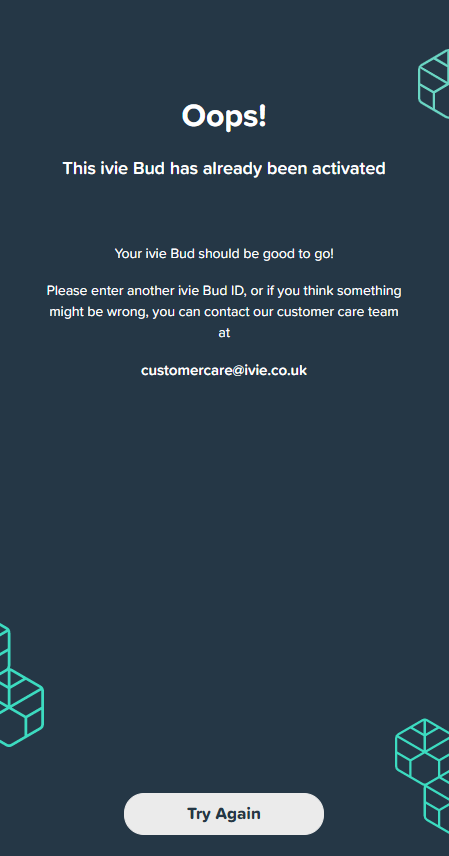
Instead, I was shocked to see that the cloud portal didn’t pick up on the reset - despite the device being online at the time - and basically meaning it’s a brick. Sure, I can contact support to resolve it, but this isn’t a great user experience.
This is however, both a curse and a blessing. While it’s annoying that I can’t self-reactivate an ivie Bud if I accidentally disable it, this does at least prevent already devices from being randomly sold on eBay or Amazon as a “new” device since Chameleon probably wouldn’t allow them to be reset. It’s a bit like how the Find My Device features work on Android and iOS - if the anti-theft kicks in, no-one but the verified device owner can unlock and set the device back up. I’m hopeful that this mechanism will encourage users to leave the ivie Bud behind when they move out, so the new owner can pick it up and set it up again.
And now comes my verdict.
What do I think of the ive Bud?
Based on the short time I’ve had with the ivie Bud so far, can I recommend it?
Well, the answer is maybe. At least, for now anyway. Firmware issues, poor setup experience, a bricked ivie Bud (which probably can be fixed) and the high price means I don’t think ivie Bud realistically lives up to the hype at the moment. If you’re desperate for a new IHD and have Wi-Fi (and the tech know-how) to set it up with or you’ve currently got a SMETS2 Chameleon IHD3, IHDL SmartView 2 or basically any non-touchscreen SMETS2 IHD, then sure, definitely feel free to give the ivie Bud a try, as there’s not much to lose and you’ll probably find some use in the ivie Bud. But if you’ve already got a Chameleon IHD6, Hildebrand Glow or Geo Trio II Touch IHD that’s working fine, you’re probably better off sticking with that.
If you’re not tech-savvy and/or don’t have Wi-Fi, then I’m afraid this isn’t the device for you. A lack of constant Wi-Fi access will be an instant showstopper and you’ll never get the device running, while a lack of a smartphone and/or paperless billing will make the setup process a lot more difficult.
The only other use case which I can’t recommend the device at all, is if you’re on Pay As You Go and need to be able to enter UTRN Top-Up Codes if you go off-supply. The ivie Bud will lose power if it’s unplugged from the mains, so you’ll want to keep your existing IHD charged for this purpose or enter the codes directly on your meter.
The other bit of good news is that this device is a LOT more reliable than the SmartView 2 that I’ve heard nightmares about and is far more likely to work than any random eBay or Amazon bought IHD.
I also genuinely think ivie Bud has potential here. It won’t suit everyone, but I’m pretty sure there’ll be someone out there who’ll get hold of it and love it. The design of the device is excellent just like the IHD6 (and therefore IHD7) that the ivie Bud is based on, and the menus and screens are well thought out. It’s just a huge shame that Raichu is such a secure meter, otherwise I’m sure I’d have loved ivie Bud.
To be totally fair, a lot of my issues could just be down to my unique circumstances. I’ve almost deliberately got an environment which is challenging for any IHD and my smart meter Raichu runs in a super secure state where basically only OVO, DCC and my DNO can do anything with it - all DCC Other Users appear to be locked out. Your mileage may vary, but hopefully won’t be like mine.
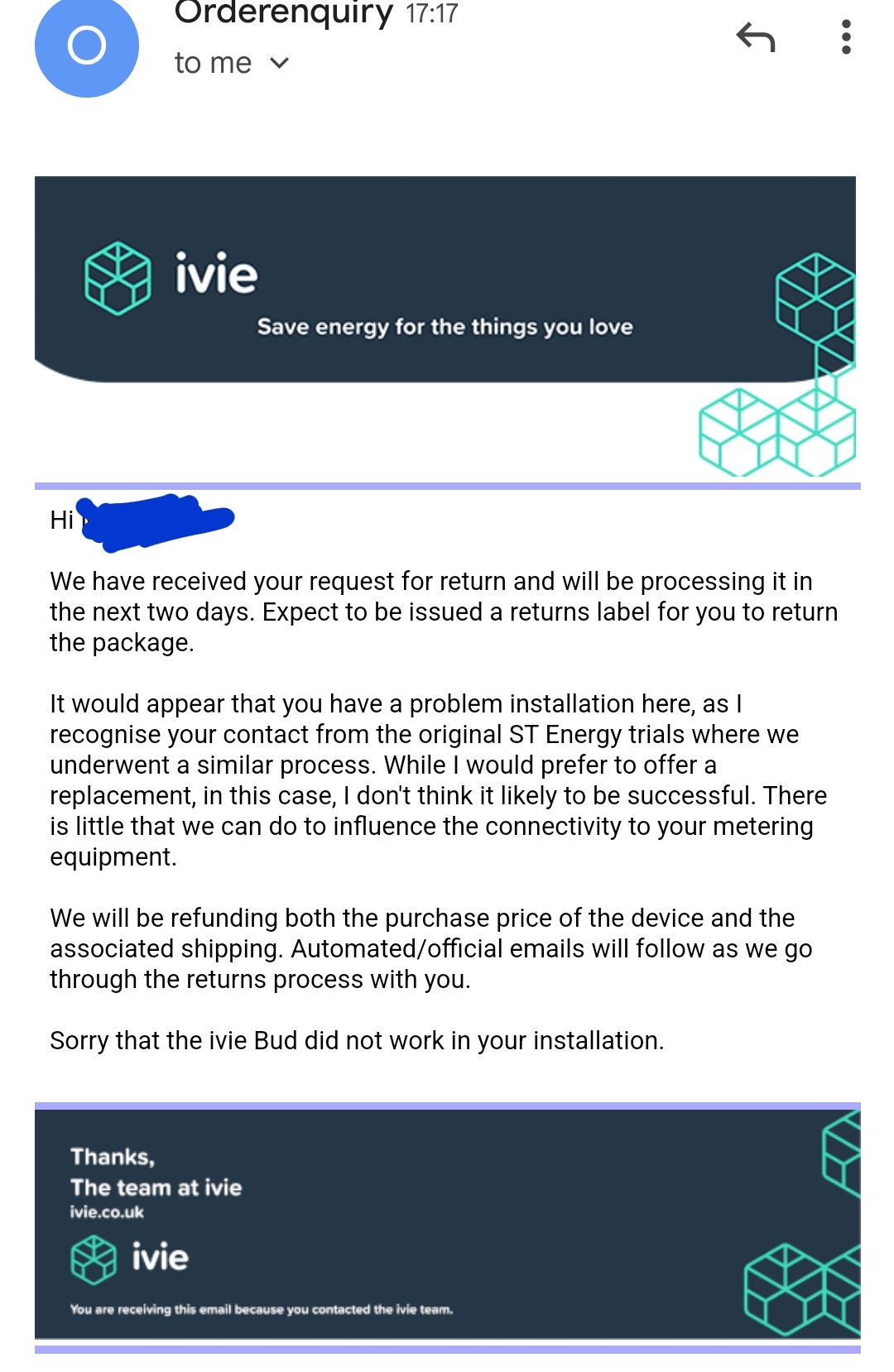
On top of that Chameleon did get back to me as part of my returns request. They recognise me from previous contact and confirmed that most of the issues I experienced relate to my site and have agreed to a full no-quibble refund. They actually offered a replacement, but they don’t think it would help I’ve decided to let this review stand anyway because I want to discuss my actual personal experience, but hopefully this won’t be your experience. While it didn’t work out for me, you’ll probably have a far better experience.
And to be totally fair, based on the response from the ivie team, they do care about customer service.
For me though, the biggest let down relates primarily to the fact that the ivie Bud feels too much like a watered down Chameleon IHD6 with little else thrown in. Chances are that won’t be a problem for most people, but for me, when I’ve already got two full-fat IHD6, I really don’t want a watered down one as it’s a major downgrade over the Kecleon Brothers.
Final thoughts on the ivie Bud
As for my ivie Bud, sadly I’m sending mine back for a refund. I genuinely wanted to love the device and had planned to create more content about it on the OVO Forum, but given that the Chameleon IHD6 is already well documented here and there’s practically nothing new to write home about with the Chameleon IHD7 that lies within the ivie Bud… It’s not worth my time and I’m ultimately walking away empty handed and slightly out of pocket because I’ll need to pay return postage myself. I hope Chameleon Technology see this post and reach out to me about my experiences with their platforms - if they want to do that, my PM’s are open.
Will I get another one in the future? Well, maybe I’ll come back to it some day. As one of the first customers to buy the device after the official launch, it might just be a rough launch to begin with. But if my experience is anything to go by, there clearly needs to be some polishing up to do before I’d make a second attempt. But that would result in me having four IHDs, which is also my limit.

