Question

ALT-HAN has failed again (no Smart Gas Readings or IHD usage for Gas)

  • April 23, 2026
  • 5 replies
  • 46 views

We’ve had a long-running issue with Gas Smart Meter readings (SMETS2) not being recorded on our account, and our IHD doesn’t show any gas usage. We had an AltHAN setup installed with a Landis+Gyr B1 installed at the meter and a B2 installed close to the Gas Meter. The Gas Meter is probably 10-15m away from the SMETS2 Electricity Meter. 


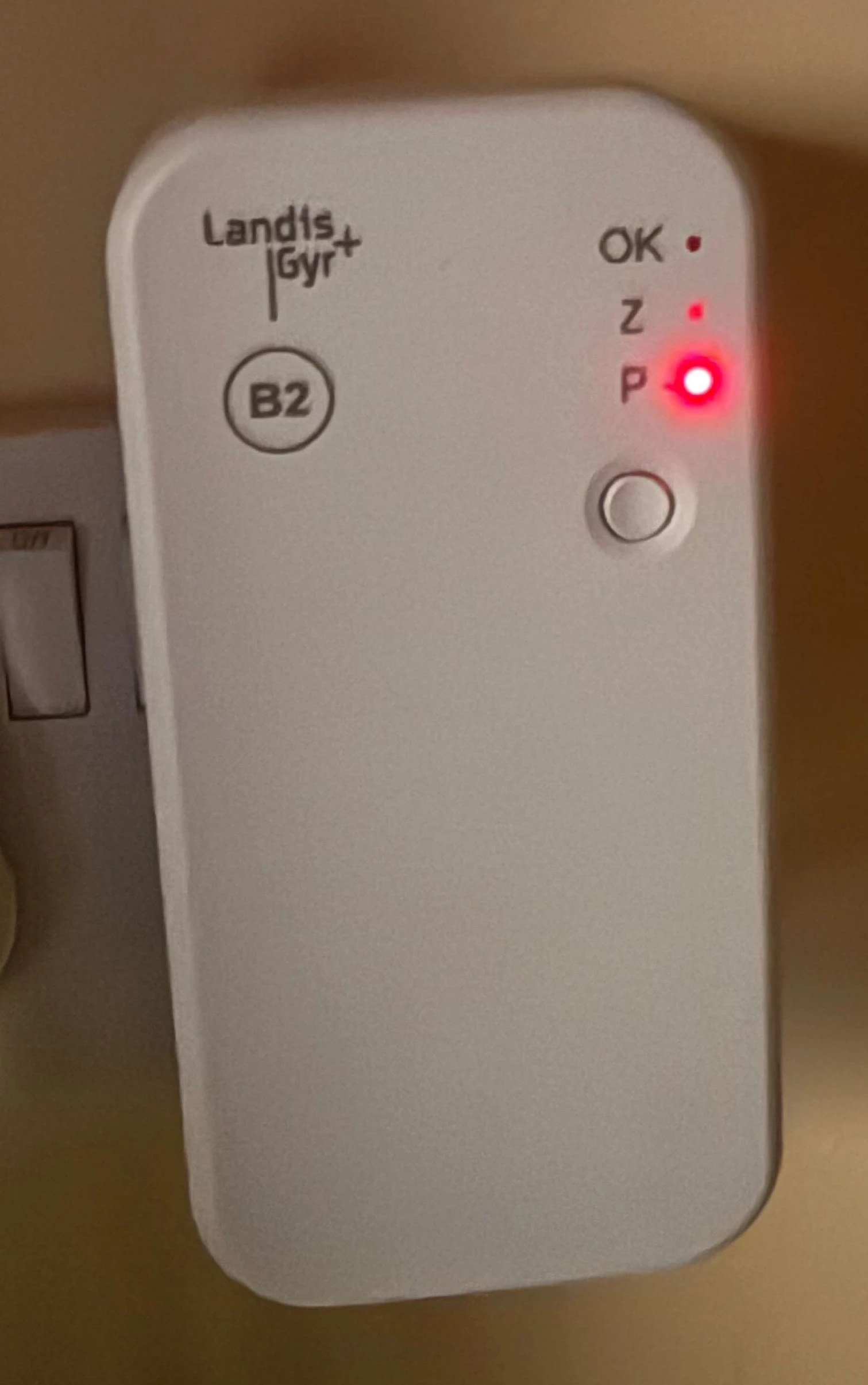
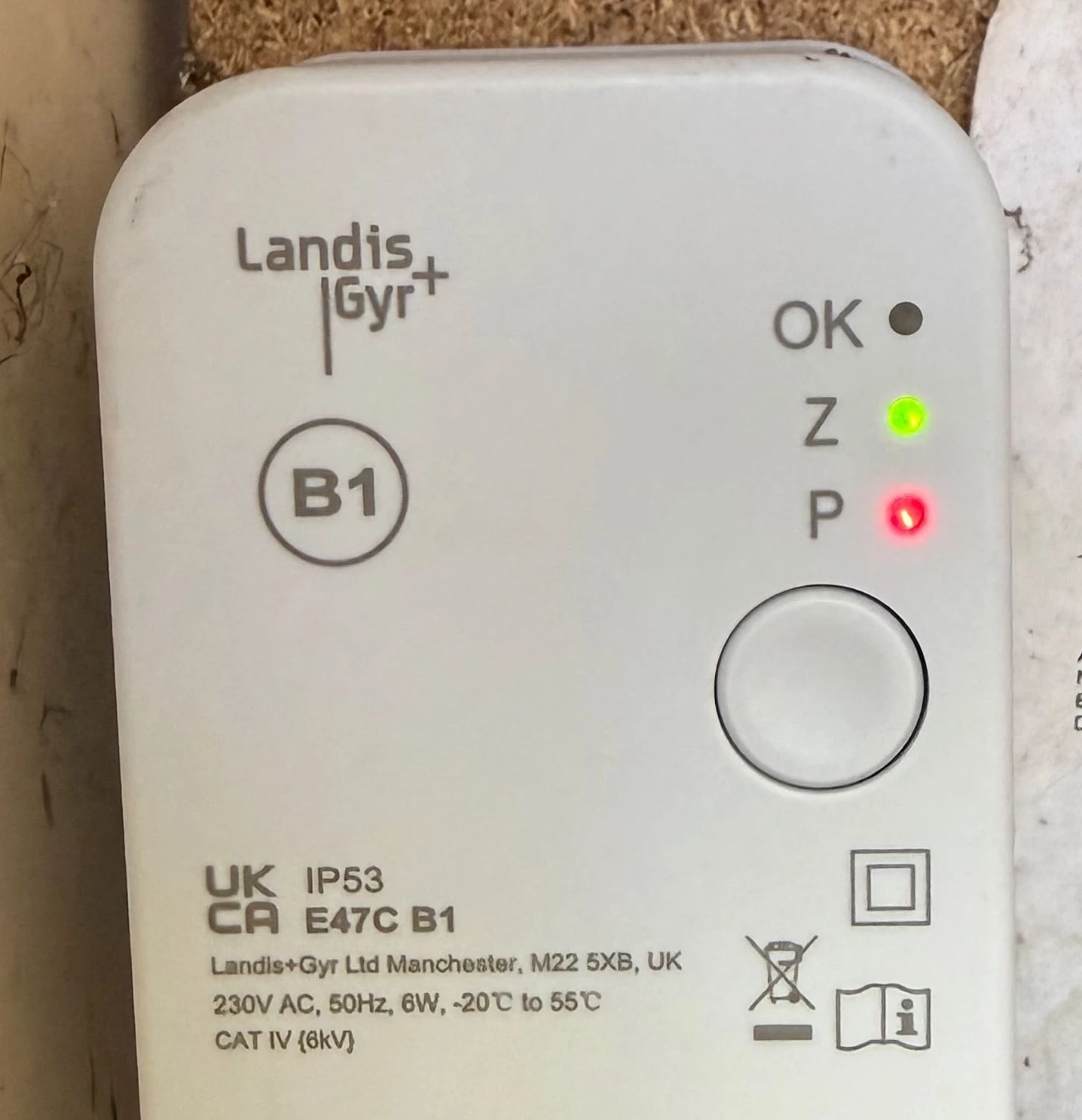
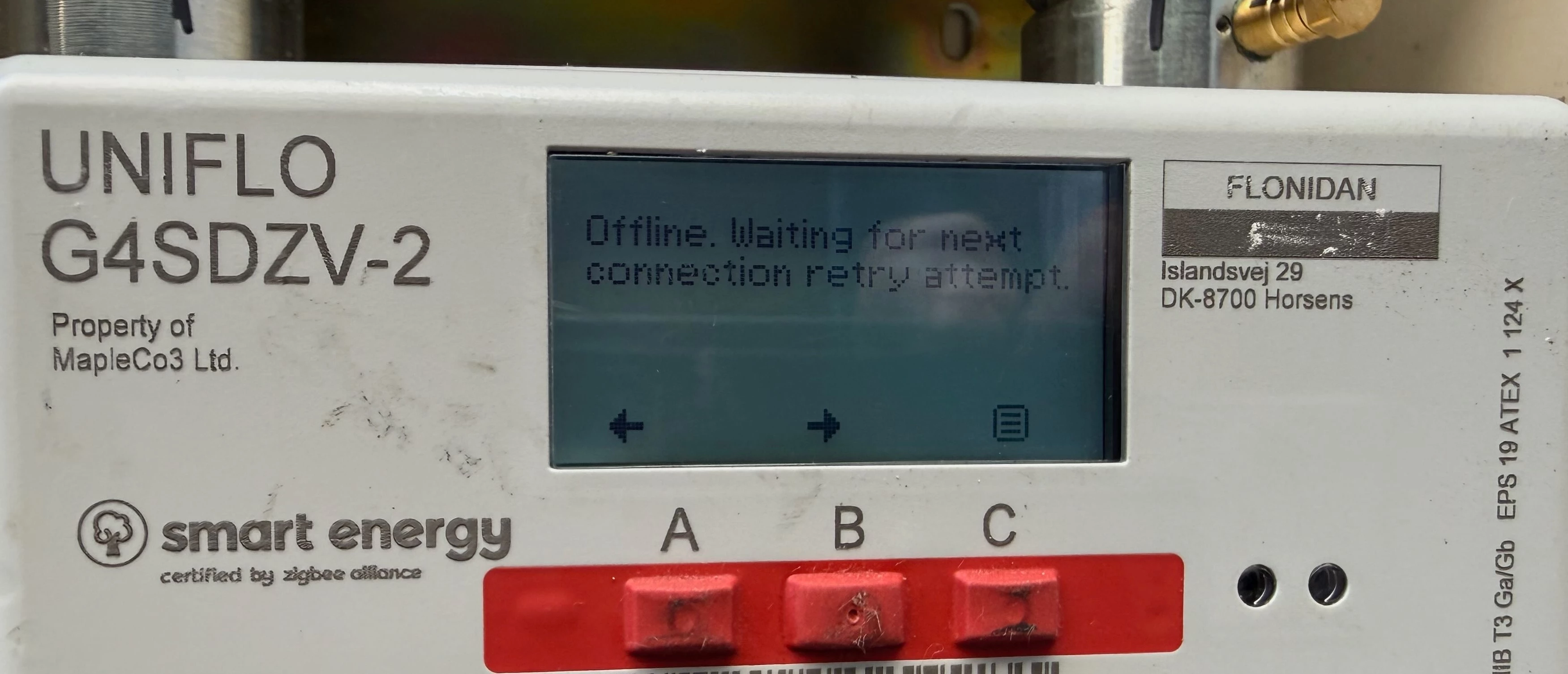
This worked for about 14 days, then just stopped again. The Gas Meter HAN status shows as “Offline - Waiting for next retry”. The B1 & B2 have a RED “P”. See photos. I’ve power-cycled the B2, but with the same result. 


I can’t find any documentation for the B1/B2. A few questions:

  1. What do the status LEDs mean on the B1 and B2? From the photos attached, can we deduce anything?
  2. What do the reset buttons on the B1 and B2 do? Can you manually reset them by using these?
  3. Are there any techniques to resolve the issue at home before calling OVO again (this will be the fifth visit)? 

Thanks. 


5 replies

Blastoise186
Super User
Forum|alt.badge.img+9
  • Super User
  • April 23, 2026

Hey ​@davidbu65 ,

I will be honest - tracking down user manuals for those bridges is a bit of a headache. It doesn’t look like they were ever meant to be released to the public so I’ve never found one so far. I’m not sure the buttons will do much for you either as I have a gut feeling they’re more like pairing buttons to get them configured by an engineer and are unlikely to do anything else useful.

What I have been able to figure out is this though for the LEDs:

OK: System OK when lit

P: Powerline Networking Status

Z: ZigBee Status

Couple of thoughts here… It seems your B2 unit has lost the ZigBee network. My best guess is that it isn’t broadcasting it for some reason. If I’m right, then it seems they are communicating with each other via Powerline Networking at least.

Can you try power-cycling both units at once? Turn them both off for say, 10 minutes and then flip them back on. I’d also try a few other sockets for B2 just in case something is choking it.

The gas meter is a Flonidan UniFlo, so it should retry the heartbeat roughly every 30 minutes. If a heartbeat succeeds, the warning will disappear. I can’t think of a way to get the meter to tell you when the next heartbeat is because I think it’s buried pretty deep, but usually if you swing by after an hour or so it will have done at least one attempt.

The other thing I’m wondering is if something about your circuits is messing things up. I have heard stories about HomePlugs of old being weird when you have certain circuit setups but the stories are pretty old and I’m gonna need a while to try and dig them up. I might be good with networking, but it’s been 10+ years since I last touched that stuff.

So with that in mind… If you have any of those HomePlugs, would you mind pulling them out for a bit and see if that does anything? IIRC the various standards of Powerline Networking never did play well together so I’d be curious to see if that’s a possible culprit. If you don’t have any, don’t worry about this option.


  • Author
  • Rank 1
  • April 23, 2026

@Blastoise186 thanks for the detailed response. Some more feedback:

  • I’ve tried moving the B2 to at least three other ring circuits in case it was a powerline issue - same issue irrespective of where its located
  • I watched the B2 start up sequence closely:
    • First 30 seconds just a green OK flashing LED 
    • Then for about 1 minute a still green flashing OK LED and P goes Amber 
    • Then P goes RED and Green OK extinguishes 
    • On the surface looks like its failing to connect to the B1 via powerline 
  • The B1 is wired to the meter via pig tails so can’t be isolated - I did try the reset button but that didn’t do much - tried the B1 reset button whilst the B2 was starting up to see if that might pair them somehow 
  • We don’t have any other Zigbee or Powerline devices in the house (I generally hate the things!) 
  • Not aware we have had any power cuts or similar - but I did notice on the IHD3 a new message saying the “Electricity Meter Restarted” - there is no date or time related to it though 
  • Forgot to mention the IHD3 is connected to the Zigbee Comms Hub and receiving accurate Electricity Meter readings and the Comms Hub on the Elec Meter flashes a Green HAN status LED 
  • The OVO engineer did mention they had been having issues with the B2’s (they had been recalled before) - maybe this one has just expired in some way? 
  • I suspect a call to OVO to have them come out and look at it again 

Thanks for the great advice and insights. 


Blastoise186
Super User
Forum|alt.badge.img+9
  • Super User
  • April 23, 2026

Urrff… That’s… Not great…

You are correct that there was once a recall on the B2 Units - that was definitely for the original Plug-Through variant which I believe was because of an earth-pin fault which could cause fires. I definitely remember that because I think it was me who alerted OVO after I had a tip-off about it. Needless to say, OVO were very rapid about dealing with that once the report got verified. The current B2 unit has disabled Plug-Through to remove that flaw. Plug-Through may (or may not) return in the future but it’s currently unknown whether it will.

I’m also not a fan of those old HomePlugs either - that’s why I use UniFi and flat ethernet cables under my doors.

The only way I can think of to kill the power to B1 is to kill the power to the meter… And that requires an engineer to do… Sadly I don’t have God of Electricity powers so I can’t just remotely temporarily flip your house off for a few seconds with a convenient bolt of lightning to a substation either. :P

With that being said… I’m stretching my knowledge a bit here so I can’t be 100% certain…

My best guess is that the security keys got refreshed on everything except B2. The symptoms appear to be a handshake failure because my horrible feeling is B2 tries to handshake but gets booted out so kills Zigbee to avoid disruption to the rest of the Home Area Network.

I think B1 (Master) is red on P because it can’t find a paired Slave unit (B2). And the Slave unit (B2) can’t broadcast Zigbee if it isn’t authenticated on the network. Best guess? They’ve somehow unpaired. I think B2 is trying to find its Master but isn’t getting a valid response so it ends up abandoning the process.

Normally I’d say to try https://smart-meter-help.ovoenergy.com as it diagnoses a lot of issues. However… I’m not sure if it can pick up this one. I’d definitely try it anyway though if you haven’t already.

This may ned a HAN Management SMETS Command or it could be dead hardware. Without the logs, I can’t dig much deeper so it’s likely a job for OVO Support.


Blastoise186
Super User
Forum|alt.badge.img+9
  • Super User
  • April 23, 2026

Doing some more digging into this. Worth bearing in mind the big scary disclaimer - some of this is probably 10 years out of date because of the old HomePlug stuff.

Might take me all night and there’s a risk I might not have anything more to offer if the digging ends up in a dead end.

Bear with me.


Blastoise186
Super User
Forum|alt.badge.img+9
  • Super User
  • April 24, 2026

Ok… Just wanted to let you know the final outcome of my digging.

Unfortunately… This really does feel like an It’s Dead, Jim situation where there doesn’t seem like there’s anything you can do on your own to fix this. If B2 isn’t responsive even when it’s literally in the same double-socket as B1 then it either points to a hardware failure or the security keys have gotten mangled somehow. Neither of those are self-service fixes I’m afraid.

Gonna be honest here… Given the 14-15m range I really don’t understand why you weren’t just given a Dual-Band Comms Hub. That would have basically given just one point of failure rather than up to four - Alt-HAN can have a B4 Slave unit for some installs to give extra coverage for an IHD or Gas Meter in situations where B1 and B2 alone aren’t enough, but it does add more complexity.

A DBCH would make it so the Comms Hub just blasts a longer range signal on 868MHz as well as the usual 2.4GHz and most Flonidan UniFlo meters do support it these days. IIRC it’s one of the few where the manufacturer basically just bundles in both bands by default these days.

At the moment, that feels like the best solution I can think of.