



How to top-up on someone's behalf

How to make ‘guest top-ups’ to Pay As You Go smart meters
Sometimes you might need to top-up someone else’s Pay As You Go smart meter, for example if you’re looking after a friend’s house, or have been asked to top-up a meter on someone’s behalf.
In these types of situations, you may not have access to someone else’s online account or app, so we’ve made it simple to top up without needing to log in. You’ll just need the account holder to give you the 19 digit top up (PAN) numbers for the electricity and gas meters.
The guest top-up feature can also be used as a way of topping up if the account holder is unable to top-up via the app or online account due to technical issues.
Follow these steps to make a guest top-up:
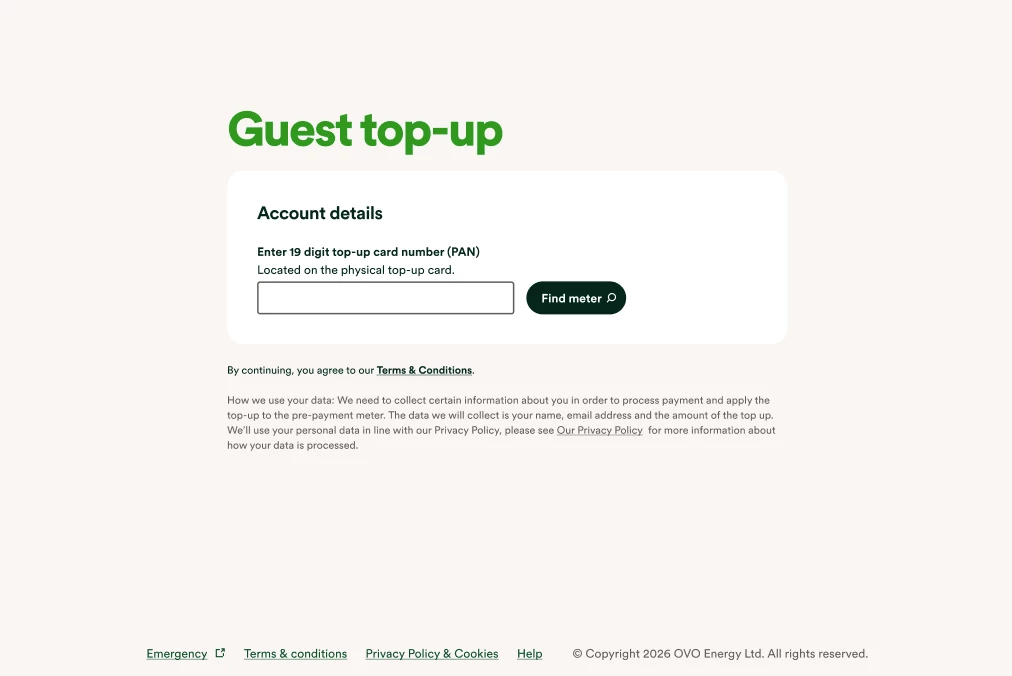
Visit the guest top up page here. Enter the PAN number and select ‘find meter’.
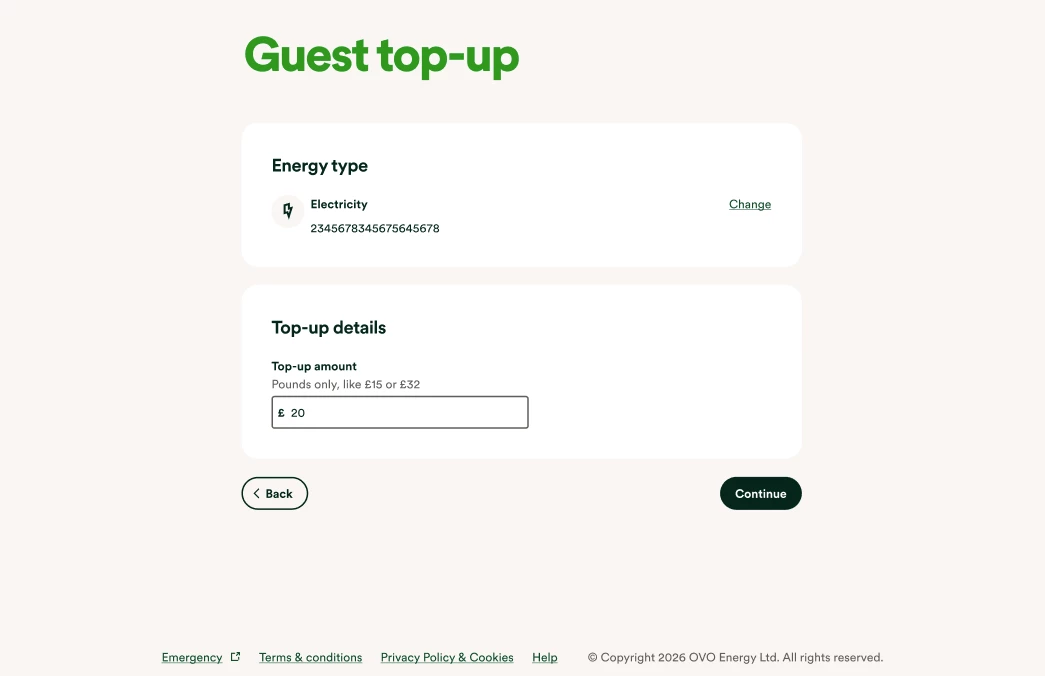
On the next screen, enter the amount you’d like to top-up, and select ‘continue’.
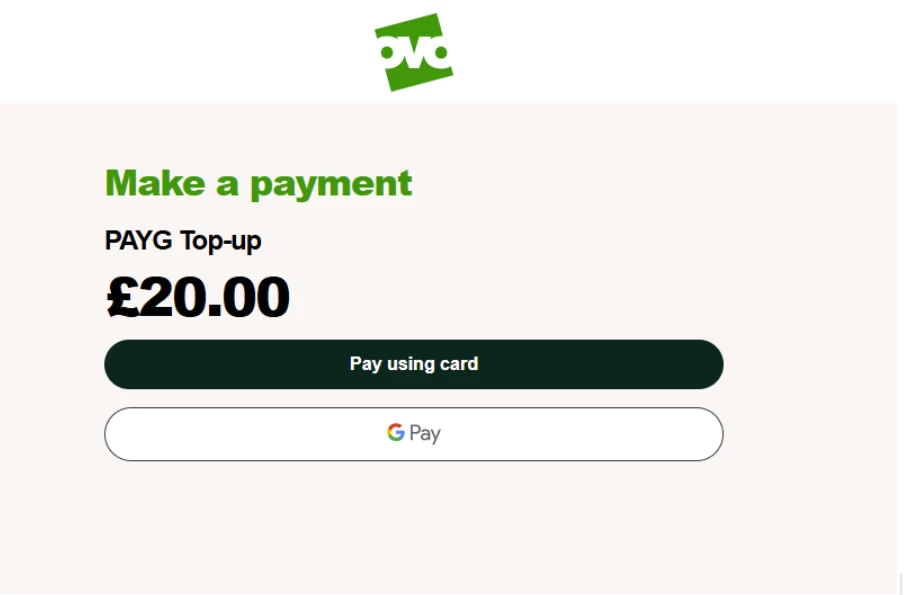
On the next screen select whether you’ll pay using card, or with Google Pay:
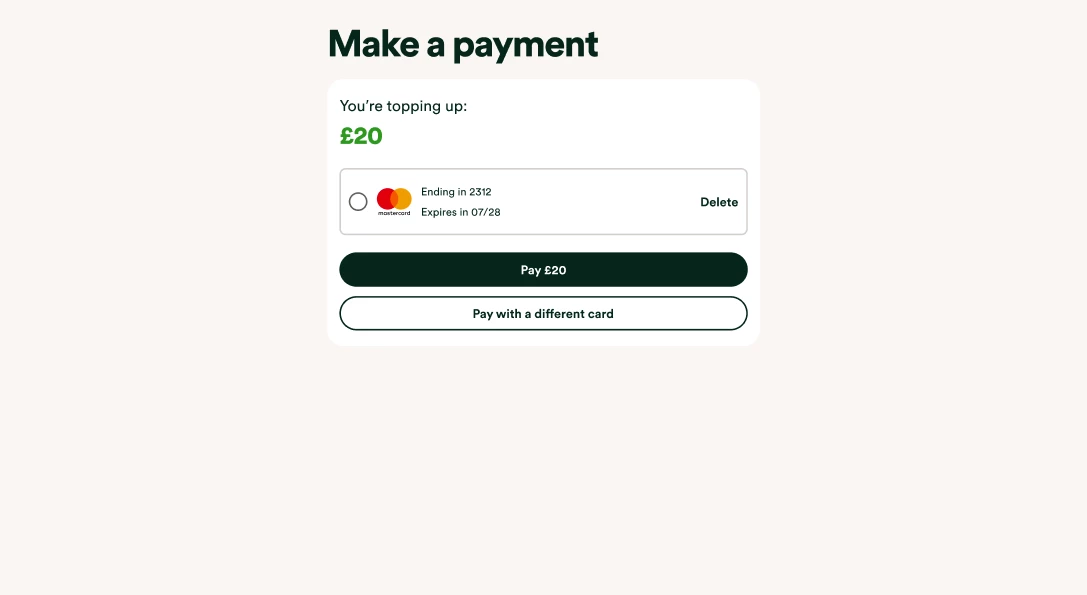
Once you’ve confirmed the card details, select ‘pay’.
The screen will then tell you that the top up is processing, and will then display a confirmation screen:
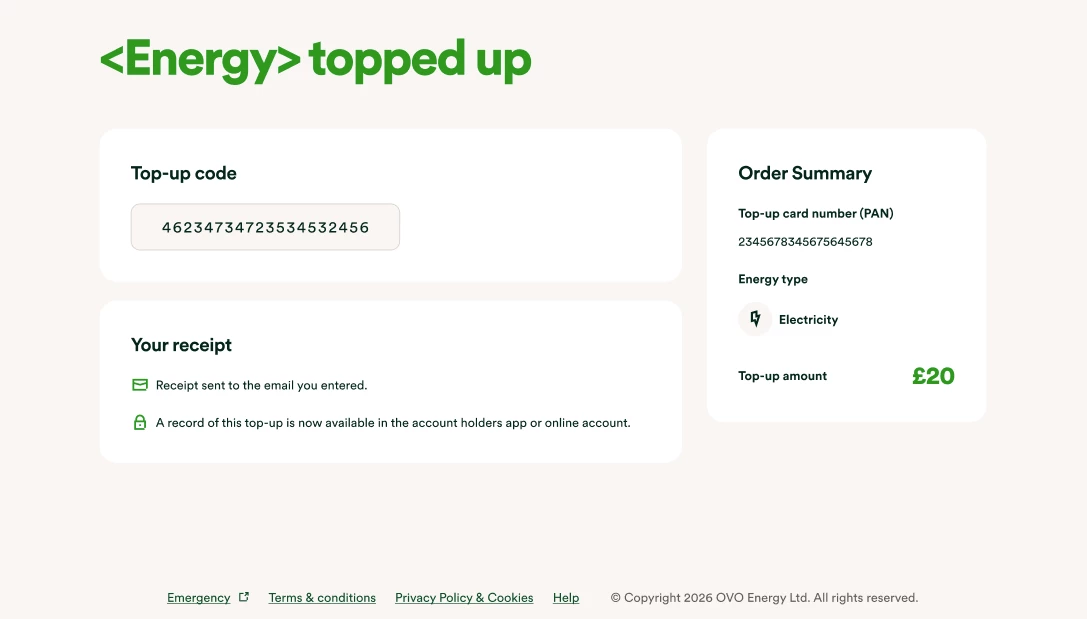
Please allow 40 - 60 minutes for the top-up to reach the meter. If the it doesn’t reach the meter, you can enter the ‘top-up code’ shown on the screen above directly into the meter. If you’re not sure of how to do this, this page has video guides for manually topping up different types of smart meters.
Need more help?
This topic is now closed, so you won’t be able to reply here. If your question hasn’t been answered or you need more advice, feel free to ask the community — we’re here to help!
Give us your feedback!
Was this article helpful? Is our Library missing content? Share your anonymous feedback here and help us improve!

