Question

electricity missing on ovo app

  • July 5, 2026
  • 6 replies
  • 143 views

Hi, I’ve downloaded the new Ovo app and only my gas account is on there. Could anyone tell me how I get my electricity account on there please? 

6 replies

Abby_OVO
Community Manager
Forum|alt.badge.img+4
  • Community Manager
  • July 6, 2026

Hi ​@Dexter2023 


I asked internally about this, they’ve asked if you’re a new PAYG customer? 


Or have you been a Pay As You Go customer for some time and were asked to move over to the new app? 


I’d also like to check that both meters are smart PAYG meters? Any additional information would be helpful here.


  • Newcomer
  • July 9, 2026

I am also having the same problem! Only my gas account is on the new app so I am unable to top up my electricity using the new app!!

I have a traditional meter for gas which I pay by direct debit and a PAYG smart meter for electricity.

It seems this new app is unable to deal with customers with two accounts! You need to sort it out OVO!


Ben_OVO
Community Manager
Forum|alt.badge.img+4
  • Community Manager
  • July 10, 2026

Morning ​@SandraW64 and thanks for your feedback. 


Sorry to hear of the issues you’re experiencing. The new PAYG app / online account uses the same platform setup as the PAYM side of things, and it’s potentially not able to switch between the two. I’ve asked the app team for some more info on this one. 


For now, are you able to log into the old PAYG app for now to top up your electricity?


  • Newcomer
  • July 10, 2026

@Ben_OVO yes I still have the old top up app but how long before it is deleted? I don’t want to be in a position where I run out of electricity. 
I inherited this set up from the previous owner and would much prefer to pay by DD for both on a dual fuel tariff. 


Nukecad
Super User
Forum|alt.badge.img+5
  • Super User
  • July 11, 2026

@SandraW64  You should contact support and ask to be moved onto a credit tariff with DD payments.

Call the PAYG support team directly on 0330 175 9669

PS. You can find the tariffs available to you by putting your postcode in here:
https://plans.ovoenergy.com/

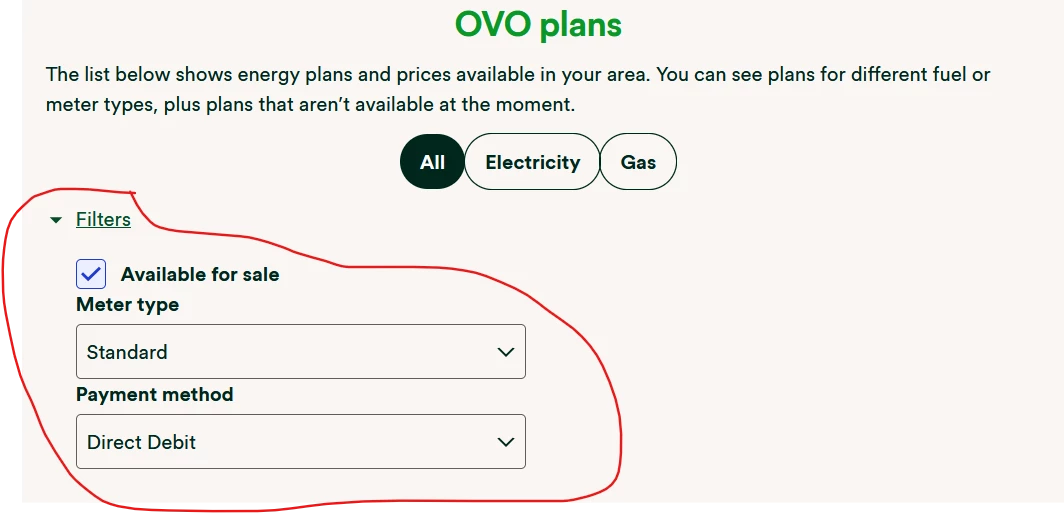
Once you have put your postcode in and the plans come up then use the filters to select your meter type, and Direct Debit payments.


Note that the prices shown there are before VAT, so you need to add 5% for what you will actually pay.


Abby_OVO
Community Manager
Forum|alt.badge.img+4
  • Community Manager
  • July 13, 2026

Hey ​@SandraW64 


Nukecad has left some really helpful advice on how to get that changed over if that’s something you’d be looking to do instead of carry on with PAYG. There’s also a similar topic below that might be helpful: