



How to choose how often your smart meters send us readings on your online account or OVO app

Updated on 27/08/26 by Chris_OVO
Smart meters send us readings automatically so you don’t have to. They can be set up to send readings once a month, once a day, or once every half an hour. We recommend having your smart meter set up to send half-hourly readings, so we can work out your energy charges daily. This gives you greater visibility of how much energy you’re using each day.
When your smart meter sends half-hourly readings, we can show you a half-hourly breakdown of your energy use on the “Usage” pages of your online account and app. This is a really helpful tool to help you reduce your usage.
With half-hourly readings you’ll also benefit from great add-ons, like Power Move, Beyond, and Charge Anytime.
If you’ve recently signed up to OVO, but have a smart meter installed by another supplier, your meter may be sending monthly readings. If it was installed by OVO, we would’ve asked you how often you wanted your meters to send readings. This preference can be changed at any time.
How to change your reading schedule with your online account or OVO App
To choose how often your smart meters send us readings, log into your online account or OVO App (download for Android or iOS).
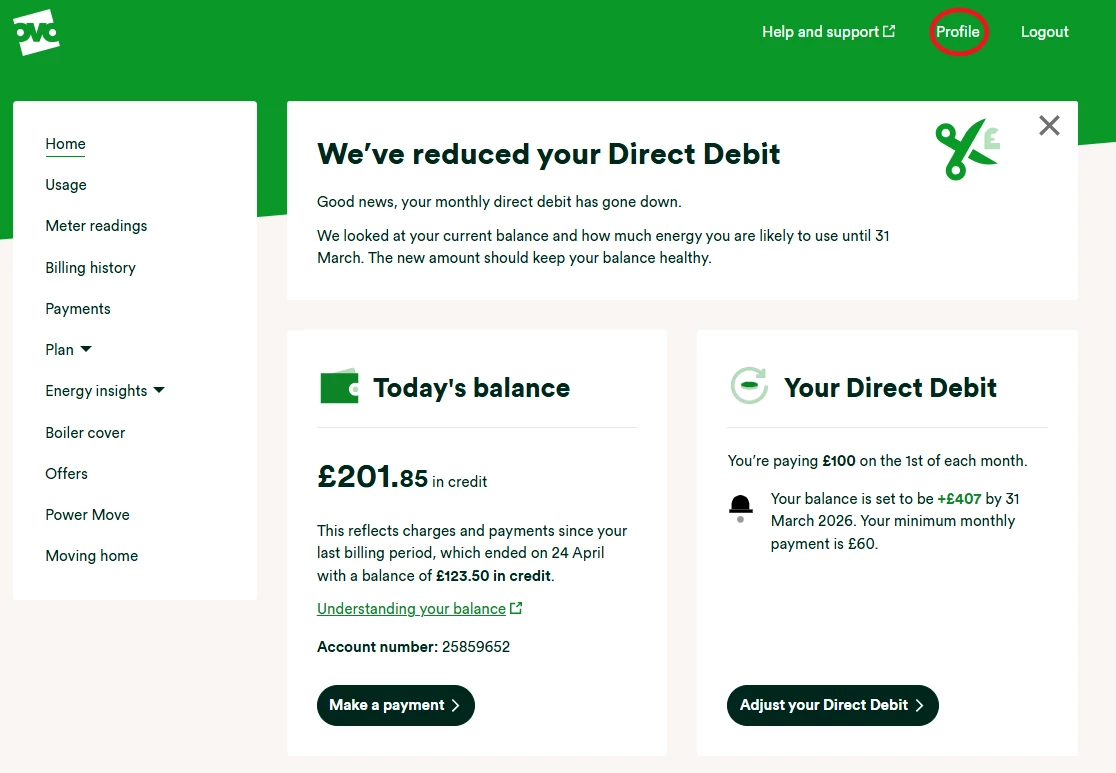
On the home screen of your online account click on ‘Profile’ (or the person icon on the App):
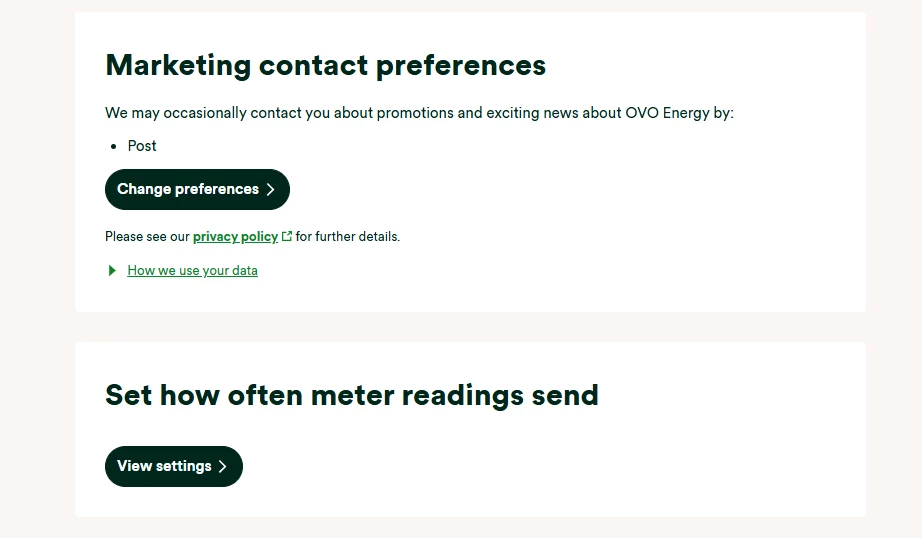
On the Profile scroll down, and click ‘View settings’ under the heading ‘Set how often meter readings send’
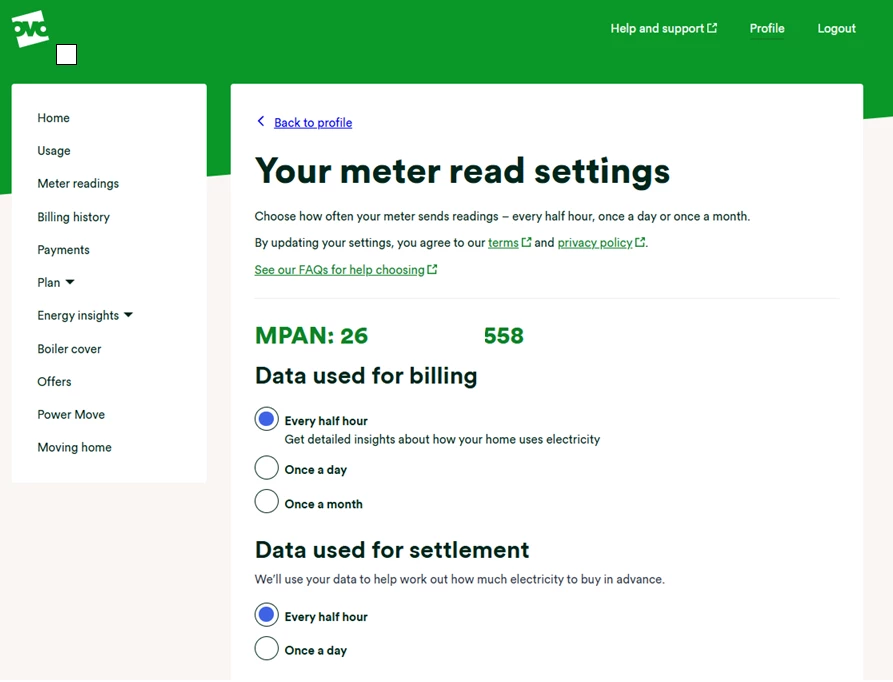
Next, select how often you’d like your smart meter to send readings. It’ll ask how often you’d like us to use your usage data for settlement. If you opt for half-hourly settlement we’ll be able to use this information to reduce carbon and help balance the Grid.
You can find out more about smart meter reading schedules in our FAQ’s page:
Need more help?
This topic is now closed, so you won’t be able to reply here. If your question hasn’t been answered or you need more advice, feel free to ask the community — we’re here to help!
Give us your feedback!
Was this article helpful? Is our Library missing content? Share your anonymous feedback here and help us improve!

