




How to access your previous monthly statements on your online account or OVO app

Updated on 16/06/26 by Ben_OVO
Here’s a quick guide on how to find your statements on your online account or OVO app (download for Android or iOS).
Step 1
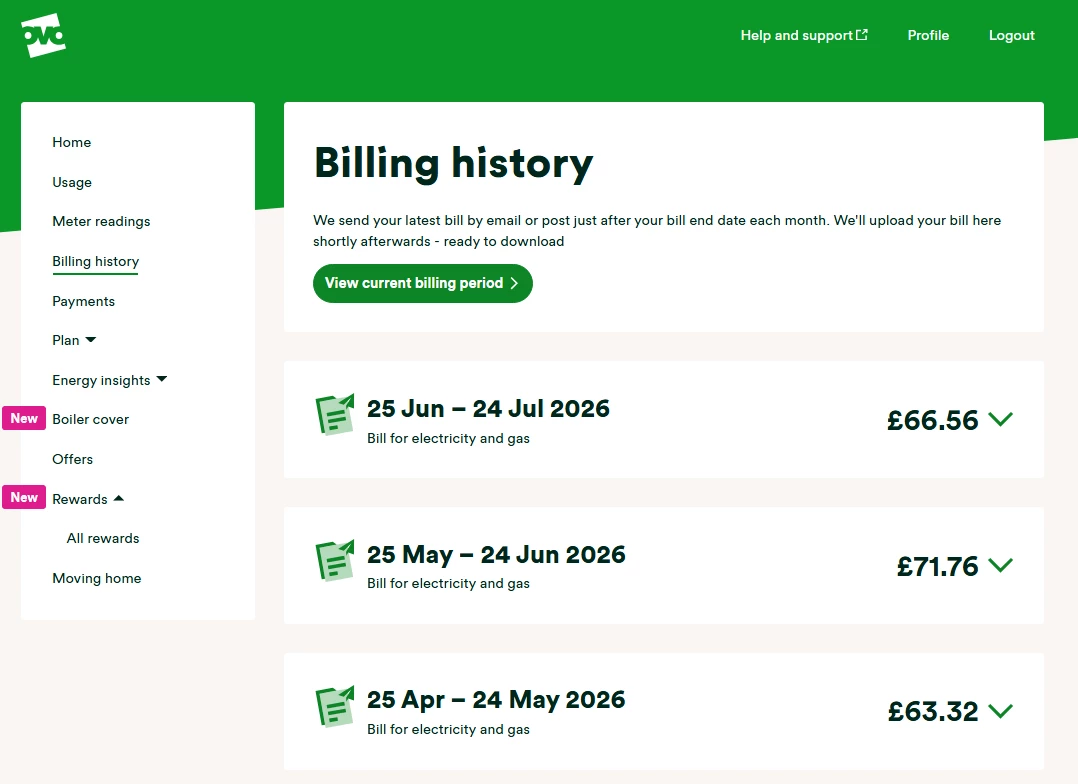
Head over to the ‘Billing history’ menu option on the left hand side of the screen (you’ll find this by clicking ‘bills’ at the bottom of your screen if you’re viewing the account on your app).
Step 2
Once you’re on this page scroll down to see all the previous monthly statements issued since you joined us.
On the desktop version of the online account you have the option of downloading the bills as pdf files. On the app, select which month you want to view and statement will appear on your screen in the same format as the pdf file.
Need more help?
This topic is now closed, so you won’t be able to reply here. If your question hasn’t been answered or you need more advice, feel free to ask the community — we’re here to help!
Give us your feedback!
Was this article helpful? Is our Library missing content? Share your anonymous feedback here and help us improve!

