Rank 1
October 23, 2025
Solved

How do I update Home Profile on the app?

  • October 23, 2025
  • 3 replies
  • 118 views

I am on 30 min smart reads and have an ovo app. Can I  still set up "usage checker" on their apps/online? if so how??i cant find it or the questionnaire on main household appliances. thanks MrB

Best answer by Ben_OVO

Morning ​@Mr Brightside,


If you used to be an OVO customer and have returned, the OVO app / online account may look slightly different now to how you remember them.


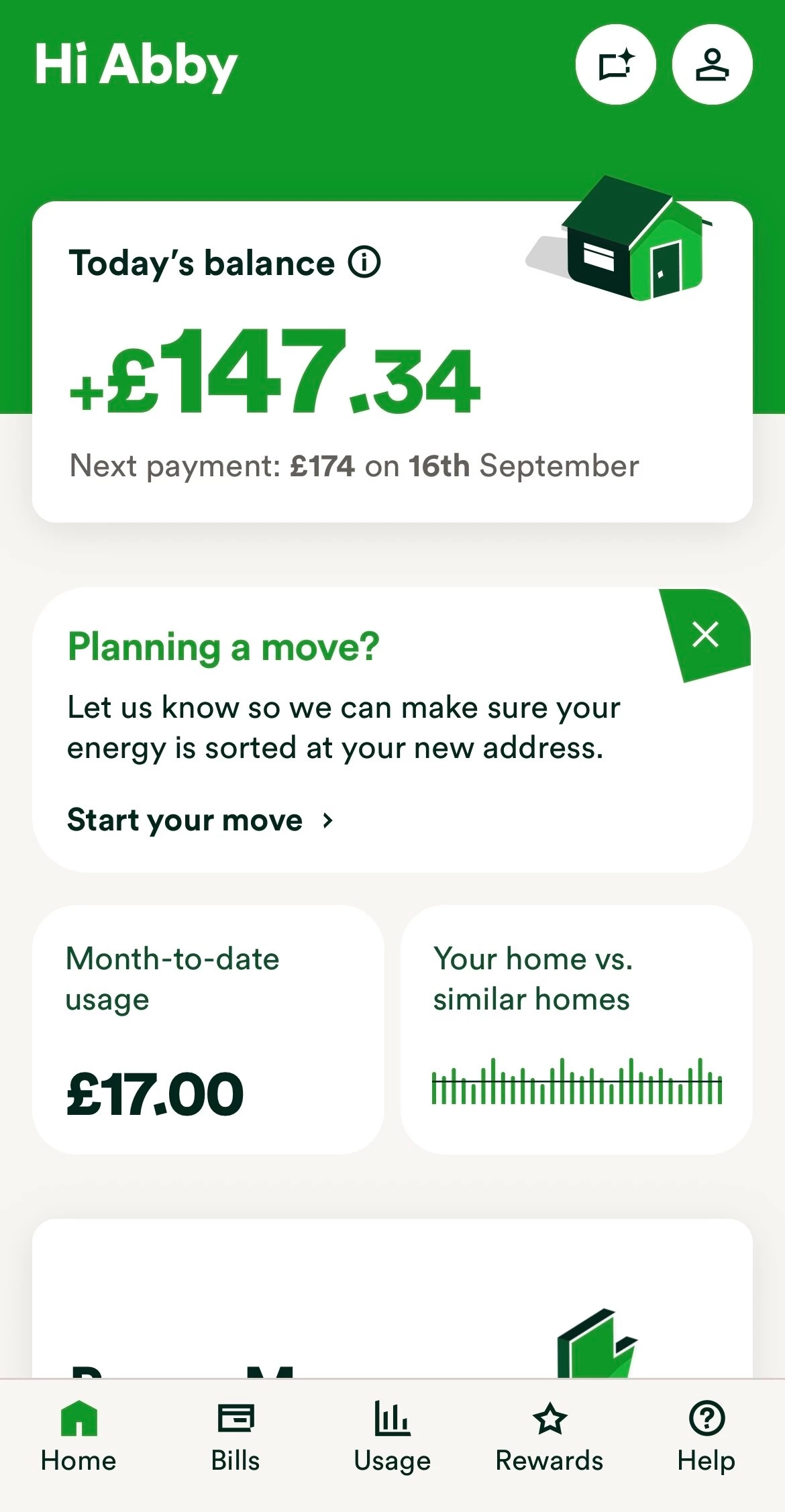
You can personalise your insights and offers by updating your home profile. To do this on the app, select the circular person icon on the top-right of the home screen:


Exact appearance may vary


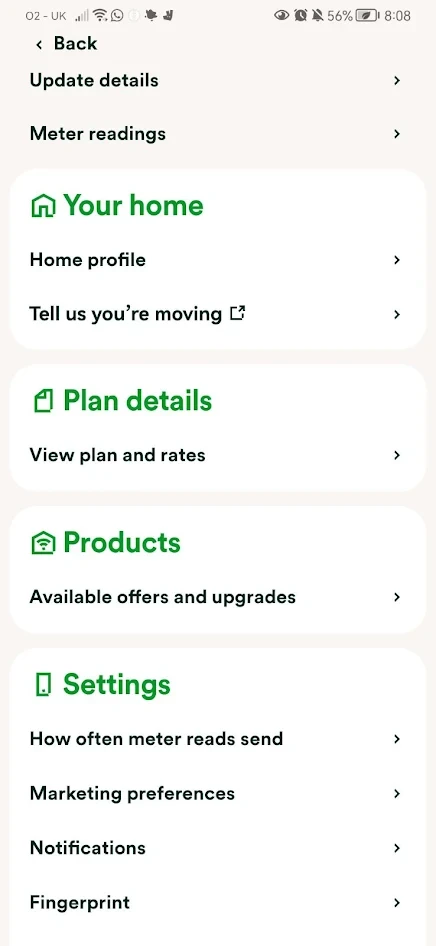
Then on the next page select ‘Home profile’ under ‘Your home’:


Exact appearance may vary


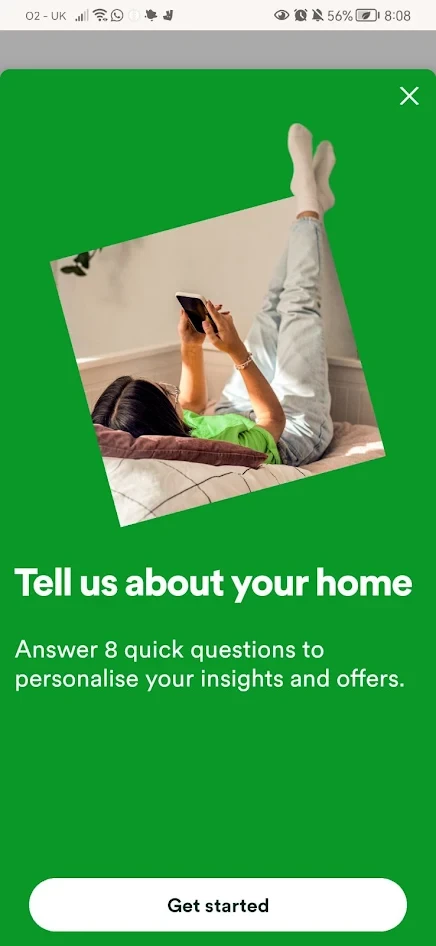
A pop up screen will then appear. Select ‘Get started’:


Exact appearance may vary


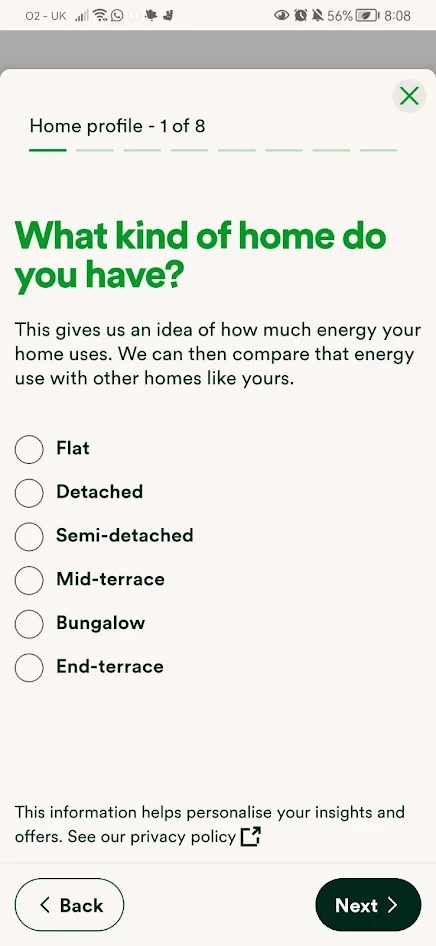
You’ll then be able to fill out the home profile questionnaire:


Exact appearance may vary


I hope this helps. We’ve also got many other useful online account / app guides in our Forum Library section here:


Cheers!

3 replies

Blastoise186
Super User
Super User
October 24, 2025

Hi ​@Mr Brightside ,

It should be under the Usage tab. Can you screenshot that for us and show us what you see please?

Securing energy by zapping security bugs... For that is The Blastoise Way! Remember, I'm just like you - AI Powered Evil Geniuses aren't Staff!
Chris_OVO
Community Manager
Community Manager
October 24, 2025

Hey ​@Mr Brightside,


Welcome to the community!


 If you have questions, feel free to use the search bar on the Forum to find helpful articles! You might also want to take a look at the article below—it's got some great information that could really help you!


Renewable energy jokes never get old.
Ben_OVO
Community Manager
Ben_OVOSolved
Community Manager
October 27, 2025

Morning ​@Mr Brightside,


If you used to be an OVO customer and have returned, the OVO app / online account may look slightly different now to how you remember them.


You can personalise your insights and offers by updating your home profile. To do this on the app, select the circular person icon on the top-right of the home screen:


Exact appearance may vary


Then on the next page select ‘Home profile’ under ‘Your home’:


Exact appearance may vary


A pop up screen will then appear. Select ‘Get started’:


Exact appearance may vary


You’ll then be able to fill out the home profile questionnaire:


Exact appearance may vary


I hope this helps. We’ve also got many other useful online account / app guides in our Forum Library section here:


Cheers!

Powered by the Sun