Solved

How do I add someone to my OVO account?

  • May 29, 2017
  • 19 replies
  • 12515 views


How do I add someone to my account so that they can speak to OVO too?

Best answer by Tim_OVO

Updated on 15/08/25 by Abby_OVO


Great question to ask about how to add a second name to your account. This depends on whether the person is financially reliable or not.


If you’d like to have someone else speak on your behalf or complete certain actions, we’d require the account holder to be present at the same time as any non-account holder, so they can give permission for us to speak to the non-account holder, or add them as a secondary account holder. 


They can be added for future, but the level of authority they have will be pre-agreed during the above, initial conversation with the Support Team.


It’s a slightly different process if the person you want to add will be sharing full responsibility for the account and needs to be named on your statements. In this case you’d need to give the team a call when you’re both at home so we can verbally confirm you’re both happy to make this change. 


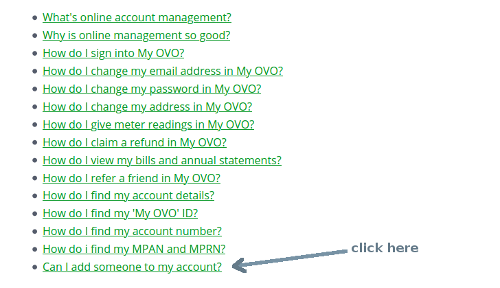
There’s more info on this and other actions you can take on your online account here. Don’t forget to download the OVO app for Android or iOS.


OVO member but not got a smart meter yet? - Book today!


Interested but not yet an OVO member? - Check out our plans!

19 replies

Tim_OVO
OVO Staff
  • OVO Forum Legend
  • Solved
  • May 31, 2017

Updated on 15/08/25 by Abby_OVO


Great question to ask about how to add a second name to your account. This depends on whether the person is financially reliable or not.


If you’d like to have someone else speak on your behalf or complete certain actions, we’d require the account holder to be present at the same time as any non-account holder, so they can give permission for us to speak to the non-account holder, or add them as a secondary account holder. 


They can be added for future, but the level of authority they have will be pre-agreed during the above, initial conversation with the Support Team.


It’s a slightly different process if the person you want to add will be sharing full responsibility for the account and needs to be named on your statements. In this case you’d need to give the team a call when you’re both at home so we can verbally confirm you’re both happy to make this change. 


There’s more info on this and other actions you can take on your online account here. Don’t forget to download the OVO app for Android or iOS.


OVO member but not got a smart meter yet? - Book today!


Interested but not yet an OVO member? - Check out our plans!


Nancy_OVO
Retired Moderator
  • Retired Moderator
  • March 27, 2019
Hey @ryanjenson90 - you can add as many additional contacts as you need.

  • Newcomer
  • June 15, 2019
I want to add someone onto the bill as we share a flat and use our joint bank account to pay. Can someone please put step by step instructions on how to do this. As the link above doesn’t work.

  • Newcomer
  • June 17, 2019
want to add someone onto the bill as we share a flat and use our joint bank account to pay. Can someone please put step by step instructions on how to do this. I know it’s already been answered on previous questions but the answers were so confusing.

Amy_OVO
Retired Moderator
  • Retired Moderator
  • June 19, 2019
Hey @Holly.g,

You'll need to make the person you'd like to add on, a financially liable account holder.


How do I add someone to my account so that they can speak to OVO too?
Hi @CC1

Just to summarise: to add a non financially liable person to the account, just call up, email (from the registered address) or pass the needed security checks via a forum PM with the details of the person you want added. To add a financially liable contact, do the same. We'll then need to get permission from the person added to make them financially liable.
Just to add, I've moved this topic to the 'All About OVO' forum, tweaked the title and added some tags, thereby (hopefully) making it easier for other users to spot.
Thanks,Tim


I've made the steps you need to follow bold.

Hope this helps!

  • Newcomer
  • June 19, 2019
whats the email?

Amy_OVO
Retired Moderator
  • Retired Moderator
  • June 19, 2019
You'll need to call in, @Holly.g, as mentioned above, the contact will need to be liable to be listed on a statement.

We need verbal consent from both parties. You'll need to ring up giving verbal permission to add a financially liable contact, the new contact will need to accept liability at the same time. You can reach our team on: 0330 303 5063. Our opening hours are 8am-6pm Monday to Friday.

I hope this clears things up ☺️

  • Newcomer
  • June 19, 2019
Okay, it says email so thought you could email them to do it.

  • Newcomer
  • September 29, 2020

Transparent
Rank 20
Forum|alt.badge.img+2
  • Rank 20
  • September 29, 2020

Hi @hjuk - it looks like the website upgrade has moved the page link.

Go to this page


Hi, I want to add my wife's name and details to the account so that she can discuss any issues regarding the account if required.


How do I do this?


BPLightlog
Super User
Forum|alt.badge.img+12
  • Super User
  • April 24, 2023

Hi @Richard Westwood and welcome to this customer forum. I believe that you would need to get in touch with customer support to enable this change. The account and ‘responsible persons’ have to be validated.

In order to discuss billing they’d need to be added as a financially liable contact, in order to do so you’ll need to contact Support on 0330 303 5063 with your wife.


Jeffus
Rank 20
Forum|alt.badge.img+5
  • Rank 20
  • April 24, 2023

Hi @Richard Westwood 

Welcome to the customer forum, i am just a customer like you. 

Add someone to your account

You can add another person to your account via online chat or calling OVO. You will need to provide their full name, date of birth and contact details. This allows them to contact OVO and discuss most aspects of the account.

Add someone to your bills

To add another person’s name to your bills, they’ll need to be made ‘Financially Liable’ on the account. For this, OVO need verbal confirmation from both people - so make sure they’re with you when you call OVO.

https://help.ovoenergy.com/#contact_us_container


  • Newcomer
  • May 22, 2023

Hi,


Please how can I add another person name to the electricity bill statement?


Blastoise186
Super User
Forum|alt.badge.img+9

Hi @Assumynorex ,

This can indeed be done. But it must be done over the phone as OVO requires verbal consent from both the active account holder and the person you wish to add. Please give the team a call on 0330 303 5063 and they can set this up.


  • Newcomer
  • May 22, 2023

Thanks


Hi, 

My friend and I just moved in together and set up a direct debit. Since I’ve been with OVO before the account is in my name. She is concerned that she will be unable to manage any issues that may arise if I am for some reason unavailable. The most pertinent one would be how she would go about contacting customer service in event of an emergency. Someone with experience in this matter please advise on how we could sort this, mostly for her peace of mind. Thanks x


Blastoise186
Super User
Forum|alt.badge.img+9

Howdy ​@jankaribizli ,

This is generally pretty easy to set up as you can add your friend as a Secondary Account Holder (Financially Liable). This will make you both jointly and equally liable for the bill, but it does grant full account access to both of you, similar to how a joint bank account works.

If you’d like to do that, please get in touch with OVO by phone when you are both present as this requires verbal consent from both of you. The contact info is below:

With this method, either of you can contact OVO freely without needing the other around. If one of you becomes unable to continue managing the account or wants to be removed for any reason, handing it off to the other would be a simple task of letting OVO know.


Abby_OVO
Community Manager
Forum|alt.badge.img+4
  • Community Manager
  • May 11, 2026

Hey ​@jankaribizli 


Welcome to the Forum.


As mentioned, you’ll need to get in touch with the Support Team while both of you are present to have your friend added onto the account. You’ll have to complete this via phone so we can verbally confirm you’re both happy to make this change. Please call 0330 303 5063 (Monday to Friday, 9am to 5pm) and the team will get this sorted for you.


I hope this helps.