Best answer by NinjaGeek

Updated on 11/09/25 by Abby_OVO


Great work for taking your meter readings - if you haven’t got Smart Meters, you’ll need to check the readings and send them over to us monthly.


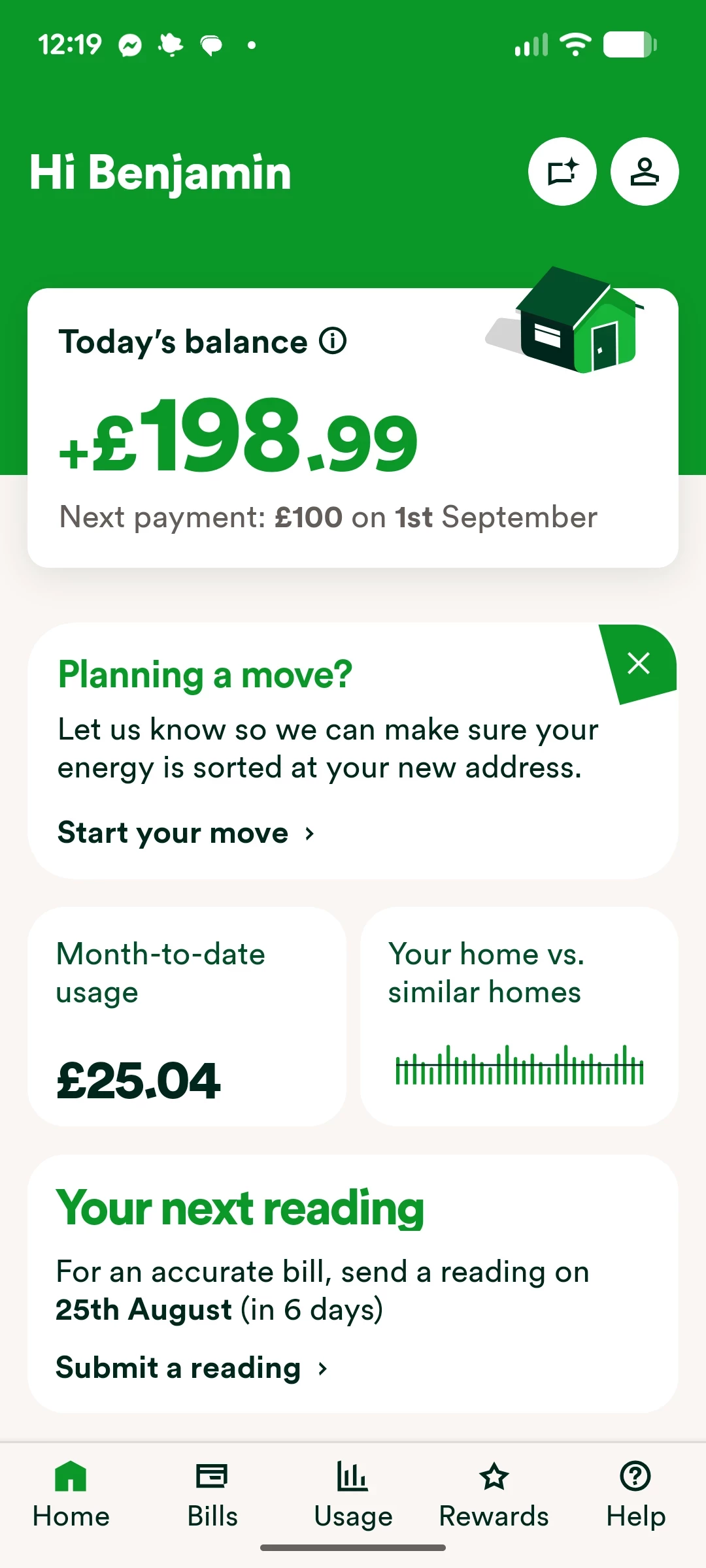
The easiest way to submit these is via the app (available for Android and iOS).  


On the homepage, you’ll find a box labelled ‘It’s time to send a meter reading’. Here you’ll find when to submit your next reading(s).

Exact appearance may vary

Click ‘Submit a meter reading’ to take you to the ‘Meters’ page, where you can submit your readings. You can also ‘Turn on meter reading reminders’ which will mean you’ll get monthly emails a week before the reading is due.

Exact appearance may vary

Here you’ll see the meter serial number for each of your meters as well as the last meter reading that was submitted and the date this reading was received. If you’ve got a traditional meter, you can view a full rundown of all the meter readings you’ve previously sent us by clicking ‘view reading history’.

Exact appearance may vary


We’ve got a really great topic guide dedicated to this which may also be helpful:


Having trouble submitting the readings online? Let our Support Team know, so we can get your readings logged and investigate any technical bugs. 🐛


OVO member but not got a smart meter yet? - Book today!


Interested but not yet an OVO member? - Check out our plans!


15 replies

May 27, 2024

It does it automatically doesn't it? If not how do they know much energy you've used? Or is OVO telling customers different things as usual 

Chris_OVO
Community Manager
Community Manager
May 27, 2024

Hey @PP27,


Smart meters will send automatic meter readings as long as they are in communication. 


As Brian asked for the process to send these manually, we want to make sure that he has access to the information that he needs, as it could also be helpful to other visitors to the thread. ​​


I hope this clears things up! 

Renewable energy jokes never get old.
Newcomer
January 15, 2026

How do I submit my monthly gas reading using my account ? 

Nukecad
Super User
Super User
January 16, 2026

Simply log-in to your online account (in a browser) and select “Meter Readings” on the menu at the left:


Or if you prefer to use the app then open it and select “Usage” at the bottom, scroll down to “Meter Readings” and select that:


I said, Hey - Watts going on.
Chris_OVO
Community Manager
Community Manager
January 19, 2026

Hey ​@Bzlambat1,


Welcome to the community,


You've got some great instructions from Nukecad above! We’d love to hear if you’re able to submit your meter readings successfully. Remember, you can also reach out through any of our contact channels—whether it’s a quick phone call, a chat on our website, or a message on social media. 


I’ve shared a helpful link below that you might find useful:


Renewable energy jokes never get old.