Solved

Working out how to set up the heating in my house!

  • January 14, 2026
  • 5 replies
  • 65 views

Morning Lovely people! 

I have come to ask for some help, I have recently moved into a house with underfloor heating and Solar hot water (only to reduce the time to heat). I am struggling with setting up the controls dispite reading the guides online. 

The hot water seems to be working for us just the heating side of it as comes on randomly even if a schedule is set and never to the schedule.

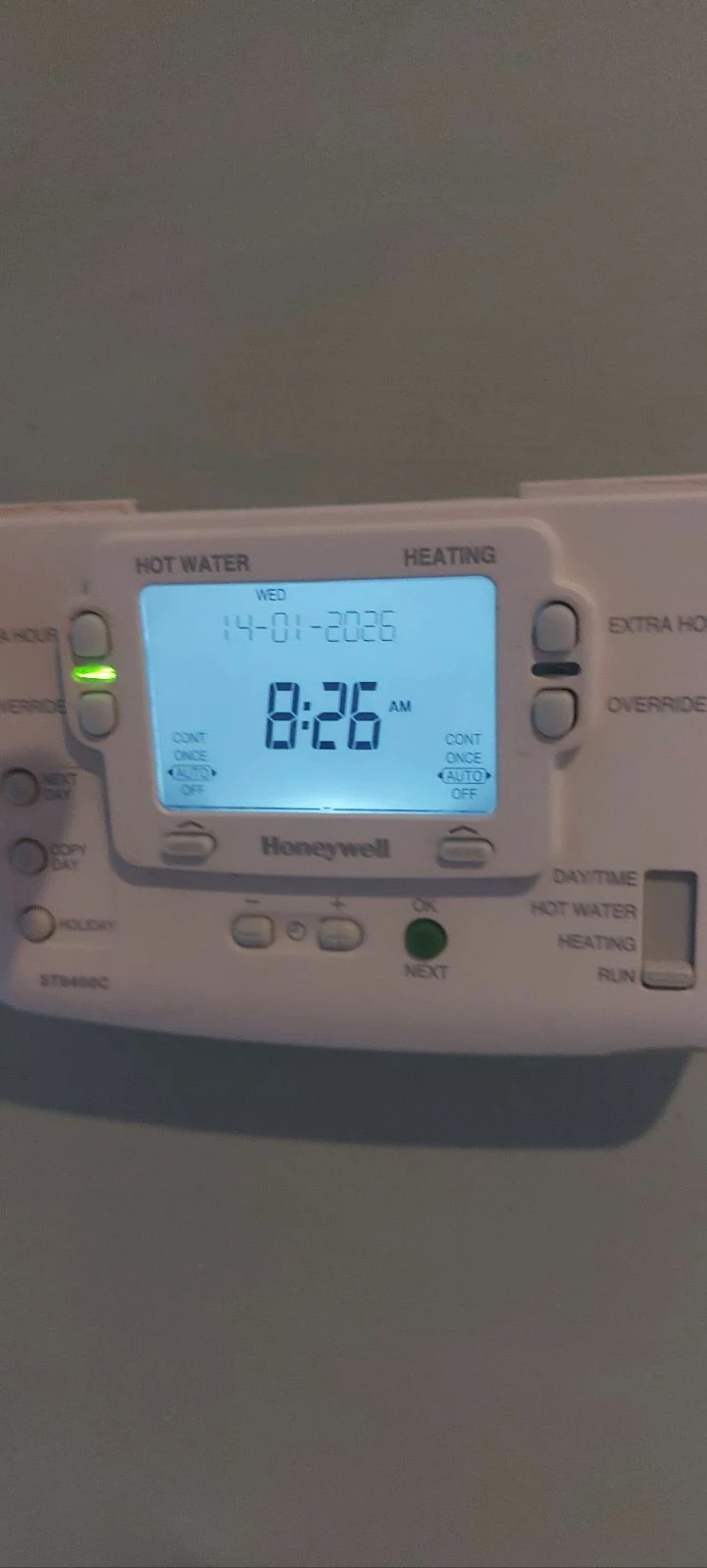
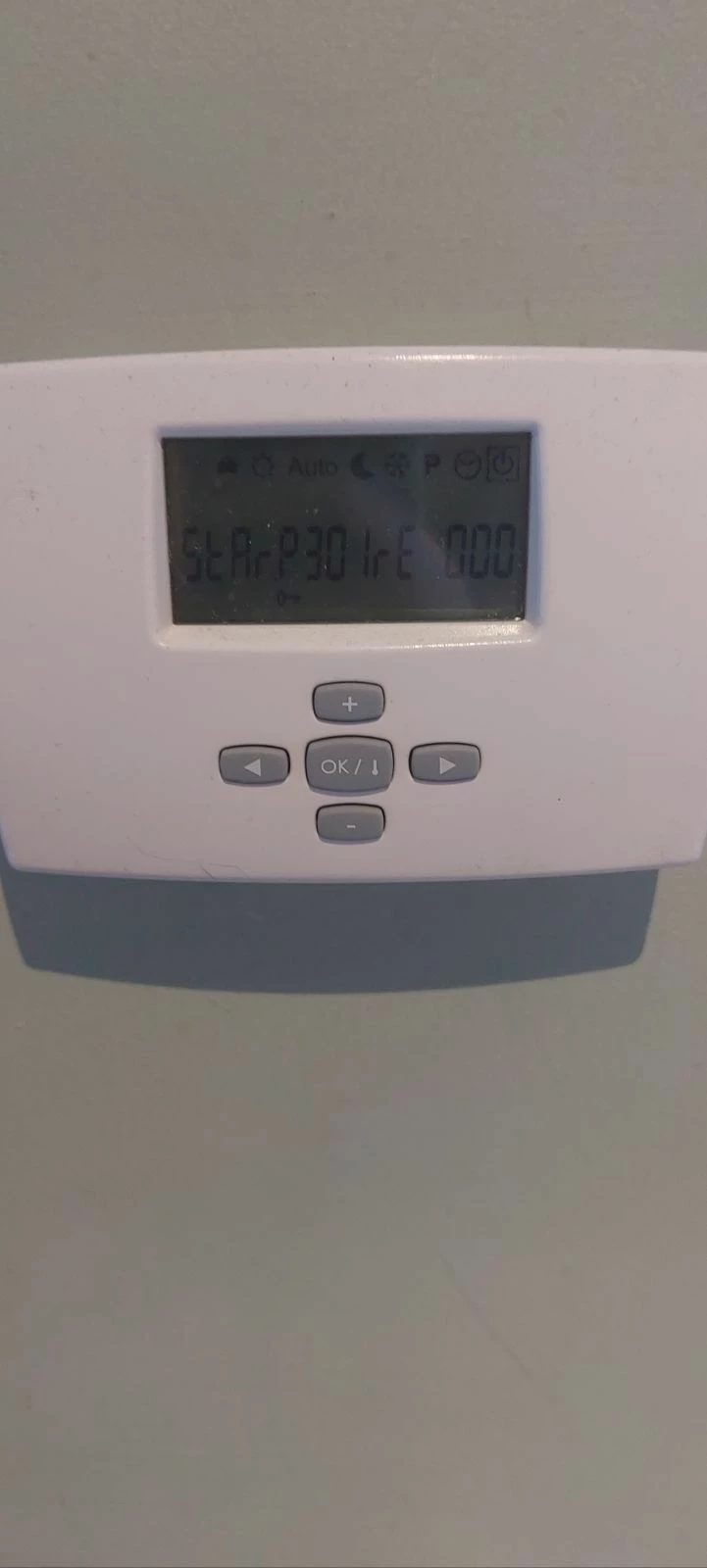
I have Honeywell control pannel that offers heating and hot water, plus a second control in each downstairs room. I have added some pictures. 
 

Any help is really appreciated. 


Best answer by BPLightlog

I can see images of your heating controller which show more understandable info 

Perhaps this is in a state where it can’t control your heating. I’m told your display may be showing a fault code but it could be a PolyPlumb floor heating control

5 replies

juliamc
Rank 20
Forum|alt.badge.img+8
  • Rank 20
  • January 14, 2026

Just checking - is this for a gas boiler ?


  • Author
  • Rank 1
  • January 14, 2026

Sorry should have put that, Yes gas. 


BPLightlog
Super User
Forum|alt.badge.img+9
  • Super User
  • January 14, 2026

I can’t quite see what device your top picture is. I also couldn’t see the display but have enhanced it 

I presume you’ve checked a few basics such as the time setting and such like. The manual for the Honeywell says there are 3 on/off settings per day but without full info, I’m not sure if the green indicator should be on for the heating or not.

Have you tried moving the slider switch to heating to check that works?


BPLightlog
Super User
Forum|alt.badge.img+9
  • Super User
  • Solved
  • January 14, 2026

I can see images of your heating controller which show more understandable info 

Perhaps this is in a state where it can’t control your heating. I’m told your display may be showing a fault code but it could be a PolyPlumb floor heating control


  • Author
  • Rank 1
  • January 15, 2026

Brilliant thank you for your help! I have downloaded the guides and tried to set it as instructed but something keeps overriding it, I will probably go with it has a fault as the picture with auto and options to select I can't get to stay on the screen. 


Really appreciate everything, I'm going to press some more buttons as it can't get any worse! 


BPLightlog
Super User
Forum|alt.badge.img+9
  • Super User
  • January 15, 2026

I’m not sure of the button sequence but on your controller can you see on the top line there is a square box around the standby icon? 
On the other image I found, look at the top line again and the square box is around the heat (sun) icon.

Again I’m guessing but the square box looks like it’s a selection point. You may need to check and adjust a few settings maybe. The idea of your display showing a fault code came from the digits on show.


Feedback 💬