Rank 2
January 23, 2025
Solved

Schedule of my storage heaters doesn't match the off-peak hours on my plan - Can you help me?

  • January 23, 2025
  • 57 replies
  • 2718 views

Hi, I recently moved in this flat. It comes with 2 storage heater which are made by creda. My electricity supplier is OVO and my plan is economy 7 and also have a smart meter. The problem is storage heater come on from 1 pm to 4:30 pm and also at midnight. But my off peak our is midnight to 7 am.There are no thermostat or time switch for the storage heater. Can you guide me with it?
 

Best answer by Chris_OVO

Hey ​@VOU30 & ​@Firedog


Just posting an update that we’ve managed to get the request pushed through so the meter should be reconfigured with the correct timings. I’ve asked ​@VOU30 to keep an eye on things over the weekend to ensure that the changes are reflected. 

57 replies

juliamc
Rank 20
Rank 20
January 24, 2025

Very nicely explained (I know you’ve explained all this before !!). 
Someone should invent a gadget which can be clamped round the cable which does all this off peak stuff, that logs the times it’s energised or not. Save a lot of scrabbling around in the dark looking for tiny icons in the middle of the night.

juliamc
Rank 20
Rank 20
January 27, 2025

@VOU30 how have you got on with the heater settings and have you had a chance to observe what times the heater light comes on and if it matches the symbols in the corner of the meter ?

VOU30Author
Rank 2
January 27, 2025

@VOU30 how have you got on with the heater settings and have you had a chance to observe what times the heater light comes on and if it matches the symbols in the corner of the meter ?

There are not much to do with heater settings. It has only input output knob. And a On/off switch on the wall with red light above it. There are no light in the heater. Light of the switch in the wall come on at 13:00 and also at 22:30. About the symbol in the meter, I didn't really notice. I have a in home meter display which shows me current rate and off peak time.

Ben_OVO
Community Manager
Community Manager
January 27, 2025

Hi ​@VOU30,


Some really helpful replies here from ​@Firedog ​@BPLightlog and ​@juliamc -  I hope you get to the bottom of this soon! It may be something that an electrician will need to fix. I’d recommend maybe contacting our Support Team just to make absolutely sure you’re on an economy 7 plan and not something like economy 10. This is unlikely but good to cover all bases. 


You may also find some helpful information on this previous post:


I hope this helps!

Powered by the Sun
VOU30Author
Rank 2
January 27, 2025

I've hired an electrician. He will come on next Friday. I'll let you know all after that.

Ben_OVO
Community Manager
Community Manager
January 28, 2025

Morning ​@VOU30,


Best of luck with the electrician, let us know how it goes 🤞

Powered by the Sun
VOU30Author
Rank 2
January 29, 2025

@Firedog is it possible that the meter thinks it’s on Economy9 or 10 but the plan is Economy7 ?
 

That deserves an (lol)! Anything’s possible, as we’ve discovered. 

I’ve asked around to see whether it’s possible to have a switch like the one in the last screenshot where the indicator shows whether there is power to the switch, regardless of whether it’s on or not. That would show when the switched circuit was energized by the meter’s ALCS. I did get some scary instructions involving swapping wires around inside the switch, but I chickened out of implementing them ...

I did think of the possibility that the ALCS was wrongly configured, e.g. to switch at E10 timings, but that seemed the most unlikely explanation. If the heater is wired on the constant (24-hour) circuit, then its input control could call for more charge at inappropriate times as the others have suggested. If it’s on the switched circuit, this couldn’t happen without activating the meter’s boost function to override the ALCS.

A safe way of checking the ALCS timings is provided by the little icons in the corner of the meter’s display:
  

Sadly not the clearest of photos.
The upper icon (labelled ı) is for the constant circuit, the lower (ıı) for the switched circuit.
In this picture, ı is closed (energized), ıı is open (not energized).


During offpeak hours, the lower icon will change. It depends on how the switches inside the meter are wired what it changes to, but many users are seeing LC1 LC2 instead of the o‍´‍o icon. 

The change will happen a few minutes (often around 10, but theoretically up to 30) after the nominal switching times. That means staying up until half an hour after the E7 offpeak slot is due to start and looking at the meter, then looking again half an hour after the offpeak period is supposed to end in the morning. If the indicators are as expected, the meter is energizing the switched circuit at E7 times. An extra check would be to see what the icons look like when the red light comes on at the heater in the afternoon. If ıı is open as I’d expect it to be, the heater isn’t wired on the switched circuit. 

Without further evidence, I’m inclined to ​@BPLightlog’s view that the heater is switching itself on when it gets cold and the heater is on the constant circuit. If ​@VOU30  isn’t happy with this, an electrician can make the necessary changes in the consumer unit (fuse box).   

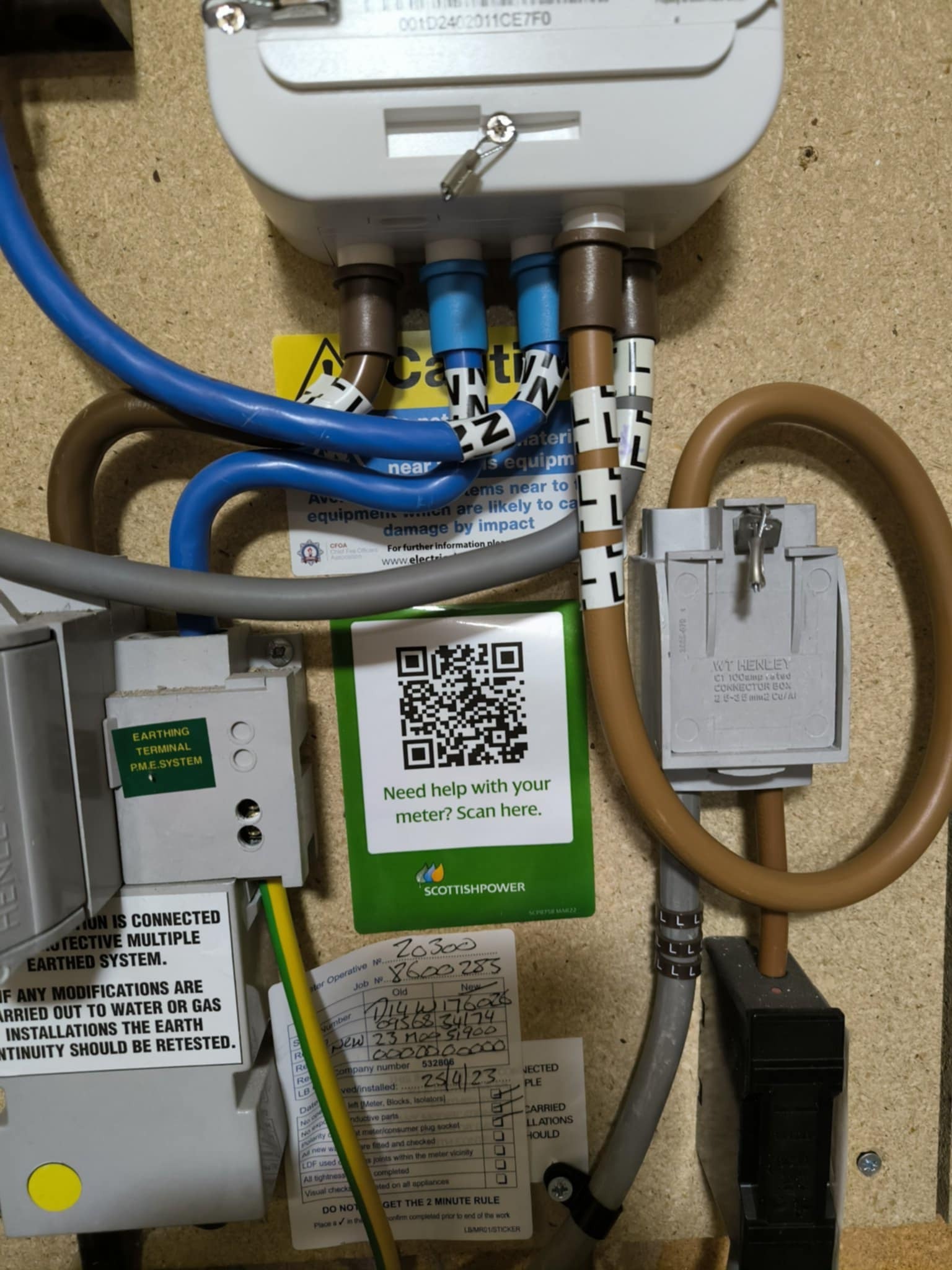
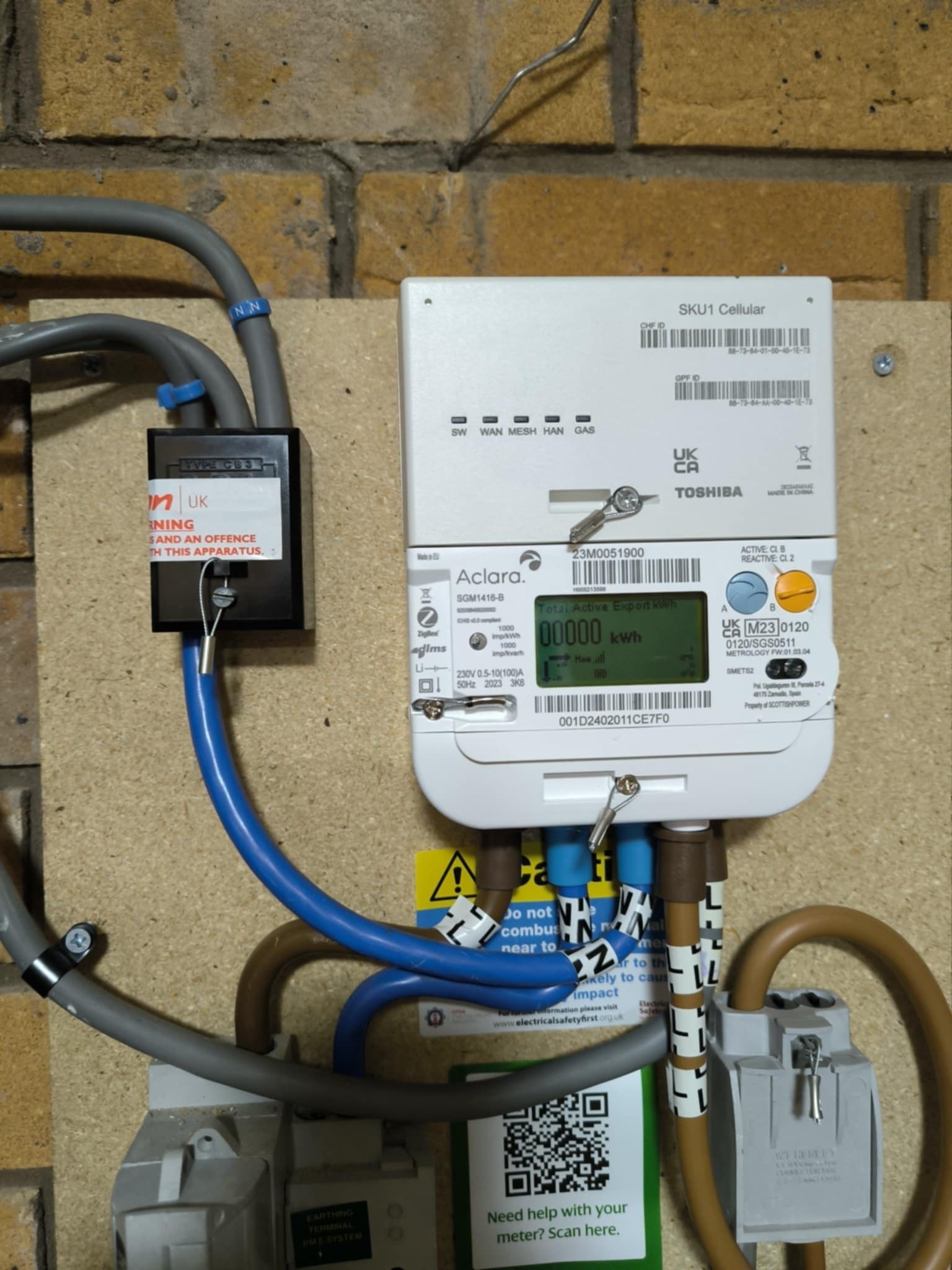
Here 2 pictures. 01 for peak hour - no power to the heater and pic 02 also for peak hour but with power to the heater. Does that indicate anything?


juliamc
Rank 20
Rank 20
January 29, 2025

Can you say the exact time each of those pictures were taken please?

Also can you give the first part of your postcode?

VOU30Author
Rank 2
January 29, 2025

Can you say the exact time each of those pictures were taken please?

No 01 at 08:14pm and no 02 at 10:34 pm.

VOU30Author
Rank 2
January 29, 2025

Can you say the exact time each of those pictures were taken please?

Also can you give the first part of your postcode?

LE3