



Introducing your Pay As You Go (PAYG) app and online account
Introducing your Pay As You Go app and online account
The OVO app has now been updated to include the Pay As You Go experience. This replaces the original OVO Energy Top-Up app.
Soon, you’ll no longer have access to the OVO Energy Top-Up app. To keep topping up anywhere, anytime as before, you’ll need to download and register for the OVO app.
If you’ve already downloaded and started using the OVO app, there’s nothing more you need to do.
How do I log into the app and online account?
Download the OVO app today from Google Play or the Apple App Store. Then register your account by clicking “Reset my password” on the login screen. You’ll need to set a new password before you can log in.
When logging in, you’ll also need to select that you understand our Terms and Conditions, and privacy policy.
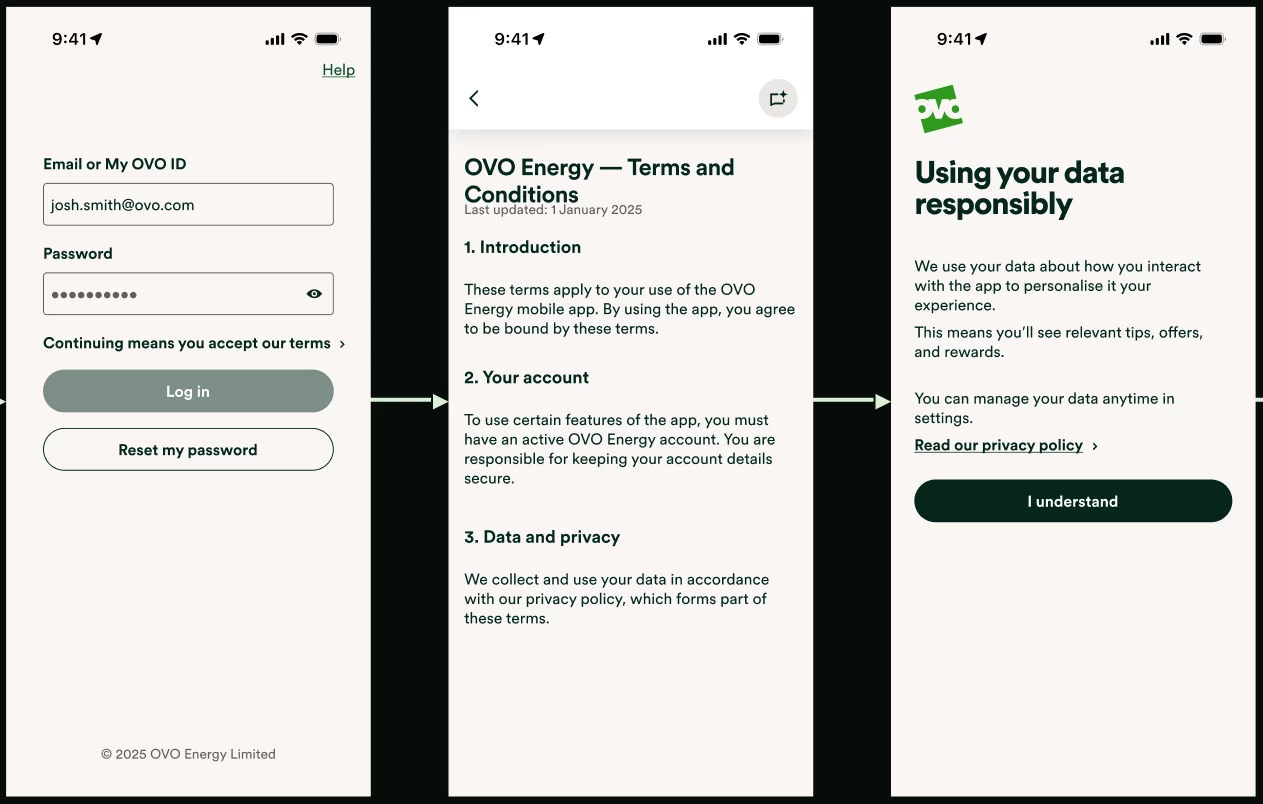
Once you’ve set your password for the app, you’ll be able to set up face or fingerprint ID to login quicker next time.
You can access the online account (web browser) by clicking here. To log in, click ‘set up account’, and follow the steps to set your new password.
What if I can’t log in?
If you can’t log in because of an error message, or you can’t set a new password, this troubleshooting guide should help you:
If you need to contact our PAYG Support Team for login help, you can find their contact details here:
How do I top up via the app?
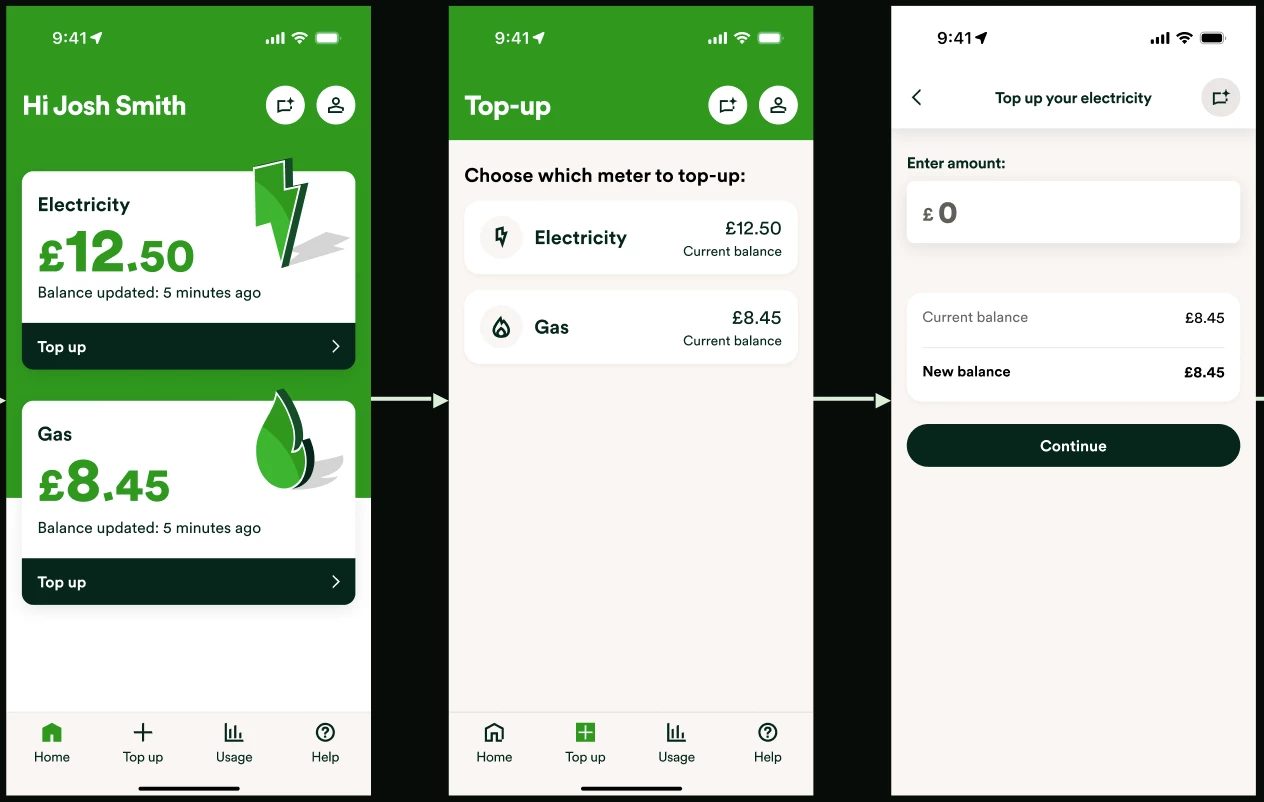
The app home screen will show your electricity and gas balances (as long as you have PAYG smart meters).
To add credit to either meter, select ‘top up’, select which fuel, and then select the amount and press ‘continue’. You’ll then be asked to put your card details in to make the payment.
How do I view my top up history?
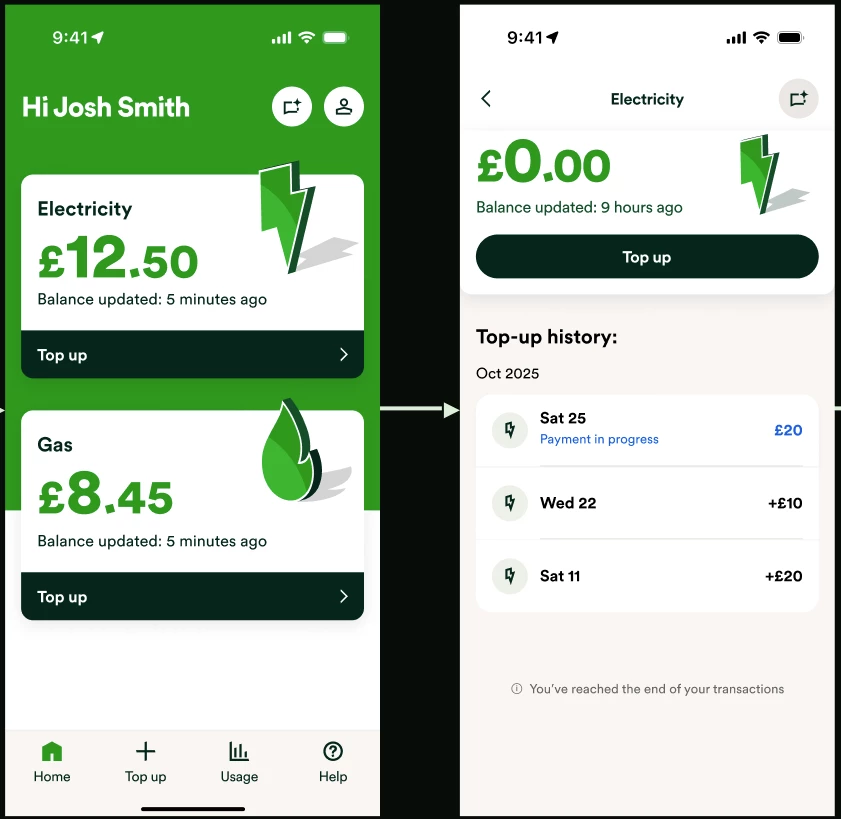
On the home screen, select either ‘Electricity’ or ‘Gas’, and you’ll then see the top up history for that fuel on the next screen:
I’ve logged in, but my electricity or gas isn’t visible?
The new app and online account will only show your supplies if you have smart meters installed. If you have a traditional key or card meter, then this will need to be topped up manually as usual. We’d recommend booking a smart meter appointment if you have a traditional PAYG meter.
If you have smart meters but your electricity or gas supply isn’t being shown when you log in, then you’ll need to contact our Support Team. They’ll look to fix the issue, or raise a case to the correct team to get the issue resolved.
If you’re waiting on our Support Team to fix this type of issue, you’ll still be able to log in and top up via the OVO Top Up app for now.
The app isn’t working
If you’re experiencing issues with the app, for example your top ups aren’t going through, or some features aren’t working or are unavailable, then you might be using an old app version. Please try updating the app, or deleting it from your device, and re-installing it.
If you’ve reinstalled the app and are still having the same issue, please try using the online account. We recommend using a Google Chrome browser. If you’re still experiencing the same issue on Chrome, please contact our Support Team to report the problem. They may request screenshots of the affected area of the app / online account, and may ask which device or browser you’re using.
Need more help?
This topic is now closed, so you won’t be able to reply here. If your question hasn’t been answered or you need more advice, feel free to ask the community — we’re here to help!
Give us your feedback!
Was this article helpful? Is our Library missing content? Share your anonymous feedback here and help us improve!

