my EV Charger is a myenergi zappi 2.1 solar compatible. Firmware updated etc
I am using the OVO charge anytime add on (not part of any monthly plan).
I have a solar set up. Throughout the house all the CT clamps are in place and facing the correct way.
my question is about the charge (money) when the smart charging session is in use when there is some solar generated power too.
so say for example the car is charging at 7.4kw. I am generating 3kw through solar and all of this goes to the car. I would then get a boost from the grid of 4.4kw to meet the 7.4kw demand.
is OVO able to distinguish how much is from solar and the grid (like the myenergi app shows me) and only charge me that is coming from the grid? Or is the OVO charge app / OVO not able to differentiate this and I get charged the full 7.4kw rate regardless of where this is coming from (during a smart charging schedule).
thanks
Best answer by Chris_OVO
Hey @connollyt46,
Welcome to our forum community! I'm excited to share that I've added a couple of fun badges to your profile to showcase that you own an EV and have solar panels.
Let’s talk about how Charge Anytime works with solar energy. It’s outlined in the terms and conditions below. Basically, the credits are determined from the energy you pull from the grid rather than what you generate from your solar panels. At home, you probably have a solar generation meter that tracks how much energy you use from the sun, along with a separate electricity meter to monitor your grid usage. This way, you can clearly see how much energy you're using from each source.
4.6 Only electricity that has been used from the grid for Smart Charging will be considered in the Charge Anytime Credit calculation. For customers who have a solar PV installed in their home, OVO can only currently offer Charge Anytime Credit where the customer has a Solar Compatible Charger (displayed as ‘solar-compatible’ on this list). Your Charger may also require a CT clamp installation. All other local solar or non-grid electricity that goes into EV charging will be excluded from the Charge Anytime Credit calculation.
Hopefully this helps and if you’ve got any more questions please let us know!
You have a solar compatible charger that works with Charge Anytime so the integration should handle this.
You don’t get charged if Solar is used - the system detects that and disables ALL charges for that portion provided the CT Clamps are working properly. Solar always gets used first wherever possible as long as you’re on Eco or Eco+ Mode.
Welcome to our forum community! I'm excited to share that I've added a couple of fun badges to your profile to showcase that you own an EV and have solar panels.
Let’s talk about how Charge Anytime works with solar energy. It’s outlined in the terms and conditions below. Basically, the credits are determined from the energy you pull from the grid rather than what you generate from your solar panels. At home, you probably have a solar generation meter that tracks how much energy you use from the sun, along with a separate electricity meter to monitor your grid usage. This way, you can clearly see how much energy you're using from each source.
4.6 Only electricity that has been used from the grid for Smart Charging will be considered in the Charge Anytime Credit calculation. For customers who have a solar PV installed in their home, OVO can only currently offer Charge Anytime Credit where the customer has a Solar Compatible Charger (displayed as ‘solar-compatible’ on this list). Your Charger may also require a CT clamp installation. All other local solar or non-grid electricity that goes into EV charging will be excluded from the Charge Anytime Credit calculation.
Hopefully this helps and if you’ve got any more questions please let us know!
I think have I have the correct CT clamps as when I look at the myenergi app for the charger, it shows me that ‘x’ amount is coming from solar and ‘y’ amount coming from the grid.
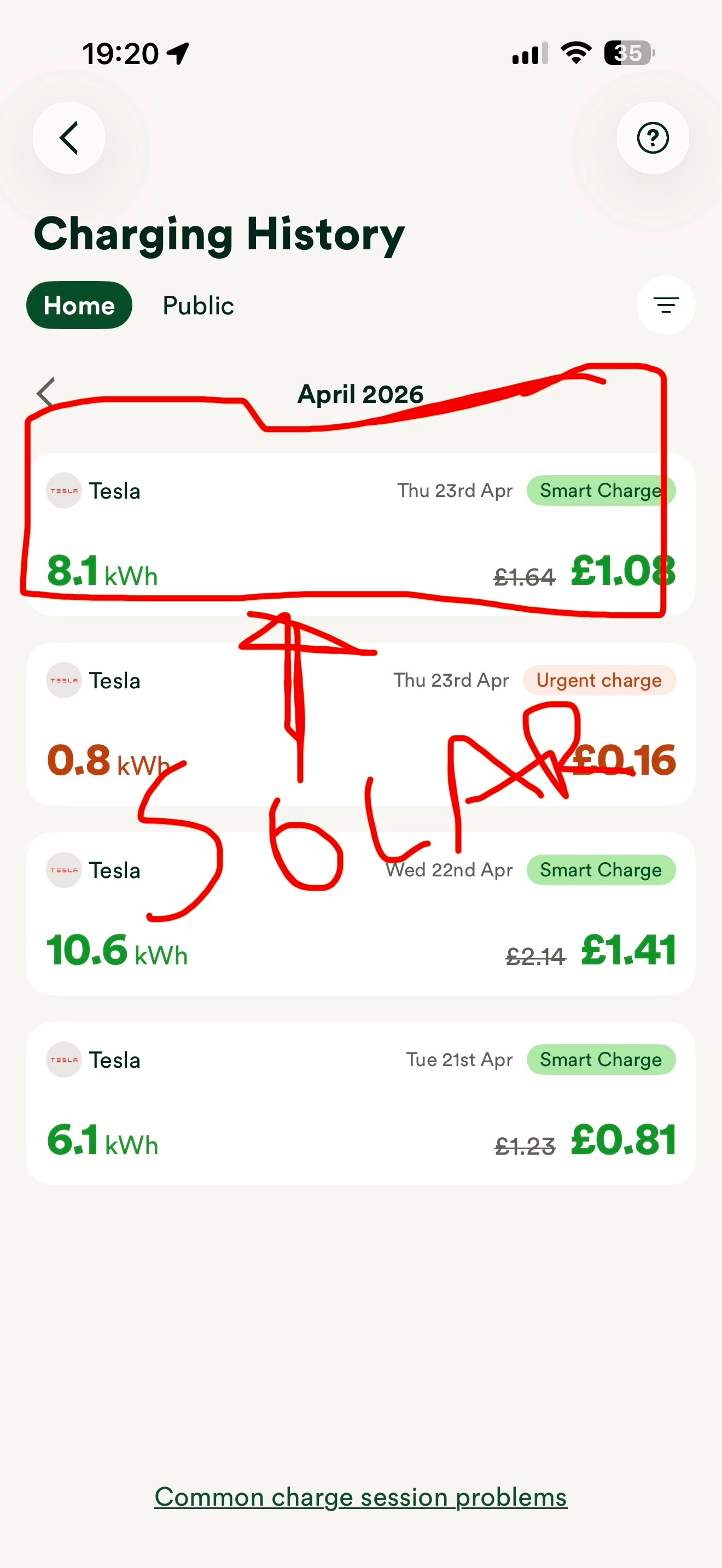
however the OVO charge app, doesn’t reflect that. I did a purely ‘solar’ only charge using nothing from the grid, however it’s still showing that I have used the grid and being charged. I have looked at the list provided in the second comment and I have an appropriate ev charger 🤔
will the OVO charge app update slow time and update?
Hmmm… Are you sure you’re connected to your Charger and not the Tesla?
It looks to me as if you’re set up incorrectly - and that’s why you’re getting charged for the solar sessions. Your Tesla has no way of knowing the power source - only the Charger does.
You can fix this by deleting your Charge Anytime account and rebuilding a fresh one so you can link the Charger instead - make sure to put the Zappi into ECO or ECO+ Mode before setting up again.
Don’t worry about any credits you already earned - OVO will make sure these still come through even after you rebuild CA.
Yeah - that’ll explain it. Solar Matching only works via the Charger integrations - it’s not currently possible to do it via Vehicle integrations - and probably won’t ever be possible unfortunately.
Error 220 likely indicates something’s up with the charger losing internet - I’d give myenergi a shout in the first instance.
I’ve put it to the test, and im not sure if these look right to me.
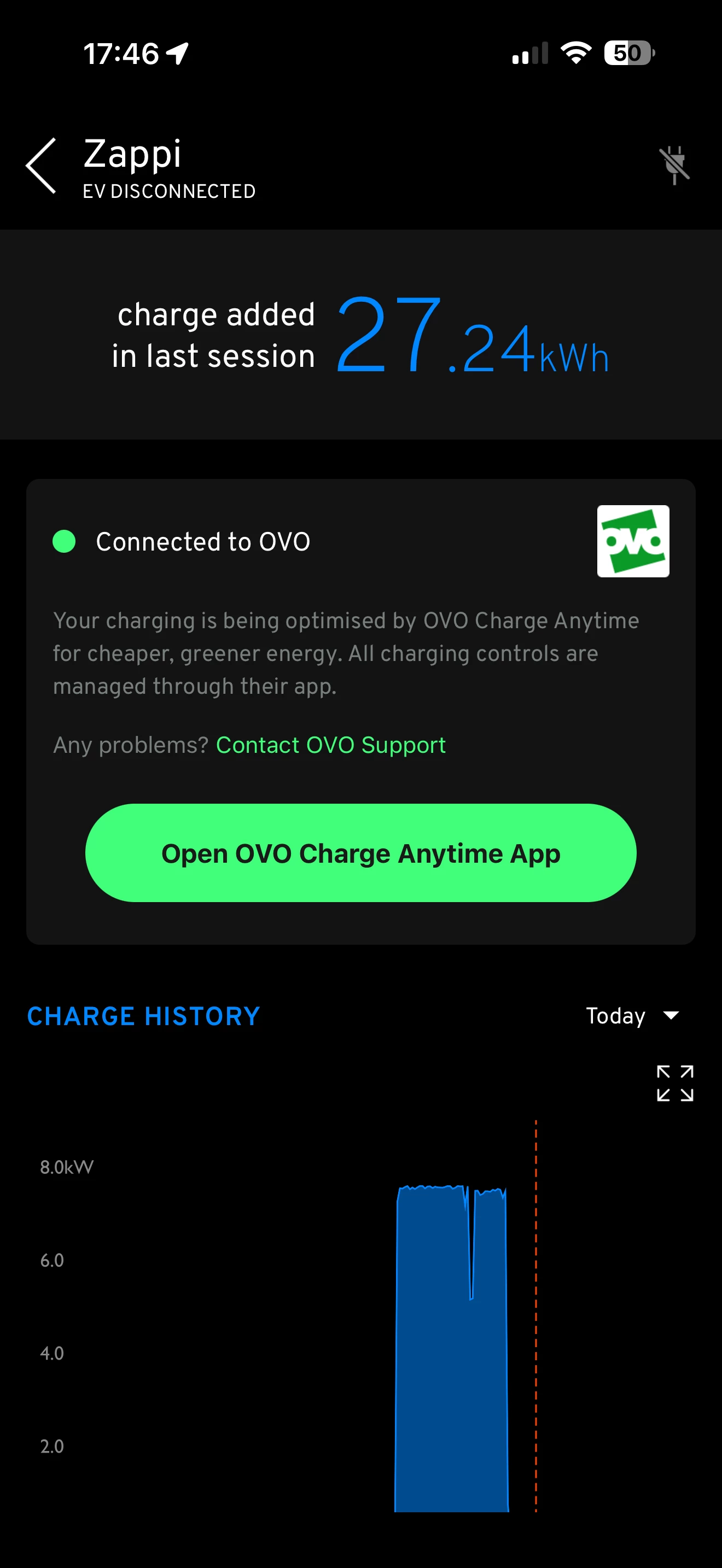
my total charge into the EV was 27.24kw
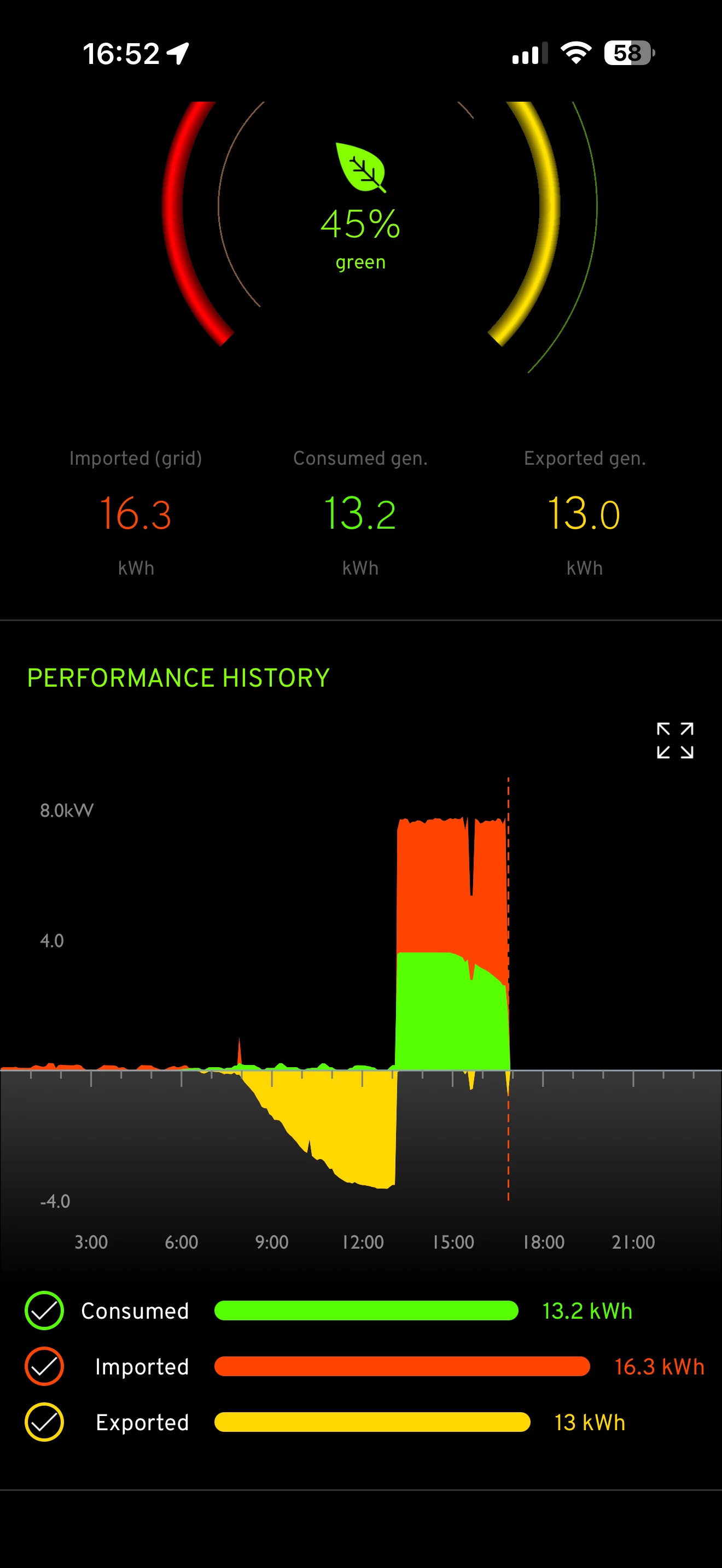
it was pure sun yesterday (my total solar production was 29.7kw) and I wasn’t running anything mega draining in the house (the TV at most)
Myenergi says that 13.2 solar has gone to the car along with 16.3 from the grid
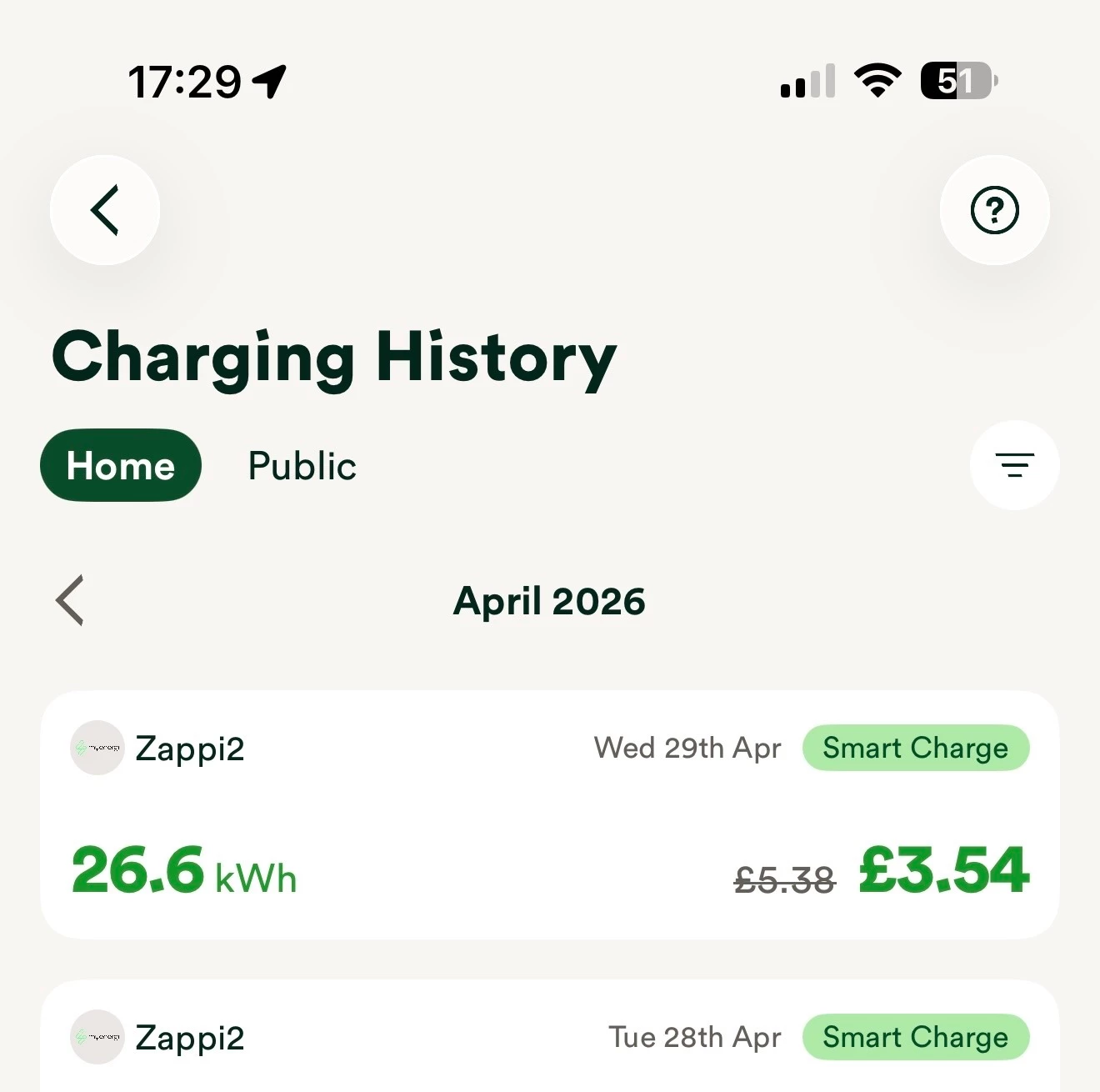
yet OVO charge app says 26.6 has come from the grid and charged me accordingly. I have checked the physical export meter in the house (that I would use to send SEG meter readings) and it hasn’t been exported back to the grid and I haven’t used it for anything g else in the house. am I reading these numbers right?
@connollyt46 thanks for posting these screenshots, and sorry to hear of potential further issues.
I’ve reached out to the Charge Anytime team internally about this one, and they think this could be an issue on our side, that our Kaluza tech team may be able to look into. Please could you contact Charge Anytime about this one and send them your screenshots, and they’ll be able to forward this on to their tech team.
Let us know how you get on - hopefully this is an easy fix for them.
Need advice from other members?
Ask your question to our members - they have the experience you're looking for: