
Question

Ohmo charger ‘issues with charging’

  • May 10, 2026
  • 10 replies
  • 146 views

Forum|alt.badge.img

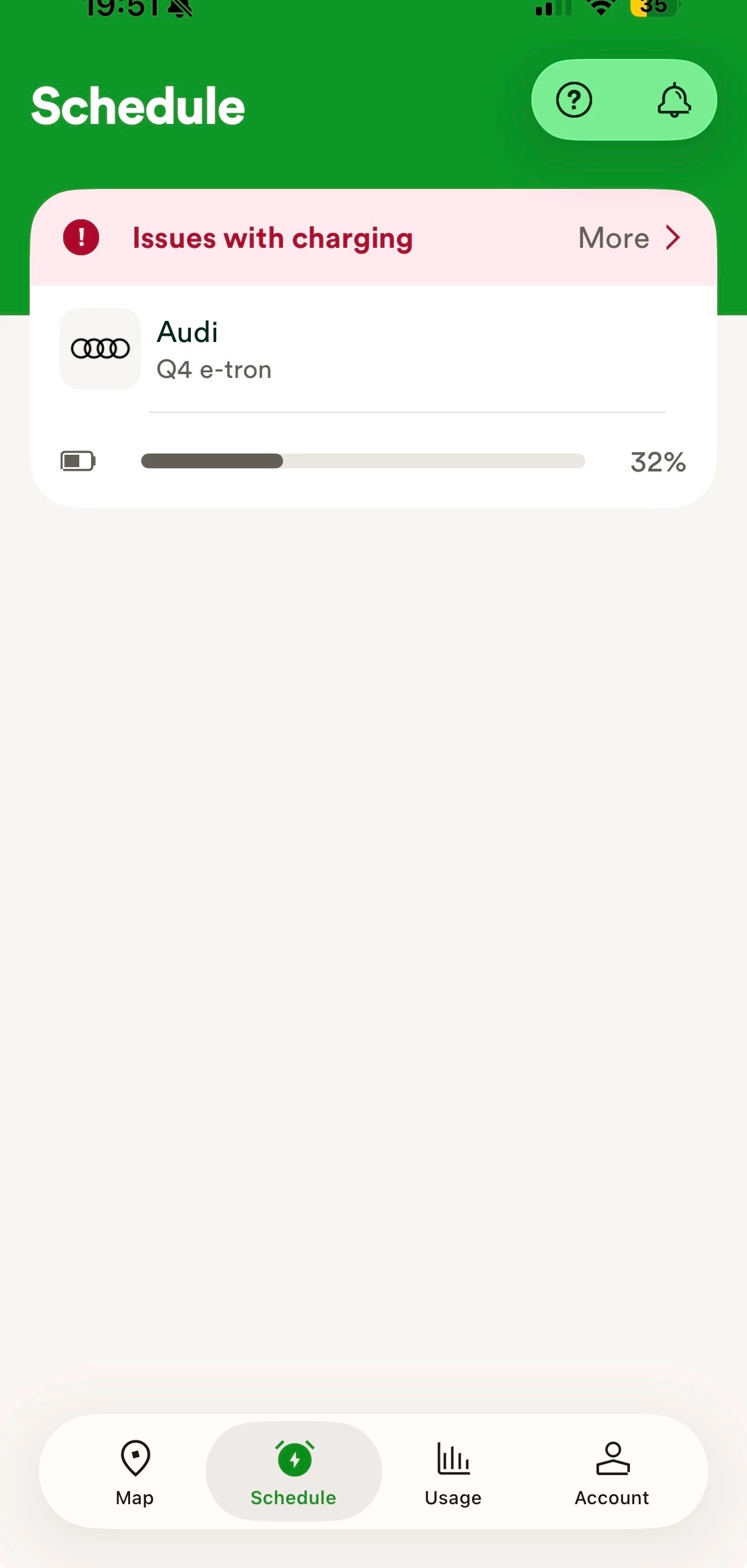
Hi, I have an Audi Q4. Been using my Ohme charger for over a year with no issues, apart from the obvious hike in fees.

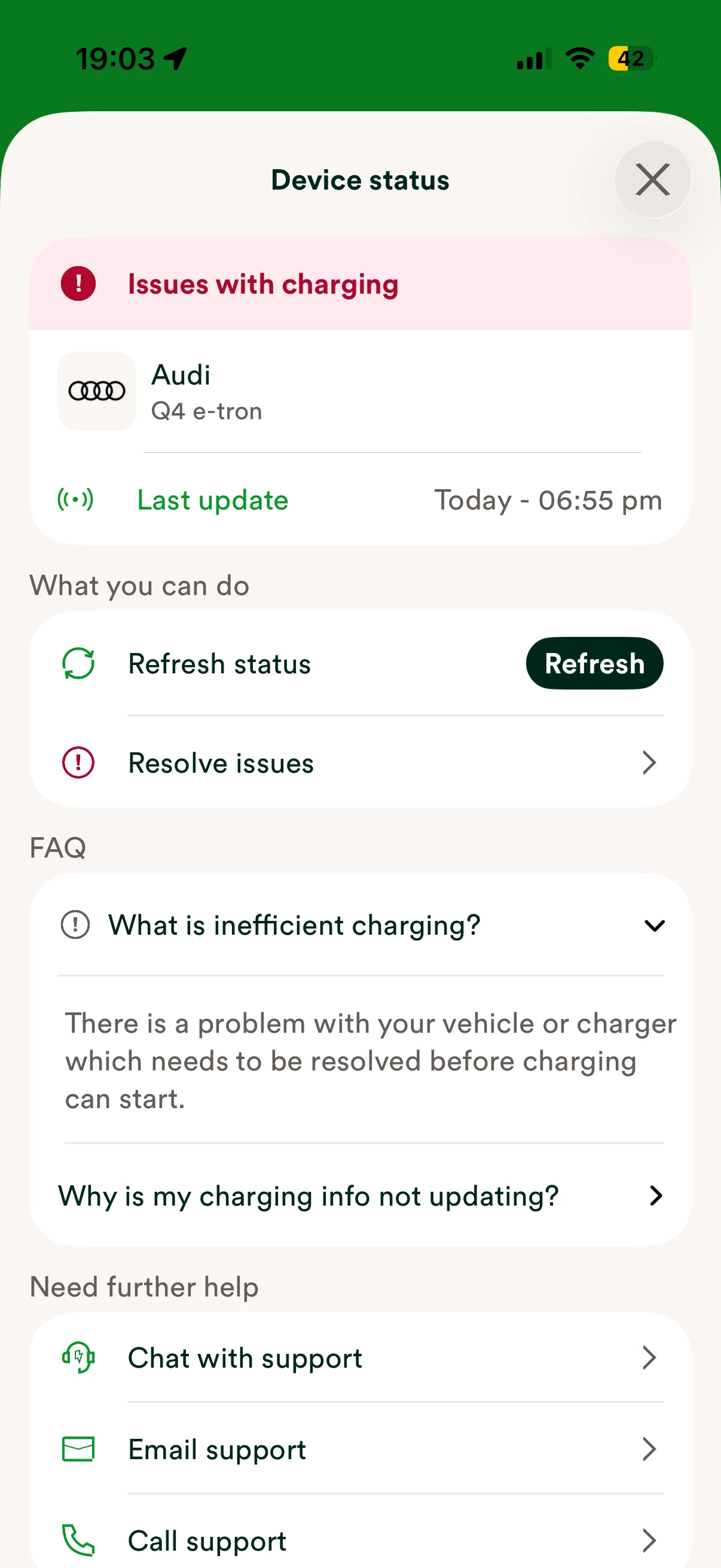
I have had an error the last few days, it saying ‘issues with charging’ with a resolve issues that I have done numerous times but no joy.

my car is still charging but obviously not at the EV rate. 
Any ideas?
 

10 replies

Forum|alt.badge.img
  • Author
  • Rank 5
  • May 10, 2026

To build on above, the app is clearly showing the charging as percentage is increasing! No smart charging with issues apparently.


Forum|alt.badge.img

Hi I have a hyundai kona ev 2022 model changing via ohme charger.  What i do is once I plug car in and it starts to charge i stop charging in hyundai app. Then within 30 min ovo app detects car and takes control of car. This way I get car charged at discount level. Worth a try to see if it works for you.


Chris_OVO
Community Manager
Forum|alt.badge.img+4
  • Community Manager
  • May 11, 2026

Hey ​@Robbo4962,


I’ve reached out to the team to see if they’ve come across this issue before or if they've had similar reports. I’ll keep you posted as soon as I hear back from them. They might ask you to get in touch with them directly to take a closer look at things, but don’t worry, I’ll make sure to keep you in the loop. 


Also, Chaoselite shared a fantastic suggestion that you might want to try if you haven't had a chance to yet. 😊


Chris_OVO
Community Manager
Forum|alt.badge.img+4
  • Community Manager
  • May 11, 2026

Hey ​@Robbo4962,


The team has came back with some thoughts: 

It seems like there might be a location issue with the car. It probably hasn’t updated its GPS since arriving home, so while it can still accept power to charge, it won’t do so as a smart charge. I suggest trying to remove the Audi from the app and then re-adding it, along with checking all the GPS settings. 


If that doesn’t solve the problem, please have them reach out to us directly. We’d be happy to run some additional checks and help escalate the matter if needed.


If you can try removing the car as they’ve suggested above and if you’re still having issues then reach out to the team on 0330 175 9678 or chargeanytime@ovo.com.


Forum|alt.badge.img
  • Author
  • Rank 5
  • May 11, 2026

Hey ​@Robbo4962,


The team has came back with some thoughts: 

It seems like there might be a location issue with the car. It probably hasn’t updated its GPS since arriving home, so while it can still accept power to charge, it won’t do so as a smart charge. I suggest trying to remove the Audi from the app and then re-adding it, along with checking all the GPS settings. 


If that doesn’t solve the problem, please have them reach out to us directly. We’d be happy to run some additional checks and help escalate the matter if needed.


If you can try removing the car as they’ve suggested above and if you’re still having issues then reach out to the team on 0330 175 9678 or chargeanytime@ovo.com.

Yes I have tried multiple times to do that.


Chris_OVO
Community Manager
Forum|alt.badge.img+4
  • Community Manager
  • May 14, 2026

Hey ​@Robbo4962,


Just checking in to see if you’ve made any progress or contacted the Charge Anytime team yet? 


Forum|alt.badge.img
  • Author
  • Rank 5
  • May 15, 2026

I couldn’t get through to the team who could help. I kept on resetting it and on the 13th time, lucky for me it worked. I guess I have no hope it getting any smart charging discount for the 10 days it was wasn’t working. Probably another OVO cold shoulder?


Chris_OVO
Community Manager
Forum|alt.badge.img+4
  • Community Manager
  • May 15, 2026

Hey ​@Robbo4962,


I'm so glad to hear that your issue is resolved and you’re back to charging like normal. 


When I last spoke with the team, they mentioned that it seemed to be a GPS issue with your car that was causing the charging problems. If that's the case, you might not be eligible for a discount, but I think it's worth chatting with the team about it. 


You can reach out to them using the contact options I shared earlier. I haven't heard of anyone having trouble getting in touch with them lately, so don’t hesitate to give them a call or send an email. They’re there to help.


Forum|alt.badge.img
  • Author
  • Rank 5
  • May 15, 2026

It wasn’t the car, the app was fine. But yes, I guessed that would be the reason. Funny it worked a day or so after I posted on here. 


Peter E
Super User
Forum|alt.badge.img+9
  • Super User
  • May 15, 2026

Hi

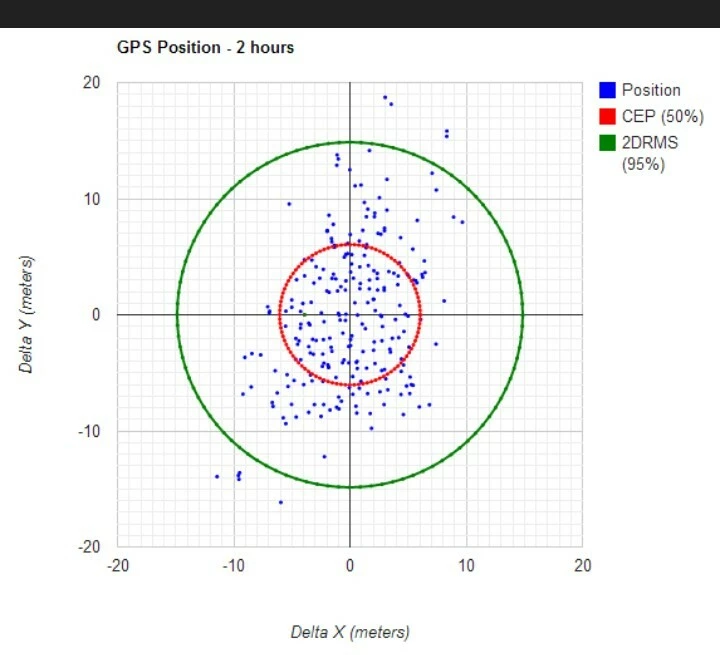
@Robbo4962 Just a bit of background on GPS position error. Not many people know that the GPS position you get is not absolute but has a time related error depending on a number of factors. The plot below shows what a typical GPS receiver might report as its position even if it's completely stationary. It's worse if your car is sandwiched between two houses as the GPS can see fewer satellites and the error will be significantly greater.


The red circle is where it reports its position 50% of the time. The green circle is 95% of the time. So you can see that even if you have reported you position of ‘Home’ using the app as being exactly in the right place there is a possibility of you not being registered as being at ‘Home’ at certain times even when you are.


  1. If it fails then the best thing to do is try again later which is a complete pain.


  1. You could ask the team to delete the definition of Home and let you try and set it up again. Unfortunately the map they give you to set your home position is not that brilliant and if you are trying to register where your car is relative to buildings it won't work well if the map shows the building in the wrong place.


  1. I third option is to ask for the size of the circle that defines home to be made bigger then the first two items cease to be a problem. How the team wold do that is beyond imagining and may be hard coded into the software that decides if you are home or not. If you get that to happen I would buy some lottery tickets because it's your lucky day.

If it continues to be an issue then I would recommend option 2.


Hope that goes well.


Peter