





Updated on 16/06/26 by Ben_OVO
If you have more than one account with OVO, you can switch between them via your online account or OVO app (download for Android or iOS).
On the online account click ‘Account’, then ‘Select account’, and you’ll be able to choose which account to view.
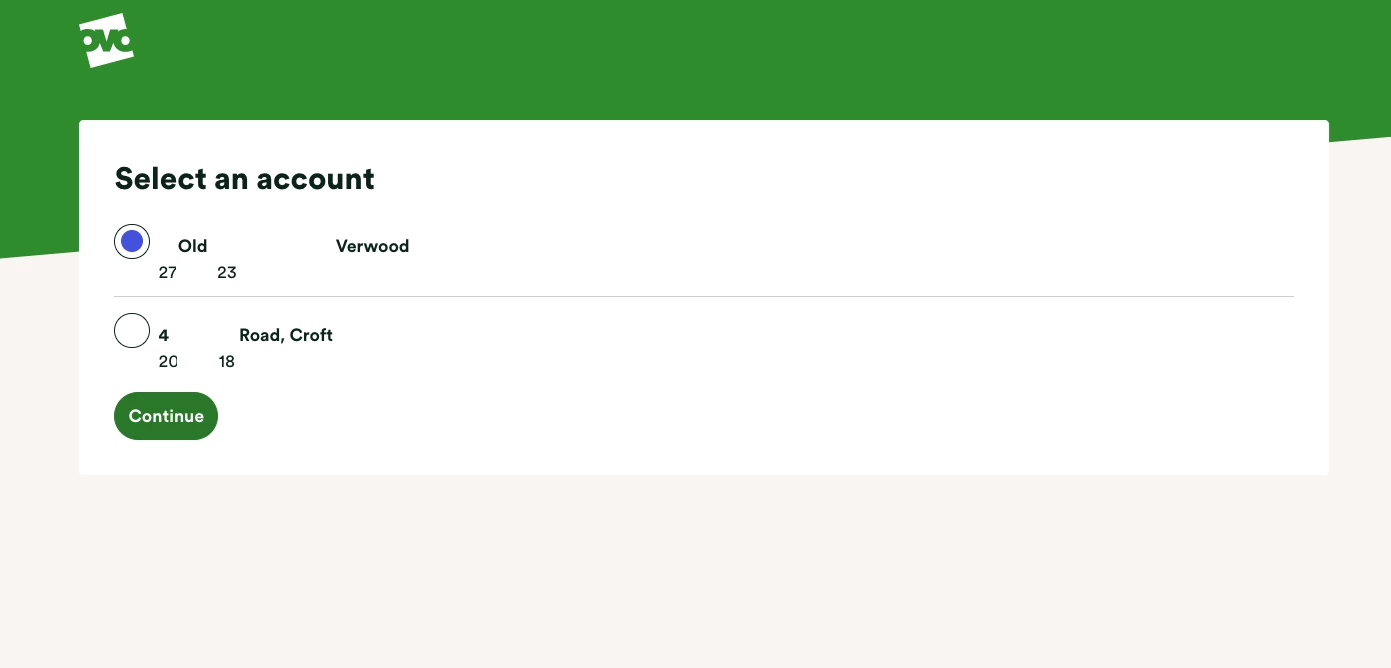
On the App, go to the person icon in the top right of the screen. Scroll to the bottom of the 'Account’ screen - there’s a button at the bottom of the screen that will allow you to switch accounts.
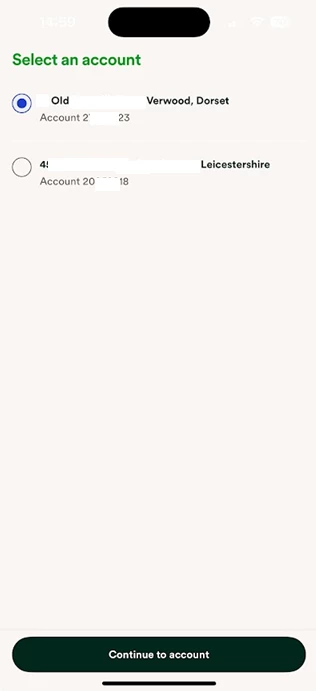
Not seeing this option?
It might be that your accounts aren’t linked under the same customer identity. Our Support Team can link together any multiple accounts you may have. If you do have multiple accounts that aren’t linked, you’ll be able to log into them individually using the separate email addresses assigned to each account. Most people find it easier to have all their accounts linked under the same email address and identity.
Please be aware that the mobile phone images shown above are what you’d see when using your online account via your device’s internet browser. This account switching feature is also accessible on the OVO app (Download for Android or iOS)
Need more help?
This topic is now closed, so you won’t be able to reply here. If your question hasn’t been answered or you need more advice, feel free to ask the community — we’re here to help!
Give us your feedback!
Was this article helpful? Is our Library missing content? Share your anonymous feedback here and help us improve!

