Question

Smart Meters not so smart

  • January 31, 2026
  • 3 replies
  • 52 views

 Got notification both gas and electric meters stopped sending readings  back in November. Tried to ring to book engineer, that in itself was a nightmare as the wait for a response was terrible.  Tried live chat and was told an appointment was booked, turns out it was not, Tried live chat again(no phone credit so this was last resort), an agent actually called me back and an engineer did come. However, he fitted a new electric meter but same type as old one but that would not pick up any signals  either.It seems these meters  do not seem to work anymore. Due to  my health issues and where the meters are I cannot actually read them,  I just don’t know what to do as my bills are being estimated and that’s a problem in itself. Has anyone had this problem?   I spoke to neighbours who said when they had this problem their supplier realised the issue and new type meters were fitted. Why  hasn’t OVO done this?

3 replies

Forum|alt.badge.img+1
  • Rank 8
  • January 31, 2026

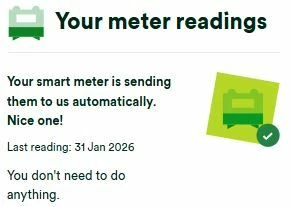
When were your meters installed and did they work at that time? Have you registered for an online account with OVO? I am asking this because, when I log in to my account, this is what I see on the Home Page. 

This allows me to see, very quickly, if there is a problem with my meters. However, I believe that, if a smart meter reading is not received from a customer for, say, three days, OVO SHOULD contact that customer to tell them. It certainly should not be allowed to go past one month, in my opinion.


Nukecad
Super User
Forum|alt.badge.img+4
  • Super User
  • February 1, 2026

@Poppys mum Do you have a ‘In Home Desplay’?

If so then can that show you the current meter readings?
Provided that the meter and IHD aren’t too far apart that should still work even it the meter can’t send the readings to the billing system.

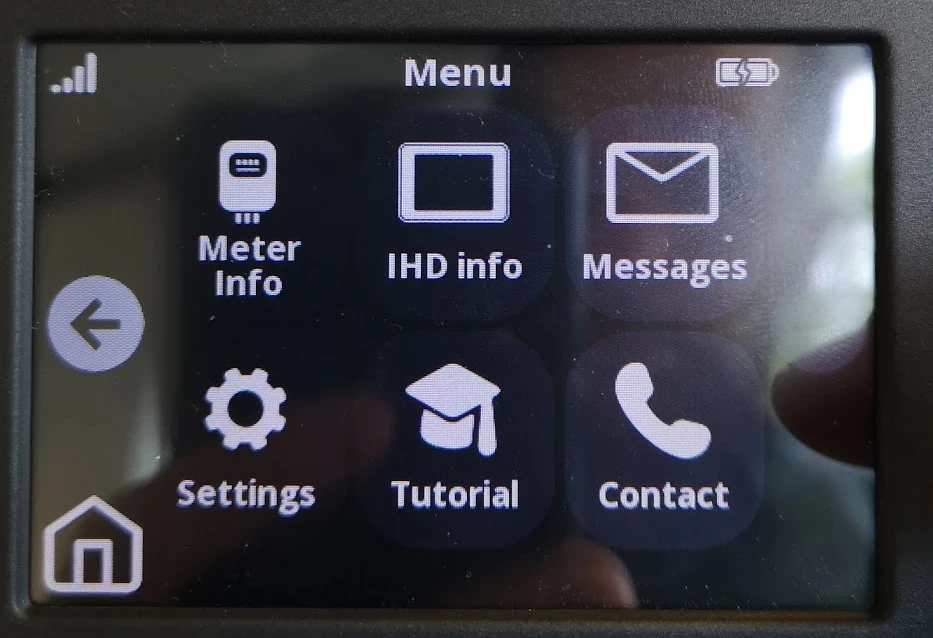
You will need to go through the menu to get the meter readings, if you can tell or show us which tpe of IHD you have we can give you the steps for your particular IHD.

eg on this one the meter readings would be in ‘Meter info’, but it may look different on yours (my  own IHD menus are in lists words not symbols like these):


If you can see the meter readings on the IHD then you can send them in yourself, either online or by phone.
(Like you used to do before smart meters).


Chris_OVO
Community Manager
Forum|alt.badge.img+4
  • Community Manager
  • February 2, 2026

Hey ​@Poppys mum,


Welcome to the community! 


I'm really sorry to hear that you had to wait a bit to reach our Support Team for your engineer's appointment. It sounds like your new meter might need a stronger network connection, but unfortunately, I can't give you specific details without knowing what kind of meter you had before or what it’s been replaced with.


If you could send us a photo of your current meter and setup, that would really help us give you the best advice!


Also, when you have a moment, give our Support Team a call and ask them to run a command called “XJOIN.” This might help your meter connect to the network. If that doesn't do the trick, you can always request a follow-up appointment with an engineer to see if a different meter would work better for you. Just let our Care team know if they might need some extra time during their visit for any checks. By the way,


Bendog and Nukecad shared some fantastic tips! Don’t forget to check your online account or in-home display to see if you can find the information you need there. We’re here to help, so please keep us posted on how things are going!


Feedback