Why has my smart meter stopped sending information to Ovo, it has now been a week ?
what should I do?

Why has my smart meter stopped sending information to Ovo, it has now been a week ?
what should I do?
Best answer by Emmanuelle_OVO
Keep us posted with how you get on
This webpage may help: https://www.ovoenergy.com/help/article/smart-meter-troubleshooting
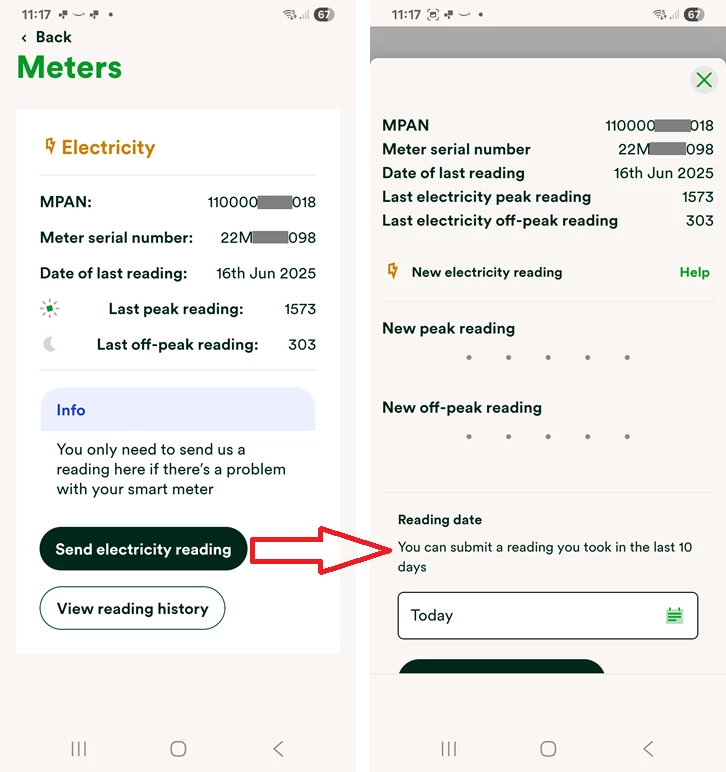
It’s worth noting that you may need to send in a manual meter reading if the meter doesn’t start communicating by your next billing period to ensure you don’t get an estimated bill.
How to take a manual smart meter reading?
To find out your current reading press the menu button or A on your electricity smart meter and the reading will appear after the words IMP KWH.
Aclara (Flonidan for gas)
Electricity: There’s 2 buttons on an electricity meter. Pressing B will cycle through all the menus on the meter screen and pressing A will cycle through all the sub menus. To take an electricity reading, you will need to press A - TOU rate 1 will be the electricity reading. For Economy 7 members, TOU rate 2 will show the rate 2 reading.
Gas: Gas meters have A, B and C. Pressing C will give you the menu and A & B will allow you to scroll through the options. The balance section is where you can check the reading (when you wake up the meter it should automatically default to the reading screen). Screen 1 - readings, active tariff price, standing charge, export reads, meter mode.
Honeywell
Electricity: Press the top button once or twice to access the reading.
Gas: Press the middle button once or twice to access the reading.
If you have a Landis+Gyr smart meter, see this topic guide here to confirm how to read it:
No account yet? Create an account
Enter your E-mail address. We'll send you an e-mail with instructions to reset your password.