
Chris_OVO
Community Manager
Community Manager
May 4, 2020
Tutorial

How to request a refund on the OVO app

  • May 4, 2020
  • 66 replies
  • 7716 views
How to request a refund on the OVO app

Updated on 16/06/26 by Ben_OVO


You can request a refund of some of this credit yourself through the OVO app (download for Android or iOS).


Step 1


Click the ‘Bills’ tab at the bottom of the Homepage
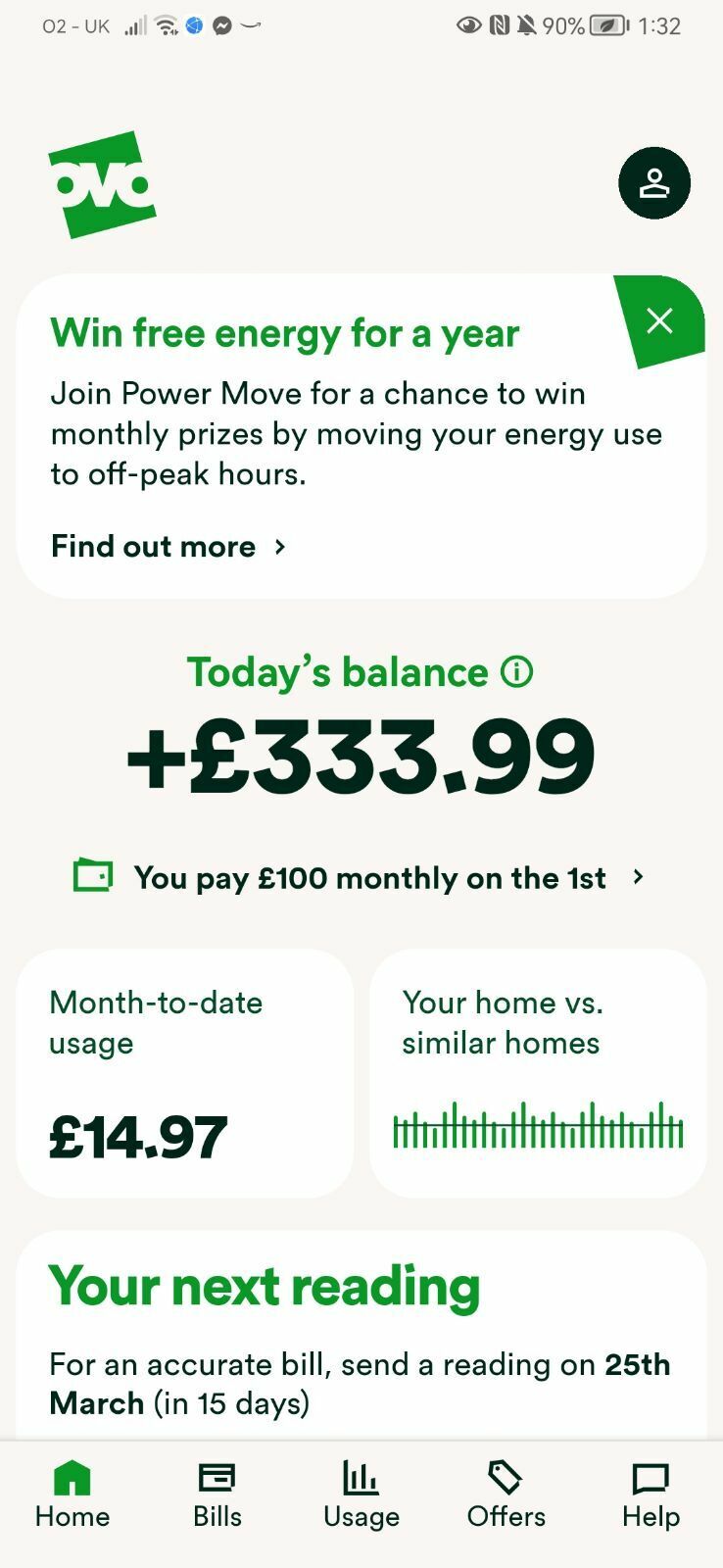
 

Exact appearance may vary


On the ‘Bills’ page scroll to the right in the green bar and selec ‘Request a refund’.
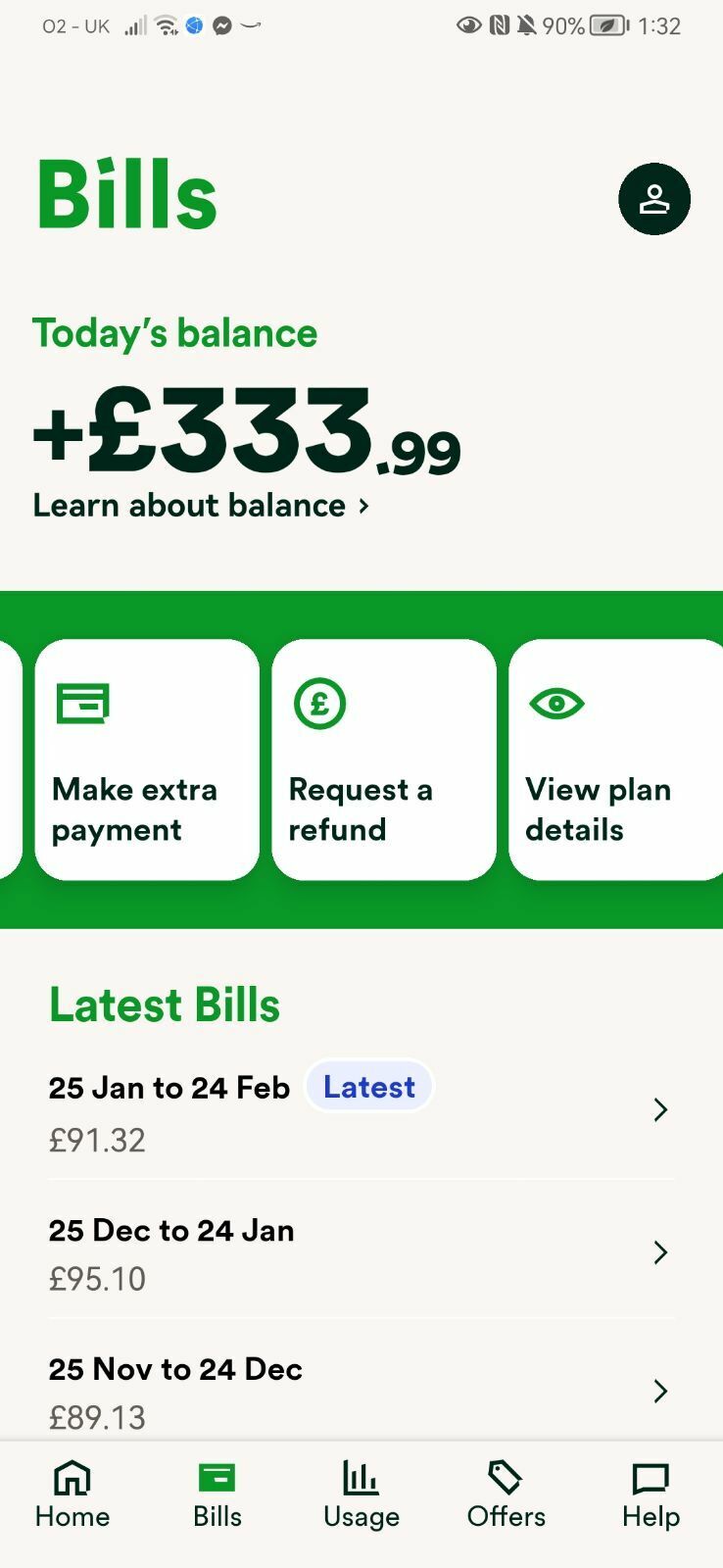
 

Exact appearance may vary


Step 2


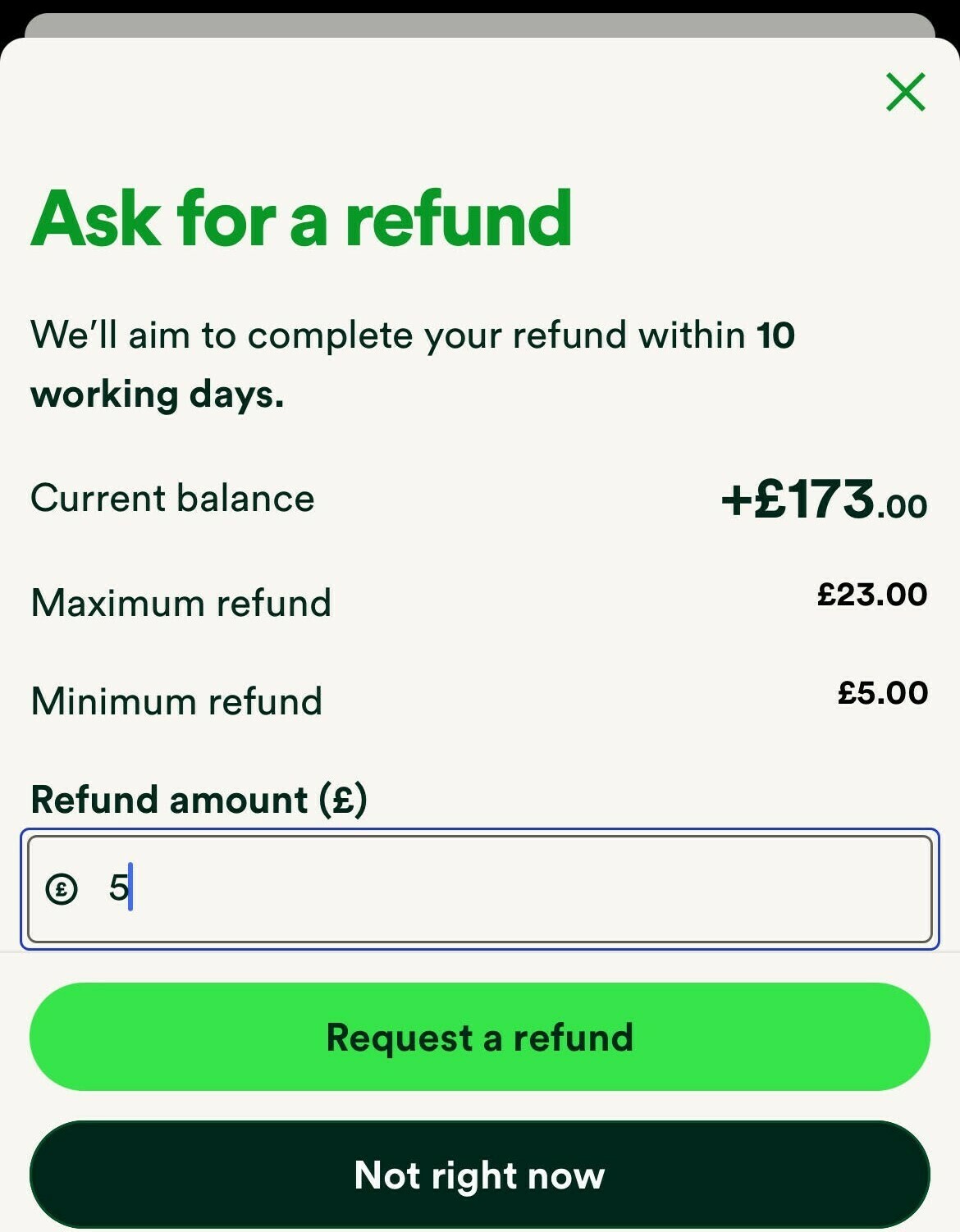
You’ll be taken to this page, where you’ll be able to see your Current balance, your maximum refund amount and the minimum refund amount;
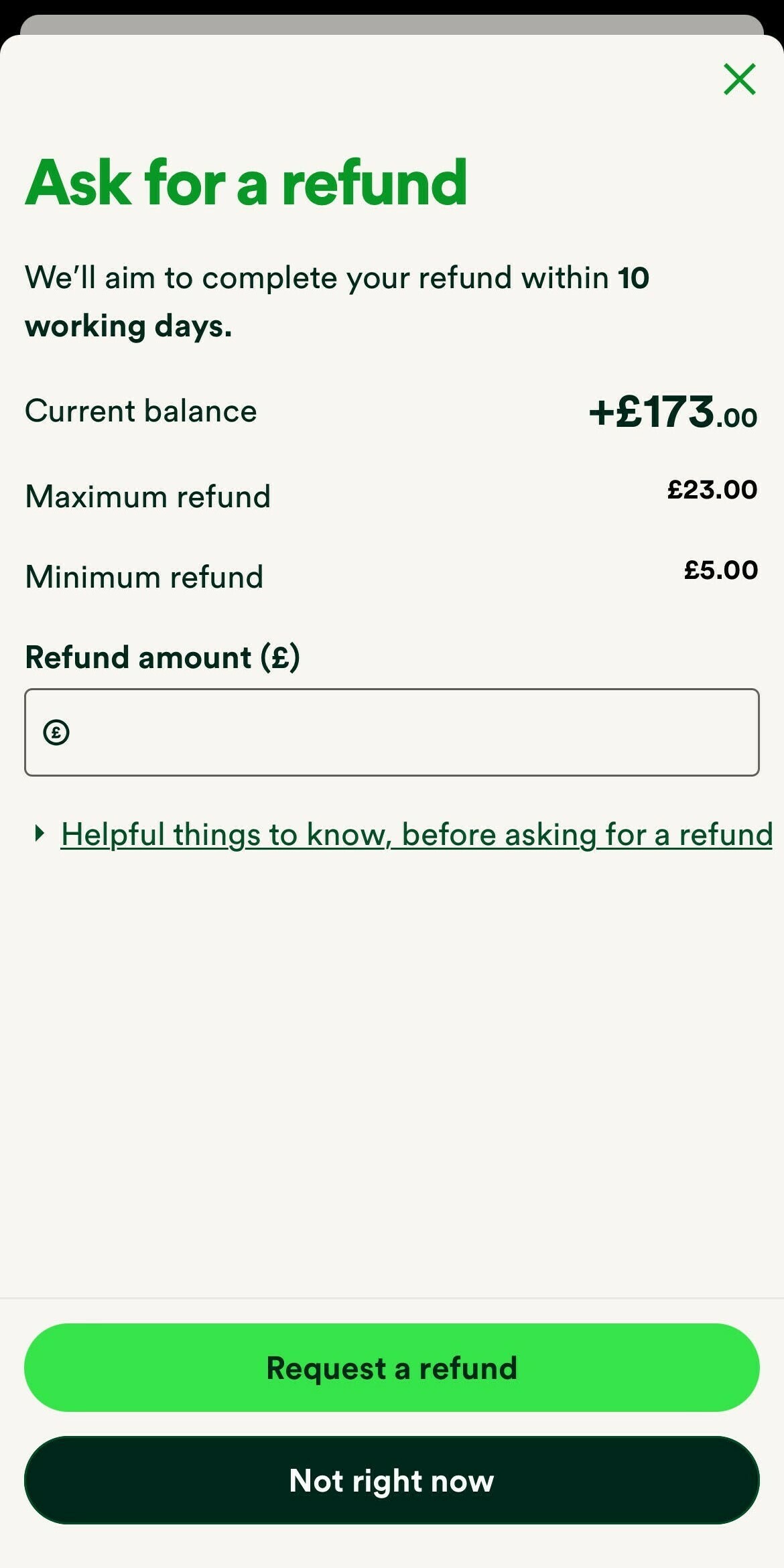
 

Exact appearance may vary


You can enter your requested amount in the ‘Refund amount (£)’ box, up to a maximum of £500 (making sure there’s still at least three Direct Debit amounts remaining in credit), and select ‘Request a refund’ when you’re ready.
 

Exact appearance may vary


Step 3


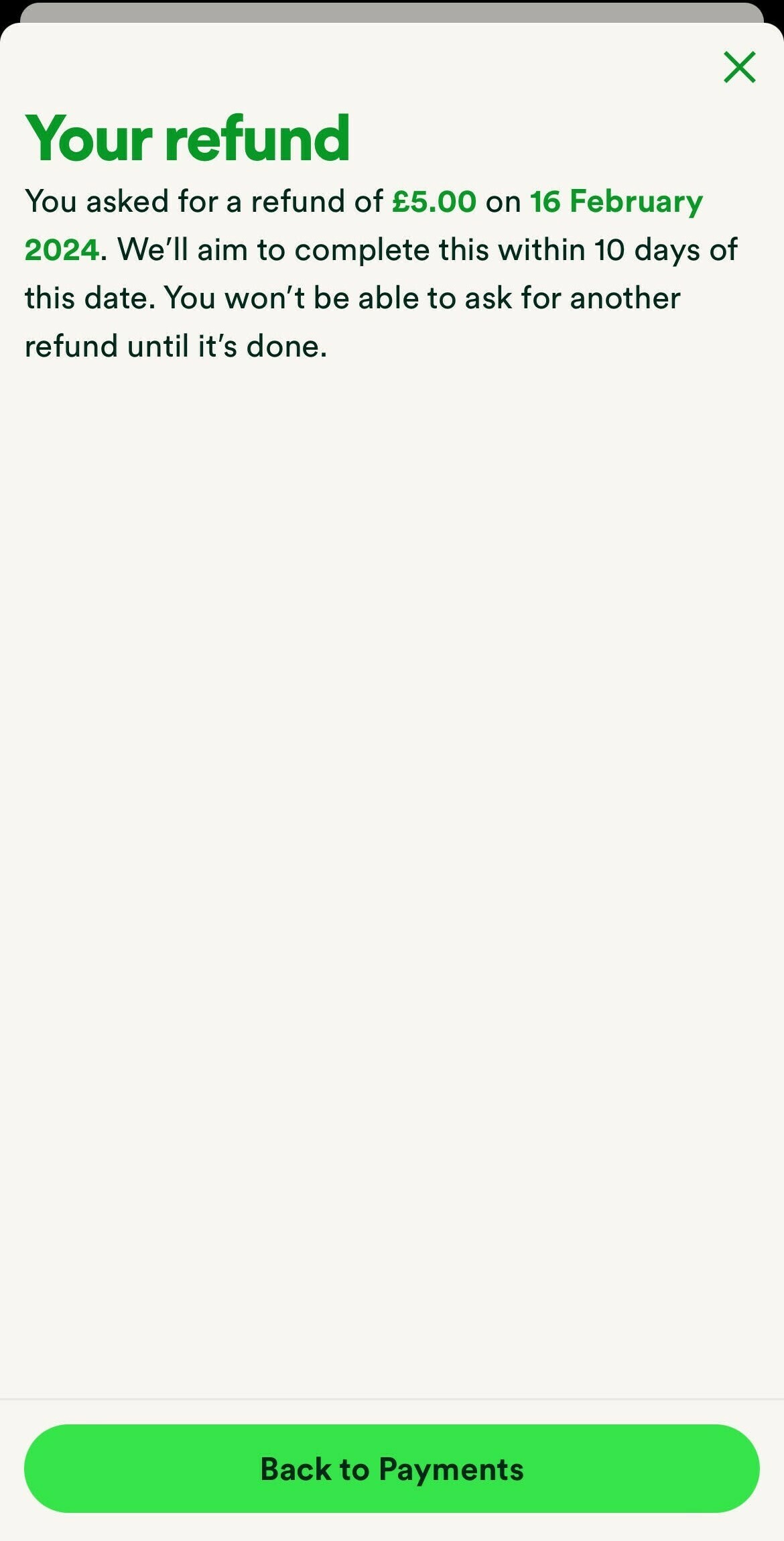
Once you’ve confirmed the amount you wish to have refunded. If successful you’ll see this confirmation page with details about that refund
 

Exact appearance may vary


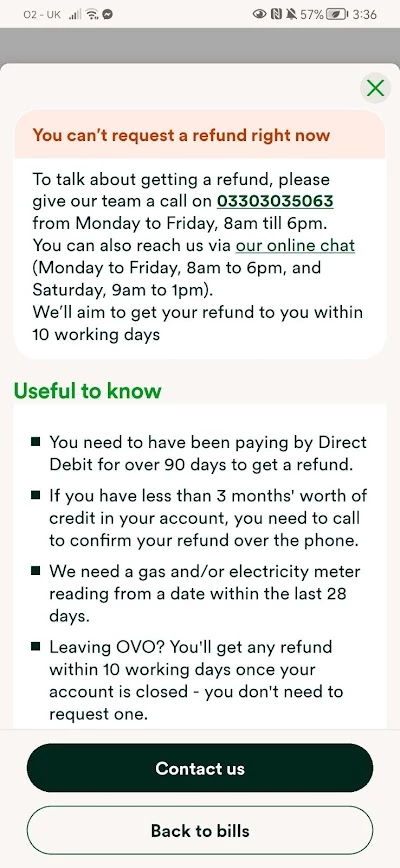
If not you’ll see this page,


Exact appearance may vary


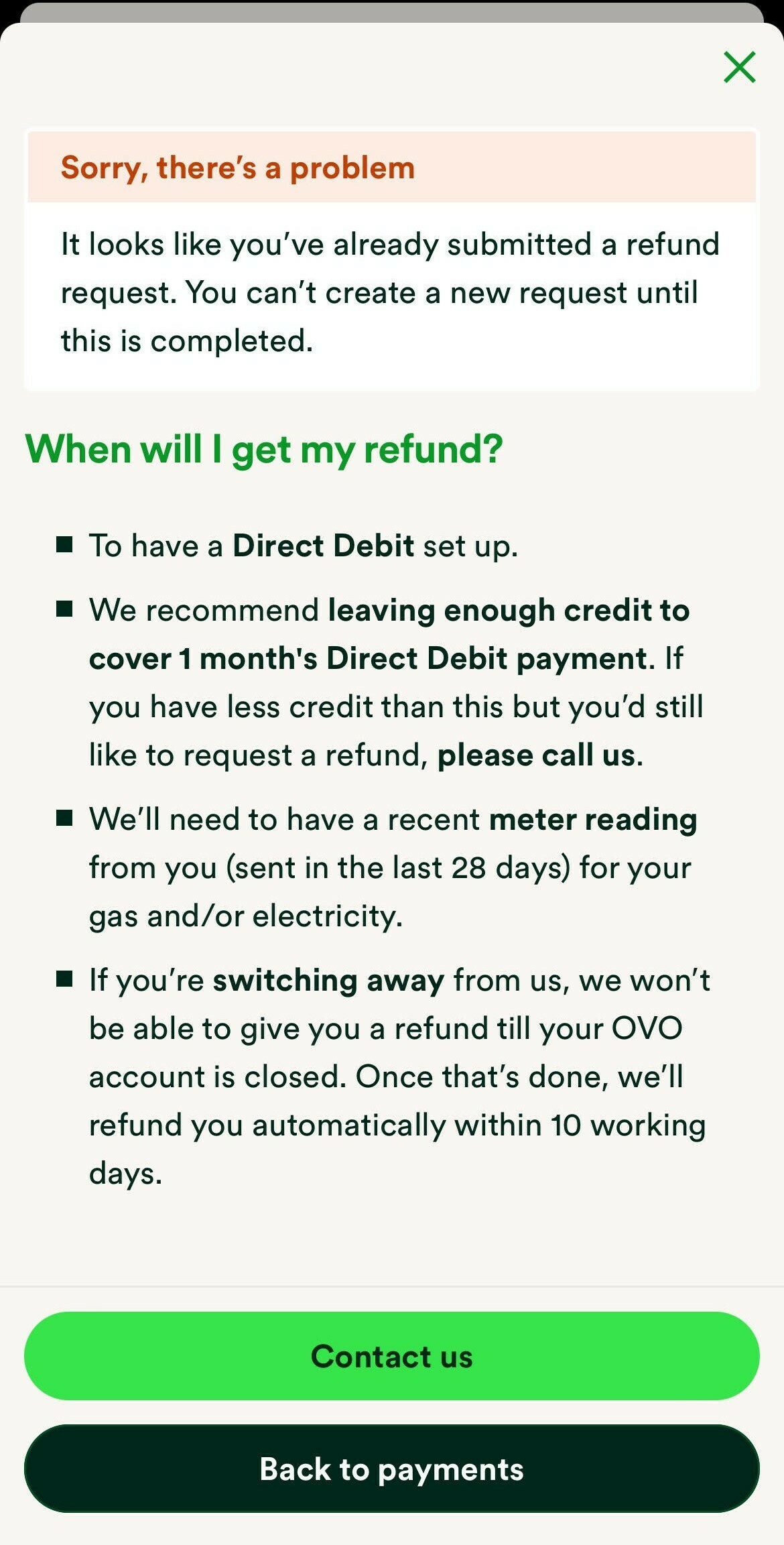
Similarly, if you’ve already requested a refund you’ll be greeted with this notice;
 

Exact appearance may vary


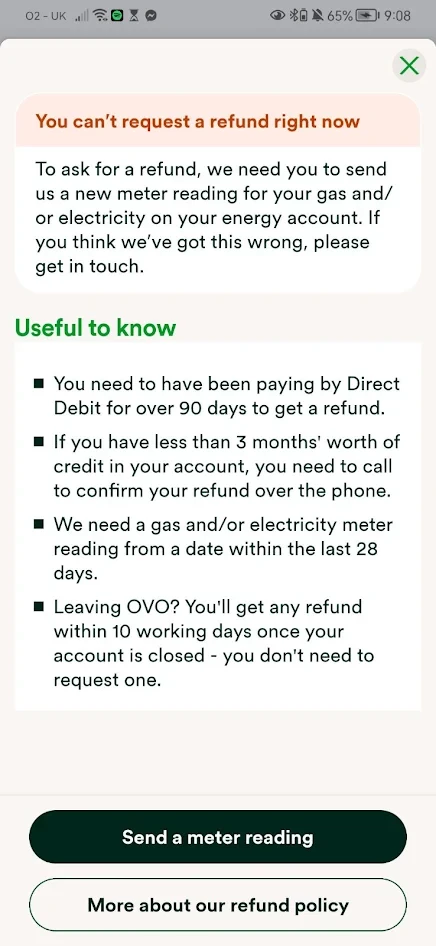
When asking for a refund, you’ll need to have submitted actual meter readings within the last 28 days. If you haven’t submitted regular readings, you’ll see the screen below. Click on ‘send a meter reading’ and you’ll be taken to the correct page to do that. Once you’ve sent a reading, you’ll be able to request a refund. (You might need to wait 24 / 48 hours for your account balance to update before the refund can be requested).


Exact appearance may vary


If you’d like more credit refunded you can contact our Support Team who can initiate refunds up to £2,000, however if the refund is over £599, we will need to check the account has been billed to smart or actual meter reads and request photos of the meter(s). 

66 replies

Blastoise186
Super User
Super User
September 14, 2022

Hi @Lynne Doyle ,

Your post doesn’t seem to be a valid Idea, so I’ve asked a moderator to convert it to a Question for you.

If you still want a refund without leaving three months of credit afterwards, please call the Support Team on 0330 303 5063 and they’ll be able to process one for you.

Securing energy by zapping security bugs... For that is The Blastoise Way! Remember, I'm just like you - AI Powered Evil Geniuses aren't Staff!
Newcomer
September 14, 2022

Well I tried twice, i wanted to select question but I  was only allowed to pick the idea box not the other 2. And I have tried ringing all week, either can't get through or today there was a message saying phones weren't working.

Emmanuelle_OVO
Retired Moderator
Retired Moderator
September 15, 2022

Hi @Lynne Doyle,


Sorry for the issues you’ve been having. 


Our customer facing teams are seeing high levels of contact at the moment due to the energy crisis and governments recent announcement of the energy price guarantee.


We are recommending customers keep at least three months worth of credit in their accounts to help with the rising costs, but you can request a refund of more by contacting Support directly. 


I’d advise contacting our Support Team through web messenger to request a refund. They can initiate refunds up to £2,000, however if the refund is over £599, the account needs to have been billed to smart reads or they will need to request meter photos from you.


Hope this helps.


Renewable Energy? Big Fan.
Newcomer
September 15, 2022


Newcomer
September 15, 2022

I have tried using messenger numerous times, it just gives you automated replies with links back to the pages to apply for a refund which don't work. It is more concerned with having a rating score than dealing with your query . I have now submitted a complaint to OVO and the Ombudsman. 

Newcomer
September 15, 2022

@Emmanuelle_OVO 


I think OVO has lost sight of the fact that this is the consumers money, not OVO’s and if the customers wants their account balance to be refunded they have an absolute right to it.

Eon and EDF customer. Don't think smart meters are worth the expense.
Emmanuelle_OVO
Retired Moderator
Retired Moderator
September 15, 2022

Hey @Lynne Doyle,


Sorry for the issues you’ve had. 


If you are unable to get through to Support on web messenger or by phone you can raise a feedback form through the website. 


You can find out more about our complaints procedure here. 


Hope this helps. 

Renewable Energy? Big Fan.
Newcomer
September 15, 2022

All sorted now, I emailed the complaints  address and someone rang me straight back,  and arranged my refund.

Newcomer
September 27, 2022

Hi there,

My case is:

12 July 2022 - I reported moving out online and requested for a refund. My account is in credit all along.

11 Aug - My energy bill summary charges (GBP 0.00), my account is still in credit.

27 Aug - OVO credited GSOP payment to my account


As of now (27 Sep 2022), I have not yet had my refund. 

I had once phoned 0330 303 5063, the staff said could not find my account. I emailed “hello@ovoenergy.com”, unfortunately with a reply …... “the email address you contacted isn’t available anymore.”


How can I have my refund back? Can someone help please?

Many thanks!

Blastoise186
Super User
Super User
September 27, 2022

Hi @Yee ,

I suspect your best bet might be https://ovoenergy.com/feedback .

Securing energy by zapping security bugs... For that is The Blastoise Way! Remember, I'm just like you - AI Powered Evil Geniuses aren't Staff!