Solved

Schedule of my storage heaters doesn't match the off-peak hours on my plan - Can you help me?

  • January 23, 2025
  • 57 replies
  • 2278 views

Hi, I recently moved in this flat. It comes with 2 storage heater which are made by creda. My electricity supplier is OVO and my plan is economy 7 and also have a smart meter. The problem is storage heater come on from 1 pm to 4:30 pm and also at midnight. But my off peak our is midnight to 7 am.There are no thermostat or time switch for the storage heater. Can you guide me with it?
 

Best answer by Chris_OVO

Hey ​@VOU30 & ​@Firedog


Just posting an update that we’ve managed to get the request pushed through so the meter should be reconfigured with the correct timings. I’ve asked ​@VOU30 to keep an eye on things over the weekend to ensure that the changes are reflected. 

57 replies

BPLightlog
Super User
Forum|alt.badge.img+9
  • Super User
  • January 23, 2025

Hi ​@VOU30 , the hours for an economy 7 tariff is as you’ve noticed during the early hours of the morning. There is nothing on the meter side of things that would switch on your heating during the afternoon so there must be something - possibly on the heaters themselves - which are adding the extra time slot. 
Storage heaters are designed to heat up during the night at off peak hours and then give out their heat during the day (when you need it). Sometimes, the heaters become exhausted of their heat energy later (sometimes afternoon) and so perhaps the thermostat is causing them to take power during that time. 
There is a boost circuit which allows extra heating so that might be involved as well. Photos or model numbers of your heaters might allow someone to guide you to making an adjustment. The Creda website does point to timers on the units


juliamc
Rank 20
Forum|alt.badge.img+8
  • Rank 20
  • January 23, 2025

When you say they’re On during the afternoon do you mean they’re drawing power or that they’re emitting heat ? How long are they On for from midnight, is that just the time they’re recharging ? 

I’m interested to know more about these as a friend is just about to buy a flat with Creda storage heaters.


  • Author
  • Rank 2
  • January 23, 2025

When you say they’re On during the afternoon do you mean they’re drawing power or that they’re emitting heat ? How long are they On for from midnight, is that just the time they’re recharging ? 

I’m interested to know more about these as a friend is just about to buy a flat with Creda storage heaters.

Hi ​@VOU30 , the hours for an economy 7 tariff is as you’ve noticed during the early hours of the morning. There is nothing on the meter side of things that would switch on your heating during the afternoon so there must be something - possibly on the heaters themselves - which are adding the extra time slot. 
Storage heaters are designed to heat up during the night at off peak hours and then give out their heat during the day (when you need it). Sometimes, the heaters become exhausted of their heat energy later (sometimes afternoon) and so perhaps the thermostat is causing them to take power during that time. 
There is a boost circuit which allows extra heating so that might be involved as well. Photos or model numbers of your heaters might allow someone to guide you to making an adjustment. The Creda website does point to timers on the units

I think it's an old simpler model. Doesn't have much function except input and out.


  • Author
  • Rank 2
  • January 23, 2025

When you say they’re On during the afternoon do you mean they’re drawing power or that they’re emitting heat ? How long are they On for from midnight, is that just the time they’re recharging ? 

I’m interested to know more about these as a friend is just about to buy a flat with Creda storage heaters.

It's draw power during pick hour. And about morning time I have check till when the draw power.


BPLightlog
Super User
Forum|alt.badge.img+9
  • Super User
  • January 23, 2025

I think it's an old simpler model. Doesn't have much function except input and out.

Here’s a guide which might help.

From what you’ve said, it sounds as if the heaters might be out of heat by the afternoon


  • Author
  • Rank 2
  • January 23, 2025

I think it's an old simpler model. Doesn't have much function except input and out.

Here’s a guide which might help.

From what you’ve said, it sounds as if the heaters might be out of heat by the afternoon

I've read the guide. Even the heater is out of heat or it's totally cold there is no way it can turn on the power supply itself (turn the red light on the wall switch on).


juliamc
Rank 20
Forum|alt.badge.img+8
  • Rank 20
  • January 23, 2025

Try setting output to 1 and input to 3 and let us know what it does please. This is almost identical to the ones I’m interested in, and it would be good to know if you can get them to work properly. Thanks.


  • Author
  • Rank 2
  • January 24, 2025

Try setting output to 1 and input to 3 and let us know what it does please. This is almost identical to the ones I’m interested in, and it would be good to know if you can get them to work properly. Thanks.

Sure, let you know tomorrow .


juliamc
Rank 20
Forum|alt.badge.img+8
  • Rank 20
  • January 24, 2025

@Firedog is it possible that the meter thinks it’s on Economy9 or 10 but the plan is Economy7 ?


Firedog
Super User
Forum|alt.badge.img+7
  • Super User
  • January 24, 2025

@Firedog is it possible that the meter thinks it’s on Economy9 or 10 but the plan is Economy7 ?
 

That deserves an (lol)! Anything’s possible, as we’ve discovered. 

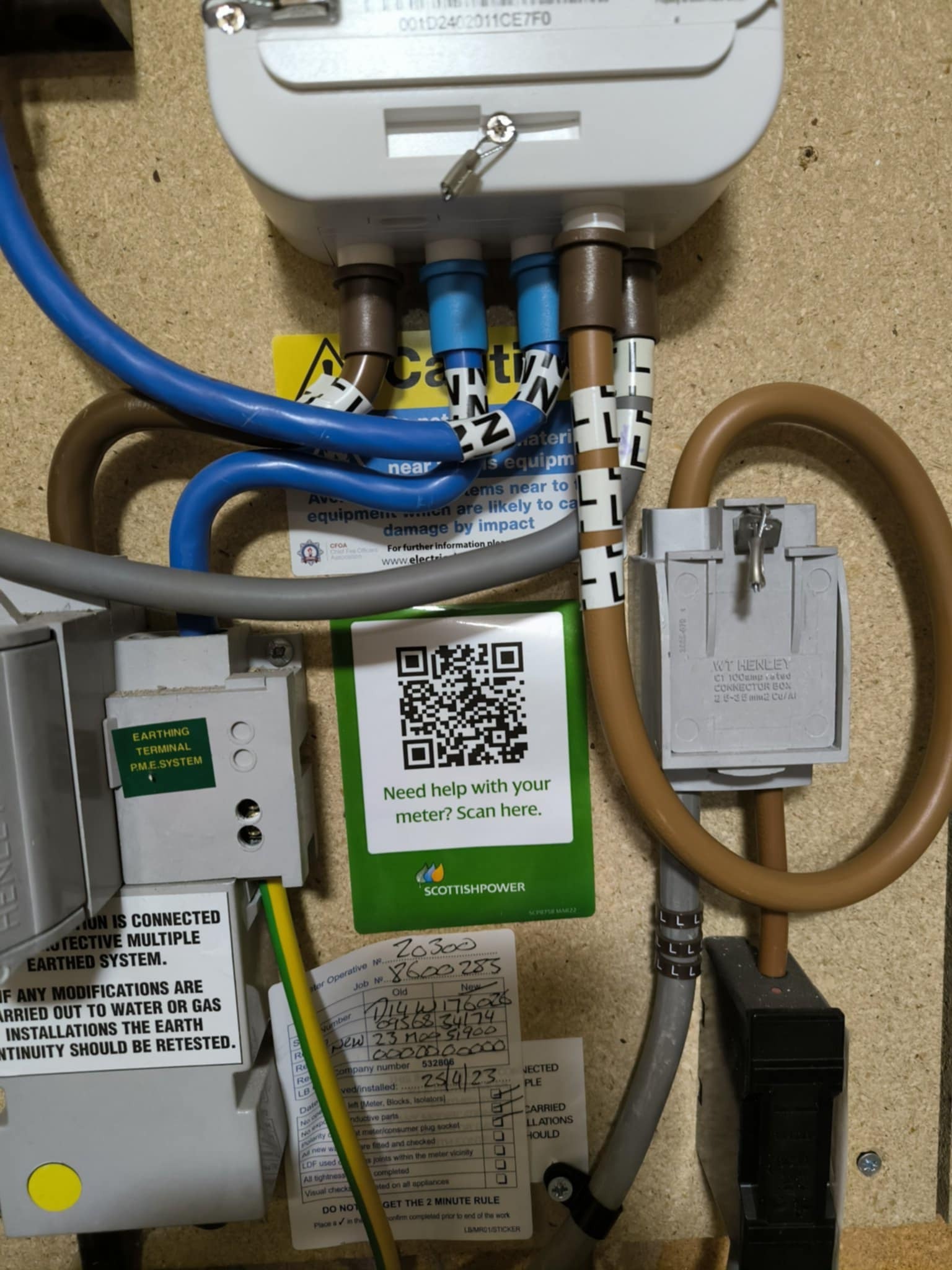
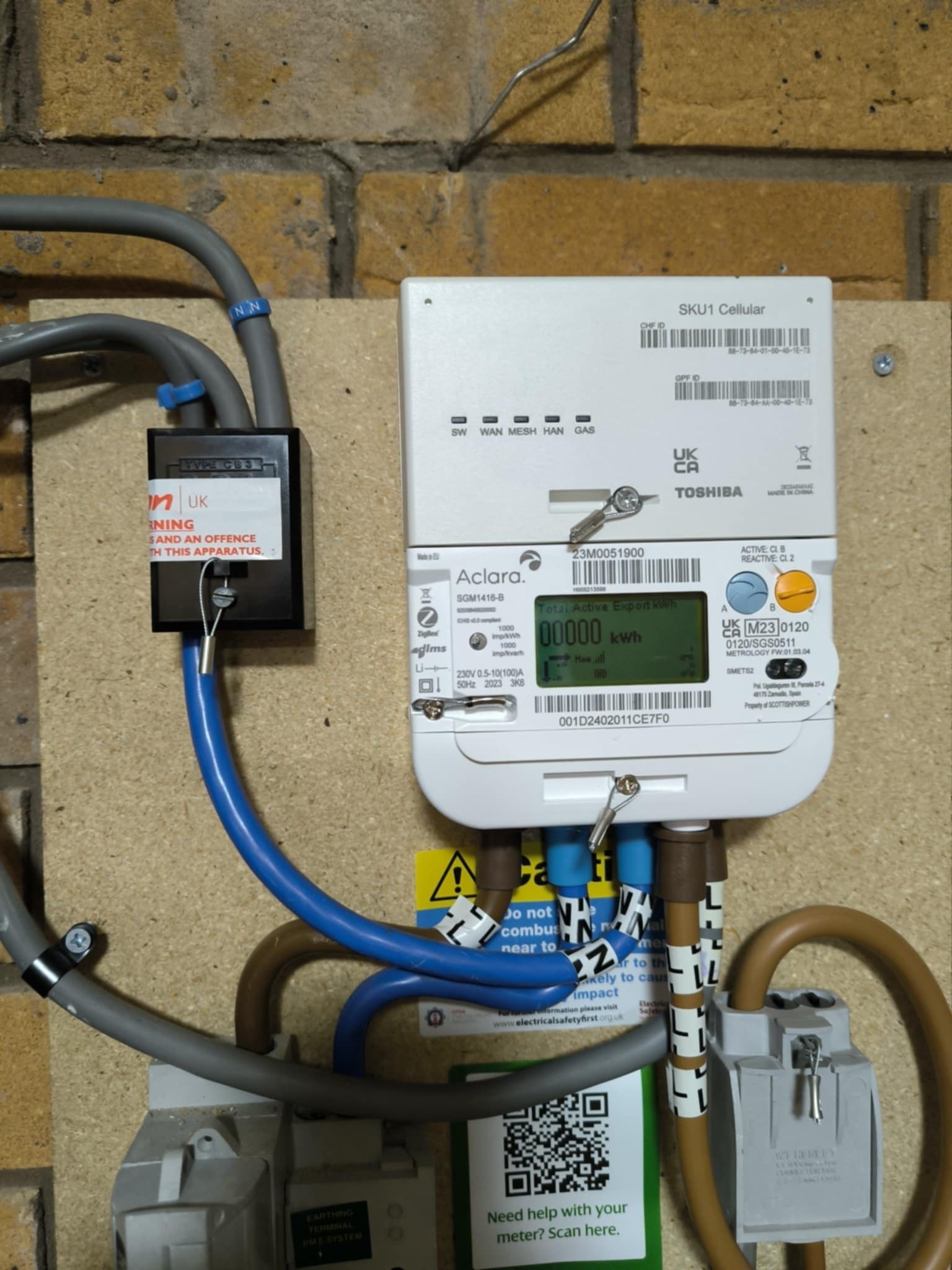
I’ve asked around to see whether it’s possible to have a switch like the one in the last screenshot where the indicator shows whether there is power to the switch, regardless of whether it’s on or not. That would show when the switched circuit was energized by the meter’s ALCS. I did get some scary instructions involving swapping wires around inside the switch, but I chickened out of implementing them ...

I did think of the possibility that the ALCS was wrongly configured, e.g. to switch at E10 timings, but that seemed the most unlikely explanation. If the heater is wired on the constant (24-hour) circuit, then its input control could call for more charge at inappropriate times as the others have suggested. If it’s on the switched circuit, this couldn’t happen without activating the meter’s boost function to override the ALCS.

A safe way of checking the ALCS timings is provided by the little icons in the corner of the meter’s display:
  

Sadly not the clearest of photos.
The upper icon (labelled ı) is for the constant circuit, the lower (ıı) for the switched circuit.
In this picture, ı is closed (energized), ıı is open (not energized).


During offpeak hours, the lower icon will change. It depends on how the switches inside the meter are wired what it changes to, but many users are seeing LC1 LC2 instead of the o‍´‍o icon. 

The change will happen a few minutes (often around 10, but theoretically up to 30) after the nominal switching times. That means staying up until half an hour after the E7 offpeak slot is due to start and looking at the meter, then looking again half an hour after the offpeak period is supposed to end in the morning. If the indicators are as expected, the meter is energizing the switched circuit at E7 times. An extra check would be to see what the icons look like when the red light comes on at the heater in the afternoon. If ıı is open as I’d expect it to be, the heater isn’t wired on the switched circuit. 

Without further evidence, I’m inclined to ​@BPLightlog’s view that the heater is switching itself on when it gets cold and the heater is on the constant circuit. If ​@VOU30  isn’t happy with this, an electrician can make the necessary changes in the consumer unit (fuse box).   


juliamc
Rank 20
Forum|alt.badge.img+8
  • Rank 20
  • January 24, 2025

Very nicely explained (I know you’ve explained all this before !!). 
Someone should invent a gadget which can be clamped round the cable which does all this off peak stuff, that logs the times it’s energised or not. Save a lot of scrabbling around in the dark looking for tiny icons in the middle of the night.


juliamc
Rank 20
Forum|alt.badge.img+8
  • Rank 20
  • January 27, 2025

@VOU30 how have you got on with the heater settings and have you had a chance to observe what times the heater light comes on and if it matches the symbols in the corner of the meter ?


  • Author
  • Rank 2
  • January 27, 2025

@VOU30 how have you got on with the heater settings and have you had a chance to observe what times the heater light comes on and if it matches the symbols in the corner of the meter ?

There are not much to do with heater settings. It has only input output knob. And a On/off switch on the wall with red light above it. There are no light in the heater. Light of the switch in the wall come on at 13:00 and also at 22:30. About the symbol in the meter, I didn't really notice. I have a in home meter display which shows me current rate and off peak time.


Ben_OVO
Community Manager
Forum|alt.badge.img+4
  • Community Manager
  • January 27, 2025

Hi ​@VOU30,


Some really helpful replies here from ​@Firedog ​@BPLightlog and ​@juliamc -  I hope you get to the bottom of this soon! It may be something that an electrician will need to fix. I’d recommend maybe contacting our Support Team just to make absolutely sure you’re on an economy 7 plan and not something like economy 10. This is unlikely but good to cover all bases. 


You may also find some helpful information on this previous post:


I hope this helps!


  • Author
  • Rank 2
  • January 27, 2025

I've hired an electrician. He will come on next Friday. I'll let you know all after that.


Ben_OVO
Community Manager
Forum|alt.badge.img+4
  • Community Manager
  • January 28, 2025

Morning ​@VOU30,


Best of luck with the electrician, let us know how it goes 🤞


  • Author
  • Rank 2
  • January 29, 2025

@Firedog is it possible that the meter thinks it’s on Economy9 or 10 but the plan is Economy7 ?
 

That deserves an (lol)! Anything’s possible, as we’ve discovered. 

I’ve asked around to see whether it’s possible to have a switch like the one in the last screenshot where the indicator shows whether there is power to the switch, regardless of whether it’s on or not. That would show when the switched circuit was energized by the meter’s ALCS. I did get some scary instructions involving swapping wires around inside the switch, but I chickened out of implementing them ...

I did think of the possibility that the ALCS was wrongly configured, e.g. to switch at E10 timings, but that seemed the most unlikely explanation. If the heater is wired on the constant (24-hour) circuit, then its input control could call for more charge at inappropriate times as the others have suggested. If it’s on the switched circuit, this couldn’t happen without activating the meter’s boost function to override the ALCS.

A safe way of checking the ALCS timings is provided by the little icons in the corner of the meter’s display:
  

Sadly not the clearest of photos.
The upper icon (labelled ı) is for the constant circuit, the lower (ıı) for the switched circuit.
In this picture, ı is closed (energized), ıı is open (not energized).


During offpeak hours, the lower icon will change. It depends on how the switches inside the meter are wired what it changes to, but many users are seeing LC1 LC2 instead of the o‍´‍o icon. 

The change will happen a few minutes (often around 10, but theoretically up to 30) after the nominal switching times. That means staying up until half an hour after the E7 offpeak slot is due to start and looking at the meter, then looking again half an hour after the offpeak period is supposed to end in the morning. If the indicators are as expected, the meter is energizing the switched circuit at E7 times. An extra check would be to see what the icons look like when the red light comes on at the heater in the afternoon. If ıı is open as I’d expect it to be, the heater isn’t wired on the switched circuit. 

Without further evidence, I’m inclined to ​@BPLightlog’s view that the heater is switching itself on when it gets cold and the heater is on the constant circuit. If ​@VOU30  isn’t happy with this, an electrician can make the necessary changes in the consumer unit (fuse box).   

Here 2 pictures. 01 for peak hour - no power to the heater and pic 02 also for peak hour but with power to the heater. Does that indicate anything?


juliamc
Rank 20
Forum|alt.badge.img+8
  • Rank 20
  • January 29, 2025

Can you say the exact time each of those pictures were taken please?

Also can you give the first part of your postcode?


  • Author
  • Rank 2
  • January 29, 2025

Can you say the exact time each of those pictures were taken please?

No 01 at 08:14pm and no 02 at 10:34 pm.


  • Author
  • Rank 2
  • January 29, 2025

Can you say the exact time each of those pictures were taken please?

Also can you give the first part of your postcode?

LE3


Firedog
Super User
Forum|alt.badge.img+7
  • Super User
  • January 29, 2025

Thanks for the photos (although it might have helped if you’d touched a button to light up the display before taking them!).

The icons show that the switched circuit was live at 22:34, which sounds like an Economy 10 ALCS timing. This would also tie in with the ~13:30-16:30 active slot you mentioned in your original post. Sorry for doubting you!

We’ve seen this sort of thing before, but it should be fairly simple to remedy so long as you’re happy with an Economy 7 arrangement (seven offpeak hours overnight, midnight to 07:00). Contact Support (I’d use the web chat option so you get everything in writing) and ask them to send the ECAUL request to your meter to ‘update the ALCS calendar’. It should be set to match the tariff timings. If the agent you make contact with doesn’t understand, ask if he can pass the message on to the smart team, who will.


  • Author
  • Rank 2
  • January 30, 2025

Thanks for the photos (although it might have helped if you’d touched a button to light up the display before taking them!).

The icons show that the switched circuit was live at 22:34, which sounds like an Economy 10 ALCS timing. Sorry for doubting you!

We’ve seen this sort of thing before, but it should be fairly simple to remedy so long as you’re happy with an Economy 7 arrangement (seven offpeak hours overnight, not necessarily in one block). Contact Support (I’d use the web chat option so you get everything in writing) and ask them to send the ECAUL request to ‘update the ALCS calendar’. It should be set to match the tariff timings. If the agent you make contact with doesn’t understand, ask if he can pass the message on to the smart team, who will.

Thank you very much for the understanding. 1st I've told then to switch me to economy 10 in my cooling off period. They told me as I have an economy 7 meter so it's cannot be done. Then I've told them about ECAUL over phone. Then she told me the type of smart meter I have doesn't need a ECAUL thing as it's doesn't have anything to do with radio...... I can't remember the exact terminology. And finally she advised me to hire an private technician.


  • Author
  • Rank 2
  • January 30, 2025

Now I'm thinking if my meter is able to handle economy 10 why did she said it's a economy 7 meter, so my plan cannot be changed.


Firedog
Super User
Forum|alt.badge.img+7
  • Super User
  • January 30, 2025

… I've told them about ECAUL over phone. Then she told me the type of smart meter I have doesn't need a ECAUL thing as it's doesn't have anything to do with radio...... I can't remember the exact terminology.


Now I'm thinking if my meter is able to handle economy 10 why did she said it's a economy 7 meter, so my plan cannot be changed.
 

That’s why I suggested web chat - then you don’t have to remember anything!

They can’t have it both ways. Either they change the load switch to match the E7 times, or they alter the tariff and ToU matrix to match the switching times. It could well be that switching from E7 to E10 isn’t straightforward (although I don’t understand why), but there should be no difficulty with ECAUL. I wonder if I can find someone to help you sort this out.


  • Author
  • Rank 2
  • January 30, 2025

… I've told them about ECAUL over phone. Then she told me the type of smart meter I have doesn't need a ECAUL thing as it's doesn't have anything to do with radio...... I can't remember the exact terminology.


Now I'm thinking if my meter is able to handle economy 10 why did she said it's a economy 7 meter, so my plan cannot be changed.
 

That’s why I suggested web chat - then you don’t have to remember anything!

They can’t have it both ways. Either they change the load switch to match the E7 times, or they alter the tariff and ToU matrix to match the switching times. It could well be that switching from E7 to E10 isn’t straightforward (although I don’t understand why), but there should be no difficulty with ECAUL. I wonder if I can find someone to help you sort this out.

I'll chat with them today and then I'll post here.


Feedback