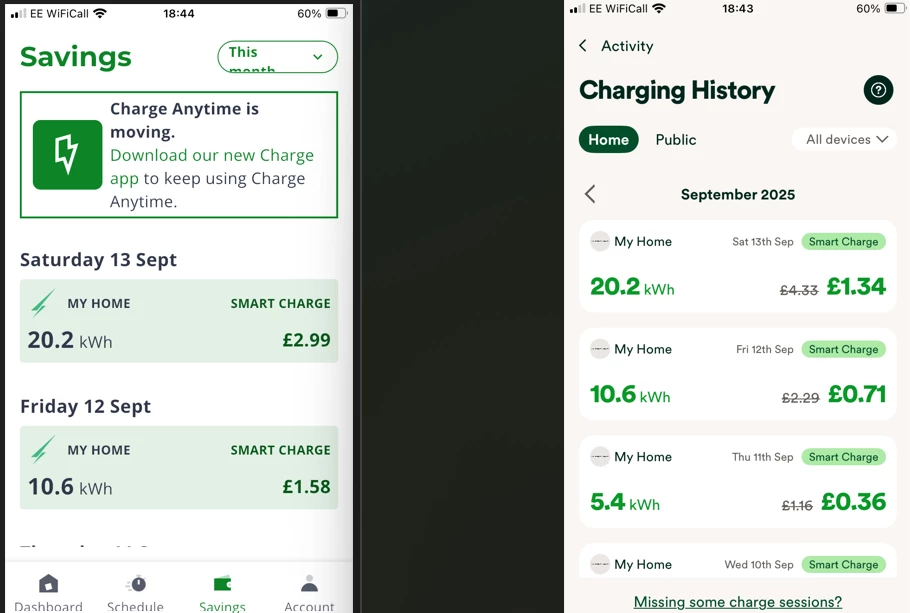
Noticed in my Charge Anytime App today it states “CA is moving” and we need to download and use the OVOcharge App to carry on using CA.
I don’t remember seeing any emails about this so just curious what (if anything) changes for CA and any impact?
I’ve downloaded the new app but it doesn’t recognise my login so looks like it needs a new registration. How will that impact existing CA account, credits and history etc?
Best answer by Chris_OVO
Updated on 05/11/25 by Ben_OVO
Our new app, OVO Charge, is available for download from the App Storeor Google Play.
Hey @oho,
We want to give you a heads-up that the old app will eventually be phased out, but only when we’re sure that everyone has successfully made the switch to the new app. Once that’s all set, we’ll send out a friendly note to let you know the date the old app will no longer be available. In the meantime, we’ve created a helpful guide with FAQs to assist you, and I’ll share the link below. Let us know if you have any questions!
You do need to create a new account because it’s on a new platform, but your existing credits etc from the old platform will still be applied - OVO won’t get rid of that until at least after you receive them.
OVO is basically just merging two apps into one, so you don’t have to juggle quite as many apps.
I’ve registered for the new app but it stating it wont link my energy account in their system at the moment, try again later. Sounds like their system isn’t quite ready yet. I’ll see if it works later and over next few days.
Thanks for your help @Blastoise186, and @oho we’ll be releasing some helpful content about all of this in the coming days. I wouldn’t be surprised if there are some teething issues at first.
Actually OVOCharge has now linked to my energy account so maybe it just needed to do some backend stuff. The Charge Anytime App shows my stats and history ok, the OVOCharge App doesn’t at present which confirms they are separate systems. although OVOCharge has pulled in the information about my Hypervolt and the schedule set.
I’m wondering what date the actual change takes place as this might confuse other people when they see it. Hopefully the upcoming content will explain.
I’ll see what happens over the next few days, it might be that now I have registered, both Apps will show the new charge activity and either can be used until the switch off in the original App.
Yeah, I did have a chat with the Charge Anytime team earlier actually. They mentioned that moving over to the new app should migrate everything, but it can take a while depending on what’s going on.
The most important thing is to use the same details to sign up in the OVO Charge app as you did for the Charge Anytime app - this makes the data matching a LOT easier as it’ll sync right up without issue.
Both Apps now have the history, so looks like OVO have sorted that. The main difference is that CA App shows savings but OVOCharge shows the actual charge. Thats ok its just the straight opposite in the calculation. The history is not entirely consistent down the list but is near enough.
I’ve had similar experiences with trying to log in to the new app and spent an hour on Chat trying to solve it. In the end OVO emailed me a checklist of tasks. All done. Not working. Finally their email suggested I ask the Forum for help. Why? It’s their new app!
After all the complicated and conflicting advice, I have solved the problem myself. I’ve no idea why this has worked but it has. I went to my OVO Energy app and asked it to Reset my Password, even though I knew and had been using my password trying to access the OVO Charge app. And the new password now works with both apps. Problem solved.
I’m glad to hear you’ve been able to get that resolved yourself in the end. @oho has the data settled down for you now?
I have reached out to the team about this anyway but it might also be as good reaching out via phone yourself and they can talk you through anything there and then too if you still have any concerns.
Hi @adriangalilee ,
The direct number for the team is 0330 175 9678 - try this one instead.
@Abby_OVO The data seems ok for me. Very slight differences but not enough to worry about. I still have both apps on my phone, so at some point will delete the original CA app. I’m not sure when OVO are planning to phase it out anyway.
Our new app, OVO Charge, is available for download from the App Storeor Google Play.
Hey @oho,
We want to give you a heads-up that the old app will eventually be phased out, but only when we’re sure that everyone has successfully made the switch to the new app. Once that’s all set, we’ll send out a friendly note to let you know the date the old app will no longer be available. In the meantime, we’ve created a helpful guide with FAQs to assist you, and I’ll share the link below. Let us know if you have any questions!
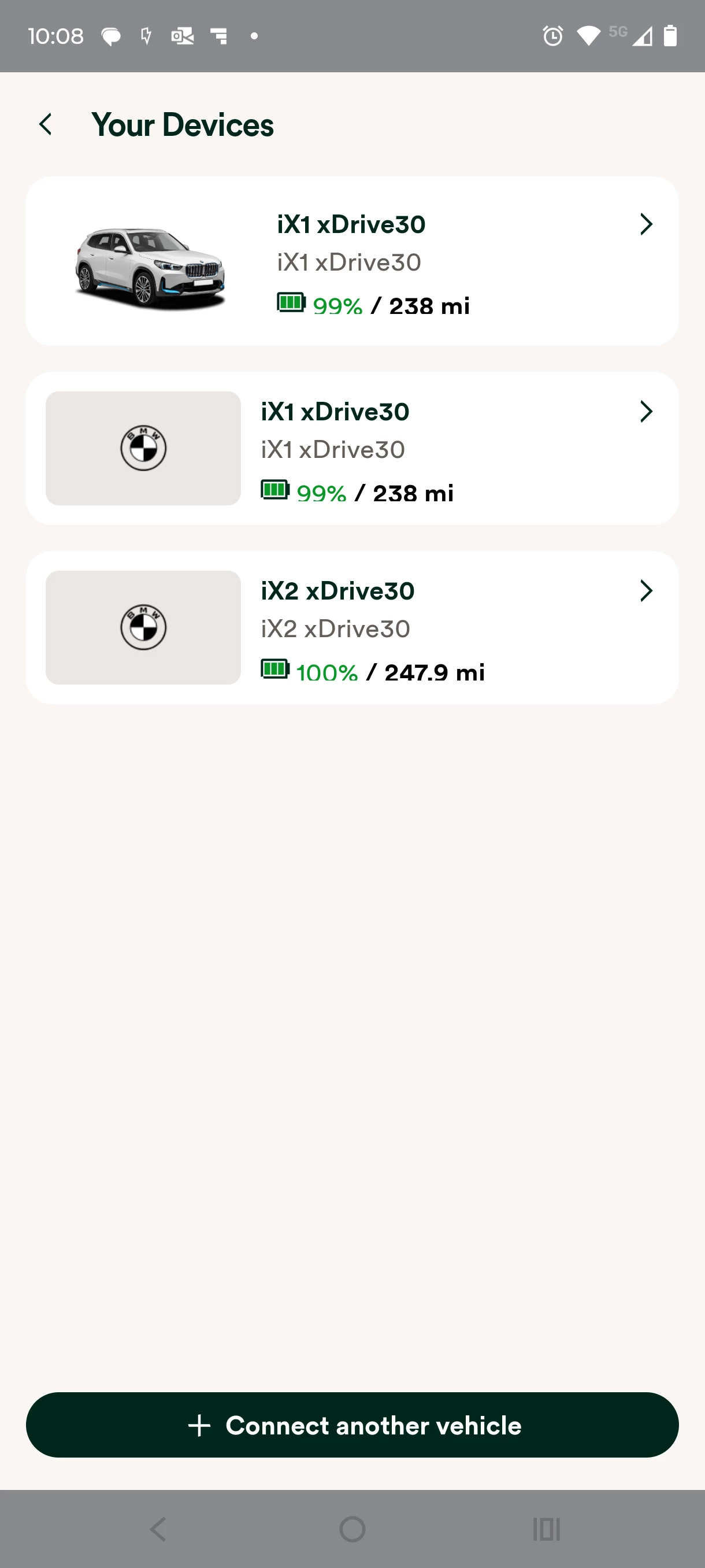
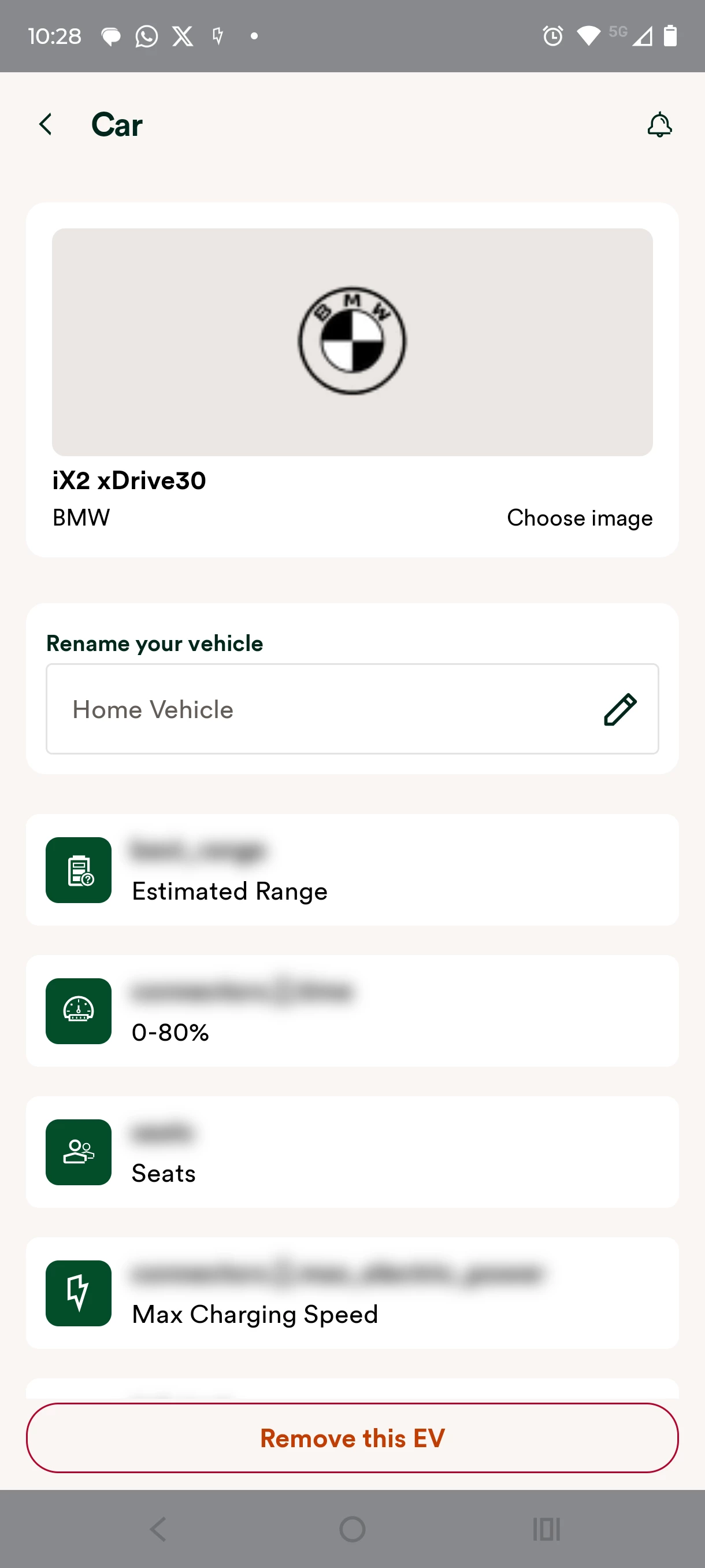
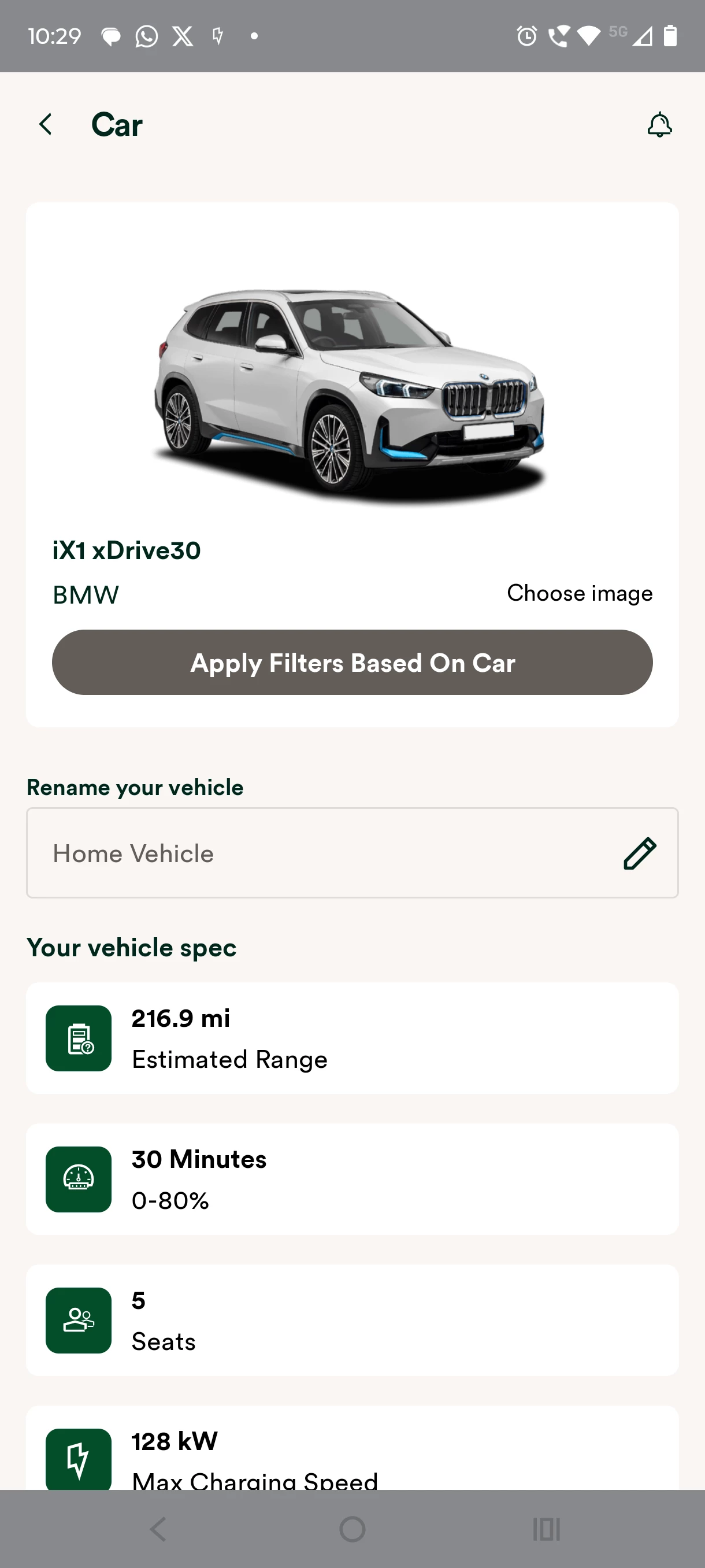
Hi Guys - Hope someone has an answer for this one. I received an email yesterday from OVO -Action required: your Charge Anytime account - which is basically saying re-connect our EV’s to the new OVO Charge App. (Not sure if this is specific to BMW’s). But must be done by 29th September 25 to retain the smart charge discounted rate. So downloaded the new App which is really buggy TBH and also requires a re-boot of the phone to fix the splash screen freeze. That done I have added the two BMW EV’s we have, noting that I have to use my BMW credentials as I have connected both cars VIN to my BMW account/app. Did a test charge on my vehicle and it seemed to be charging ok with smart charge, but there is no history of this charge (and no discount) shown in either the Charge Anytime App or the OVO Charge App. The other confusing part is in the devices section. Both cars show but I have read somewhere the cars should have their battery size and max charging speed noted. I can update one of the cars and this is added and updated in the devices section, but when I update the other car this just replaces the other one. I have also noted that the CA app now refers to these cards as unknown device #1 and #2. Any ideas?
It sounds to me as if things might still be migrating over - it can take up to 24 hours for all data to shift over to the new app once you set it up. You might want to check back later once the server hamsters are done unpacking things.
If you still don’t see it after that, give the team a call on 0330 175 9678 and they’ll dig deeper.
Quick update on this one. I spoke to Support today and this is a known bug where you may have two vehicles of the same make, in this case BMW. OVO are currently trying to fix this with BMW. The current work around is to add the vehicle you want to charge in OVO Charge, update and add the model specification, charge, and then delete and add the other vehicle you need to charge as above. Hopefully there will be a fix soon. 😆
Just to let you know I’ve added the EV badge to your Forum account so that other members can recognise you.
Thanks so much for this helpful update, much appreciated. As you say, hopefully this will be officially fixed soon so the workaround won’t be necessary - we’ll keep our eyes open!
Another update on this one. Since my last update on the 29th September OVO have not come back with any permanent fix and the work around does not work anymore, so we have been unable to charge our second vehicle for over 3 weeks. There has been no response out of OVO support for over a week and the lines through to support keep dropping 😣
I reached out to the Charge Anytime team who’ve said, ‘Looking at the screenshots, they have BMW connected which means they'll need to remove them and add them back on due to the BMW update’. I have reached out to you via private message for a few further details so that the team can double check if this is necessary and if anything else might be required instead. If you can respond to that PM, we’ll try and get this resolved for you.
What did they say about it on Friday? I don’t personally have access to the email thread. They’ll be back working today so hopefully you’ll hear back from them soon!
Sorry Ben - They asked to remove the two vehicles from the App. Then add each car again, but when the App renders over to the BMW system to log in (within the CA APP) use the log in details specific to the car, i.e. BMW iX1 for my partners and BMW iX2 for mine.
To do this you have to try to log out of the App after adding the first vehicle, which is not that easy and I'm not exactly sure how it is done but I somehow managed it. This does allow you to add both cars but the Device detail in the app does not look correct.
Over the weekend I attempted to charge my iX2, which is the second vehicle added to the App and the one that doesn’t look as if it has added correctly as you are unable to select the type of iX2, (which I understand has to be done otherwise it will not charge as a Smart charge). The result was that it did accept the charge although it said it was treating it as an Urgent Charge and not a smart Charge.
This morning I have looked at the Activity part of CA and you can select the different cars in the Charging History and it appears that it did run this as a Smart Charge. Again I’m not 100% sure this is all correct but I will wait to see what the Specialist Team come back with.
FYI this has taken me about 7 hours to look at in total. I’m self employed and have lost a whole days work as a result = over £750😫
Thanks for letting us know, and my sincere apologies for how much of your time this has taken up. I really hope our Charge Anytime team can get to the bottom of this once and for all so that you can charge freely without spending any more time trying to resolve this.
We’re here to answer any more questions should you have any.
@Ben_OVO - Hi Ben JTLYK I didn’t get a response back from either Abby or the Charge Anytime Team - although the charging did seem to work for both cars with the above work around. Today unfortunately somewhere and someone at OVO has flicked a switch and my app has reverted back to start up status again ie as if I had just loaded the app, so I have had to add the cars back on the app (using the known workaround as above). Hopefully both cars will re-connect again (there are currently just saying ‘Connecting ATM). I’ll let you know updates on this one soon. This is nearly two months since OVO raised this thread so feedback to OVO on this change has to be very poor with almost no decent support.