
Updated on 29/01/26 by Ben_OVO
We're always working to improve your experience with Charge Anytime. We want to reward you for being an EV driver by bringing you even better features and the latest technology.
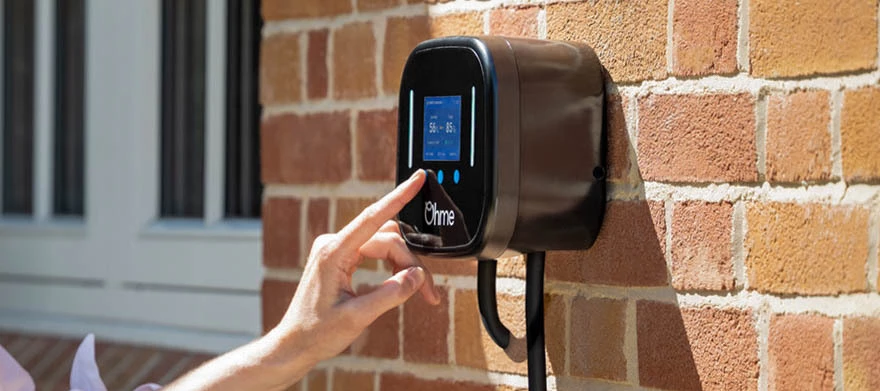
As part of these improvements, there will be a change affecting customers using Ohme chargers. Since 15th July 2025, Ohme chargers are no longer able to connect directly to Charge Anytime. The good news is, we estimate about 75% of our Charge Anytime customers have an EV that can connect directly to Charge Anytime. So you may still be able to benefit from our low charging rates via your vehicle connection.
If you drive a compatible vehicle, you can follow the steps below to connect to Charge Anytime directly via your EV. You’ll need to check if your EV is compatible. If you have other vehicles, you’ll need to check those too.
You’ll also need to use the OVO Charge app to schedule your charging, rather than the Ohme app. Download OVO Charge from the App Store or Google Play.
How to connect to Charge Anytime with your EV
Once you know your EV is compatible, please follow the steps below.
Step 1- Disconnect your charger from Charge Anytime
You won’t be able to reconnect through your charger once you’ve done this - so please make sure that your EV is compatible before completing this step:
- Open the OVO app and select the black circle in the top right corner to go to your profile
- Go to ‘Plan details’ then ‘Manage add-ons’
- Find ‘Charge Anytime’ and select ‘Cancel add-on’
Step 2- : Delete your Ohme account:
Please note: Deleting your Ohme account, will clear your charger of any routines, settings, your charging history and will disable the lock feature.
- Go to the settings tab in the bottom right hand corner of the Ohme app
- Scroll to the bottom
- Select ‘delete account’
Step 3- Reconnect to Charge Anytime through your EV:
- Download OVO Charge from the App Store or Google Play, and log in using your energy account details
- Select your EV make, model, and year of manufacture
- Sign in using your EV account details
- Give permission for Charge Anytime to access information about your EV account
- Select your car to connect to Charge Anytime via your EV
- Set your home location
You’ll then be able to keep your discounted smart charging rate.
You can continue to use your Ohme charger, but it’ll be your EV that’s connected to Charge Anytime – not the charger.
Please note, changing how you’re connected to Charge Anytime will mean that your credit will be provided in 2 instalments. One to cover your smart charging while connected via your charger and another since being connected via your EV. Future credit will be provided in a single instalment again as normal.
Having trouble connecting to Charge Anytime with your EV?
Below are some additional steps you can take to help you get connected:
Toggles in the Ohme app
If dynamic charging and price cap is set as “off” the app should say that your EV will charge to 100% immediately. This is what your Ohme app needs to be set to so we can control and smart charge your vehicle.
You may also need to turn off “Regulated charging hours” as this might also be a cause of interference with Charge Anytime scheduling.
Make sure your Ohme charging isn’t locked. You’ll need to make sure the lock feature is disabled in the Ohme app. Instructions on how to do this can be found here.
Activating max charge with instructions on the Ohme support page from the charger (located on the charger screen if your charger is an Ohme home pro or on the start button if you have an Ohme epod) may override Ohme scheduling enabling Charge Anytime to control smart charging of your vehicle.
EV specific support:
You may see a “A technical error occurred” message in the Audi app. This is because the Audi app is not aware charging is occurring because the Ohme app may be blocking vehicle schedules. To fix this issue you can try:
- Manually starting a max charge on the Ohme charger or in the Ohme app if possible
- Deleting your Ohme account and Ohme app
EVs with “Unable to locate vehicle” message
With some EVs you may get this message in the Charge app. This message occurs when your EV is not connected to the internet. You’ll need to make sure your vehicle is connected to the internet and the connection is available all the time your vehicle is at home.
If you have a Toyota and receive this error message you can check in the multimedia section in the “My Garage” section of the Toyota app. You can then scan a code to get connected.
If you can’t connect to Charge Anytime with your EV
If you don’t have a compatible vehicle, or if you haven’t completed the steps above by 15 July, you’ll no longer get a discounted charging rate. We’re really sorry about this. Charge Anytime will be removed from your account automatically.
You’ll get your final Charge Anytime credit within the first week of August 2025. This will cover the electricity used to smart charge your EV up until 15 July.
From 15 July, you’ll pay your home electricity unit rate for all EV charging.
Frequently asked questions
I’ve connected to Charge Anytime through my EV. Why is the Charge app showing different insights to the Ohme app?
Energy usage readings from Ohme and your vehicle may differ slightly because they use different measurement methods, depending on the type of connection. This means you might notice a small difference between what's shown in the Charge Anytime app and the Ohme app.
I have more than one EV - one is compatible with Charge Anytime and one isn’t. What are my options?
You can connect your compatible vehicle to Charge Anytime and benefit from smart charging at the discounted rate. Any non-compatible vehicles will continue to charge at your standard home electricity rate.
Can I connect my EV to Charge Anytime after 15 July?
Yes. As long as you have a compatible vehicle, you can connect it to Charge Anytime after 15 July. However, please note that any EV charging between 15 July and the date you connect will be charged at your standard home electricity rate until smart charging begins.
Will my free miles offer be impacted if I’m a VWG or Volvo customer?
If you’re a VWG or Volvo partnership customer, any offers received will not be impacted by Ohme removal and you’ll continue to receive credit relating to these offers on your bill. If you’re a Volvo or VWG customer with a Ohme charger, you can switch to a vehicle connection with a compatible Volvo or VWG vehicle.*
If you are a VWG customer you will need to follow the vehicle switch steps above. If you are a Volvo customer, you will need to contact the Charge Anytime team who can support you switching your connection.
*EX30 and EX90 Volvo models aren’t compatible via the direct integration with the Volvo cars app. We’re sorry about this. Please contact the Charge Anytime team who’ll be able to support you further.
If I leave OVO before the end of July will I still receive Charge Anytime Credit up to the 15th?
If you decide to switch away before the end of July, you will receive your final bill within 6 weeks of leaving OVO. You will be credited for smart charging with Ohme up until the 15 July. If you have any credit left on your account after we’ve sent you a final bill, you don’t need to do anything, we’ll refund you any outstanding amount. You can read our refunds policy here.
We’re here if you need us
If you have any questions, or need help connecting your EV, you can get in touch with the Charge Anytime team directly by:
-
Calling 0330 175 9678 (Option 1 new customers/option 2 existing customers)
-
Email via chargeanytime@ovo.com
-
Webchat, click the link then the green chat icon at the bottom right of the page