Rank 1
April 20, 2022
Solved

How can I find out my export reading on my Secure Liberty smart meter?

  • April 20, 2022
  • 6 replies
  • 8374 views

Hi,

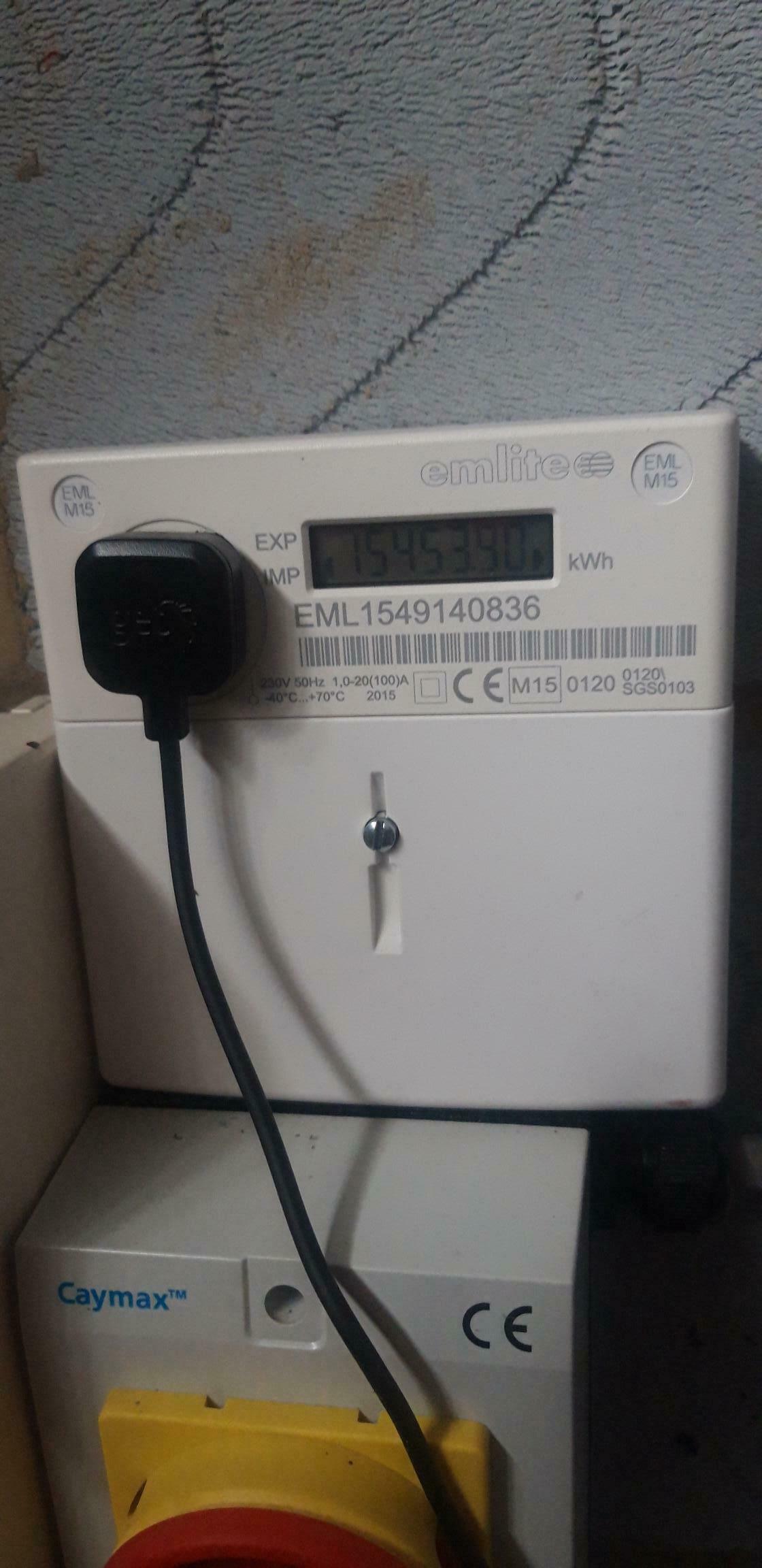
We purchased our property with solar panels a couple of months ago. The previous owner provided two readings, solar panel tall and solar panel export (meter) readings. I’m not sure where he took those readings from, would it be from the smart meter where i would normally provide my electric meter readings from? Or would it be somewhere else? I also have the below device (see picture), but the reading only shows import and not export. I’ve also contacted OVO asking them to explain what readings i need to provide and by when something i am still waiting for a response on

thanks in advance


Best answer by Jess_OVO

Updated on the 04/12/25 by Ben_OVO


Thanks for your help.

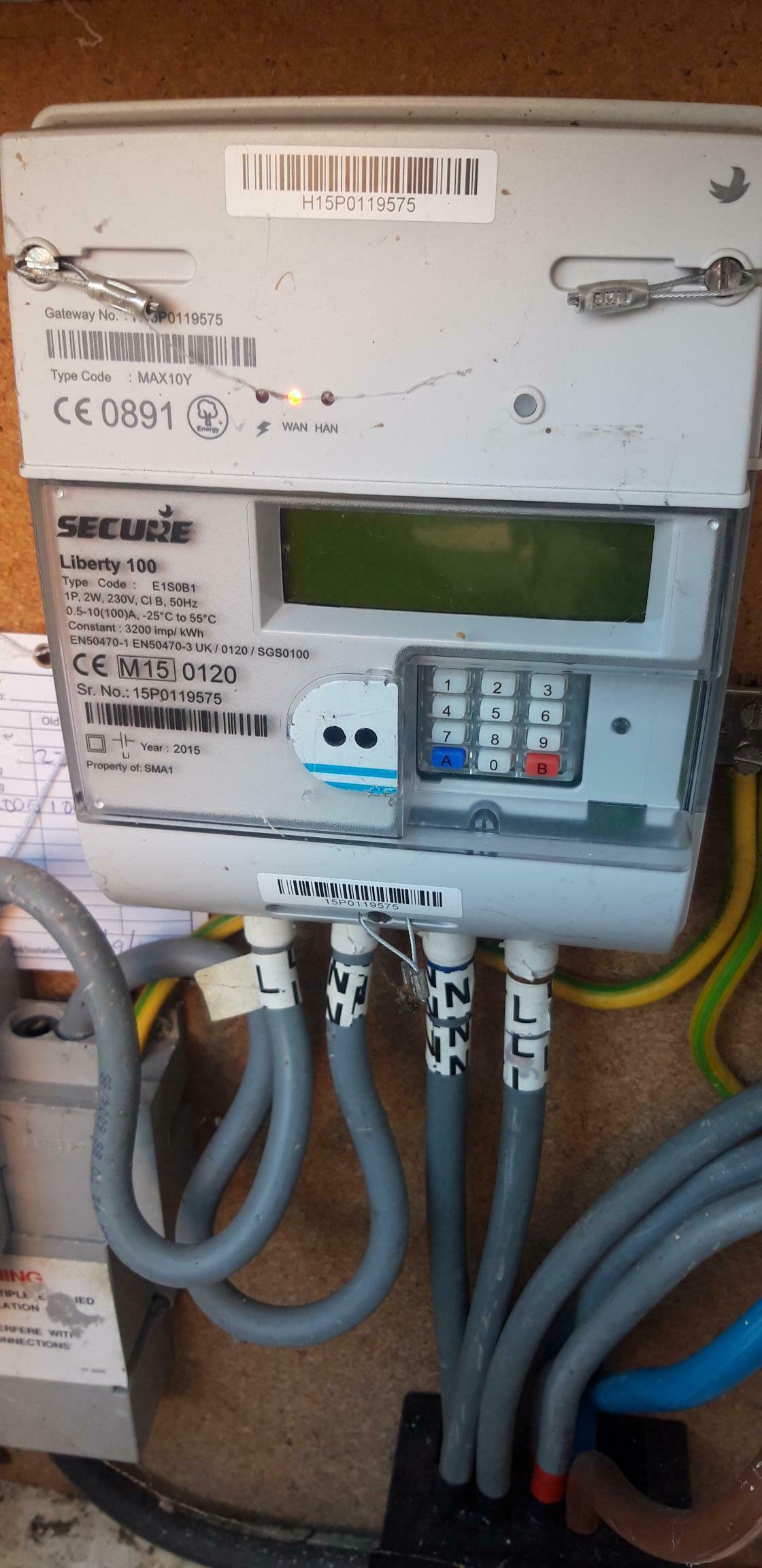
Attached below is the smart meter for our electrics which is located on the outside of our house.

thanks again


Great to see our community members trouble-shooting your export reading question, @steve0.


Just to clarify slightly, as I think there’s a bit of confusion. Whilst the main difference between FiT and SEG payments is the need to supply a generation reading for FiT (which is clocked by the separate meter confirmed above), the export reading is taken the same way for both schemes. All smart meters track this export reading so it’s just a case of finding out how to access this on your meter type.


For a Secure meter like yours, you’ll need to press the ‘9’ button on the keypad (according to the manual I’ve checked), which will show both your import reading (next to the word IMP on screen) and the export readings (next to the word EXP on screen).


The following topic guide may also be helpful:


Let us know if this works. 👍

6 replies

Blastoise186
Super User
Super User
April 20, 2022

Hi @steve0 ,

Strictly speaking, FiT doesn’t support smart meters so you’d still have dedicated generation and export meters for this purpose even with a smart meter. Only SEG supports having a smart meter manage both imports and exports in one go.

Given that Emlite does not manufacture Smart Meters either (or at least not any that comply with SMETS1 or SMETS2), it’s highly unlikely that the photo there is a smart meter of any kind.

Could you have a look around the house and show us photos of any other meters you find please? We'll try to figure this puzzle out with you!

Securing energy by zapping security bugs... For that is The Blastoise Way! Remember, I'm just like you - AI Powered Evil Geniuses aren't Staff!
steve0Author
Rank 1
April 20, 2022

Thanks for your help.

Attached below is the smart meter for our electrics which is located on the outside of our house.

thanks again


M.isterW
Rank 6
Rank 6
April 20, 2022

Your first picture is your generation meter. This is monitoring how much electricity your solar panels are generating. You need to give your FIT provider readings for total generation and amount exported but I don't know how you get those figures. I would guess that the generation meter is showing the total generation but I don't know how you get the export figure. Does the generation meter show two readings? Maybe by the display changing from one to the other?


1992 4 bed detached house. Solar PV + battery, Zappi EV charger, Mitsubishi Ecodan ASHP and i-life2 fan assisted radiators.... No gas 😊
Blastoise186
Super User
Super User
April 20, 2022

The generation meter shows generation readings only. You still need to locate the export meter and it’s probably not going to be that smart meter if you have FiT because I’ve never known a smart meter track exports on FiT. Please keep looking around for other possible meters and we’ll dig through user manuals to figure out how to get that smart meter to reveal any export readings. :)

Securing energy by zapping security bugs... For that is The Blastoise Way! Remember, I'm just like you - AI Powered Evil Geniuses aren't Staff!
M.isterW
Rank 6
Rank 6
April 20, 2022

Got it…

https://help.so.energy/support/solutions/articles/7000065404-how-do-i-take-an-export-reading-from-my-smart-meter-

1992 4 bed detached house. Solar PV + battery, Zappi EV charger, Mitsubishi Ecodan ASHP and i-life2 fan assisted radiators.... No gas 😊
Jess_OVO
OVO Staff
Jess_OVOSolved
OVO Staff
April 21, 2022

Updated on the 04/12/25 by Ben_OVO


Thanks for your help.

Attached below is the smart meter for our electrics which is located on the outside of our house.

thanks again


Great to see our community members trouble-shooting your export reading question, @steve0.


Just to clarify slightly, as I think there’s a bit of confusion. Whilst the main difference between FiT and SEG payments is the need to supply a generation reading for FiT (which is clocked by the separate meter confirmed above), the export reading is taken the same way for both schemes. All smart meters track this export reading so it’s just a case of finding out how to access this on your meter type.


For a Secure meter like yours, you’ll need to press the ‘9’ button on the keypad (according to the manual I’ve checked), which will show both your import reading (next to the word IMP on screen) and the export readings (next to the word EXP on screen).


The following topic guide may also be helpful:


Let us know if this works. 👍

Powered by Re-knowable Energy!