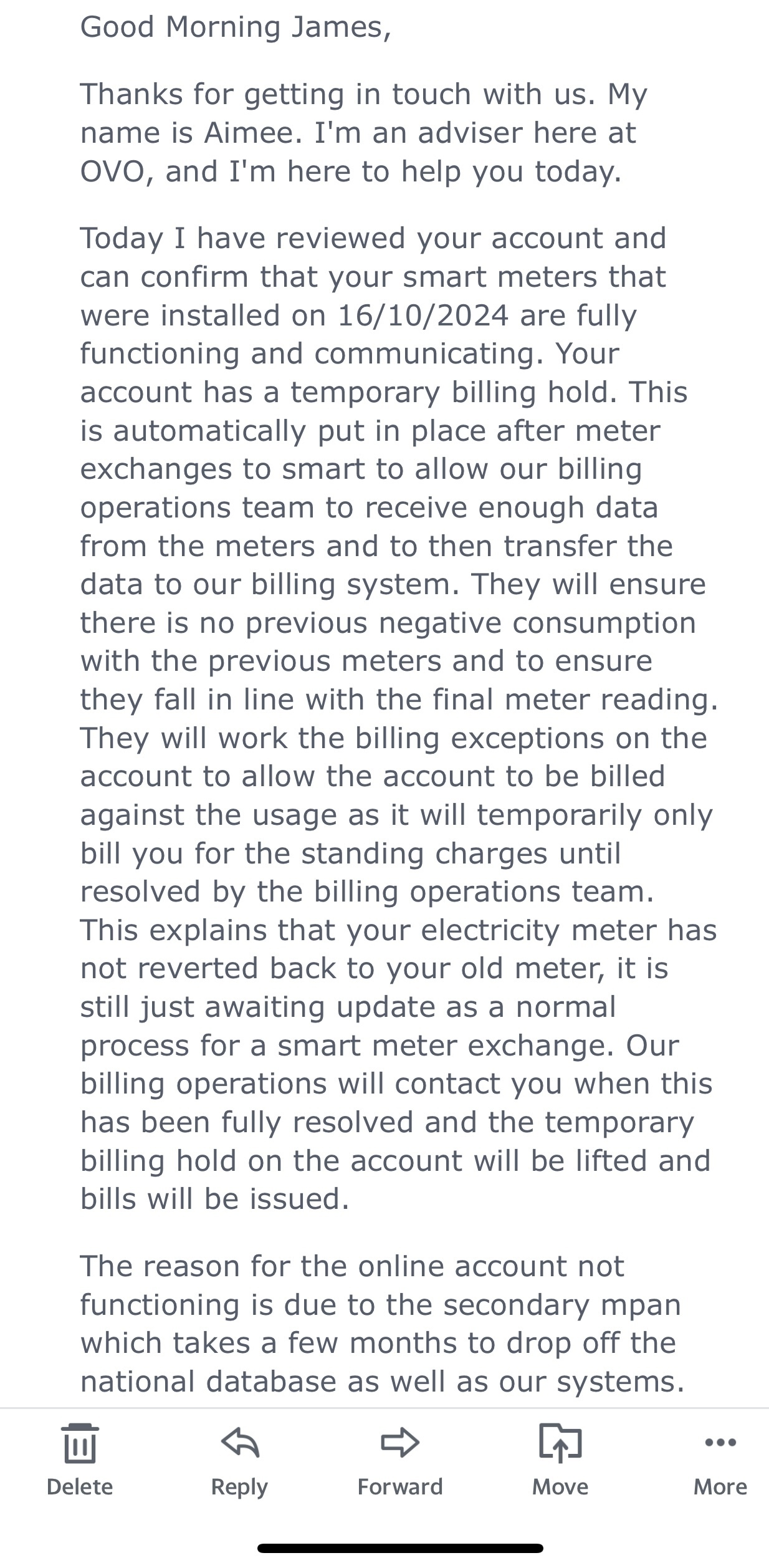
I’m happy to see that you are being charged to your meter readings, and thank you @Firedog for your excellent advice. To confirm @Pilgrim2 , a ‘billing hold’ can be in place to prevent statements being sent to you, however we’ll still add charges to your account during this time, we just wont send a bill. It seems, from looking at your screenshots, that this must all be sorted now.
Once the billing hold is removed, you’ll be sent an up to date, backdated statement. You may have to wait until your normal billing date. Once billing is resumed, we’ll start emailing you monthly to let you know your statement is available to view.
If you’re still unable to log into the OVO app, please carry out the following steps:
If you’re automatically logged in, press ‘log out’.
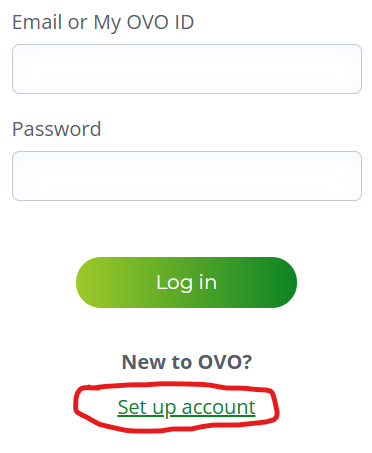
On the login screen click ‘set up account’
Enter your email address when prompted - you’ll be sent an email containing a link from which to set a new password
Once you’ve set a new password, and logged into the browser version of your online account, re-download the OVO app
Log in to the App with your email address, and the new password you’ve just set - you should then have access
I hope this helps 😁
Firedog wrote:
There will have been a hold on billing for your account for some time after the meter exchange while all its details were updated. That appears now to have been removed and your account looks to be working as it should be.
It’s not at all clear what your problem is. There will have been a hold on billing for your account for some time after the meter exchange while all its details were updated. That appears now to have been removed and your account looks to be working as it should be.
On the billing details page, you’ll see the daily balance with changes since the end of the last billing period. This will include the charges and credits shown in your screenshot. At the end of the billing period, the bill will be checked before being finalized and a PDF of it generated, which you should receive by email within a week. You may be able to download the PDF earlier; there will be a link on the billing history page for the period once it’s ready. The email should tell you when to pay.
What is it that you need help understanding?
Noel | I have no official status; I'm just a volunteer who comes here to help other customers. My gear: Aclara SGM 1416-B Electricity-only E7 meter; Chameleon IHD3-PPMID-AAA | It may look as if I know what I’m talking about, but don’t let that fool you. |
That’s exactly the problem I never received an email after the monthly bill is generated.
Right, now I understand. However, the email is just confirmation of what you should be able to see on the website. It normally takes a few days from the end of the billing period for the month’s bill to be ready. Is your bill for Dec-Jan not available? If it isn’t, can you at least see its details on the billing history page?
I see you asked how much more time ‘they’ need. The administrative changes following a meter exchange normally take a few weeks, involving several third-parties who are currently swamped with change requests as RTS systems are being dismantled just as fast as engineers can get to them. All OVO can do is put in the request for changes to the national database; then they and you have to wait for the mills to grind. This is in part a manual process, so while one system’s data may be updated within the once-normal six-week window, others are taking longer.
Please be patient. You have shown us that you can see the day-to-day balance on your account, based on accurate meter readings, so the question of formal billing can safely be left on the back burner until everything has fallen into place.
Noel | I have no official status; I'm just a volunteer who comes here to help other customers. My gear: Aclara SGM 1416-B Electricity-only E7 meter; Chameleon IHD3-PPMID-AAA | It may look as if I know what I’m talking about, but don’t let that fool you. |
I’m happy to see that you are being charged to your meter readings, and thank you @Firedog for your excellent advice. To confirm @Pilgrim2 , a ‘billing hold’ can be in place to prevent statements being sent to you, however we’ll still add charges to your account during this time, we just wont send a bill. It seems, from looking at your screenshots, that this must all be sorted now.
Once the billing hold is removed, you’ll be sent an up to date, backdated statement. You may have to wait until your normal billing date. Once billing is resumed, we’ll start emailing you monthly to let you know your statement is available to view.
If you’re still unable to log into the OVO app, please carry out the following steps:
If you’re automatically logged in, press ‘log out’.
On the login screen click ‘set up account’
Enter your email address when prompted - you’ll be sent an email containing a link from which to set a new password
Once you’ve set a new password, and logged into the browser version of your online account, re-download the OVO app
Log in to the App with your email address, and the new password you’ve just set - you should then have access
I hope this helps 😁
Firedog wrote:
There will have been a hold on billing for your account for some time after the meter exchange while all its details were updated. That appears now to have been removed and your account looks to be working as it should be.