How can I change my email address on my OVO account?
Best answer by Bumblebee
Updated on 19/08/25 by Abby_OVO
Great question to ask about how you’re able to update the email address we’ve got registered on your OVO account.
Step 1
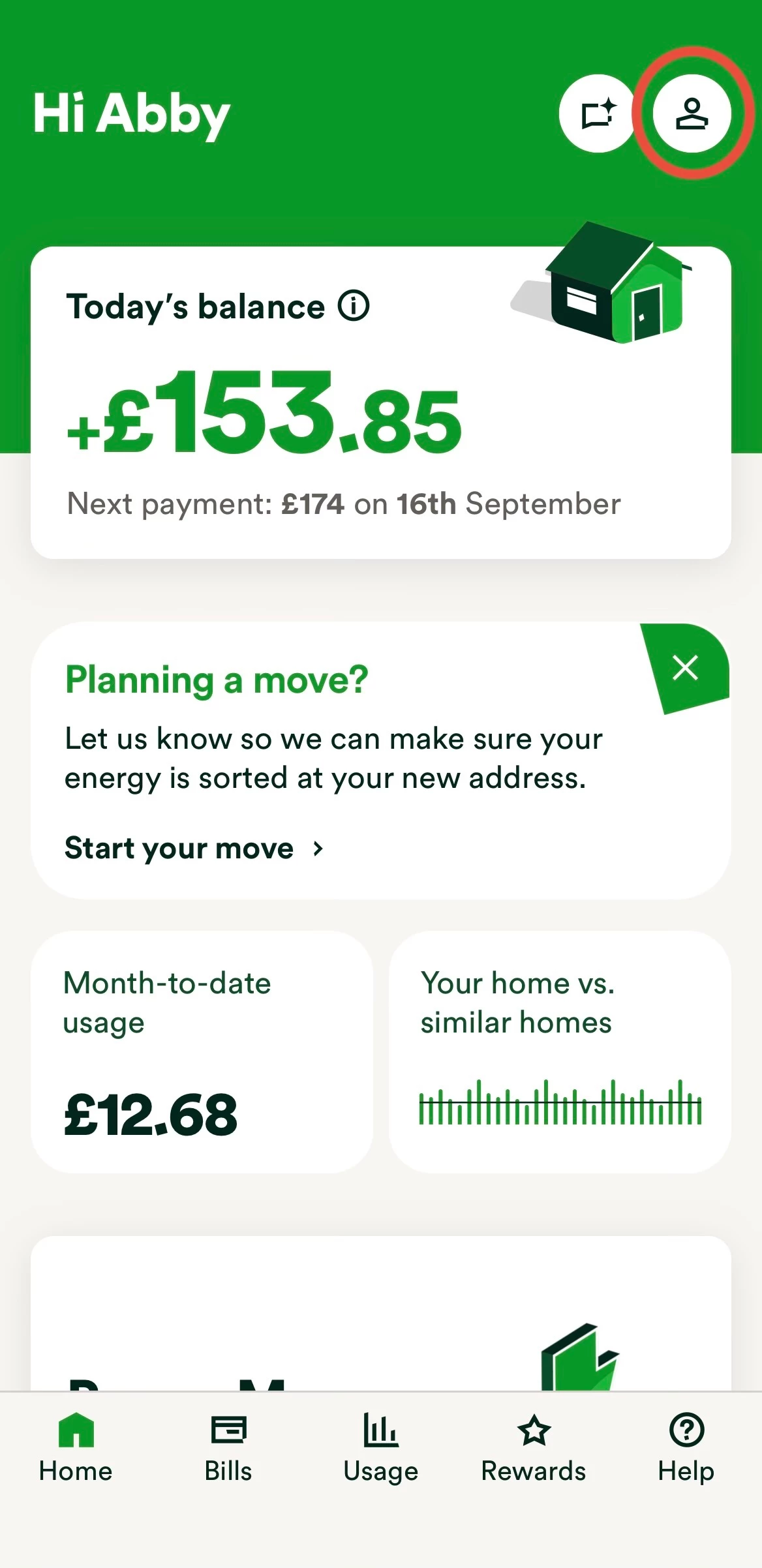
On the home page click on the icon of a person (top right).

Step 2
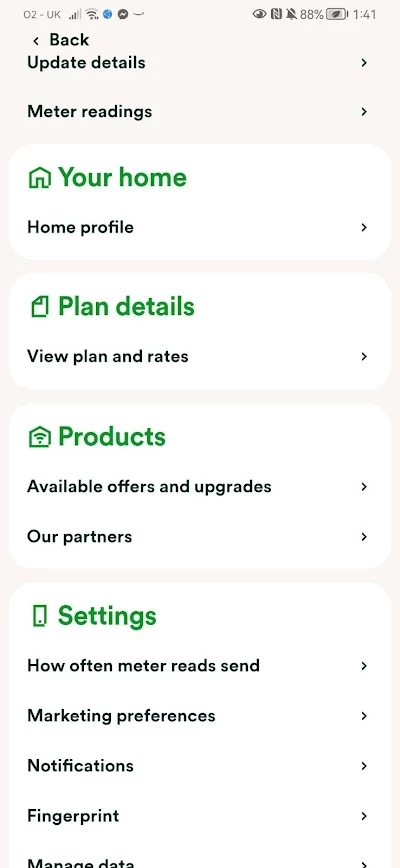
Click on ‘update details’ at the top of the screen.

Step 3
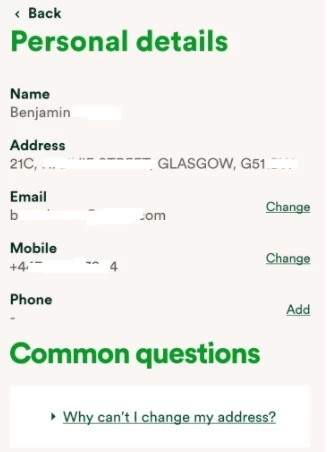
Click ‘Change’ next to the contact details you wish to change.

Step 4
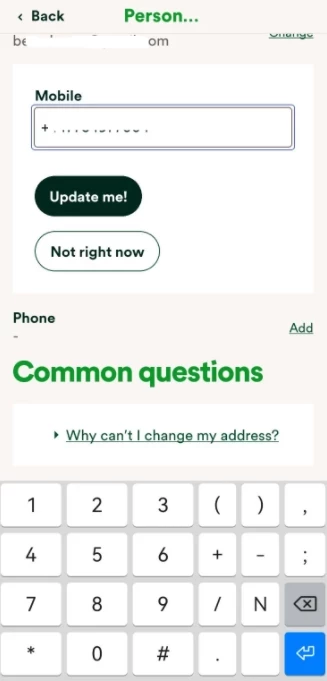
Enter the new details and click ‘Update me!’.

We have a dedicated guide on this in our Library, check it out below:
If you’re unable to access your online account to be able to update these details yourself or you don’t already have an email address linked to the account, reach out to the Support Team who’ll be happy to make the changes.
Log in to the OVO Forum
No account yet? Create an account
Enter your E-mail address. We'll send you an e-mail with instructions to reset your password.

on how to change your email address.