I have recently signed up for charge anytime for us at home with my Wallbox charger and Mercedes EQC.
I have followed the instructions, linked my car etc and set the “ready by” time on a few occasions yet the car has never charged overnight and I'm forced to manually check and start charging early morning.
I cant think what I'm doing wrong - is there anything that I need to do in the Wallbox app? At present when I plug the charger in, the car starts charging immediately which I then manually stop in the wallbox app in the hope it will charge at some point overnight using the the charge anytime app/tariff. Am I supposed to stop the charge like this?
Cant think what im doing wrong - would appreciate any assistance.
Best answer by Emmanuelle_OVO
Updated 24/07/25 by Abby_OVO
This is still a pilot, and some issues - similar to the 50% total charge problem - may take time to resolve. As a result, the Charge Anytime team is unable to provide further updates at this time.
If the limitations you're experiencing outweigh the benefits of the Charge Anytime add-on, we recommend leaving the pilot for now while we work on improving the service.
We’re sorry for any frustration this may cause. Please keep an eye on the Forum for updates - we’ll share any new developments as soon as we have them.
You can exit the Mercedes Beta Pilot at any time by taking the following steps:
Open the OVO Charge Anytime app
Click on the "Account" tab in the bottom right
Click on the User icon in the top left
Click the "Delete account" link
Select a reason for leaving and click "Continue"
Your app account will now be deleted and there will be no further connection or interaction between your car and the OVO system
Note: You will still be credited for any smart charging that you have done up to this point
Hey @Khurana89
Have you spoken to the team?
How to get in contact with the Charge Anytime team
I’ve reached out to the Charge Anytime team about this, and they’ve confirmed that Mercedes are still in the trial phase at the moment with Charge Anytime. You can download the app and use it and agree to extra T&Cs, but it may be less reliable while its still being refined. They’ve recommended that you do reach out to the directly and they can investigate this for you.
On Top of the app I would look at how the car connects to the internet, I found if you are in a poor signal area or your car cannot connect to WiFi the Charge anytime app takes a lot longer to connect.
I would also set inside the car to delay charging until the 12am to 6am for example. Don't stop the charge and anytime app should kick in.
I found the app can take 10 mins to connect if you have poor internet connection and the delay stops you charging until the OVO app wants you to.
What charger are you using? How long has this been happening for?
There can be a good few reasons for this and a little more information on your setup and how you’re charging will be helpful.
Have you reached out to the Charge Anytime team yet? You can actually contact them directly via email at chargeanytime@ovo.com.
We’ve also got some other topics from others on similar issues of the car not charging to 100% that could be useful to you:
Hi I'm using the omhe charger been fine for since we went to charge anytime last couple of months it happens lasts 5 minutes I use the Ohme app to set schedule as can't use charge anytime app as it doesn't work with my Ford as we have two electric vehicles so not sure what's going on
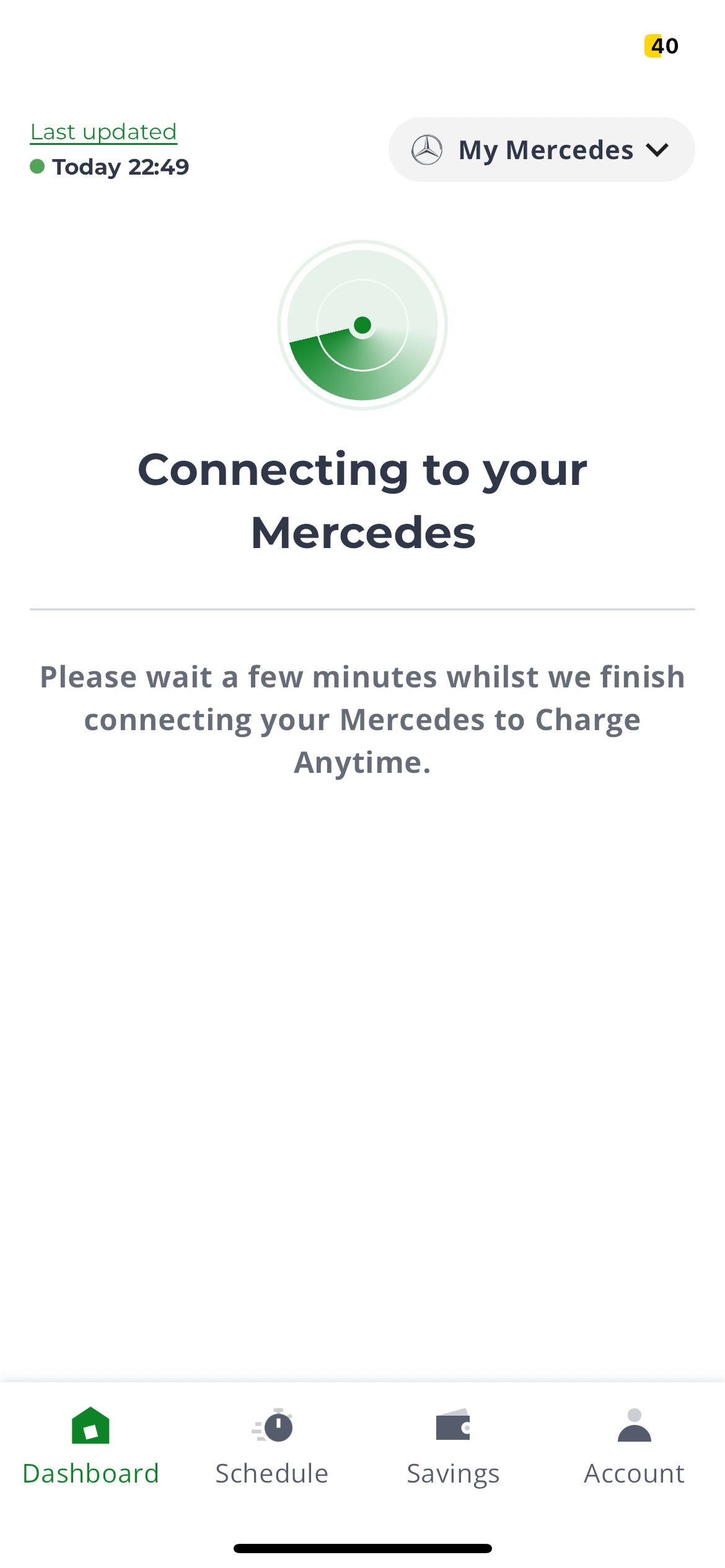
I have eqb 250 and I am able to login and connect to my car in the app using MB id and password, but in the dashboard it says ‘Connecting to your mercedes’ and it’s written please wait a few minutes. I have waited for hours now but still unable to connect. Any suggestions?
I’m not seeing any reported issues with the upstream tools, so I suspect the Charge Anytime team probably needs to dig the logs. Could you call them on 0330 175 9678 in the morning please?
This is still a pilot, and some issues - similar to the 50% total charge problem - may take time to resolve. As a result, the Charge Anytime team is unable to provide further updates at this time.
If the limitations you're experiencing outweigh the benefits of the Charge Anytime add-on, we recommend leaving the pilot for now while we work on improving the service.
We’re sorry for any frustration this may cause. Please keep an eye on the Forum for updates - we’ll share any new developments as soon as we have them.
You can exit the Mercedes Beta Pilot at any time by taking the following steps:
Open the OVO Charge Anytime app
Click on the "Account" tab in the bottom right
Click on the User icon in the top left
Click the "Delete account" link
Select a reason for leaving and click "Continue"
Your app account will now be deleted and there will be no further connection or interaction between your car and the OVO system
Note: You will still be credited for any smart charging that you have done up to this point
Hey @Khurana89
Have you spoken to the team?
How to get in contact with the Charge Anytime team
Still not resolved. I spoke to the team on call, they suggested me to have a couple of subscriptions active on mercedes app, and I checked those are already subscribed. I am not sure whether the customer care team even understood the issue. Still struggling to connect to my mercedes and paying higher tariffs.
I’ve double checked this link shared by @Blastoise186 and it seems the issue is marked as resolved. Have you had any luck with the app over the weekend?
I'm having issues of late with the charge anytime app not updating when my Mercedes EQC is plugged in and charging.
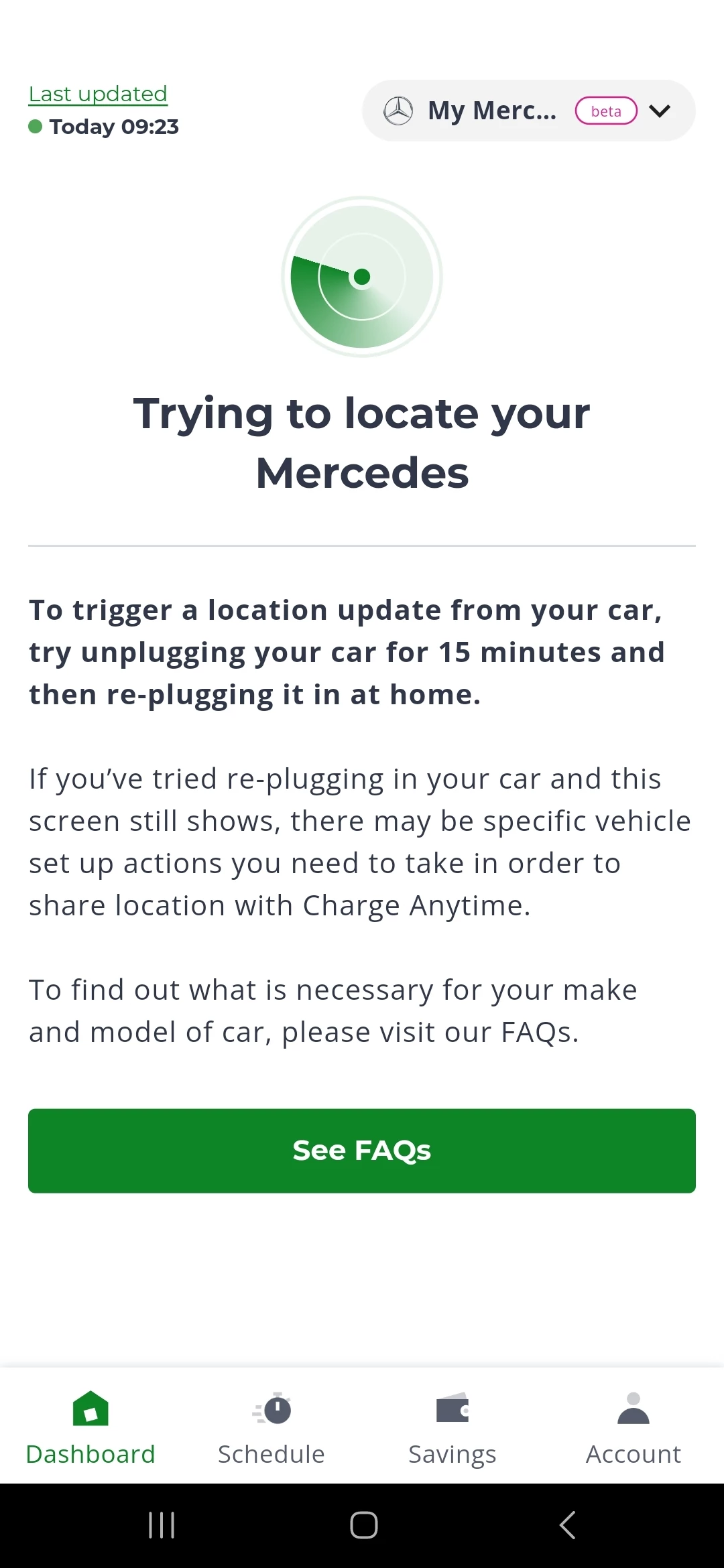
Initially this started in April with a few charging sessions not being picked up by the app or being logged, but then seemed to work itself out and I didn't have any issues since until a week ago. I charged the vehicle via the Easee app, but the charge anytime app was stuck on a last updated date 5 days earlier and wouldn't update. The app wouldn't update at all so from posts on here it looks like the way to resolve is to delete the account and create a new account so the app can pick up your address location again. I did this last night, which seemed to work and I could see the car was charging through the app but when I checked an hour later the 'last update' information hadn't changed. I woke up this morning and went to check the app but weirdly I had been logged out completely and had to create another new account - now all I see is 'Trying to locate your Mercedes' (screenshot included). Again the app won't locate or update with my car.
I'm not really sure what the fix is here but I have emailed and awaiting a response but seems abit slow. Has anyone overcome this issue, or does the team here know of the fix?
I’m having a related issue with my EQA tonight. CA app last updated at 18:29 and it doesn’t recognise the fact I connected my wall box charger at 20:59, which was nearly an hour ago. I need to use my (company) car for work tomorrow but at this rate I’m not sure it’ll be suitably charged in time!
I'm assuming you can still charge through your charging app, but you won't get the EV tariff of 7p and will be charged at the standard rate. I've had to do this a few times now or I wouldn't have been able to drive.
I suspect this isn't an EV charging app issue given we have different wall chargers.
I’m having a related issue with my EQA tonight. CA app last updated at 18:29 and it doesn’t recognise the fact I connected my wall box charger at 20:59, which was nearly an hour ago. I need to use my (company) car for work tomorrow but at this rate I’m not sure it’ll be suitably charged in time!
Is your issue now resolved? If so, did you do anything from your end?
I’m just tagging @EQA2024Owner here in case they missed your question. You can tag someone on the Forum using the ‘@’ symbol, and this will mean that person will receive an email letting them know they’ve been mentioned in the post.
Hope this helps!
Need advice from other members?
Ask your question to our members - they have the experience you're looking for: