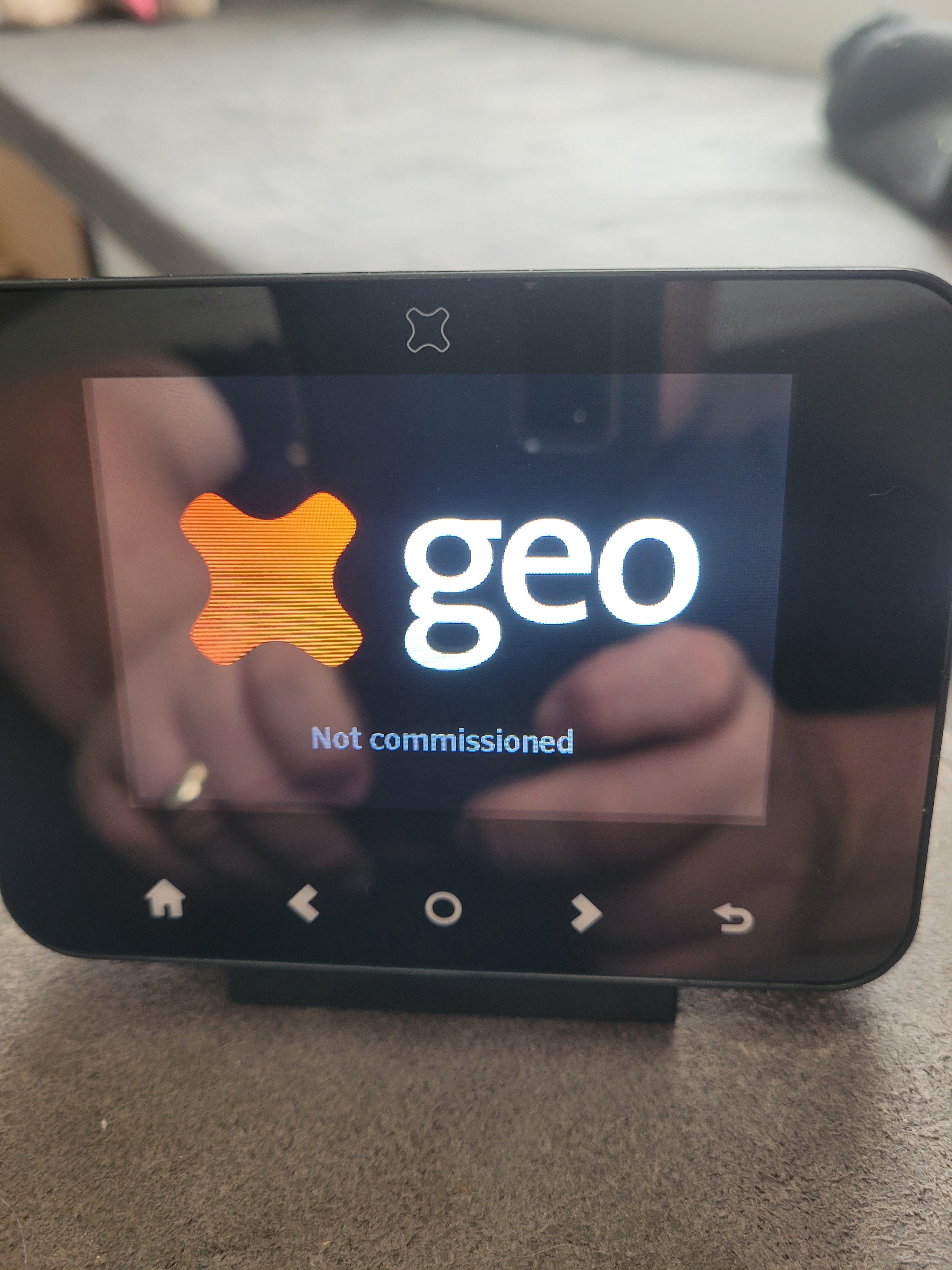
Recently had smart meters installed (SMETS 2 Meter) the installer never left us the in home display so had to contact ovo who speedily sent out the Trio II display, there are no instructions with the device I've switched it on and recieve connecting to smart meter followed by meter not commissioned.
On the SMETS 2 meter the WAN and HAN light indicators are off no lights.
How do I go about resolving these issues.
Best answer by Blastoise186
Updated on 05/12/25 by Ben_OVO
Ok. In that case, try calling OVO and ask them to pair the IHD. They’ll walk you through it.
Just before you do though, here’s a tool that can help you check whether the meters are even registered with DCC: https://homebrew.n3rgy.com . Please don’t post the results here though!
Pairing an IHD requires one of our Support Team to open the pairing network. They’ll then tell you what buttons to press on the IHD. If you’ve just received a new IHD, or have an IHD that isn’t paired to your smart meter, get in touch and we’ll help you pair it.
If that works, it’ll send a report straight to the right team at OVO to investigate. If it doesn’t work, please let me know here and I’ll guide you through an alternative option.
If you could also tell me the status codes from the IHD, that’d be great. I can use them to help figure out what to recommend to you.
If that works, it’ll send a report straight to the right team at OVO to investigate. If it doesn’t work, please let me know here and I’ll guide you through an alternative option.
If you could also tell me the status codes from the IHD, that’d be great. I can use them to help figure out what to recommend to you.
If that works, it’ll send a report straight to the right team at OVO to investigate. If it doesn’t work, please let me know here and I’ll guide you through an alternative option.
If you could also tell me the status codes from the IHD, that’d be great. I can use them to help figure out what to recommend to you.
Thanks!
The link you give me gets me to the end of the questions and say the meters are talking to ovo no need to contact us?
Ok. In that case, try calling OVO and ask them to pair the IHD. They’ll walk you through it.
Just before you do though, here’s a tool that can help you check whether the meters are even registered with DCC: https://homebrew.n3rgy.com . Please don’t post the results here though!
Pairing an IHD requires one of our Support Team to open the pairing network. They’ll then tell you what buttons to press on the IHD. If you’ve just received a new IHD, or have an IHD that isn’t paired to your smart meter, get in touch and we’ll help you pair it.